

Issues: deprecated functionality
Issues are a legacy TARGPatrol feature and should not be used for new workflows. Use Incidents for structured reporting, configurable states, Types and Categories, evidence, assignments, notifications, and reporting.
What happens to existing Issues?
Existing Issue data and the legacy By Issues report may remain available for historical access. Do not create a new process around them. Plan new operational workflows and reports with Incidents.
If your organization still has access to legacy Issues, open an existing Issue and select Export PDF to save its record or Download all attachments to save Issue and comment files in a ZIP archive. Both actions are available on Base and Enterprise and unavailable on Free. The ZIP action requires at least one attachment.
For historical Issues, select up to 25 records in the Issues table and choose Export issues to PDF. You can create one combined PDF or a ZIP with a separate PDF for each selected Issue. This bulk export is available on Base and Enterprise, not on Free; a background result can be downloaded from Notifications. Use Incidents for new workflows.
Review an existing Issue’s History
For organizations that still use legacy Issues, open an existing Issue in the web app and select History. Review supported changes to its name, description, status, priority, assignee, deadline, Location, Point, tags and attached-file references. This is read-only support for existing records, not a reason to start new workflows with Issues. Use Incidents for new operational reporting.
Each entry shows when the record was created or updated and who made the change when that information is available. Expand Changes to compare previous and new values. Added and removed tags are shown separately. Select Load more to see older entries.
For some older entries, the previous version is unavailable; the timeline then shows the retained values. Some complex or protected changes are indicated without revealing every underlying value. History is read-only: it does not restore an earlier version.
Record History is available on Free, Base and Enterprise, subject to your role and Location access. Access checks also protect historical values from other Locations. This is separate from the organization Audit logs feature, which requires Base or Enterprise.
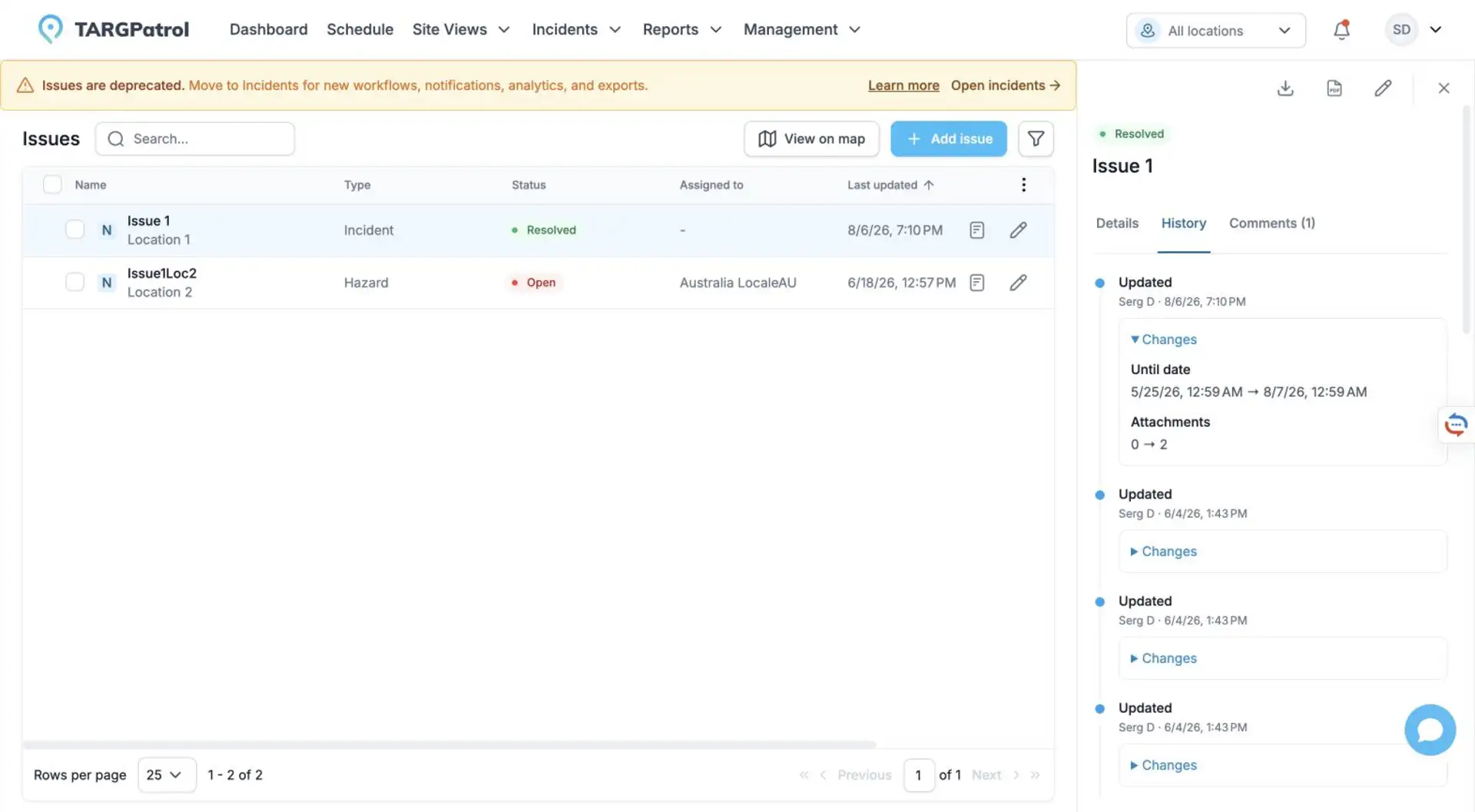
Real TARGPatrol web interface in English, using sample data. The History view shown is read-only.
Creating and Managing Incidents
Use Incidents instead
Configure Incident Types and Categories.
Configure the Incident workflow and notification rules.
Create Incidents from the web app, mobile app, or while completing a task.
Use By Incidents for analysis, saved configurations, History, and exports.
This page is intentionally retained so existing links and users of the legacy feature reach the correct migration guidance.
Choose modules during migration
Administrators and Owners can open Organization Settings → Operations and set Available modules to Incidents, Issues, or Issues + Incidents. Keep both modules available during a staged transition; choose Incidents when new reporting should use only the current module.
This choice guides compatible clients. It does not delete historical Issues, change permissions, or stop previously created records from synchronizing. Treat it as an availability setting, not a data-deletion switch. See Organization Management for details.