TARGPatrol
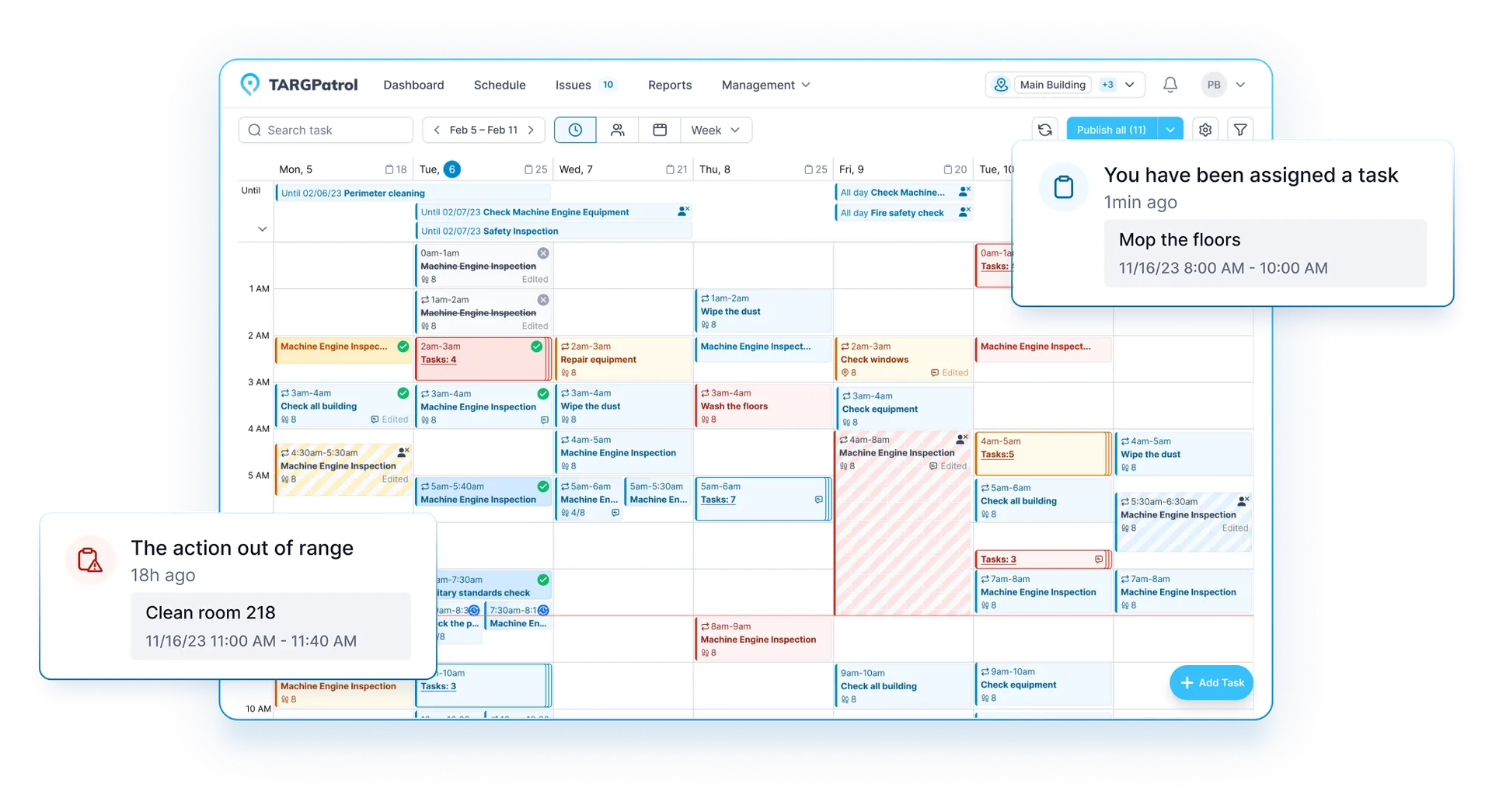
TARGPatrol task schedule and operational notifications

See how frontline teams run work with TARGPatrol

Explore documented customer stories and practical workflows for multi-location operations—from daily checklists and inspections to incident response and management reporting.

DOCUMENTED CUSTOMER SCALE

Built for repeatable work across locations

The stories below use only documented customer scale and operational details. Named customers are identified where the relationship is public; other organizations remain anonymous.

50+
restaurants in one franchise operation
2,000
stores in a retail audit program
7
countries managed in one workflow
CUSTOMER STORIES

Real operating challenges, made visible

See how distributed teams replace scattered instructions and delayed reports with scheduled work, location-aware verification, media evidence, incidents, and one shared record.

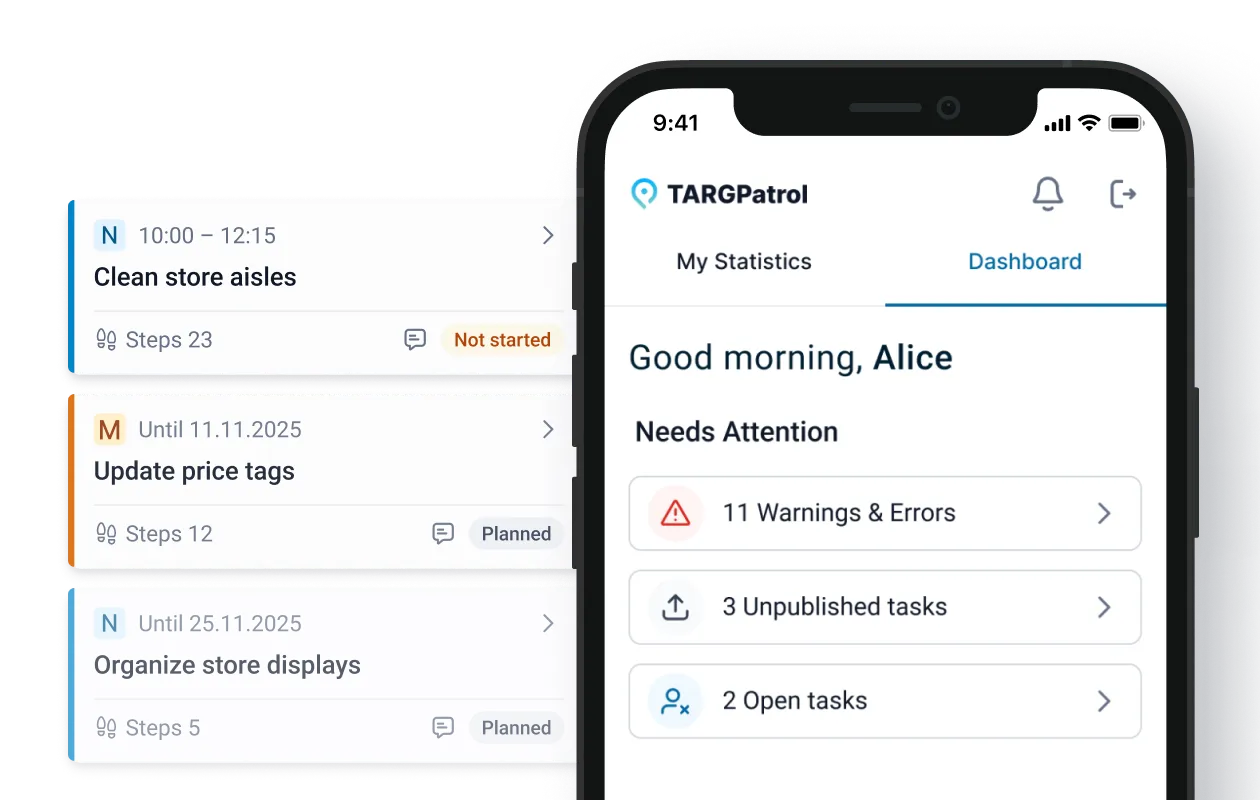
TARGPatrol mobile dashboard with location tasks
Restaurant operationsAnonymized franchise operator

One operating model across 50+ restaurants

A multi-city McDonald’s franchise operator uses TARGPatrol to standardize recurring checks while giving territorial managers a consistent view of execution and follow-up.

Documented scope

More than 50 restaurants in multiple cities

  • Every restaurant is represented as a separate location
  • NFC points connect work to operational zones
  • Reusable checklists support consistent daily standards
  • Incidents and training tasks stay in the same operating record
Read the restaurant story
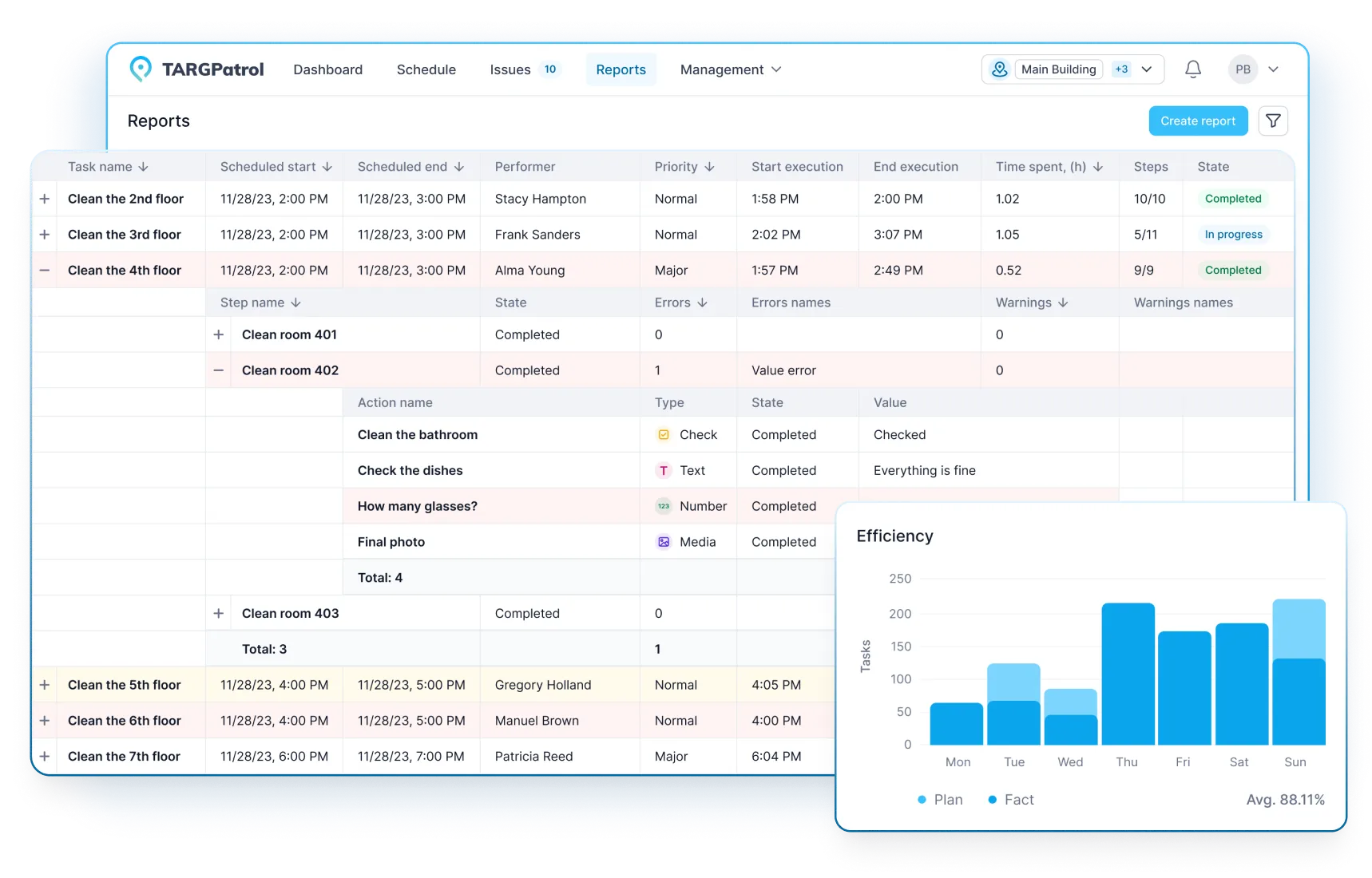
TARGPatrol report showing cleaning tasks and completed checklist steps
Cleaning servicesNamed customer

Prime Cleaning: clearer control across remote sites

Prime Cleaning combines schedules, location checks, structured cleaning tasks, and evidence so managers can see whether teams arrived, what was completed, and where follow-up is needed.

Documented scope

Distributed cleaning teams working across customer locations

  • Schedules and responsibilities are visible before each shift
  • QR, NFC, GPS, and time data help verify work on location
  • Cleaning checklists turn service standards into repeatable steps
  • Photos, reports, and incidents support faster exception handling
Read the cleaning story
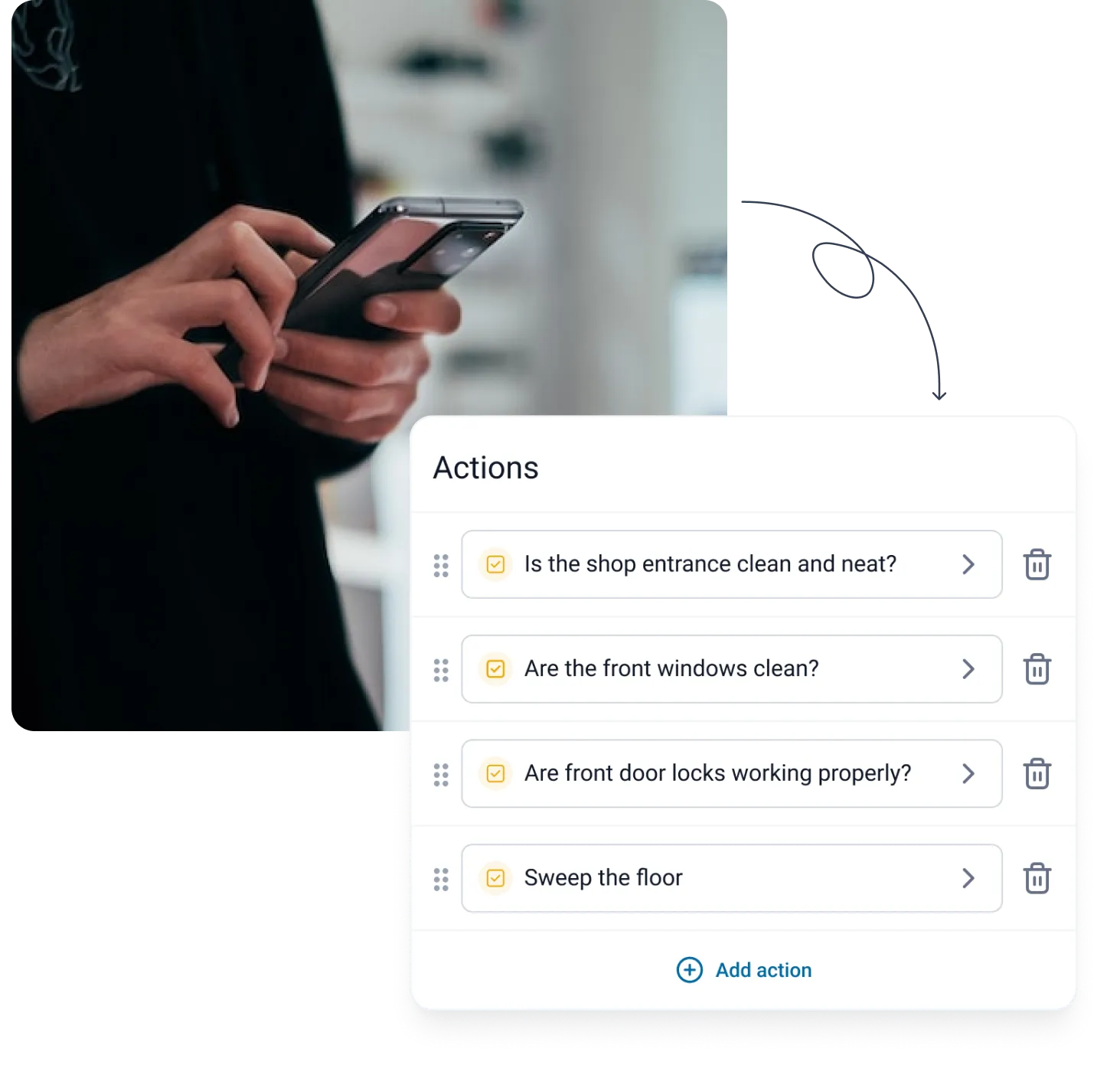
TARGPatrol retail audit checklist builder
Retail auditsAnonymous customer story

A multi-country mystery shopping program in one system

A retail organization coordinates visits, evidence, local review, and consolidated reporting without forcing every country team into a separate process.

Documented scope

30 mystery shoppers, 8 administrators, 7 countries, and 2,000 stores

  • Mobile checklists keep store evaluations consistent
  • GPS, timestamps, photos, and video support visit verification
  • Country coordinators review reports before publication
  • Central teams can compare results across stores and regions
Read the retail audit story
INDUSTRY WORKFLOWS

One platform, adapted to the work your team performs

These are common TARGPatrol workflows—not claims about specific customer brands. Start with the operational problem that looks most like yours.

INSIDE THE PRODUCT

The operational record managers actually see

Frontline employees use the mobile app to complete work and report incidents. Managers use the web app to monitor status, move incidents through a workflow, and schedule reports.

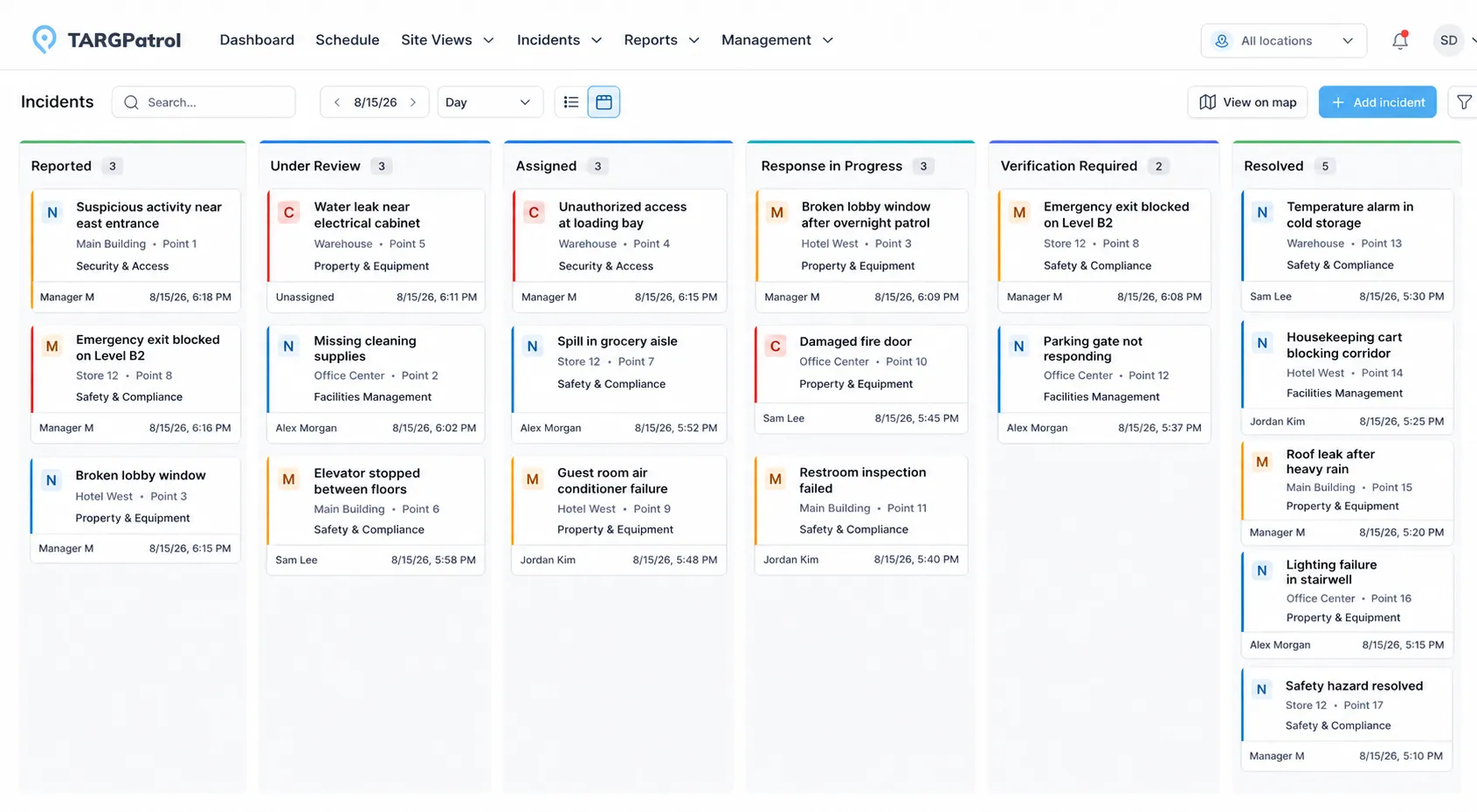
TARGPatrol Incidents Kanban view

See every incident and its current state

List and Kanban views make ownership, priority, location, and response status visible across teams.

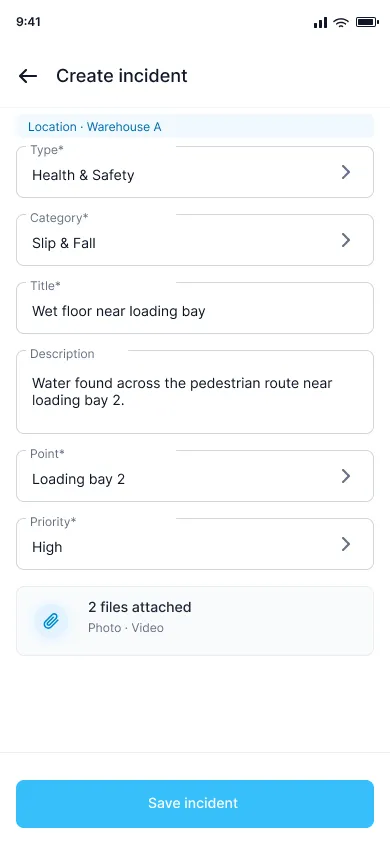
TARGPatrol mobile incident creation form

Register incidents from a phone

Capture the location, type, priority, description, and photo or video evidence while work is happening.

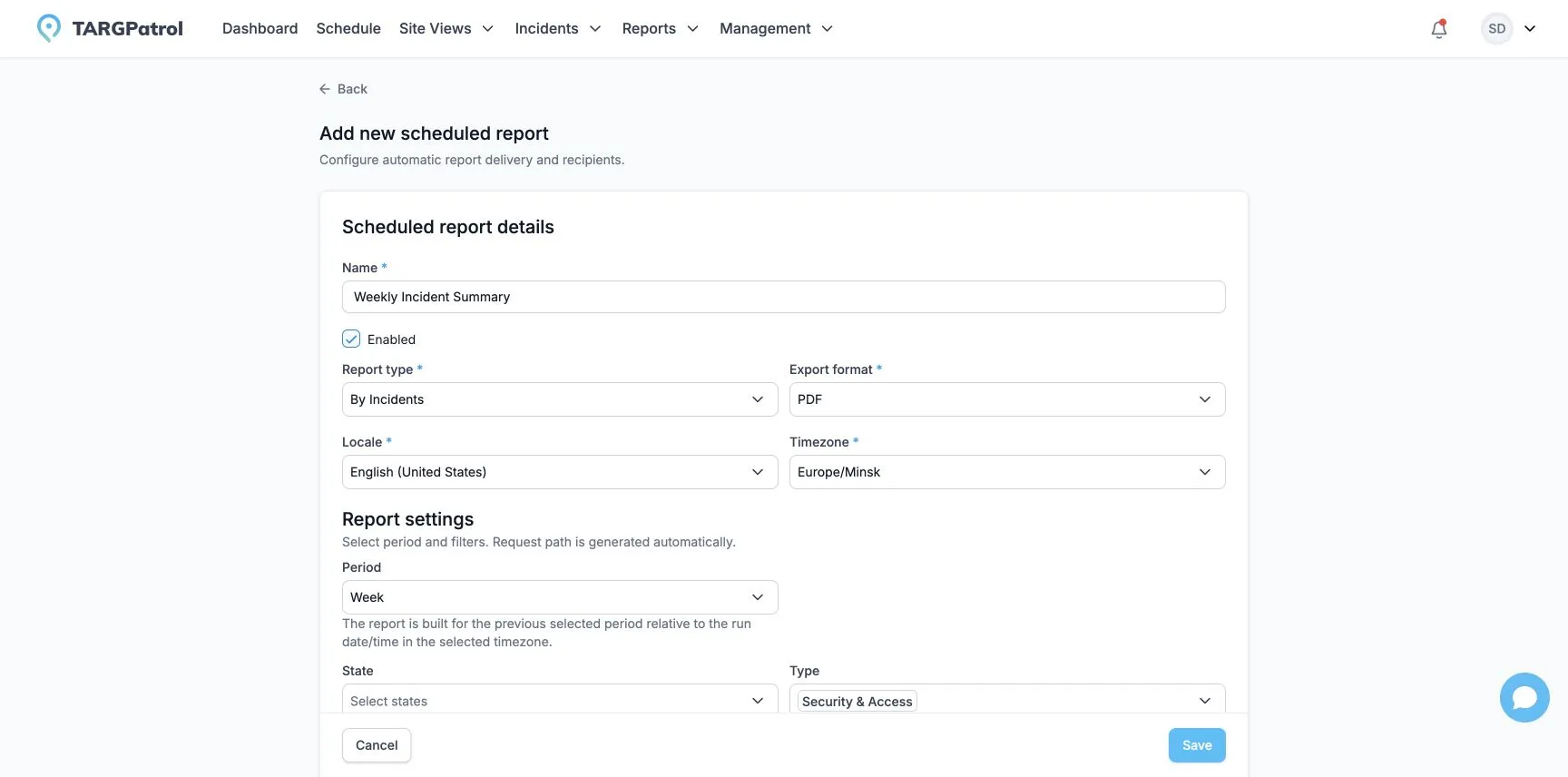
TARGPatrol scheduled report settings

Deliver recurring management reports

Filter operational data and schedule regular PDF or Excel reports for the people who need them.

Product screens use sample operational data and do not display customer records.

VERIFIABLE OPERATIONS

Know who did the work, where, when, and what happened next

TARGPatrol creates a shared operating record instead of another stream of messages. Configure the level of verification that fits each workflow.

Place

Use GPS, geofencing, map points, QR codes, or NFC tags to connect work to the right location.

Time and ownership

Keep schedules, assignees, start and completion times, and overdue work visible.

Evidence

Require photos, video, comments, readings, or checklist answers where proof matters.

Follow-up

Turn deviations into incidents with an owner, workflow, history, and verified resolution.

FAQ

Questions teams ask before moving operations into TARGPatrol

Which industries use TARGPatrol?+

TARGPatrol supports recurring and location-based work in retail, restaurants, cleaning, security, field service, manufacturing, construction, hospitality, healthcare, property management, fitness, and event operations.

Can employees use TARGPatrol from a mobile phone?+

Yes. Employees can receive and complete tasks, follow checklists, scan QR or NFC points, add photos and video, and register incidents from the mobile app.

Can managers monitor several locations in one account?+

Yes. Locations, teams, schedules, tasks, incidents, and reports can be managed in one organization with role-based access and location filters.

How does TARGPatrol verify that work happened on site?+

Depending on your configuration, TARGPatrol can capture GPS coordinates, enforce a geofence around a point, require QR or NFC scanning, record timestamps, and collect photo or video evidence.

Can a problem found during a task become an incident?+

Yes. Employees can register an incident separately or while completing a task. Managers can then classify it, assign a response, track it through a workflow, and verify the result.

Show us the work you need to control

Start with one real workflow—an opening checklist, patrol route, inspection, maintenance plan, or incident process—and see how TARGPatrol fits your locations, teams, and proof requirements.