


Security Guard Management Software for Work You Can Verify
Give every guard clear tasks. Keep patrol evidence, Incidents and follow-up in one place. TARGPatrol helps supervisors see what happened across client sites without chasing paper logs and chat messages.

Inspections

GPS, QR, and NFC

Incidents

Route maps

Tasks

Checklists

Scheduling

Asset management

Reports

Mobile app
Inspections
GPS, QR, and NFC
Incidents
Route maps
Tasks
Checklists
Scheduling
Asset management
Reports
Mobile app
One workflow from assignment to review

Set up sites
Add client locations and assign the people who work there.

Define the work
Prepare tasks, checkpoints, checklists and site instructions.

Assign and repeat
Schedule one-off or recurring work with clear responsibility.

Capture the result
Guards complete tasks and report Incidents from the mobile app.

Review and follow up
Supervisors review evidence, resolve problems and prepare reports.
Document what guards find on an NFC patrol
On a night round, a guard confirms the service entrance by tapping its tag from the assigned task. If the lock is damaged, the guard notes it in the checklist and attaches a photo before finishing.
- Open the assigned task
- Hold the phone near the NFC tag
- Complete the checklist
- Attach a photo and finish
- Review the result and build a report
How to set up and scan an NFC Point
Watch on YouTube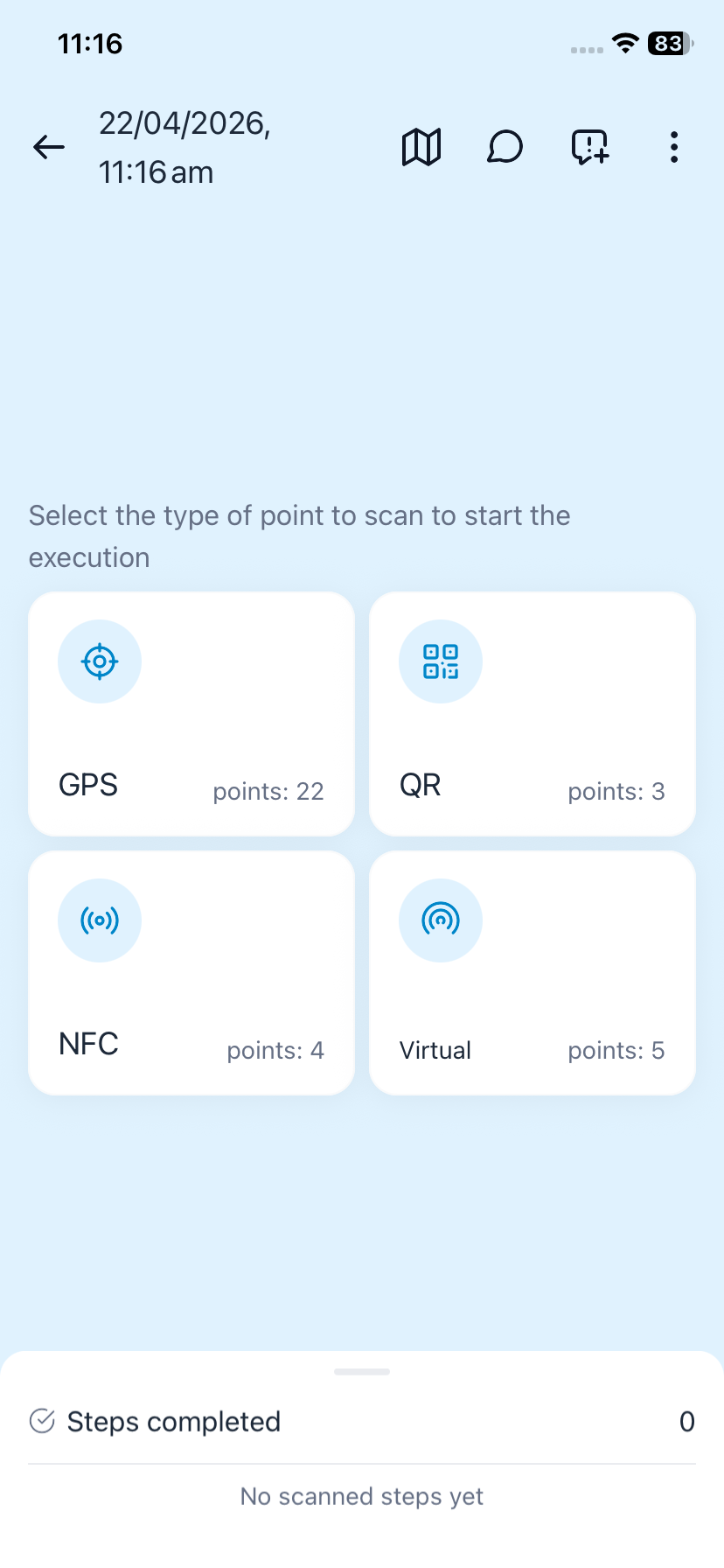
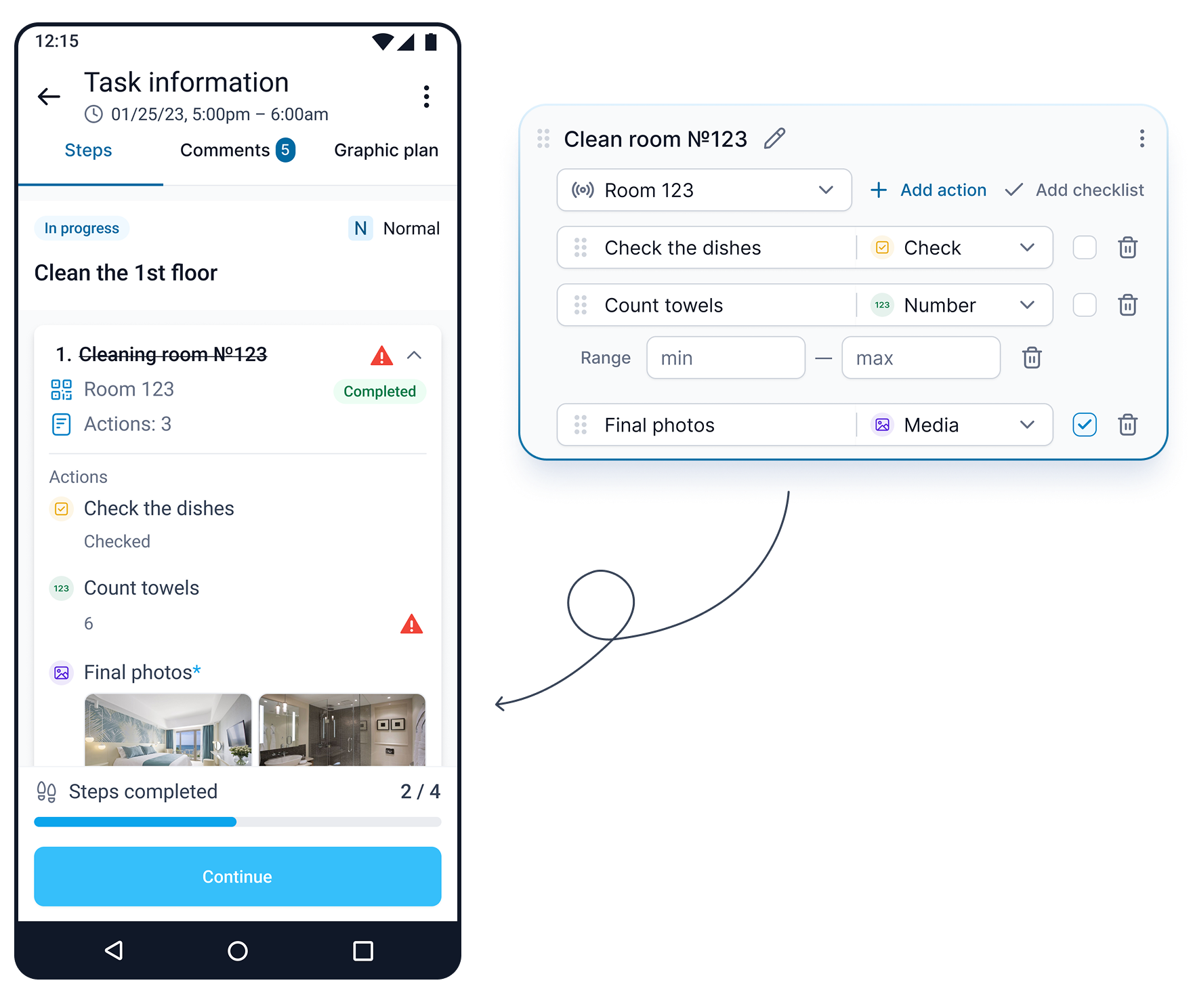
What the manager sees
After sync, the shift supervisor can see who checked the entrance, when it was checked and what was found. The record can be included in a patrol report.
Explore reporting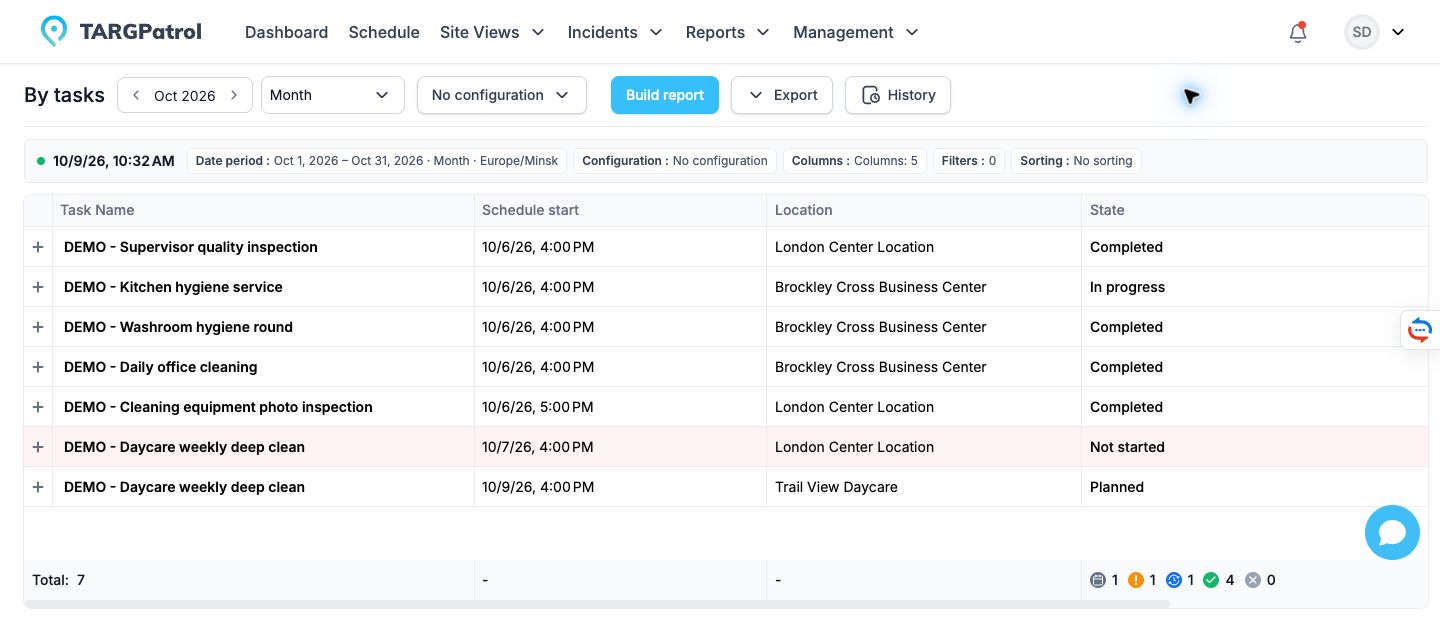
Screens show separate examples in the English interface. The mobile check-in is on demand; the checklist and report illustrate other parts of the workflow.
Need an unscheduled check? Enable On-Demand Check-ins for the point and set who can use it. An authorized employee can then scan the tag in the app and complete the actions configured for that point without an assigned task.

From daily assignments to a clear record of service
Give every guard a clear plan
Keep site instructions, recurring work and checklists together so the next action is easy to find.
Schedule patrols, opening checks and inspections for the right people and locations. Adjust task series as site requirements change.
Attach post instructions, checklist steps and evidence requirements to the task instead of leaving them in separate messages.
Assign users to the locations they work at. Non-Owner access remains limited to assigned locations.

Replace “done” messages with work evidence
See which checks were completed, when they happened and what the guard recorded.
Use QR codes, NFC tags or GPS Points with proximity validation to record check-ins at the site.
Collect checklist answers, photos and notes alongside task results. Video and audio attachments are available on paid plans.
Optional per-user GPS tracking records coordinates while the mobile app is open and in use. It is separate from a GPS Point check-in.

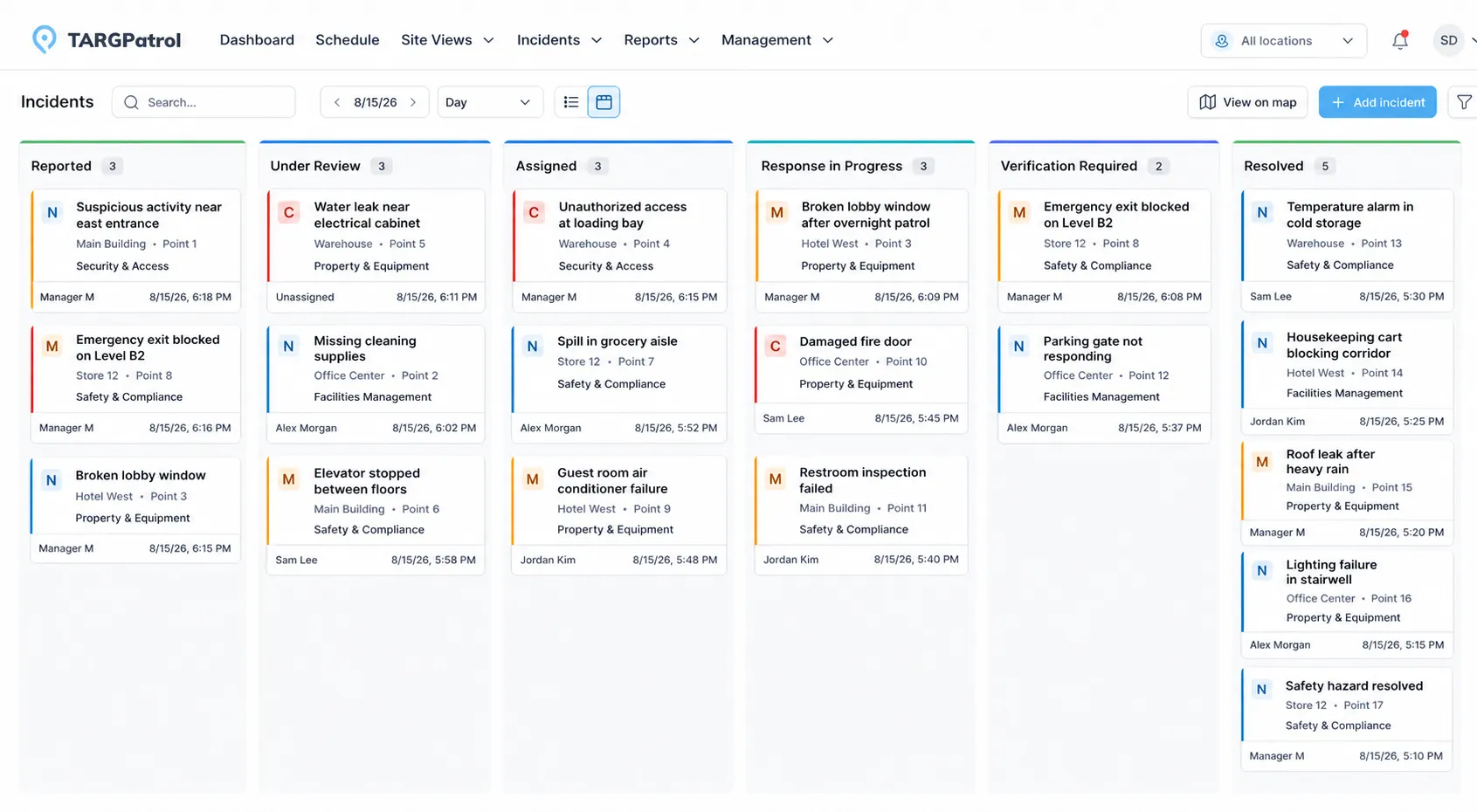
Keep Incidents moving after the first report
A reported problem should have an owner and a visible next step—not disappear in a group chat.
Guards can register an Incident on their phone, either separately or while completing a task, with photos, comments and location context.
Use priorities, statuses and responsibility to track the response and review the result. Keep discussion and attachments with the Incident.
On paid plans, configure notification rules with filters such as Incident type, category and location. Delivery depends on the rule settings and connectivity.
Review service delivery across client sites
Use the same operational records for daily supervision and reporting.
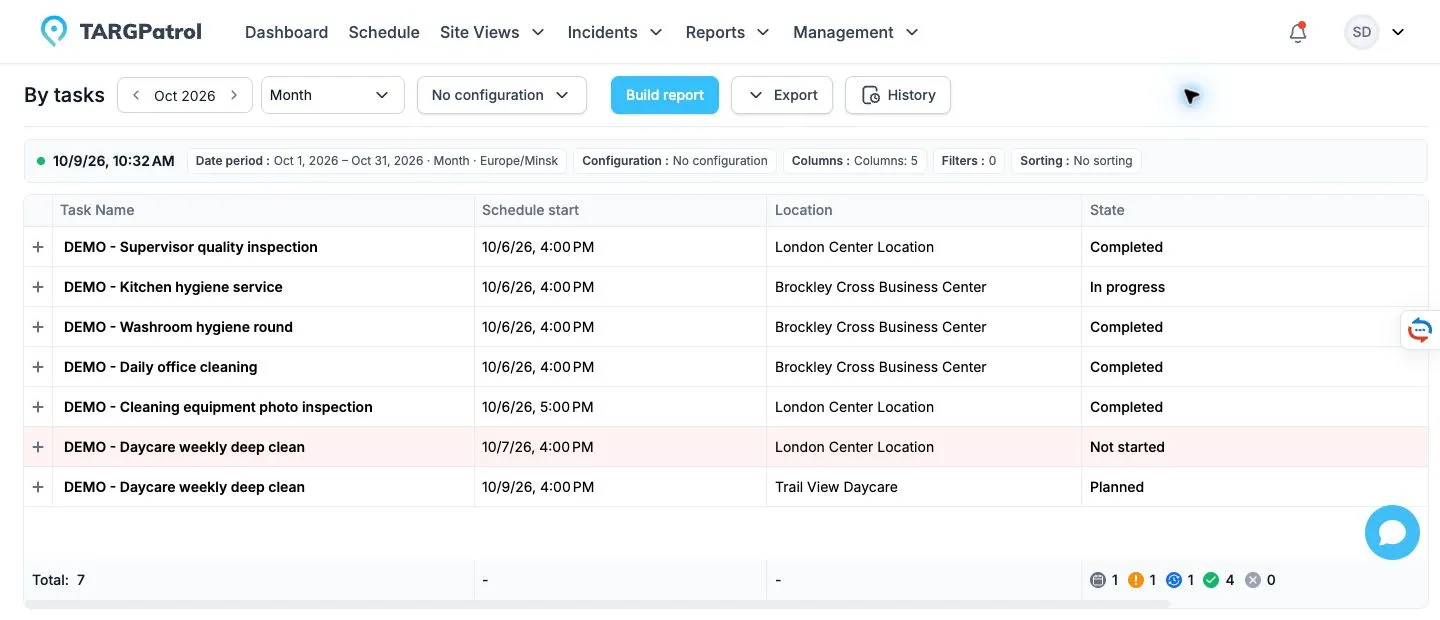
Review task status, incomplete work and open Incidents by location and user. Offline activity appears after the device synchronizes.
Choose a reporting period and relevant filters. Save report configurations so recurring reviews use a consistent view.
Paid plans add PDF and Excel exports, attachment downloads, scheduled reports, External API and webhooks. Choose the plan that fits your reporting process.
Less chasing. A clearer operational record.
Example workflow: from a patrol finding to follow-up
Explore how a security team can connect scheduled patrols, checkpoint records, Incident reporting and supervisor review. This is an illustrative workflow, not a measured customer result.
ILLUSTRATIVE SECURITY WORKFLOW
Connected tools for guards and supervisors
Web app for supervisors

Assign recurring tasks, patrol work and checklists across client sites.
Review synchronized work status, check-ins and supporting evidence.
Assign Incidents and follow progress through the response workflow.
Build reports by period, location and user; export on paid plans.

Mobile app for guards

Open assigned work and site instructions on iOS or Android.
Check in using QR, NFC or a location-verified GPS Point.
Capture photos and notes, or register an Incident during a task.
Continue prepared task work offline and synchronize after reconnecting.


Questions about managing security operations
Yes. Set up locations and assign the users who work at each site. Non-Owner access is limited to assigned locations. Managers can review work across the locations they are allowed to access.
TARGPatrol schedules operational tasks and recurring work, records check-ins and supports Incident follow-up. It is not a full payroll, invoicing or certification-aware rostering system. Use your existing back-office tools alongside it; paid plans include External API and webhooks for integration.
Yes. They can register an Incident separately or during task execution in the mobile app, with details and evidence. Supervisors can assign responsibility, follow status changes and review the outcome. Explore Incidents.
Free supports up to 10 active users. Photos and attachments are automatically deleted 7 days after upload. Notifications, PDF/Excel exports and recording location-geofence events require a paid plan. The 14-day Base trial requires a payment method and renews as a paid subscription unless canceled. Compare all plan limits.
Our security guard management comparison explains the differences between field execution, workforce coordination and back-office administration. For the checkpoint workflow itself, see Tours & Patrols.
Have a question left unanswered?
Feel free to send an email to: support@targpatrol.com
Download Our Security Presentation!
Learn how TARGPatrol can streamline your security operations and improve safety standards.
Choose the next step for your security team

Explore patrol execution
See how routes, checkpoint visits and evidence fit together in the mobile app.

Compare management software
Understand the tradeoffs between field operations, rostering and a full security-company suite.
Plan your reporting workflow
See how task and Incident records become useful reports for managers.