

Safety hazards
Escalate unsafe conditions before someone gets hurt.
Give every employee a fast way to report a problem and every manager a clear view of what happens next. TARGPatrol keeps ownership, evidence, updates, and resolution history in one place.
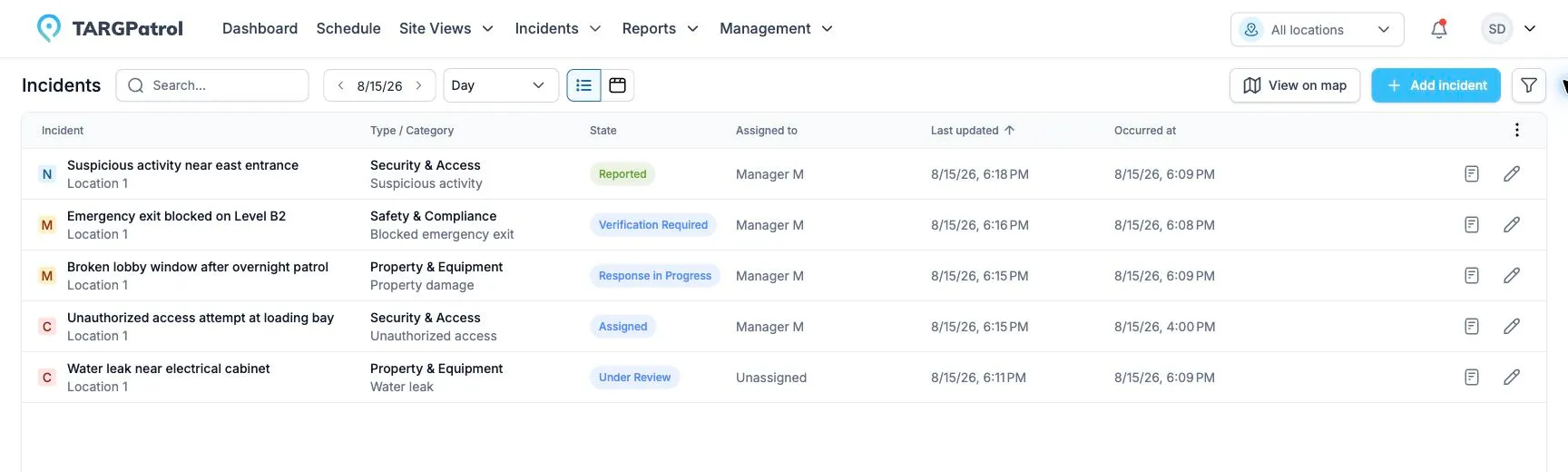
Give frontline teams one simple process for reporting problems and make sure the right person can act before the impact grows.
Escalate unsafe conditions before someone gets hurt.
Get breakdowns to the responsible team sooner and reduce downtime.
Make suspicious activity and patrol findings visible immediately.
Record the damage, its location, evidence, and corrective action.
Resolve customer-facing problems before they affect more visitors.
Track deviations through corrective action and final verification.
The event may be different, but the need is the same: report it quickly, give it an owner, and prove it was resolved.
Escalate patrol findings, access violations, alarms, suspicious activity, and property damage.
Capture damage, supply shortages, safety hazards, and quality problems while staff are on site.
Track equipment failures, defects, urgent repairs, corrective work, and resolution evidence.
Resolve safety hazards, damaged fixtures, service exceptions, and store-level problems.
Connect tenant reports, building damage, contractor follow-up, and the complete response history.
Coordinate guest-impacting incidents, housekeeping issues, safety events, and maintenance response.
Every Incident has a clear owner, status, and next step—so frontline teams can act quickly and managers can verify resolution without chasing updates.
Capture the incident with photos, time, and location context.
Check its priority and route it through the right response process.
Give clear ownership to the right person or team.
Record corrective actions, notes, and supporting evidence.
Confirm that the response actually solved the problem.
Complete the record with a reliable resolution history.
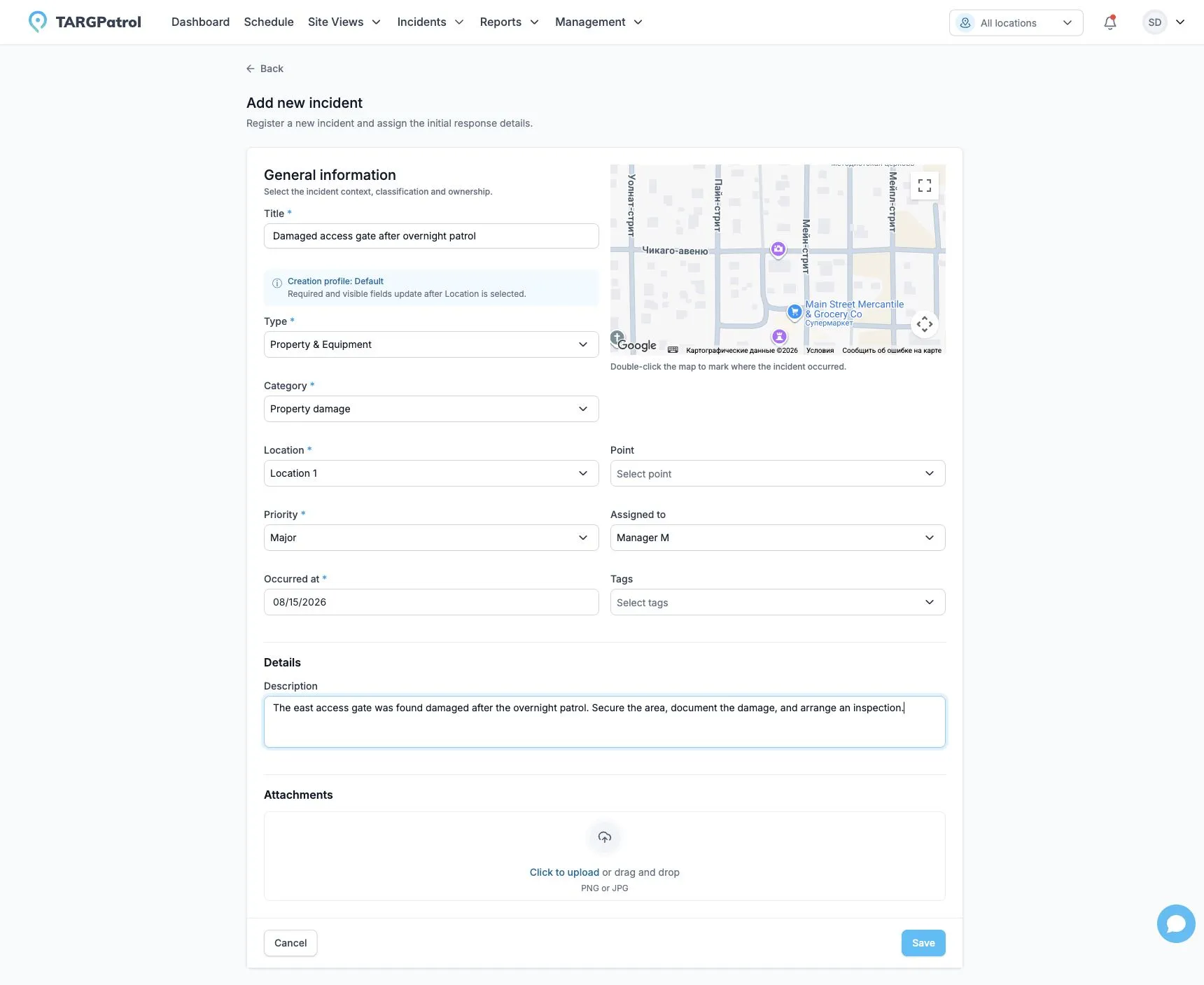
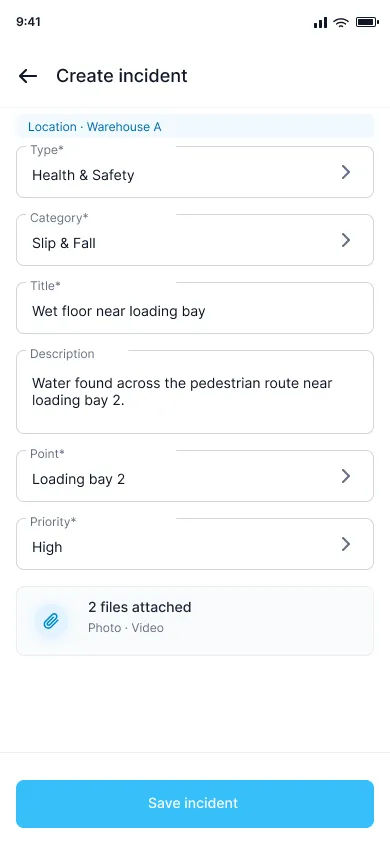
Employees can submit a structured report from the field, with the context managers need to prioritize it without a chain of follow-up calls.
01
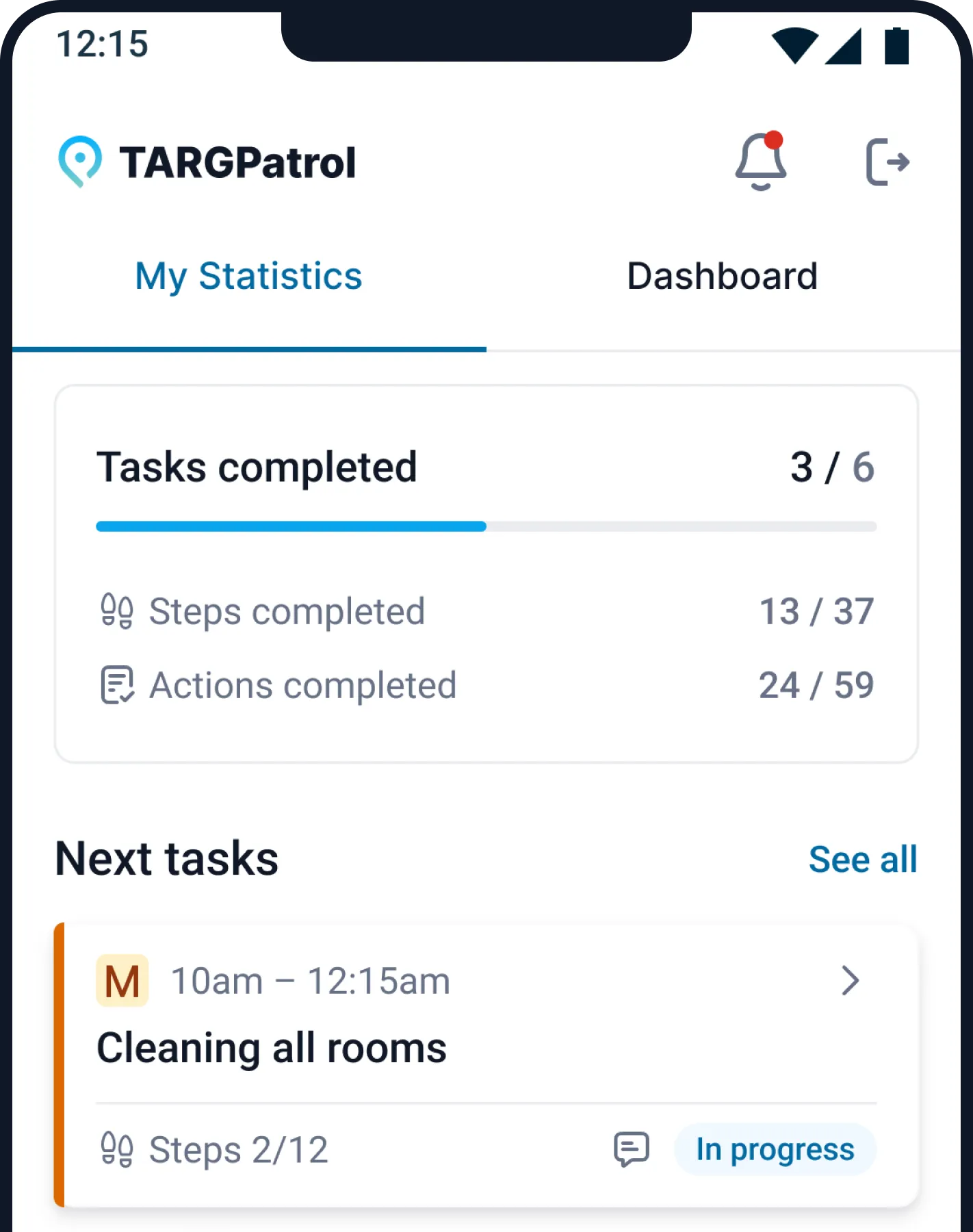
Register it during a task
Create a standalone Incident
Frontline employees can create a standalone Incident from the TARGPatrol mobile app or register one while completing a task, checklist, inspection, or patrol. Every report enters the same workflow managers use to assign, track, verify, and close Incidents.
Open Incidents in the mobile app and report a safety issue, equipment failure, service exception, or other problem as soon as it is discovered.
If a problem appears during a task, checklist, inspection, or patrol, record it immediately without waiting for the work to finish.
ONE SHARED PROCESS
Managers can review the report, assign responsibility, follow the response, and verify the result from one structured record.
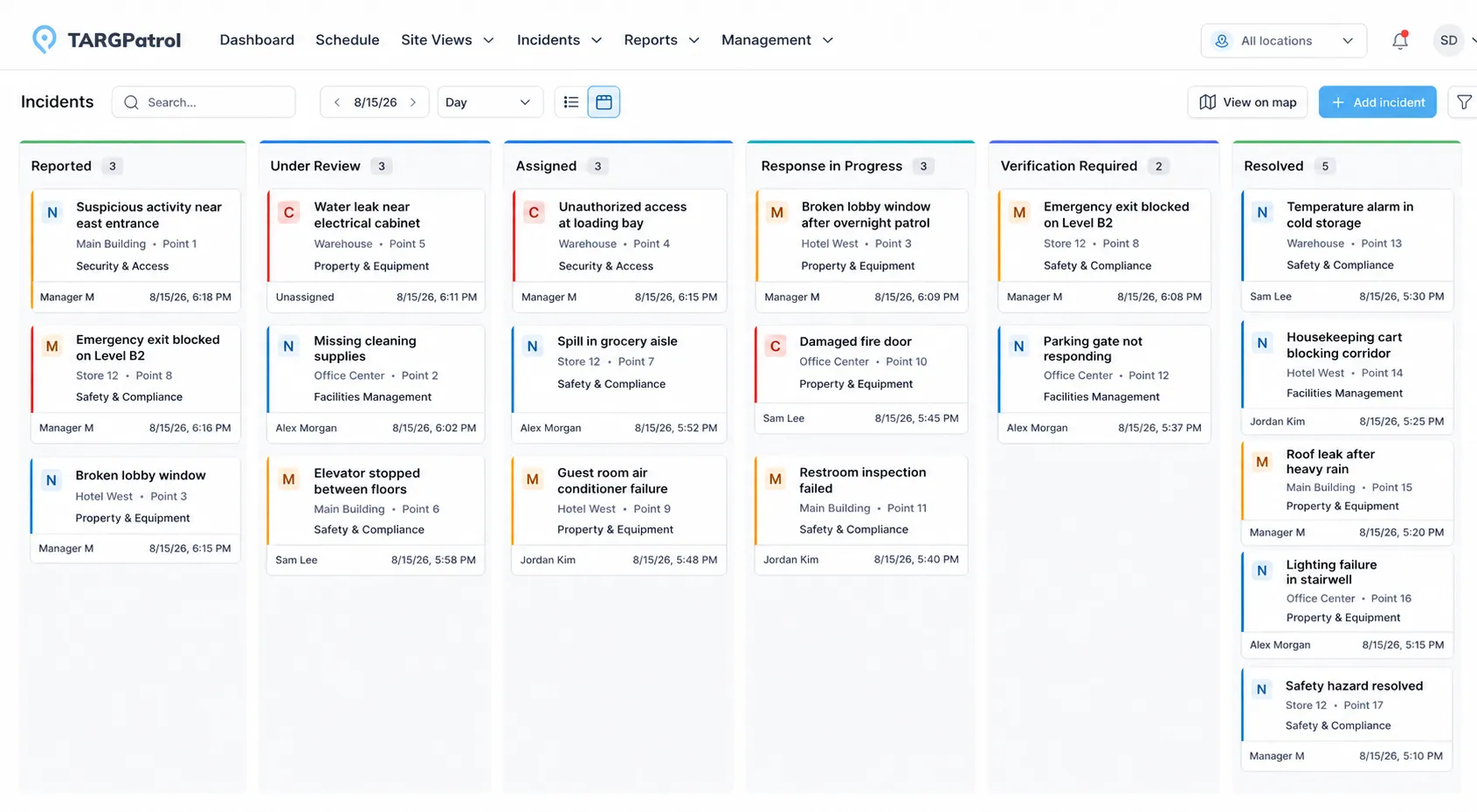
Use the Kanban view to understand workload at a glance and move Incidents from the first report to verified resolution without losing their context.
CONTROL WITHOUT MICROMANAGEMENT
Frontline employees get a simple reporting experience while managers get the oversight they need to coordinate a distributed operation.
Employees see the Locations and Points relevant to their work.
Managers can filter incidents and priorities across every assigned location.
Each user sees only the locations and incident data they are allowed to access.
Keep the complete response history with the Incident, so managers can verify the outcome and answer questions without rebuilding the story later.
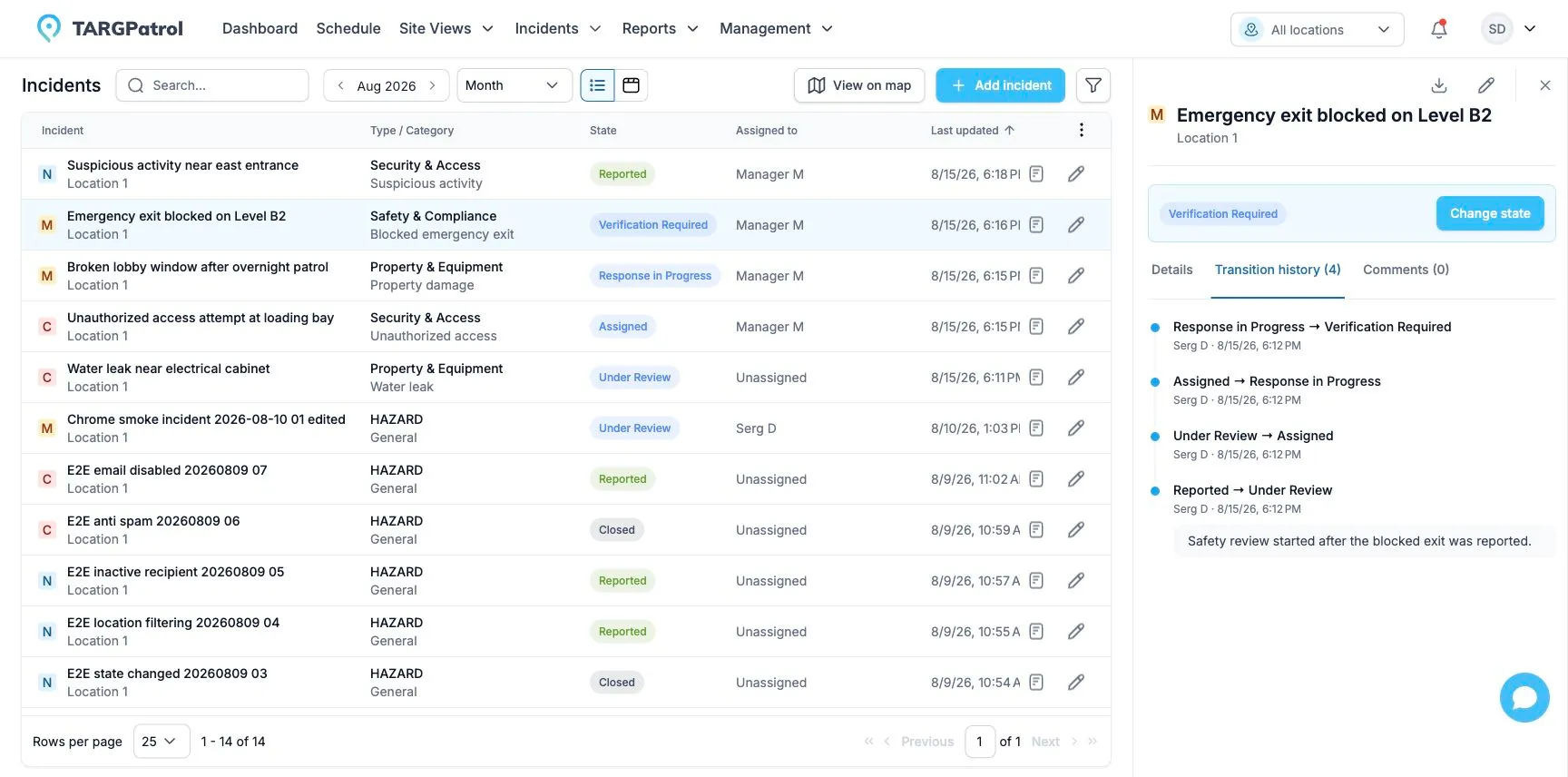
See where incidents happen, how quickly teams respond, and which problems keep returning. Use that visibility to improve operations across every location.
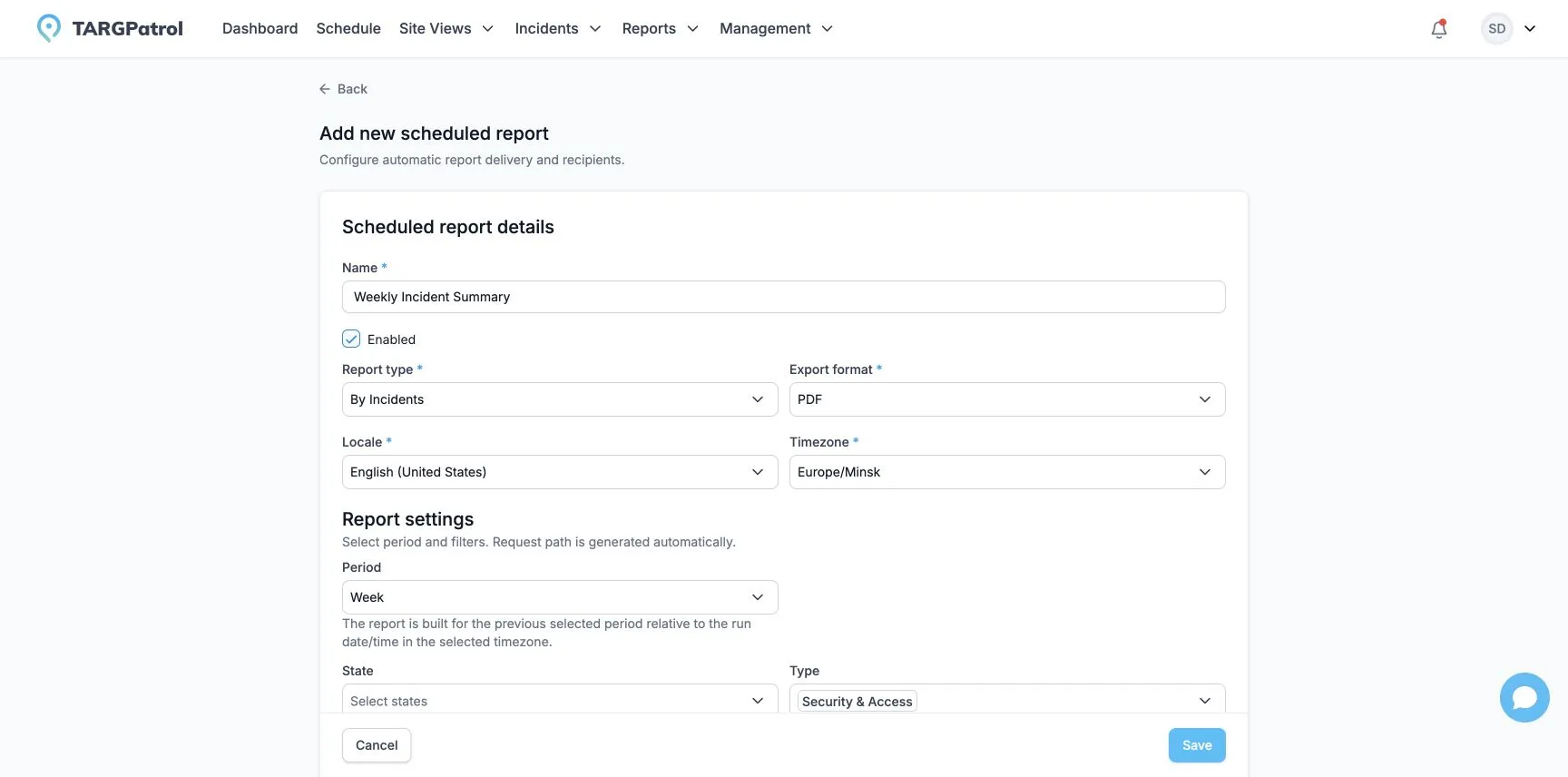
Explore the essentials, from the first report to management reporting and exports.
Incident management software gives teams a structured way to report, classify, assign, investigate, and resolve operational events while preserving the evidence and history associated with each record.
Yes. Administrators can define the starting state, active and final states, and the allowed transitions between them.
Yes. Incident visibility follows the user’s assigned Locations, and a selected Point must belong to the Incident Location.
Yes. Employees can create standalone Incidents in the TARGPatrol mobile app or register them while completing tasks, checklists, inspections, and patrols.
Yes. Incident records support file attachments so teams can preserve visual evidence and supporting documents with the operational record.
Notification rules can react to Incident creation, priority changes, and state changes. Recipients can be selected users, roles, the current assignee, or the reporter.
Yes. TARGPatrol supports reports and exports, an external API, and webhooks for created, edited, priority-changed, and state-changed Incident events.
READY FOR A CLEARER RESPONSE PROCESS?
Replace scattered calls, chats, and spreadsheets with one clear path from the first report to verified resolution across every location.
Capture photos, location, priority, and context directly from the field.
See the responsible person, current status, and workload at a glance.
Keep a time-stamped history of actions, evidence, decisions, and closure.