


Security Services
Plan guard rounds, verify checkpoint visits and report findings that need follow-up.
Turn patrol routes into clear mobile tasks. Verify checkpoint visits with QR, NFC or GPS Points, capture photos and notes, and review the completed round—even when part of the work happened offline.


Add the location and assign the people responsible for its rounds.

Choose QR, NFC or GPS Points for the stops you need to verify.

Order task steps, add instructions and set a one-off or recurring schedule.

Follow the steps in the mobile app, check in and record findings.

After synchronization, review check-ins, answers, photos and task status.
Give staff a practical sequence to follow, with the right check at each stop.
Use printed QR codes, compatible NFC tags or a GPS Point with an allowed check-in radius. Choose the method that fits the site and devices.
Combine checkpoint visits with checklist answers, notes or photos so a scan is part of the work—not the whole result.
Assign patrol tasks to users and locations. Use recurrence for regular rounds and update the series when requirements change.

Keep the condition of the site alongside the record of who visited it.
Use site maps and plans to locate checkpoints and understand where work needs to happen.
Capture photos, checklist answers and notes. Paid plans also support video and audio attachments.
Register an Incident from the mobile app, separately or during a task, so a damaged barrier or unlocked door can be assigned and resolved.

Prepare the mobile app online before a round, then continue supported task actions in low-signal areas.
Synchronize assigned tasks and instructions while connected. Check the device, permissions and checkpoint setup before starting.
Complete supported check-ins, checklist actions, photos and notes without a connection. GPS-based actions still depend on device location availability.
Records are synchronized when the device reconnects. Managers cannot see unsynchronized offline activity, so confirm uploads are complete before relying on the report.
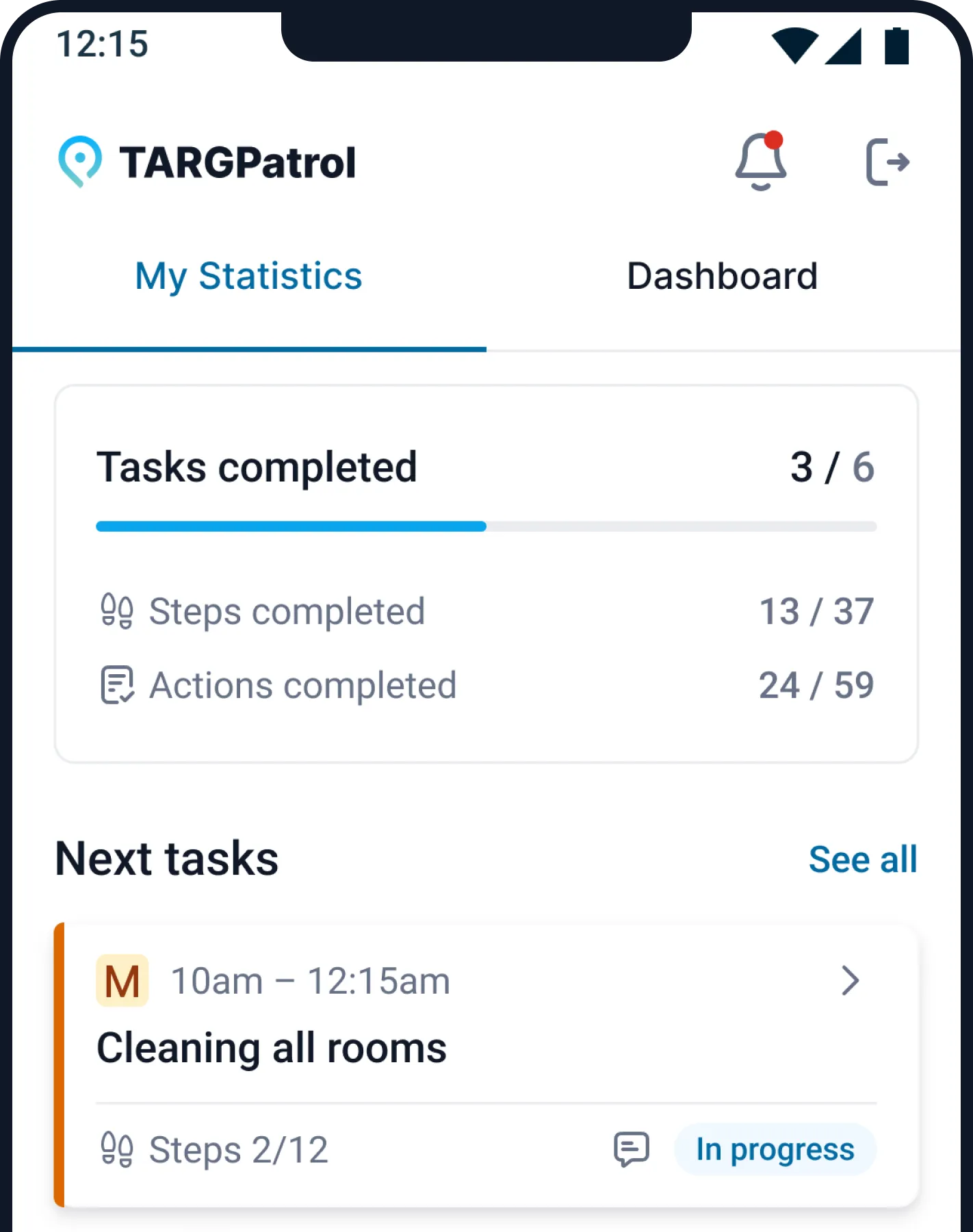
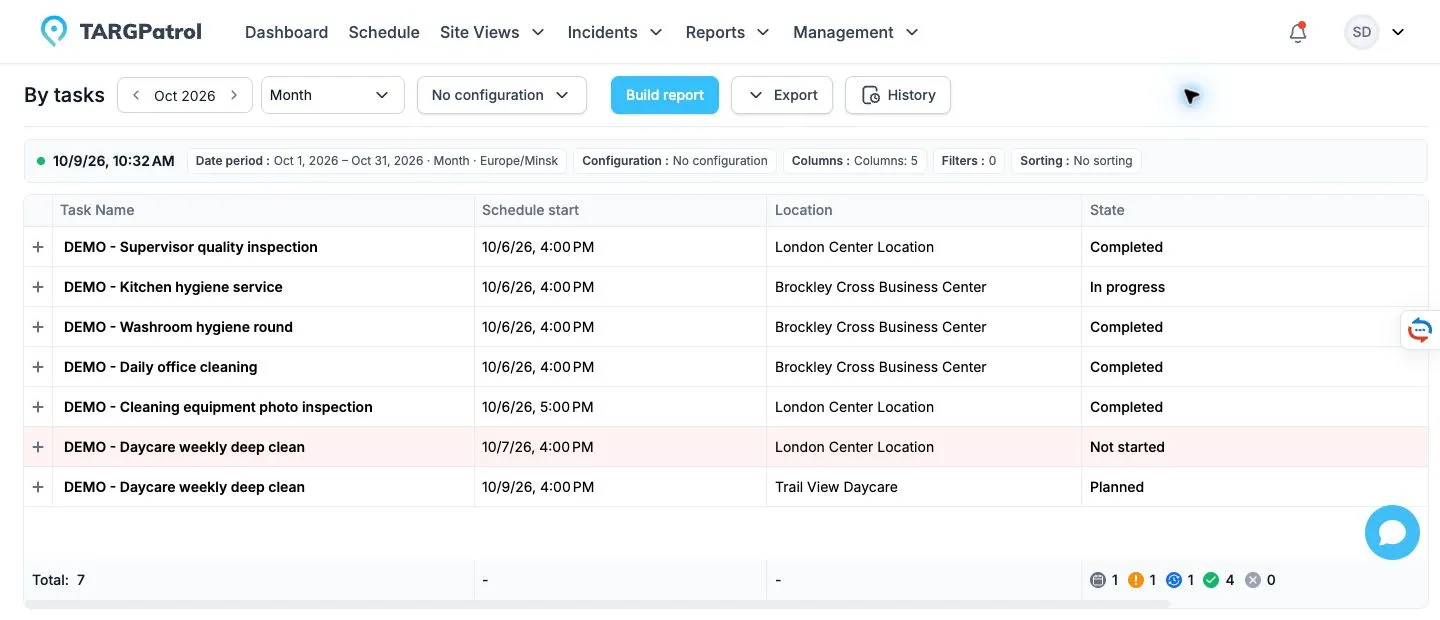
Bring checkpoint records and task results into a view supervisors can use.
Review task status, check-in times and attached evidence. Follow up incomplete work and reported Incidents.
GPS Points validate a check-in radius. Optional tracking records coordinates while the app is open and in use. Paid location geofencing separately records entry and exit events for enabled users.
Filter reports by period, user and location. Paid plans add PDF/Excel exports, attachment downloads and scheduled reports; Free media is retained for 7 days.
Use the same task, checkpoint and evidence workflow for security patrols, cleaning rounds and site inspections.
Guards need a compatible iOS or Android phone with the TARGPatrol app. Print QR checkpoints or install compatible NFC tags if you choose those methods. NFC requires a compatible device; GPS Points require location permission and usable GPS coordinates.
A GPS Point validates that a check-in happens within its configured radius. Optional per-user GPS tracking records coordinates while the mobile app is open and in use. Location geofencing is separate: on paid plans it records entry and exit events for enabled users. These features do not promise uninterrupted background tracking or automatic instant geofence alerts.
Supported task actions, check-ins, photos and notes can be captured offline after the app has synchronized the required work. Reconnect to synchronize the results. A supervisor cannot see activity that is still only on the device. Test your specific route and device setup before rollout.
Paid plans support PDF and Excel exports and attachment downloads, so you can share the relevant records through your own client-reporting process. On Free, photos and attachments are automatically deleted 7 days after upload. Review pricing and limits.
No. The same checkpoint-and-task workflow can support cleaning rounds, maintenance inspections and other site checks. For managing a security team’s broader daily operation, see Security Guard Services.
Have a question left unanswered?
Feel free to send an email to: support@targpatrol.com


