Conference Event Planning Checklist
This Conference Event Planning Checklist is a field-ready tool for planners and operations teams to run a conference from goals and budgeting to load-out and post-event reporting — without guesswork. It covers venue and floorplans, permits and insurance, AV/streaming, power and internet, speakers and rehearsals, registration and badges, exhibitors and sponsors, accessibility and safety, F&B and sustainability, transport and hotels, day-of execution, and debrief.
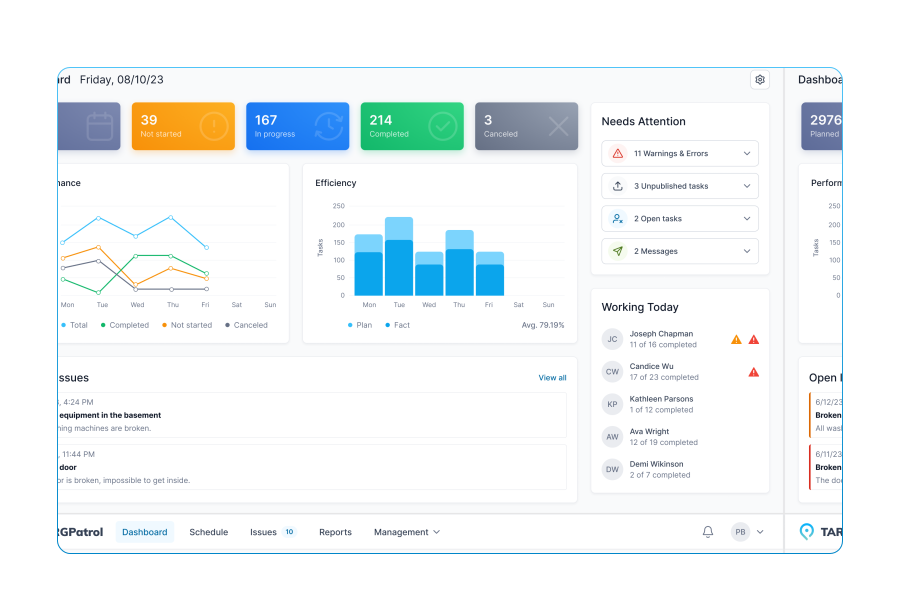
Use it in TARGPatrol to assign owners, capture photo evidence, and log real numbers in real time. Each line supports four answer types — [Flag], [Number], [Media], [Text] — so you can record quick pass/fail checks, precise counts (bandwidth, circuits, chairs), visual confirmations (layouts, wayfinding, room sets), and notes (names, timings, special requirements).
The template aligns with a practical milestone timeline, creating a live audit trail with timestamps, GPS, and attachments. Failed checks can spawn follow-up tasks to ensure verified closure. After the event, export a PDF for stakeholders, analyze KPIs (attendance, NPS, budget variance), and turn insights into improvements for the next conference.
Event goals defined (purpose, audience, outcomes)
Success KPIs set (registrations, attendance %, NPS, revenue)
Budget approved, 10–15% contingency reserved
Total budget amount
Core team assigned (roles, owners, backups)
Project timeline created with milestones
Venue shortlisted (capacity, layout, access)
Final venue selected and contracted
Venue capacity (theater/classroom/banquet)
Load-in/load-out windows confirmed
Floor plan obtained (plenary, breakouts, expo, BOH)
Custom layout annotated (stages, aisles, ADA, fire lanes)
On-site storage/secure room confirmed
Wi-Fi capacity test scheduled
Registration area location and size confirmed
Badge type decided (print-on-demand/preprint)
Wayfinding and signage plan approved
Signage inventory (banners, door signs, maps)
Accessibility audit completed (ramps, seating, captions)
ADA seating count reserved
Quiet room/wellness space designated
Mother’s room equipped
Emergency egress and muster points mapped
Venue COIs and event insurance uploaded
Permits verified (assembly, pyrotechnics, outdoor, recording)
Security vendor booked
Guard headcount per zone
Keynotes confirmed (names, topics)
Speaker contracts executed
Speaker count
Session grid drafted (tracks, rooms, durations)
Call for papers timeline posted
Abstracts reviewed and selected
AV needs collected per session
Presentation template sent to speakers
Slide deadline date
Slide compliance check completed
Speaker travel booked
Hotel nights required
MC/host confirmed, script drafted
Rehearsal schedule created (stage/AV)
Recording/streaming plan (rooms, formats)
Camera count per room
Audio spec (mics per room: lav/HH/podium)
Microphone total count
Stage plot uploaded (lectern, furniture, confidence monitors)
Lighting design approved (key/fill/back, audience)
Show caller assigned and run-of-show locked
Run-of-show master uploaded
Cue sheets per session prepared
Countdown/clocks configured
Backup laptops and adapters available
Streaming platform selected, latency tested
Recording storage plan (capacity/retention)
Sponsorship packages finalized
Signed sponsor agreements on file
Sponsor deliverables checklist created
Lead capture solution chosen
Exhibitor move-in/move-out schedule sent
Decorator ordered (pipe & drape, carpet, rentals)
Freight logistics and marshaling yard instructions issued
Brand guidelines delivered to vendors
Creative assets approved (logo lockups, templates)
Main stage backdrop artwork uploaded
Print collateral list (programs, maps, tent cards)
Total print quantity
Registration platform set up (tickets, discounts, VAT)
Ticket types and prices defined
Data privacy/compliance reviewed (GDPR/CCPA)
Email marketing calendar approved
Email send count (campaigns)
Social media plan (channels, hashtags, cadence)
Press list built, media passes policy set
Press kit uploaded
Photography/videography vendor booked
Shot list with must-have moments
Consent signage prepared
Catering vendor contracted
Coffee stations count
Water refill points planned
Menu tasting completed, notes uploaded
Waste streams and bins count
Chair/table counts per room
Coat check arranged
Transportation plan (shuttles, VIP, crew)
Parking allocation (guests/VIP/vendors)
Rideshare drop/pick zones signed
Hotel blocks secured, cutoff date noted
Rooming list uploaded
Cash handling protocol (box office/merch) defined
Merchant terminals count
Incident report form prepared
Daily brief format and time set
Volunteer recruitment and shifts scheduled
Volunteer headcount
Training deck uploaded
Name badges proofed
Check-in desks photo after setup
Session room sets verified (seating, stage)
Room sets photo evidence
AV line check complete per room
Stage safety check (edges, cables, load rating)
Fire code compliance verified (aisles/exits)
Speaker-ready room operational
Speaker arrivals confirmed (ETA)
Speaker count checked in
VIP protocol briefed to staff
Registration open on time
First session start on time
Real-time attendance per session
Catering delivered on schedule
Waste pickup cadence confirmed
Cleaning rounds per hour
Sponsor entitlements delivered (logos, mentions)
Press escorted to interviews
Lost & found bin prepared
Daily debrief notes captured
End-of-day reset completed
Rental return counts verified
Final venue walk-through with manager done
Damage/incident photos captured
Freight pickups confirmed
Final payments/tips prepared
Thanks emails to speakers/sponsors queued
Survey configured and sent
Responses received
NPS/CSAT score
Attendance vs registration variance
Revenue vs budget variance
Post-event content plan (recordings, slides)
Recordings uploaded and linked
Exhibitor/sponsor ROI reports prepared
Team retrospective notes
Improvements backlog created for next event



















Mobile Work Order Management Software for Business Maintenance