Exhibition Planning Checklist
This Exhibition Planning Checklist is a field-ready tool for organizers and ops teams to deliver a trade show or expo from contracting and floorplans to live days, strike, and post-show reporting — without guesswork. It covers venue and logistics, exhibitor sales and stand approvals, rigging and power/internet, AV and feature stages, ticketing/registration and badges, security/medical and compliance, sustainability and accessibility, catering and concessions, wayfinding and branding, daily operations, and financial close.
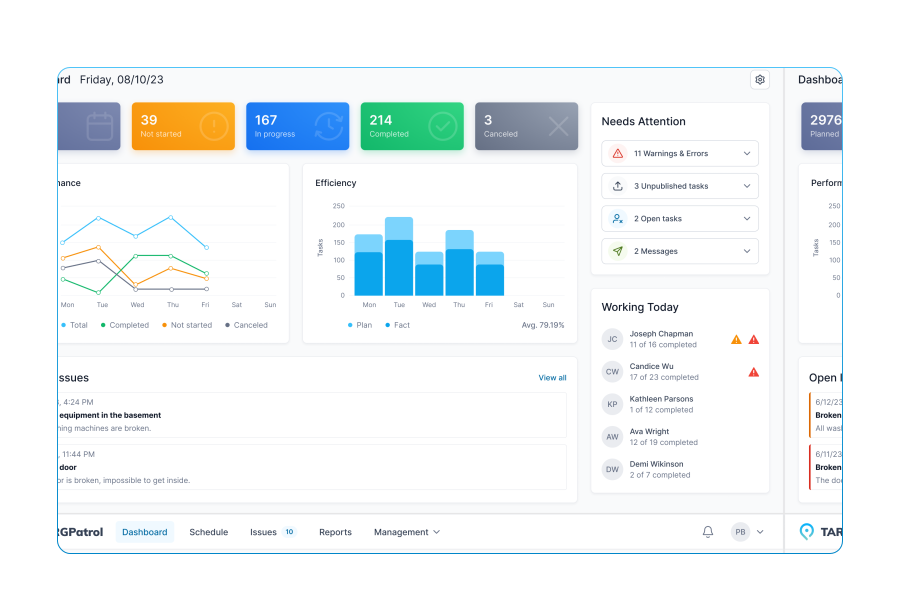
Use it in TARGPatrol to assign owners, capture photo proof, and log real numbers in real time. Every line supports four answer types — [Flag], [Number], [Media], [Text] — so you can record quick pass/fail checks, precise counts (kW, printers, scanners, bin totals), visual confirmations (layouts, stand sign-offs, wayfinding), and notes (policies, timings, contact details).
The template aligns with a practical milestone timeline (D-120/90/60/30/14/7/1 plus hour-by-hour show days), creating a live audit trail with timestamps and attachments. Failed checks can automatically create follow-up tasks for verified closure. After the event, export a clean PDF for stakeholders, analyze KPIs (attendance, lead volume/quality, NPS, budget variance), and feed improvements into your next exhibition.
Event objectives defined (audience, outcomes, metrics)
Success KPIs set (attendance, leads, sales, NPS)
Budget approved, ≥10% contingency reserved
Total budget amount
Project timeline set (D-120/90/60/30/14/7/1, hour-by-hour show days)
Core team & roles assigned (sales, ops, marketing)
Decision-maker and sign-off chain documented
Venue selected & contracted (hall, dates, hours)
Move-in/move-out windows confirmed
Hall access rules (docks, lifts, forklifts) captured
Floor plan obtained (halls, aisles, docks, BOH)
Custom layout annotated (stands, demo zones, storage)
Fire lanes and emergency exits kept clear
Exclusive vendors/policies noted (catering/AV/rigging)
Certificate of Insurance (COI) on file
Permits verified (assembly, food, pyrotechnics)
Booth numbering scheme locked
Booth map uploaded (sizes, corner/premium)
Waitlist rules & priority policy documented
Exhibitor contracts issued & signed
Exhibitor count
Invoice schedule & payment status updated
Operations manual published (key dates, contacts)
Move-in schedule by aisle/zone
Loading dock booking system set
Marshalling yard plan issued
Badging/accreditation rules (exhibitor/contractor)
Access control map uploaded
Overtime/after-hours policy communicated
Official contractors appointed (decorator, electrical, cleaning)
Preferred AV/internet/rigging vendors listed
Freight forwarder/customs broker appointed
Freight labelling and deadlines issued
Return shipping forms provided
Wi-Fi heatmap or test scheduled
Cleaning scope agreed (aisles/booths/nightly)
Security vendor booked, patrol routes set
CCTV coverage & retention defined
Opens/close procedure (hall sweeps) agreed
Incident reporting flow briefed
Emergency egress plan posted
Public address/alert scripts prepared
Wayfinding/signage plan approved
Entrance branding artwork uploaded
You-are-here boards installed
Feature zones defined (keynote stage, demo theatre, startup alley)
Run-of-show drafted for all features
Stage plot & AV spec uploaded
Audio (mics) per stage
Lighting focus check scheduled
Sponsorship packages finalized
Signed sponsor agreements on file
Sponsor branding proof approved
Marketing plan approved (email/social/PR)
Landing page live, registration tracking set
Email campaigns scheduled
Social calendar and hashtags defined
Press list built, media pass policy set
Press kit uploaded
Registration platform configured (tickets, discounts, VAT)
Registration goal
Badging solution (preprint/POD/RFID) selected
Check-in desk layout photo
Catering plan (exhibitor lunch, VIP lounge, concessions)
Water refill points count
Alcohol service licence rules noted
Accessibility audit completed
ADA counters/heights verified
Insurance & liability waivers collected (exhibitors/contractors)
Contractor H&S briefing time set
PPE requirements communicated
Pre-open checks complete
Aisle clearance & fire lanes verified
All stands completed & signed off
Electrical inspection passed
Rigging sign-off on file
Feature stages AV line checks complete
Wayfinding final photo sweep
Housekeeping done (floors/aisles)
Registration desks staffed & online
Security/first aid posts active
Doors open on time
Peak entry rate per minute
Real-time attendance
Queue times at registration (min)
Cleaning rounds per hour
Incident log entries (count)
Lost & found records updated
End-of-day reset completed
Overnight security plan active
HVAC/lighting schedule adjusted
Strike plan confirmed (zones, timings)
Load-out sequence communicated
Waste removal and recycling verified
Rental return counts (furniture/AV)
Damage/incident photos captured
Freight pickups confirmed
Venue walk-through at close complete
Financial close (settlements, refunds)
Attendance vs registration variance
Leads collected (total/qualified)
Revenue vs budget variance
Sponsor ROI notes
Exhibitor satisfaction survey sent
Responses received
NPS/CSAT score
Press coverage links collected
Highlight album/video uploaded
Team retrospective notes
Improvements backlog created



















Mobile Work Order Management Software for Business Maintenance