

Incident Types and Categories
A useful classification should help the reporter choose quickly and help managers understand trends later. Types and Categories give Incidents that shared language without creating a complicated hierarchy.
Think of a Type as the broad operational area and a Category as the specific kind of event inside it.
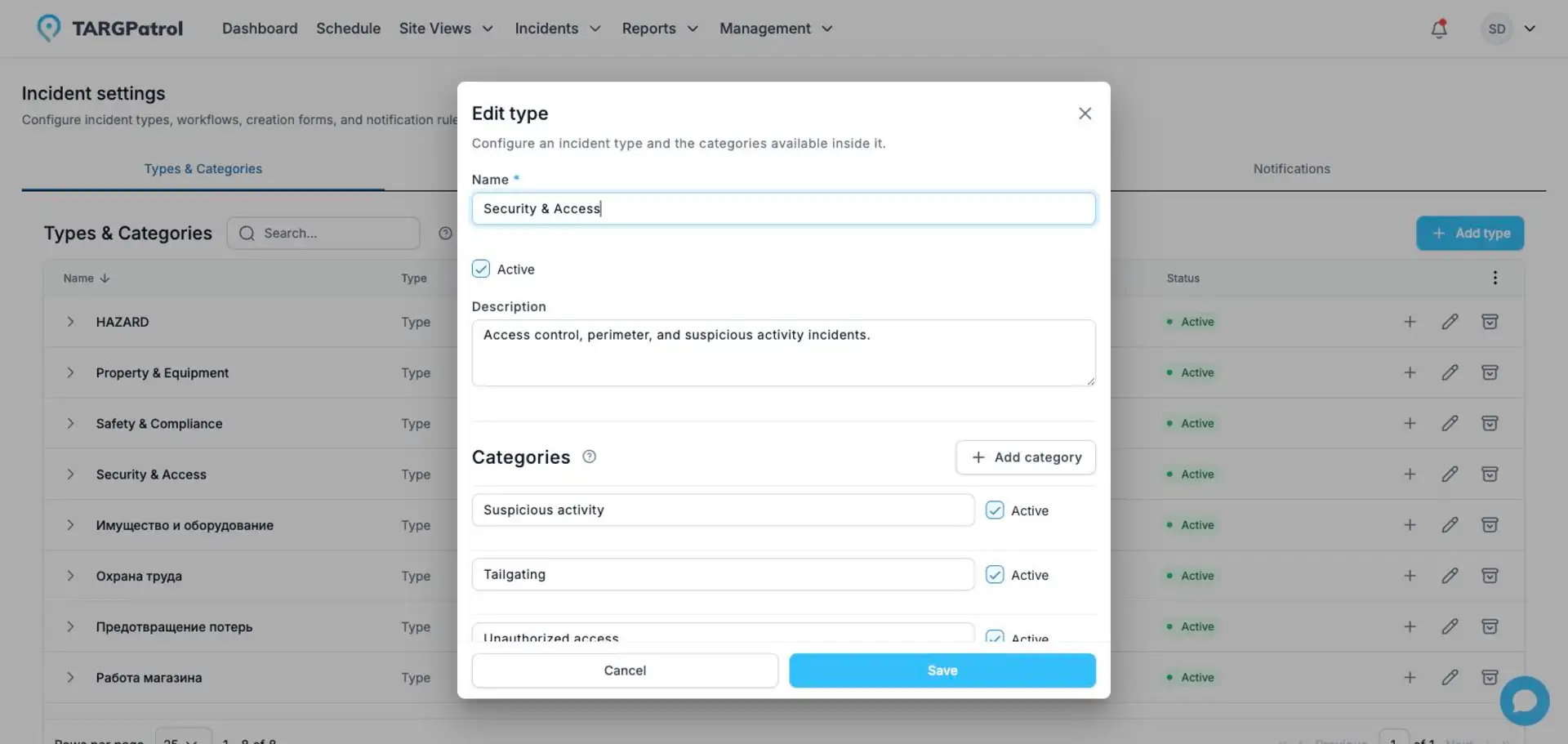
Types organize broad operational areas, while Categories keep incident selection specific and consistent.
See it in practice
A team could use the Type Safety with Categories such as Blocked exit, Spill, and Missing protective equipment. A security team might use Security with Unauthorized access and Suspicious activity.
When users create an Incident, selecting the Type immediately narrows the Category choices and reduces mistakes.
Good to know: archiving is safer than deleting. Existing Incidents keep their historical Type and Category, while the archived value disappears from new selections.
Open Types & Categories
Open Management.
Select Incident settings.
Open Types & Categories.
Only users with Incident configuration access, normally organization owners and administrators, can change this setup.
Add a Type
Select Add type.
Enter a unique name and an optional description.
Keep Active selected if the Type should be available for new Incidents.
Add at least one Category. You can add several Categories before saving.
Select Save.
Type names must be unique within the organization, ignoring letter case. An active Type must contain at least one active Category.
Add or edit Categories
Expand a Type to review its active Categories. You can add a Category from the table or edit the Type and maintain several Categories together. Category names must be unique within their Type, ignoring letter case.
A Category always stays under the Type where it was created. To use a similar Category under another Type, create a new Category there.
Archive and reactivate values
Use Active to control whether a Type or Category is available for new Incidents. Archiving does not remove it from existing Incidents, so historical records remain readable and editable.
An archived Type or Category cannot be selected for a new Incident.
An unchanged archived reference remains valid when other Incident fields are edited.
A Type cannot remain active without at least one active Category.
Archived Categories are managed inside the Type edit dialog rather than shown in the main table.
Recommended structure
Use Types for broad operational groups and Categories for specific reasons or outcomes. For example, a Security Type could contain Unauthorized access, Suspicious activity, and Property damage. Keep names short and avoid duplicating the same meaning across several Types.
Starter classification
When a new organization is created, TARGPatrol adds a starter classification based on the organization industry and language. The setup is copied into the organization and can be changed independently. Updating the organization industry or language later does not replace existing Types or Categories.
With the basics in place, your team can spend less time deciding how to record an event and more time resolving it.