7 Best Maintenance Management Software Tools for 2026
7 Best Maintenance Management Software Tools for 2026

Maintenance management software helps teams plan recurring work, respond to equipment problems, document completed tasks, and see where maintenance is falling behind. The category is broad: a manufacturing plant may need a full computerized maintenance management system (CMMS), while a distributed facilities or field team may primarily need schedules, checklists, inspections, incident reporting, and proof that work happened at the correct location.
This 2026 guide compares seven tools that address different parts of that spectrum. Five are full CMMS or field service platforms with asset and work-order capabilities. TARGPatrol and Connecteam are included for teams whose maintenance work is driven more by recurring operational tasks, inspections, forms, and frontline coordination than by spare-parts inventory or asset lifecycle accounting.
There is no single best product for every maintenance operation. The right shortlist depends on whether you manage equipment-intensive plants, customer service contracts, multi-site facilities, or routine checks completed by mobile teams.
Our top picks
TARGPatrol — best for recurring field maintenance checks, inspections, routes, and location-verified proof of work.
MaintainX — best for teams that want an approachable modern CMMS with work orders, procedures, assets, and parts.
Joblogic — best for service and maintenance contractors that also need customer, job costing, quoting, and invoicing workflows.
UpKeep — best for mobile-first CMMS workflows with preventive maintenance, assets, parts, and optional broader asset operations tools.
Fiix — best for industrial maintenance teams that need asset hierarchies, preventive maintenance, reporting, and enterprise integrations.
eMaint CMMS — best for complex, multi-site or regulated maintenance programs with condition monitoring and enterprise controls.
Connecteam — best for frontline scheduling, quick tasks, forms, and time tracking when full CMMS depth is not required.
Selection is based on publicly available product documentation and pricing checked in August 2026. Features can vary by plan, region, and configuration. See our complete software review methodology.
How to Choose the Best Maintenance Management Software
Start with the maintenance process you actually need to control. A full CMMS is appropriate when every job must connect to an asset record, maintenance history, parts usage, labor costs, meters, or failure codes. A task-and-inspection platform may be simpler and more economical when the priority is ensuring that recurring checks happen on time across locations and that managers receive evidence of completion.
Essential features
Work assignment and scheduling: Create planned and reactive work, assign responsibility, set due dates, and schedule recurring activity.
Mobile access: Give technicians and frontline employees the instructions, forms, history, and evidence fields they need at the worksite.
Checklists and procedures: Standardize maintenance steps, inspections, safety checks, and closeout requirements.
Completion evidence: Capture timestamps, notes, signatures, photos, videos, readings, or location data as appropriate for the work.
Issue escalation: Record faults and incidents, notify the right people, and turn findings into follow-up work.
Reporting: Track completion, overdue work, recurring issues, downtime, cost, or asset reliability metrics relevant to your operation.
Important features for asset-intensive teams
Asset register and hierarchy with service history, documents, locations, and criticality.
Calendar-, meter-, or condition-based preventive maintenance.
Spare-parts inventory, purchasing, vendors, reorder points, and parts consumption.
Failure codes, downtime tracking, labor and cost records, and maintenance KPIs such as MTBF and MTTR.
Multi-site administration, permissions, audit trails, single sign-on, and integration options.
Nice-to-have capabilities
Offline work for locations with unreliable connectivity.
QR, NFC, barcode, or GPS-based confirmation that helps identify an asset or verify where work occurred.
APIs, webhooks, and prebuilt connections to ERP, accounting, sensor, BI, or ticketing systems.
Custom dashboards, automated reports, resource planning, and AI-assisted analysis where the underlying maintenance data is mature enough to support it.
Top 7 Maintenance Management Software Solutions for 2026
The list below is ordered to cover different operating models rather than to present a universal ranking. Compare each product against the depth of asset management, field verification, scheduling, reporting, and implementation support your organization actually needs.
1. TARGPatrol
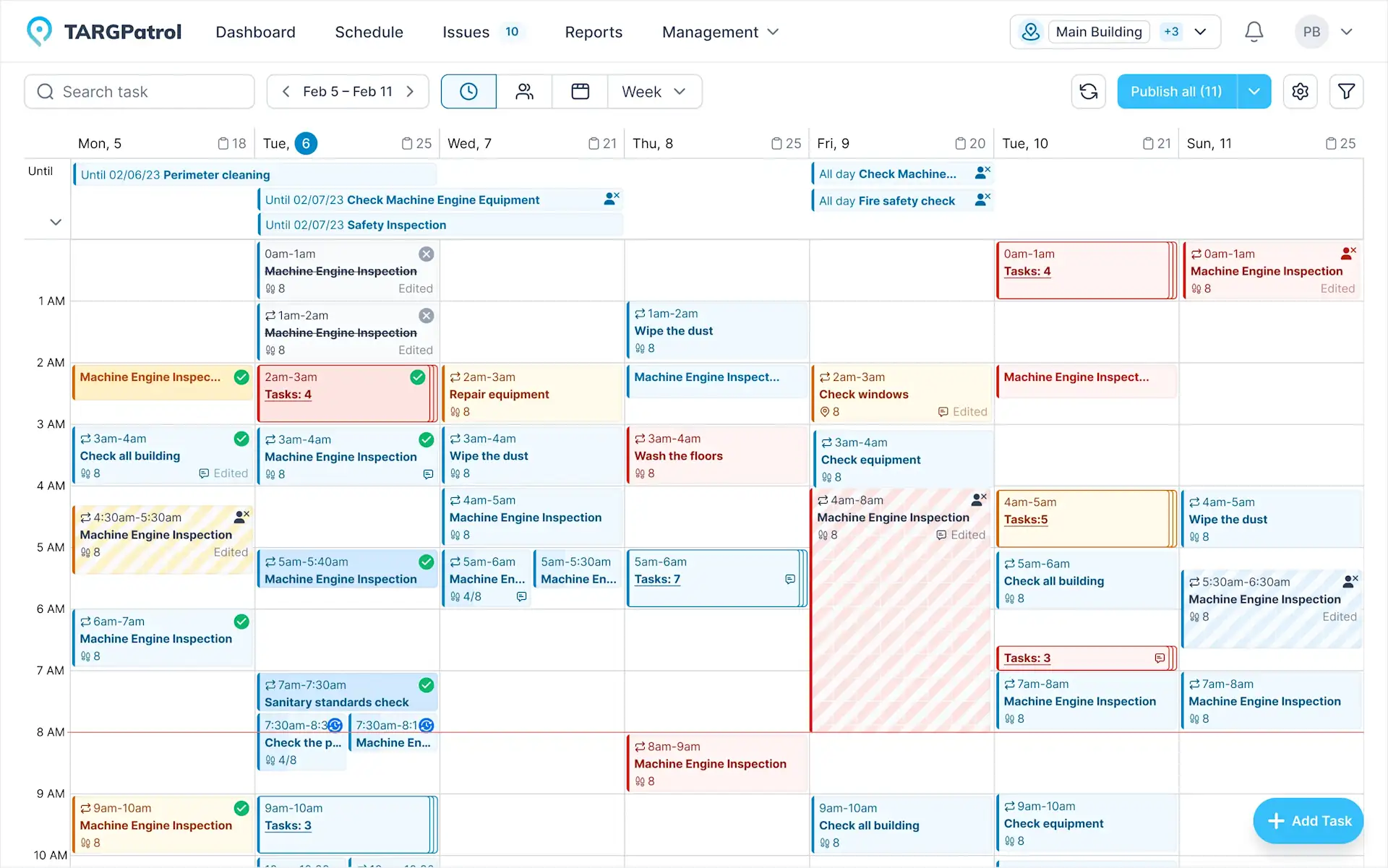
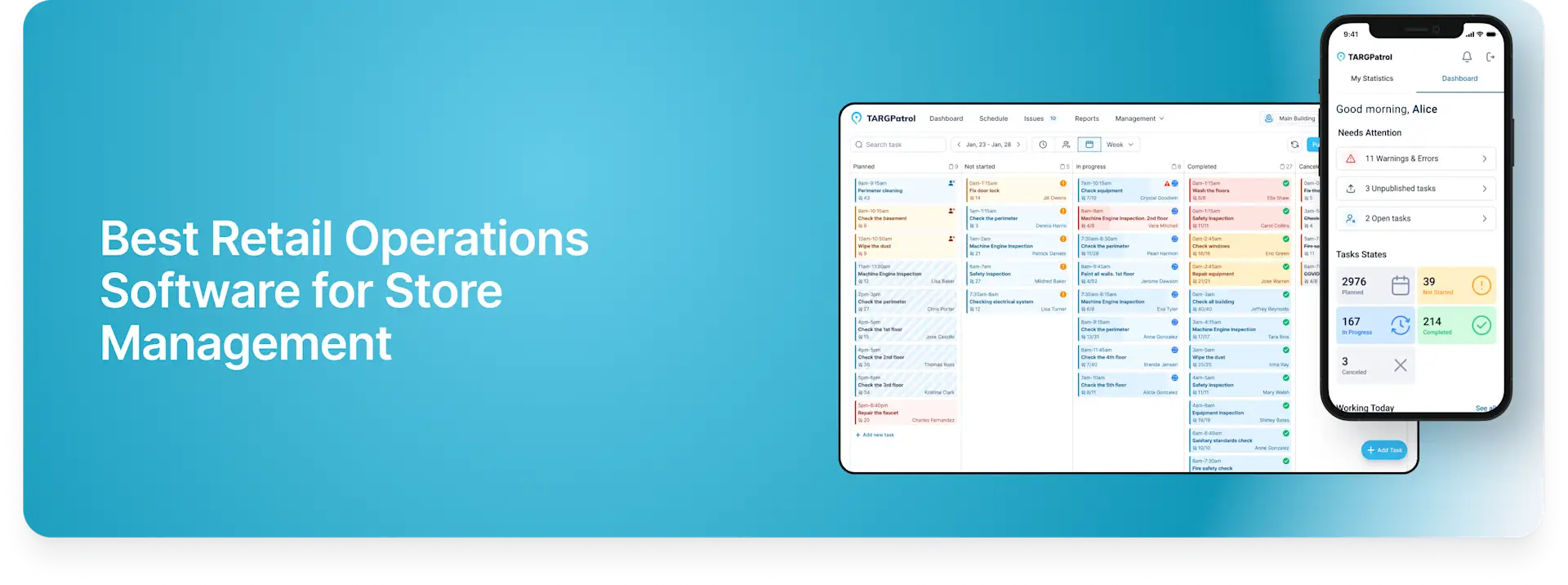
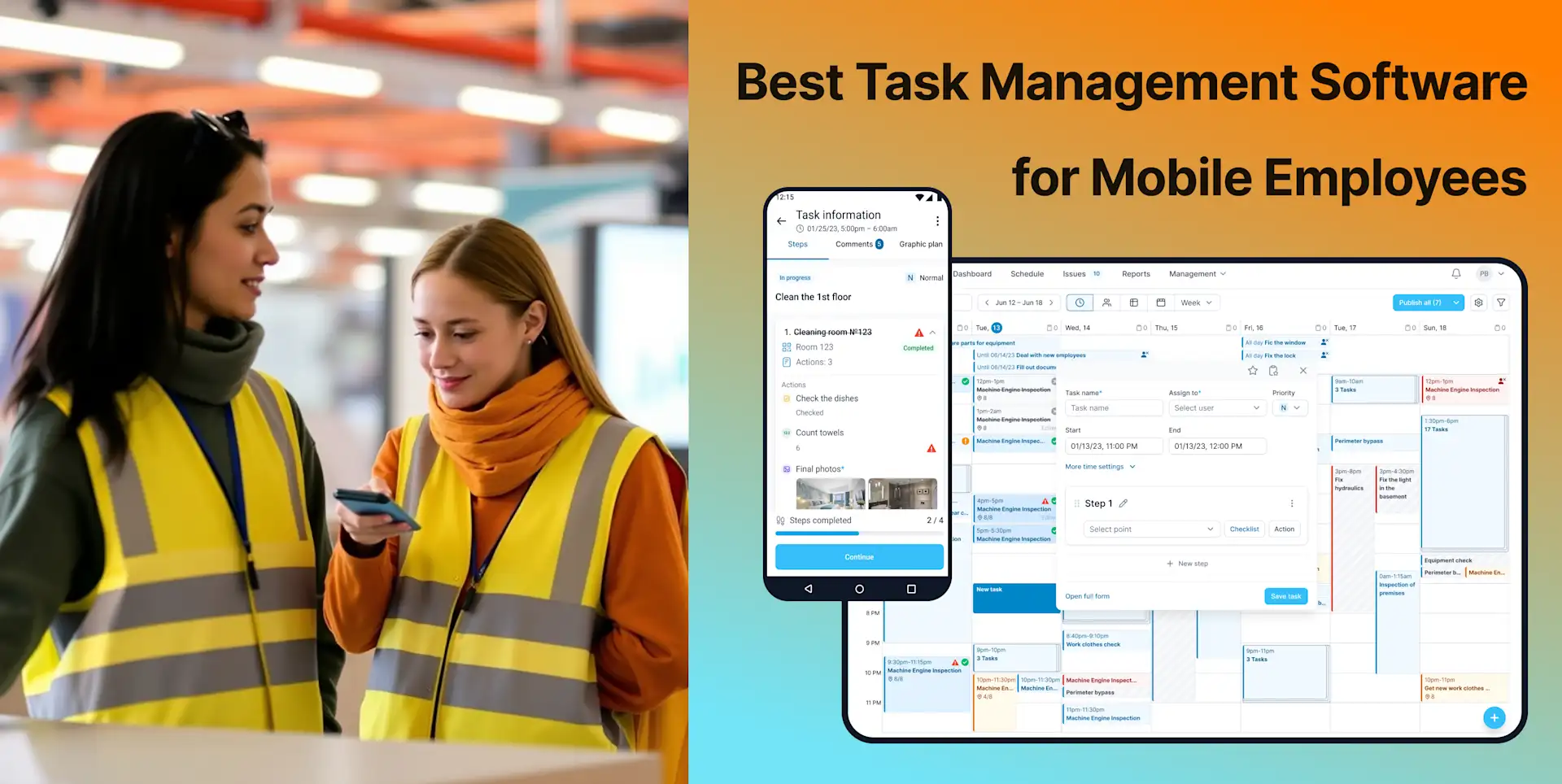
TARGPatrol is a mobile and web platform for recurring tasks, schedules, checklists, inspections, tours, incidents, and proof of work. It is a strong fit for facility, field, cleaning, security, hospitality, retail, and other distributed teams that need to confirm routine maintenance checks across multiple locations.
Best for: Maintenance operations centered on recurring checks, walkthroughs, inspections, corrective tasks, and documented completion rather than a detailed asset ledger or spare-parts system.
Scheduled tasks and recurring maintenance
Managers can create one-time or repeating work, assign it to users, locations, or teams, and monitor progress from the schedule. This works well for daily equipment checks, weekly facility rounds, monthly safety inspections, cleaning routines, and other time-based maintenance activity.
Each task can include instructions, notes, a digital checklist, media requirements, a due date, and a Point that identifies where the work should be completed. Notifications and status tracking help supervisors identify missed or overdue work without waiting for paper reports.
Checklists, inspections, and proof of work
Reusable inspection checklists help standardize steps for equipment condition, housekeeping, safety, utilities, and opening or closing routines. Employees can record answers and attach photos; paid plans also support video attachments. Completed records create a time-stamped history that managers can review in reports.
For formal routines, inspections and audits can be combined with recurring schedules and follow-up issues. For sequential facility rounds, tours and walkarounds let teams visit defined Points and record each checkpoint.
QR, NFC, and GPS Point validation
A Point can use a QR code, NFC tag, virtual check-in, or GPS coordinates. With GPS Point proximity validation, an employee performs an on-demand check-in and the app verifies that the device is within the permitted distance of the saved coordinates. The current validation uses a 50-meter base limit plus the location accuracy reported by the device; there is no per-Point radius setting. This confirms proximity at the moment of the check-in and is not continuous geofencing.
Optional GPS tracking can be enabled for an individual user. When enabled, it records coordinates while the mobile app is open and in active use. Organizations should configure this feature transparently and in line with applicable privacy and labor requirements.
Issues, offline work, and integrations
Employees can create issues and incident reports with priority, description, and attachments when a check reveals a problem. Comments, messages, and notifications keep the operational record connected to the work. The mobile app can continue collecting activity offline and synchronize it when connectivity returns.
Reports and analytics provide visibility into task completion, inspections, Points, issues, and media. Paid plans add exports and integration options, including the REST API and webhooks, for connecting TARGPatrol with external systems.
Limitations
TARGPatrol is not a full CMMS or enterprise asset management system. It does not provide a native spare-parts inventory, purchasing workflows, meter-based preventive maintenance, asset depreciation, failure-code analysis, or complete asset lifecycle costing. Organizations that require those capabilities should use a dedicated CMMS, or integrate TARGPatrol as the field execution and verification layer.
Key features
One-time and recurring tasks with schedules, users, locations, Points, tags, instructions, and checklists.
Inspections, audits, patrols, and walkarounds with time-stamped activity records.
Photo and video confirmation, notes, comments, issues, and incident attachments.
QR, NFC, virtual, and location-verified GPS Point check-ins.
Optional GPS tracking while the enabled user has the app open and active.
Offline mobile work with later synchronization.
Dashboards, reports, media review, exports, REST API, and webhooks depending on plan.
Pricing
The Free plan is $0 and supports up to 10 users, with unlimited locations, Points, checklists, and tasks; media retention is limited to seven days. Base costs $15 per user per month or $12 per user per month when billed annually and supports up to 1,000 users. A 14-day fully featured trial is available. Compare TARGPatrol plans.
2. MaintainX
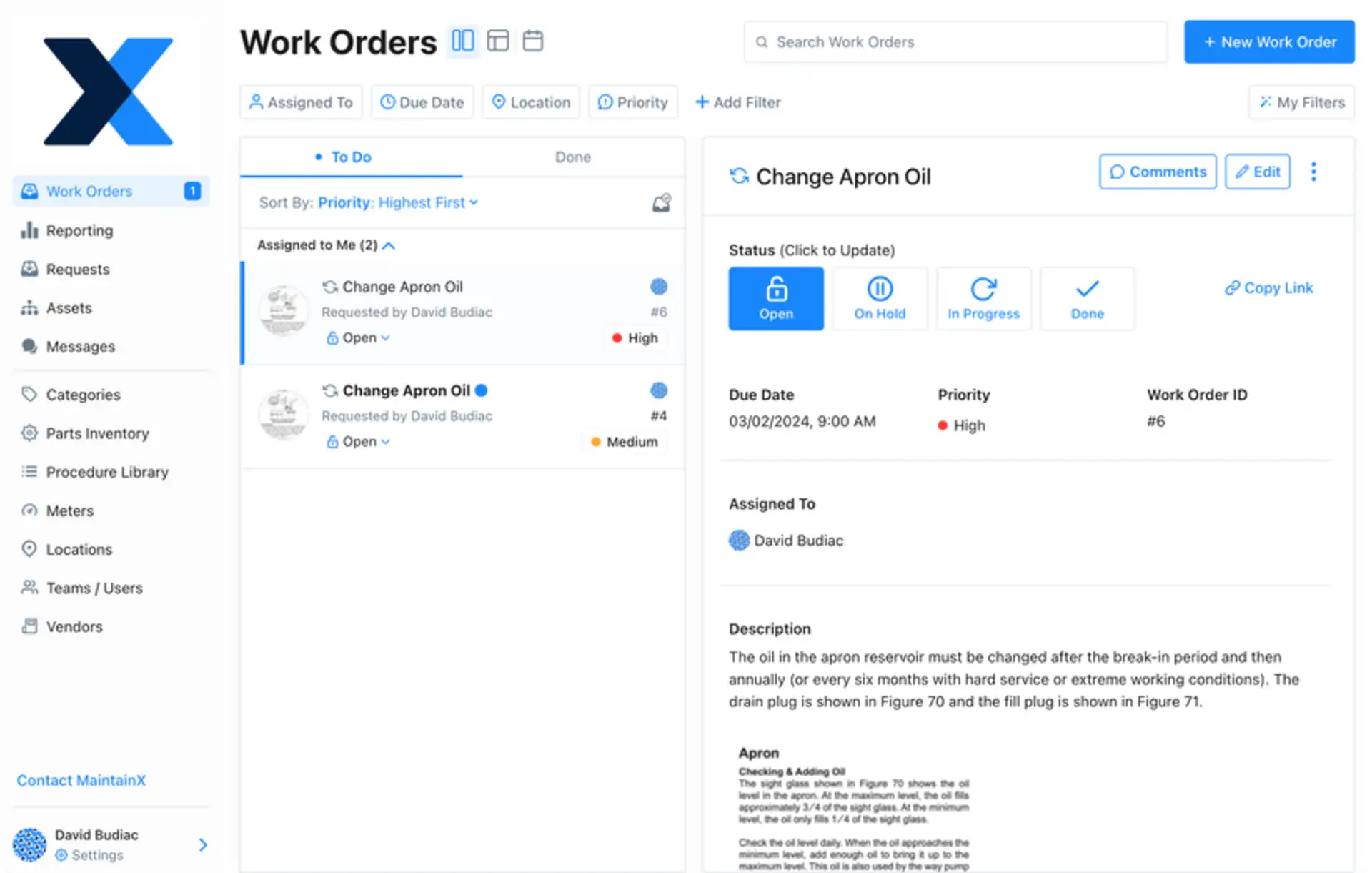
MaintainX is a modern CMMS for work orders, procedures, preventive maintenance, assets, inventory, purchasing, and maintenance reporting. Its free entry point and mobile-oriented workflows make it accessible to teams moving away from paper or spreadsheets, while higher plans add the asset reliability and multi-site controls needed by more mature programs.
Best for: Maintenance teams that want an approachable CMMS with a gradual path from basic work orders to parts, purchasing, meter-based maintenance, analytics, and enterprise controls.
Work orders and procedures
MaintainX supports unlimited work orders and procedures on its Basic plan, with plan-specific limits on how many work orders can have attached procedures or images. Procedures can include inspection checks, signatures, and conditional logic on eligible plans. Requester accounts allow employees outside the maintenance team to submit requests without occupying a full paid seat.
Preventive maintenance and assets
Teams can organize assets and locations, scan QR codes or barcodes, schedule repeating work, and track downtime. The Premium plan adds meter-based maintenance, time and cost tracking, parts inventory, purchase orders, and broader analytics. Enterprise adds multi-site tools, resource planning, escalation rules, IoT connections, and advanced reporting.
Limitations
The most valuable CMMS depth is concentrated in higher-priced tiers. Parts and purchasing, meter-based maintenance, API access, advanced analytics, and multi-site management are not all included at the entry level. Buyers should compare the exact plan against their asset count, requester model, integration needs, and number of licensed users.
Key features
Work orders, work requests, procedures, inspections, and recurring maintenance.
Asset and location hierarchies with QR and barcode scanning.
Parts inventory, purchase orders, meters, and cost tracking on higher plans.
Mobile app, offline mode, dashboards, advanced analytics, and multi-site reporting depending on tier.
Open REST API and business or IoT integrations on eligible plans.
Pricing
Basic is free. Essential costs $20 per user per month when billed annually or $25 monthly. Premium costs $65 per user per month annually or $75 monthly. Enterprise pricing is available upon request. Free trials are available for paid self-service plans.
3. Joblogic
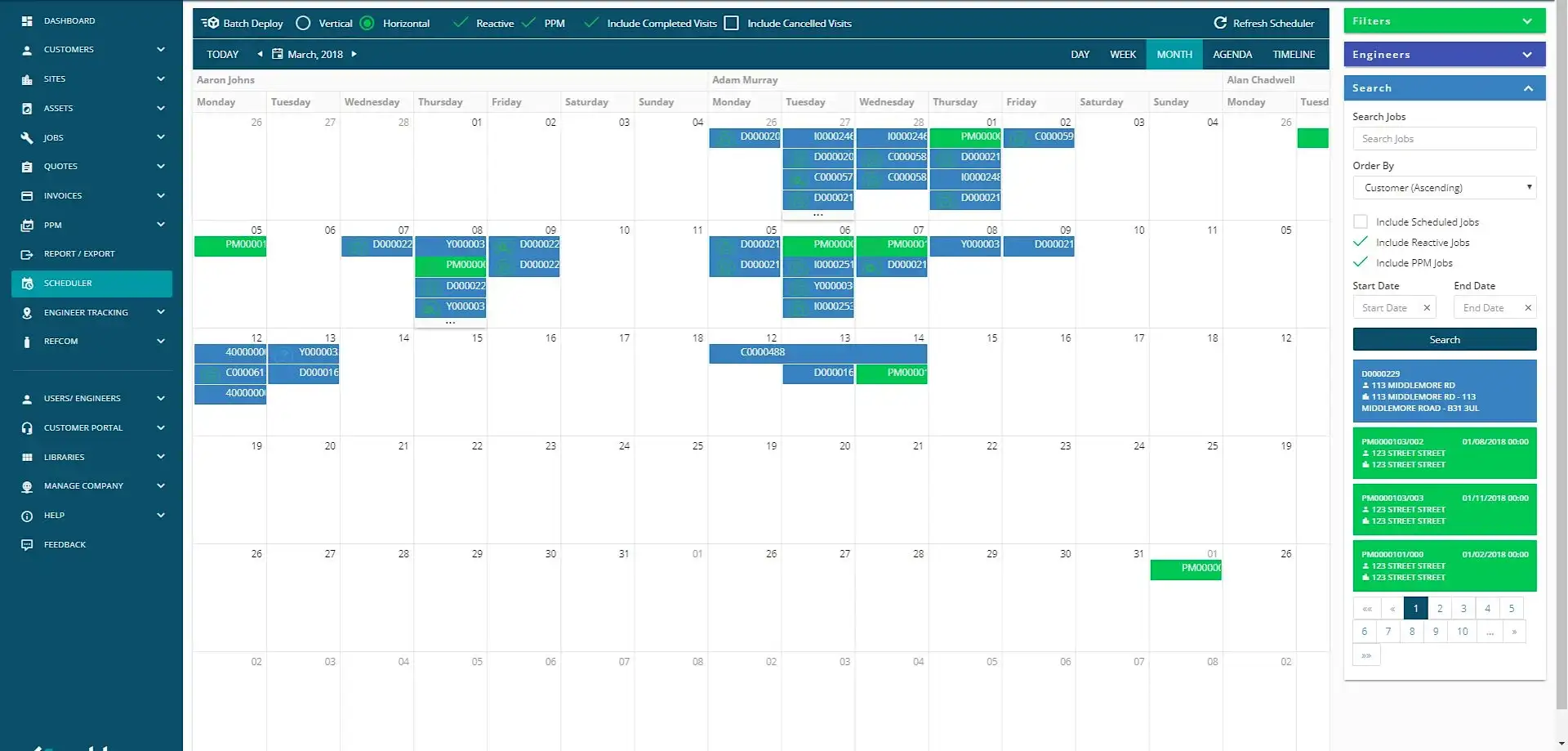
Joblogic is a field service management platform for contractors that deliver reactive and planned maintenance to customers. It combines sites, assets, job planning, mobile engineer workflows, electronic forms, estimates, invoices, and service reporting. This makes it different from an internal plant CMMS: customer, contract, and commercial workflows are central to the product.
Best for: HVAC, electrical, plumbing, fire and safety, facilities management, and other service contractors that need to manage customer jobs and planned preventive maintenance together.
Job and mobile engineer management
The platform centralizes customer and site data, creates jobs, assigns engineers, and records labor, materials, forms, signatures, and job status in the mobile app. Standard reporting and dashboards help office staff follow job progress and cost. Quotes and invoices keep operational and commercial records connected.
Assets and planned maintenance
Joblogic supports asset records and recurring jobs at the entry level. Premium adds planned preventive maintenance contracts, route scheduling, engineer tracking, timesheets, audits, and purchase-order workflows. Enterprise adds task and asset compliance, stock management, advanced reporting, customer portals, and a custom form builder.
Limitations
Joblogic is optimized for service businesses, so it may be more system than an in-house facilities team needs if there are no customers, estimates, invoices, or contracts to manage. Several maintenance and compliance capabilities sit in Premium or Enterprise, and implementation scope can vary with integrations and industry modules.
Key features
Customer, site, asset, job, quotation, costing, and invoice management.
Mobile engineer app and electronic forms.
Recurring jobs and planned preventive maintenance contracts.
Route scheduling, engineer tracking, audits, stock, and compliance depending on plan.
Reports, dashboards, accounting connections, marketplace modules, and API options.
Pricing
On the official US pricing page, plans start at $59. The exact price and higher-tier configuration are provided through the vendor. Joblogic offers product demonstrations; confirm trial availability and all implementation or add-on costs directly for the selected region.
4. UpKeep
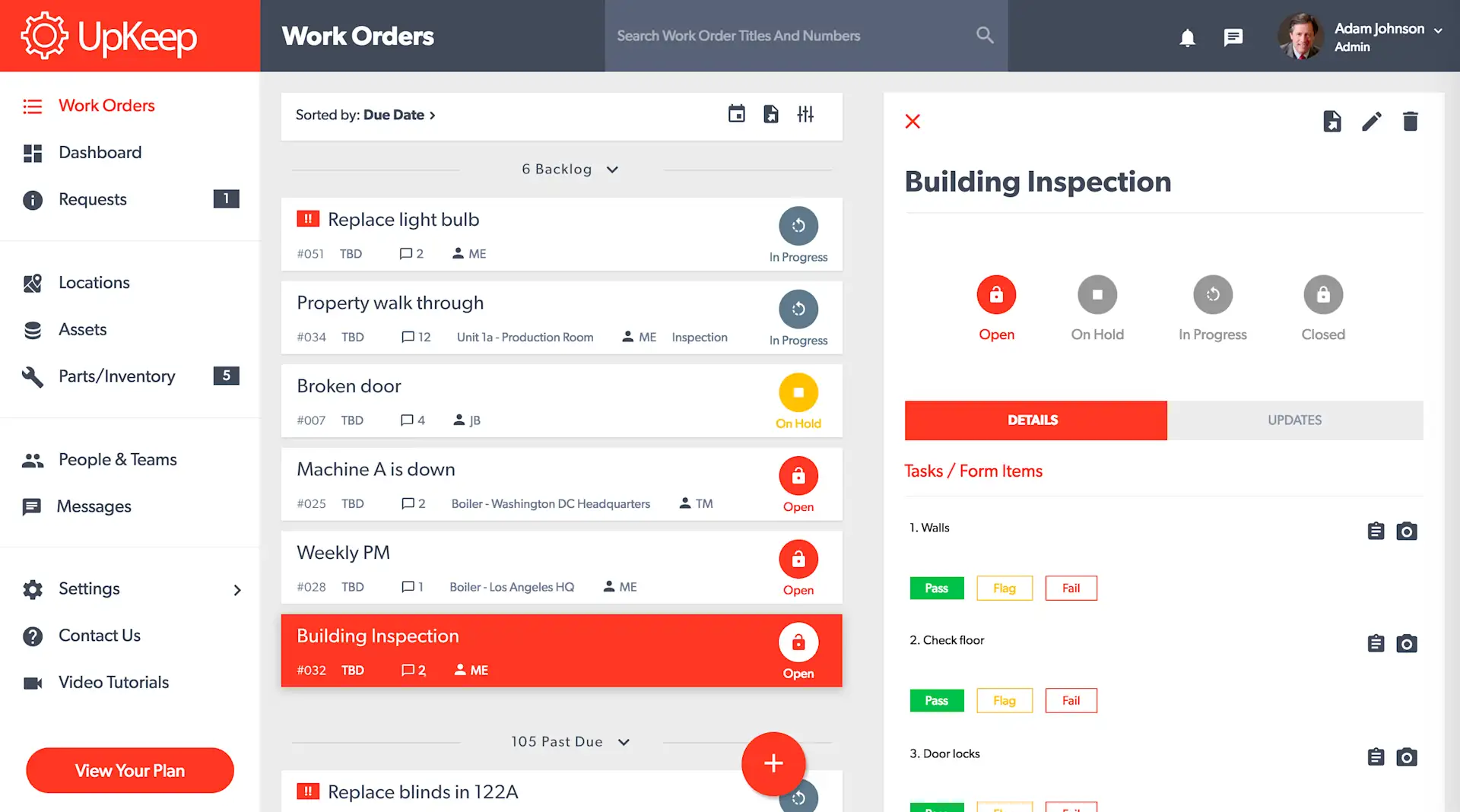
UpKeep is a mobile-first CMMS and asset operations platform. The core Maintenance product covers work orders, preventive maintenance, assets, parts, and reporting. Separate or higher-level capabilities extend into areas such as safety, fleet, IoT condition monitoring, training, custom applications, and AI-assisted workflows.
Best for: Maintenance departments that want technicians to manage work orders and asset information from mobile devices and may later expand into multi-site asset operations.
Core CMMS workflows
UpKeep centralizes service requests, work orders, locations, assets, recurring preventive maintenance, checklists, and mobile completion. Unlimited requester seats let other employees submit maintenance needs while technician access remains licensed. Premium adds custom checklists, parts and inventory with costing, labor tracking, and more preventive-maintenance functionality.
Analytics, offline work, and broader asset operations
Professional is aimed at departments that need offline mobile work, complete analytics history, signature capture, external requests, and asset lifecycle tracking. Enterprise adds multi-site support, automation, purchasing, API and custom integrations, single sign-on, roles, reliability analysis, and custom dashboards. Nova AI is included in paid Maintenance plans, while some advanced platform products and implementation needs are separate considerations.
Limitations
The $24 entry plan covers basic CMMS use, but preventive maintenance scheduling, custom checklists, inventory, and costing are associated with the $55 Premium tier on the current pricing page. Offline mode and several advanced controls require custom-priced plans. A realistic comparison should therefore use the tier that contains the complete workflow, not only the lowest advertised price.
Key features
Mobile work orders, requests, locations, and asset tracking.
Preventive maintenance, custom checklists, parts inventory, and labor or cost tracking by plan.
Offline mode, asset lifecycle tracking, signatures, and deeper analytics on Professional.
Multi-site management, automation, integrations, SSO, and custom dashboards on Enterprise.
Optional ecosystem for safety, fleet, sensors, learning, and custom applications.
Pricing
Essential costs $24 per user per month. Premium costs $55 per user per month. Professional and Enterprise pricing is available upon request. UpKeep advertises a free trial with no credit card required.
5. Fiix
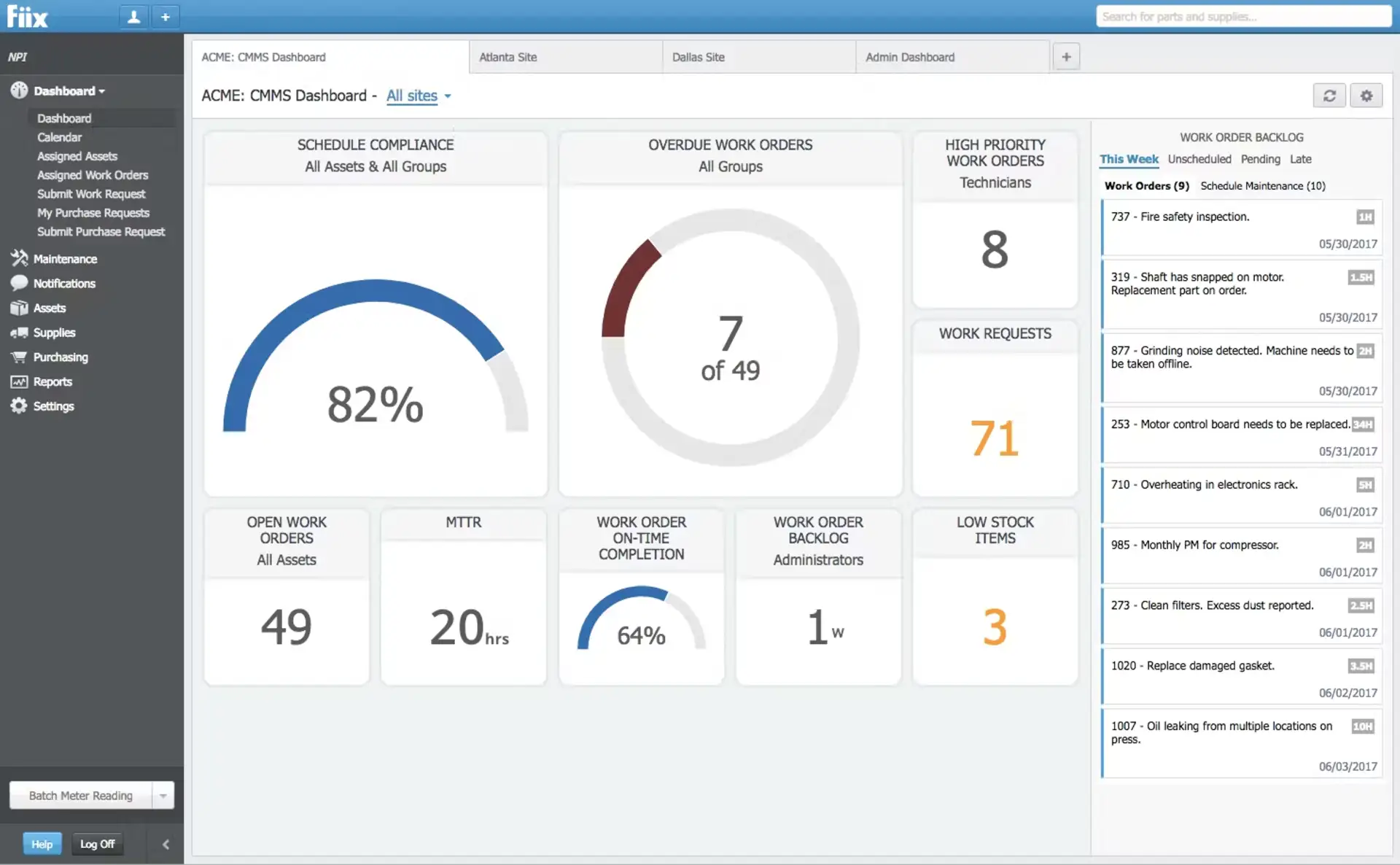
Fiix is a cloud CMMS from Rockwell Automation for work orders, preventive maintenance, assets, parts, reporting, and maintenance analytics. Its plan structure spans a free tier for basic digitization through enterprise controls and integration options for industrial environments.
Best for: Industrial maintenance teams that need structured asset hierarchies and preventive maintenance today, with a path to multi-site reporting, AI-assisted insights, and ERP or operational-technology integrations.
Work orders, assets, and inventory
The Free plan includes work orders, a preventive maintenance scheduler, asset management, downtime tracking, a mobile app, parts and supplies inventory, task lists, and a calendar, subject to plan limits such as 25 active PMs. Basic removes the PM limit and adds reports, resource-based scheduling, certification tracking, and pass/fail inspections.
Multi-site analytics and integrations
Professional adds multi-site management, custom reporting, purchasing and requests for quotation, inventory cycle counts, advanced notifications, multi-asset work orders, and Fiix Foresight insights. Enterprise adds failure codes, configurable workflows and interface controls, e-signatures, audit trails, and optional Integration Hub or custom API connections.
Limitations
Fiix can be a good fit for formal industrial maintenance, but the feature boundaries matter. Multi-site tools and advanced analytics require Professional, while integration and governance options are concentrated in Enterprise and may be add-ons. Smaller teams focused only on routine checklists may find the configuration and per-user paid tiers more extensive than necessary.
Key features
Work orders, work requests, preventive maintenance, calendars, and mobile access.
Asset hierarchy, downtime, parts and supplies, purchasing, and inventory cycle counts by plan.
Pass/fail inspections, multi-asset work, multi-site management, and reporting.
Fiix Foresight and custom analytics on Professional.
Enterprise workflows, audit trail, e-signatures, failure codes, SSO options, and integrations.
Pricing
Free costs $0 with limited users and 25 active preventive-maintenance tasks. Basic costs $45 per user per month, and Professional costs $75 per user per month. Enterprise pricing is available upon request. Fiix also provides guided demos and a self-directed product tour.
6. eMaint CMMS
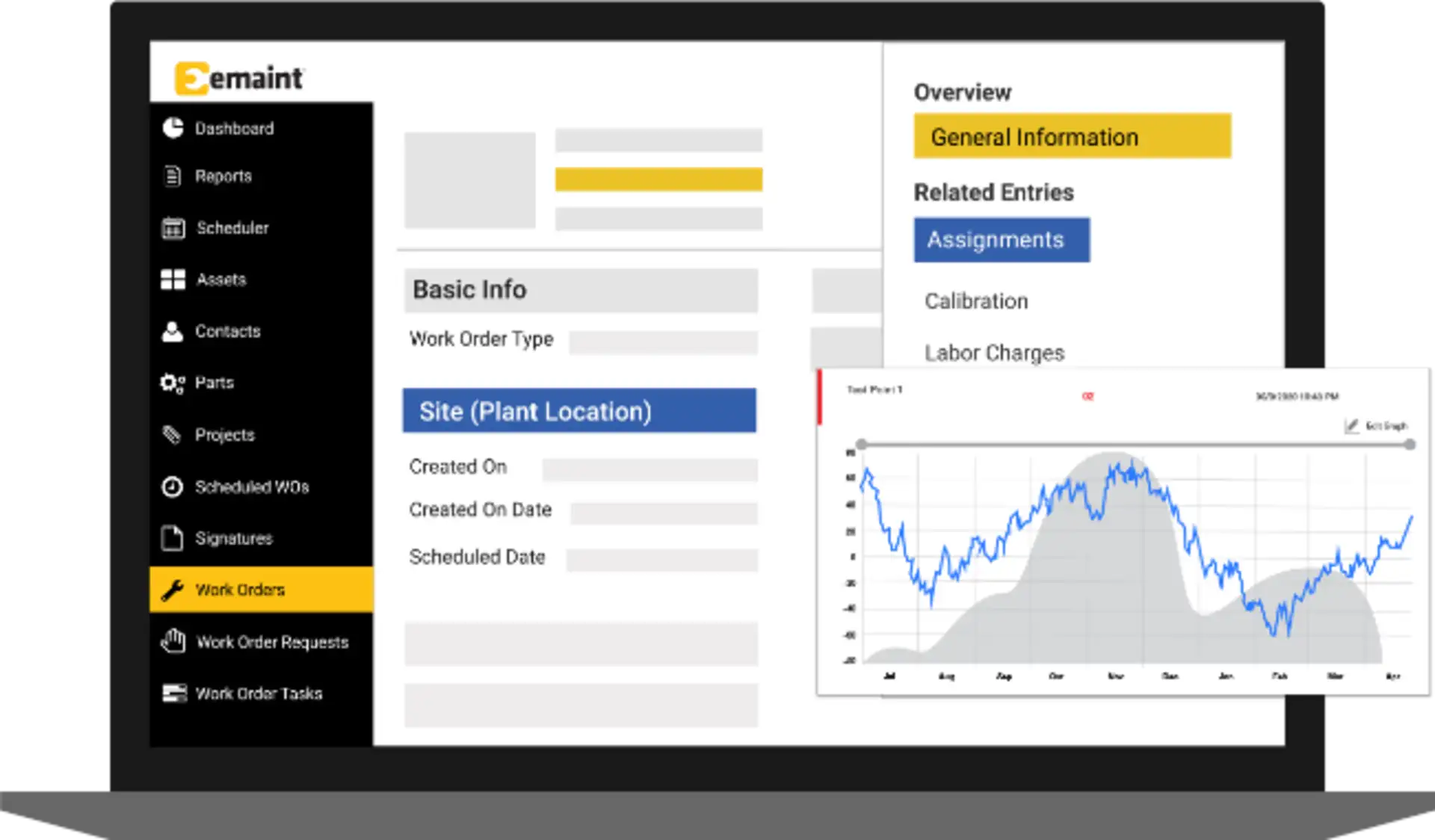
eMaint CMMS is a CMMS and enterprise asset management platform from Fluke Reliability. It is designed for structured maintenance programs that connect work orders, preventive maintenance, assets, spare parts, purchasing, reporting, compliance records, and condition data.
Best for: Established, regulated, multi-site, or equipment-intensive organizations that need configurable maintenance processes and may connect the CMMS to sensors, SCADA, ERP, or business intelligence systems.
Work orders and preventive maintenance
eMaint supports work requests, single- and multi-asset work orders, route-based inspections, PM checklists, meter readings, recurring schedules, and condition-based triggers. The drag-and-drop scheduler helps teams plan workload and identify schedule conflicts. Mobile access and QR or barcode scanning connect technicians to asset records and job history in the field.
Assets, parts, and condition monitoring
Asset hierarchies can hold specifications, locations, documents, warranties, maintenance history, cost, and downtime data. Inventory functions cover spare parts, cycle counting, forecasting, purchasing, requisitions, and stock across locations. Fluke sensor and other condition data can trigger work when defined thresholds are reached.
Enterprise controls and implementation
Professional includes advanced reporting, workflows, procedures, e-signatures, calibration support, offline mobile work, and a dedicated account manager. Enterprise adds global multi-site and inventory management, single sign-on, APIs, and connections to ERP, BI, SCADA, and other applications.
Limitations
eMaint offers considerably more depth than teams need for simple recurring checklists. Professional has a three-user minimum and Enterprise has a five-user minimum. Configuration, data migration, workflow design, integrations, and training should be included in the implementation evaluation, especially for global or regulated deployments.
Key features
Work orders, requests, recurring PMs, inspection rounds, meter readings, and condition-based triggers.
Asset hierarchy, history, downtime, cost, documents, QR and barcode access.
Parts inventory, forecasting, purchasing, requisitions, and multi-location inventory.
Advanced reporting, audit trails, e-signatures, calibration, workflows, and offline mobile work.
Global administration, SSO, APIs, and enterprise integrations on the Enterprise plan.
Pricing
Pricing is available upon request. The current plan page lists Professional with a three-user minimum and Enterprise with a five-user minimum. Book a tailored demonstration and request a quote that includes onboarding, data migration, integrations, optional modules, and support requirements.
7. Connecteam
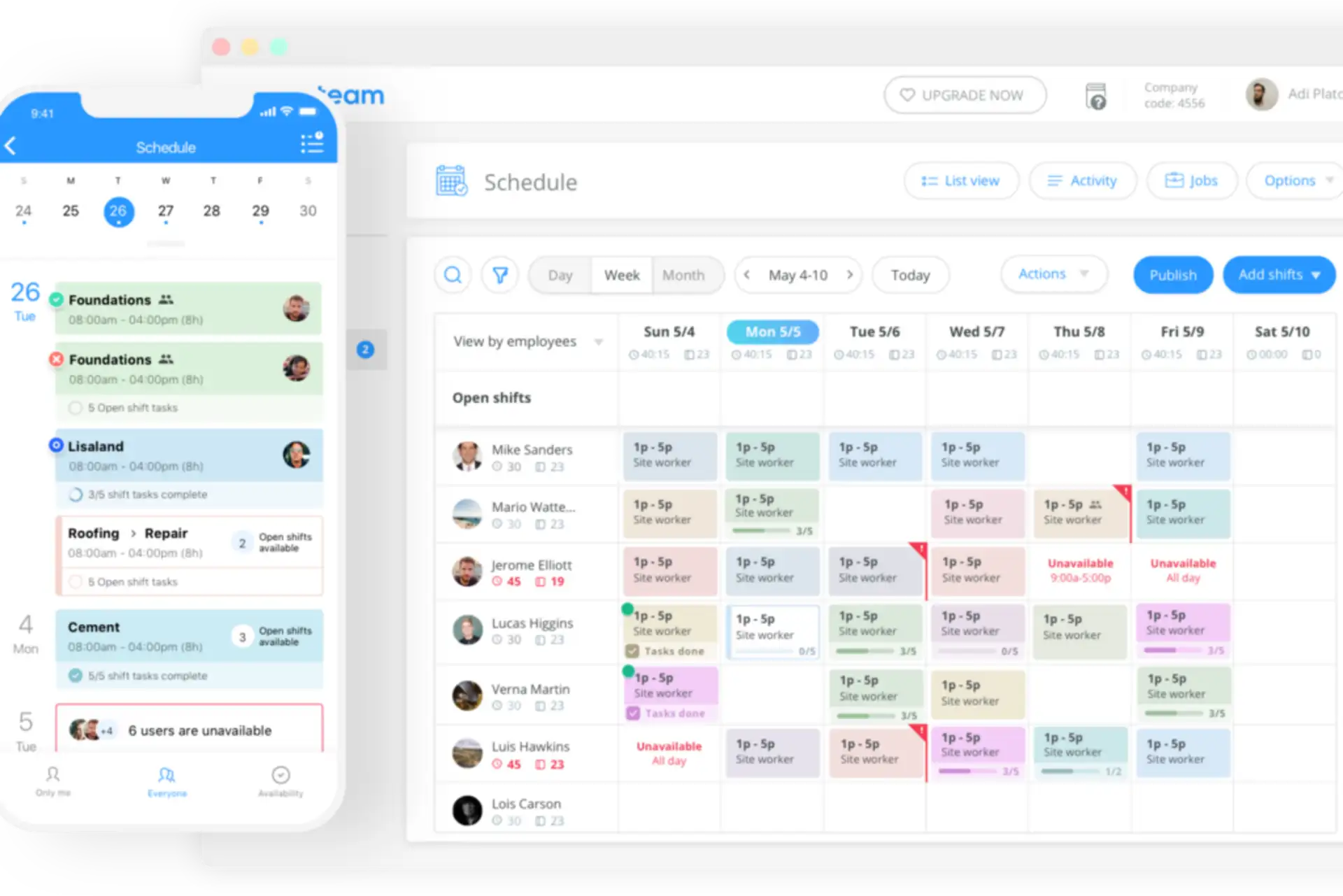
Connecteam is a workforce management platform organized into Operations, Communications, and HR & Skills hubs. For maintenance-adjacent work, the relevant Operations tools are the job scheduler, quick tasks, digital forms and checklists, and time clock. These can coordinate frontline work, but Connecteam should not be evaluated as a full CMMS.
Best for: Small and midsize frontline teams that need schedules, task reminders, inspection forms, images, and time tracking for routine facility work without deep asset or spare-parts management.
Schedules, tasks, and forms
Managers can schedule shifts or jobs, assign quick tasks, and build forms for maintenance checks, safety inspections, equipment observations, or handover records. Depending on plan, forms can require fields, accept images, capture GPS data for specific fields, share submissions, and export entries. Operations Advanced also supports geofenced time-clock locations.
Where Connecteam fits—and where it does not
Connecteam can replace separate scheduling, checklist, and time-tracking tools for a deskless team. It is useful when maintenance is one responsibility among broader frontline operations. However, it does not provide the same native depth as MaintainX, UpKeep, Fiix, or eMaint for asset hierarchies, asset-specific service history, spare-parts inventory, purchasing, meter-based PM, condition monitoring, failure analysis, or reliability metrics.
For equipment-intensive maintenance, Connecteam is better treated as a workforce layer alongside a CMMS, not as the maintenance system of record. Buyers should also remember that pricing is organized by hub, so adding Communications or HR & Skills features creates separate subscription choices.
Key features
Job scheduling and quick tasks for frontline teams.
Digital forms and checklists with images, exports, and GPS fields depending on plan.
Time clock, location settings, and geofenced work locations on eligible plans.
Separate communication and HR hubs for organizations that want broader workforce management.
Limited maintenance-specific asset, inventory, meter, and reliability functionality compared with a CMMS.
Pricing
The Small Business Plan is free for organizations with fewer than 10 employees. For each hub and the first 30 users, Basic costs $29 per month annually or $35 monthly, Advanced costs $49 annually or $59 monthly, and Expert costs $99 annually or $119 monthly. Additional-user fees apply after 30 users. A 14-day trial is available.
Maintenance Management Software Comparison: Which Type Fits?
Choose TARGPatrol when maintenance success depends on recurring field tasks, checklists, inspections, incident follow-up, location-verified checkpoints, and photo or video evidence across distributed sites.
Choose MaintainX when you want a modern CMMS that can start with basic work orders and grow into parts, meters, purchasing, analytics, and multi-site administration.
Choose Joblogic when your maintenance operation is a customer-facing service business and must connect engineer schedules with sites, assets, quotations, invoices, and contracts.
Choose UpKeep when mobile technician workflows are central and you want a CMMS that can expand into broader asset operations.
Choose Fiix when industrial asset hierarchy, PM discipline, reporting, and enterprise integrations are priorities.
Choose eMaint when complex assets, inventory, condition monitoring, compliance, and global multi-site control justify a larger implementation.
Choose Connecteam when you need workforce scheduling, forms, and quick tasks for routine maintenance-adjacent work but do not require a CMMS system of record.
What Does Maintenance Management Software Do?
Maintenance management software creates a consistent process for requesting, planning, assigning, completing, and reviewing maintenance work. At a minimum, it replaces paper work lists with digital assignments and recurring schedules. More complete CMMS platforms also connect each work order to assets, maintenance history, parts, labor, cost, meters, downtime, and compliance records.
When a fault is reported, the system can route a request to a planner or create a work order. A technician receives the location, asset, priority, instructions, checklist, and required evidence. After completion, the record can include notes, readings, images, signatures, labor, parts, and follow-up work. Managers use this history to refine preventive-maintenance intervals and identify recurring failures.
What Are the Benefits of a CMMS or Maintenance Task Platform?
More consistent preventive work
Recurring schedules, reminders, checklists, and escalation rules reduce the chance that inspections or service intervals are missed. Consistency is valuable even when the organization does not need a full asset database.
Clear accountability and proof of completion
Digital records show who completed a task, when it was done, and what evidence was submitted. QR, NFC, barcode, or GPS-related checks can add context, but each method verifies something different and should be selected for the actual risk.
Faster response to problems
Mobile issue reporting lets frontline employees document a fault when they find it. Notifications, priorities, and follow-up assignments reduce the delay between observation, triage, and corrective work.
Better asset and operational decisions
A mature CMMS can reveal downtime, maintenance cost, parts usage, failure patterns, and performance by asset. A task-oriented platform provides a different but still useful view: completion trends, missed checks, repeat incidents, and results by location or team.
Stronger audit readiness
Standard procedures and time-stamped records make it easier to demonstrate that required checks were performed. Regulated organizations should still verify whether a product provides the specific audit trail, signatures, validation, data retention, and access controls their standard requires.
What Is the Price of Maintenance Management Software?
Pricing models vary widely. Some products charge per full user while allowing free requester accounts. Others charge a fixed amount for a group of users, price separate modules or hubs, or provide enterprise quotes. Implementation, data migration, integrations, sensors, premium support, and training can materially change the total cost.
In this comparison, public entry points range from free plans to $59 per user or month depending on the vendor’s billing model. The lowest tier is not always a valid comparison: preventive maintenance, offline work, inventory, multi-site reporting, API access, and advanced controls may require a higher plan. Build a cost scenario using the exact technician, manager, requester, site, and module counts you expect over the next two or three years.
For task- and inspection-driven teams, TARGPatrol pricing starts with a free plan for up to 10 users. The Base plan is $15 per user monthly or $12 per user monthly with annual billing. For asset-intensive teams, compare this execution model with the asset, inventory, meter, and reliability features included in the appropriate CMMS tier.
Frequently Asked Questions
What is the difference between maintenance management software and a CMMS?
Maintenance management software is a broad category. A CMMS is a more specific system of record that normally connects work orders with assets, preventive maintenance, service history, parts, labor, downtime, and maintenance reporting. Task, checklist, or workforce platforms can support maintenance execution without offering the complete CMMS data model.
What are the four categories of software maintenance?
Corrective, adaptive, perfective, and preventive maintenance describe changes made to software itself. They are different from physical asset maintenance strategies such as reactive, preventive, condition-based, predictive, and reliability-centered maintenance.
What is the difference between a CMMS and a BMS?
A CMMS organizes maintenance work, assets, history, parts, and maintenance performance. A building management system (BMS) monitors and controls building systems such as HVAC, lighting, power, and alarms. The two can be integrated so BMS conditions or alerts initiate work in the CMMS.
Can a checklist app replace a CMMS?
It can replace paper routines when the goal is to assign recurring checks, capture evidence, and escalate issues. It usually cannot replace a CMMS when the organization needs asset-level cost and service history, parts inventory, purchasing, meters, condition monitoring, failure codes, or reliability analytics.
What should a maintenance software pilot measure?
Use a representative site and measure adoption, time to create and close work, overdue PMs, data quality, evidence quality, issue-response time, offline reliability, reporting effort, and administrator workload. Include both technicians and supervisors, and test the integration and permission model before committing to a broad rollout.
Key Takeaways About Maintenance Management Software
Choose the system that matches the operational record you need. Full CMMS products such as MaintainX, UpKeep, Fiix, and eMaint are better suited to asset history, parts, meters, costs, and reliability programs. Joblogic is particularly relevant to customer-facing maintenance contractors. Connecteam supports general workforce coordination, but its role in maintenance is limited when asset depth matters.
TARGPatrol is designed for a different but common requirement: making sure recurring field work, inspections, checks, and routes are completed and documented across locations. Its strengths are task management, digital checklists, location-verified Points, media confirmation, issues, offline work, and reporting. It should be evaluated as a field execution and verification platform, not presented as a full asset-management CMMS.
Before selecting a product, document the workflows that must be supported, identify which capabilities are mandatory on day one, and price the actual tier required. A short pilot with real maintenance work is more informative than comparing feature names in isolation.
Read more: