5 Best Free Digital Checklist Apps for Small Businesses in 2026
A paper checklist can show what should happen, but it cannot tell you who completed the work, whether a required step was skipped, or what changed across locations. A good digital checklist app gives a small business repeatable processes, clear ownership, mobile access, and a record managers can review without chasing employees for updates.
For 2026, our best overall choice for frontline and multi-location operations is TARGPatrol. SafetyCulture is strongest for inspection-led teams, Connecteam is the broadest workforce suite for companies with up to 10 users, MaintainX is the best maintenance-focused option, and ClickUp is a practical choice for office and project checklists.
This comparison focuses on meaningful free plans—not short trials—and on features a business can actually use: recurring work, structured inputs, evidence, accountability, reporting, and mobile execution.
The 5 best free digital checklist apps in 2026
TARGPatrol — best overall for operational checklists, field teams, and multiple locations.
SafetyCulture — best for inspections, audits, and template-led compliance workflows.
Connecteam — best all-in-one workforce app for businesses with up to 10 users.
MaintainX — best for maintenance procedures and work orders.
ClickUp — best for office, project, and collaborative task checklists.
How we evaluated these apps
We reviewed current official product and pricing information available on August 21, 2026. Each app had to offer a continuing free plan and support team-based checklists or repeatable procedures. We then compared:
The usefulness and limits of the free plan
Mobile and web access
Reusable and recurring checklists
Assignments, due dates, and progress visibility
Photo, location, or other proof of completion
Reporting, exports, and integrations
Fit for real operational work versus personal to-do lists
Prices and plan limits can change, so confirm the vendor’s current terms before committing. The recommendations below describe the products’ operational fit; they do not claim that every feature is included in every free plan.
Quick comparison
TARGPatrol
Free plan: Up to 10 users, with tasks, scheduling, checklists, reports, Incidents, and QR, NFC, and location-verified GPS check-ins.
Best for: Cleaning, security, maintenance, retail, hospitality, and other teams that must verify work at physical locations.
SafetyCulture
Free plan: Up to 10 seats, five active templates, unlimited inspections, tasks, issue reporting, and up to three years of data and evidence history.
Best for: Inspection-heavy processes, audits, safety checks, and compliance documentation.
Connecteam
Free plan: Its Small Business Plan is free for up to 10 users and includes digital forms, checklists, tasks, scheduling, time tracking, and communication tools.
Best for: Very small deskless teams that want multiple workforce tools in one app.
MaintainX
Free plan: Unlimited work orders and procedures, with limits on attached procedures, images, repeating work orders, and advanced analytics.
Best for: Maintenance teams that organize inspections and procedures around equipment and work orders.
ClickUp
Free plan: Unlimited tasks and members, task checklists, collaborative Docs, Kanban boards, and 60 MB of storage.
Best for: Office processes, projects, marketing, onboarding, and shared administrative checklists.
1. TARGPatrol — Best overall for operational checklists
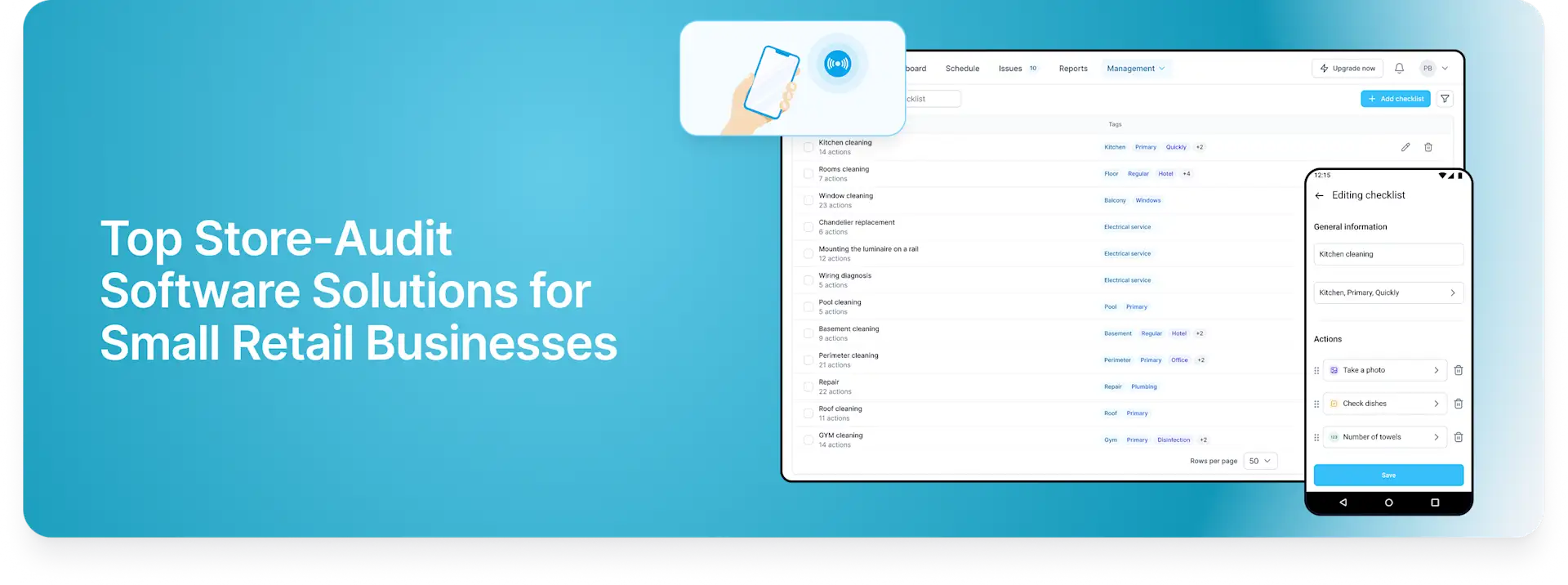
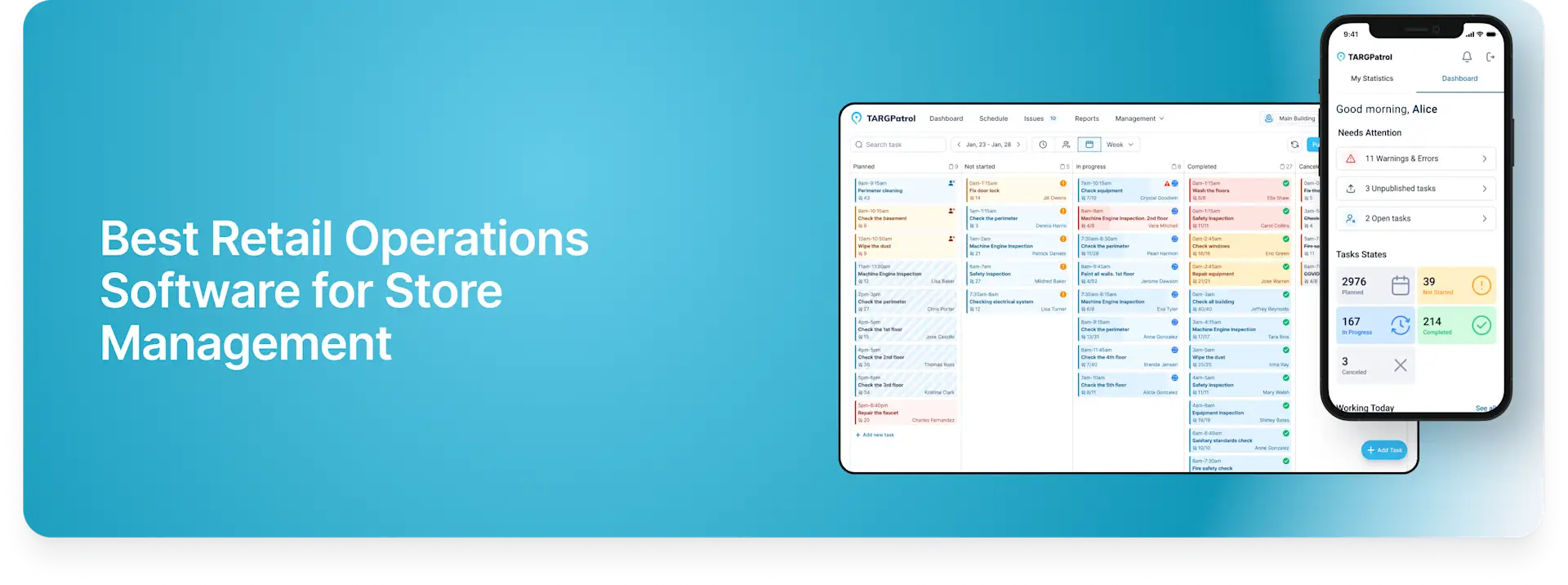
TARGPatrol is designed for work that happens away from a desk. A manager creates a task or recurring schedule, adds one or more steps, attaches reusable checklists, and assigns the work to an employee or team. The employee follows the process in the mobile app, while managers see progress and results in the web application.
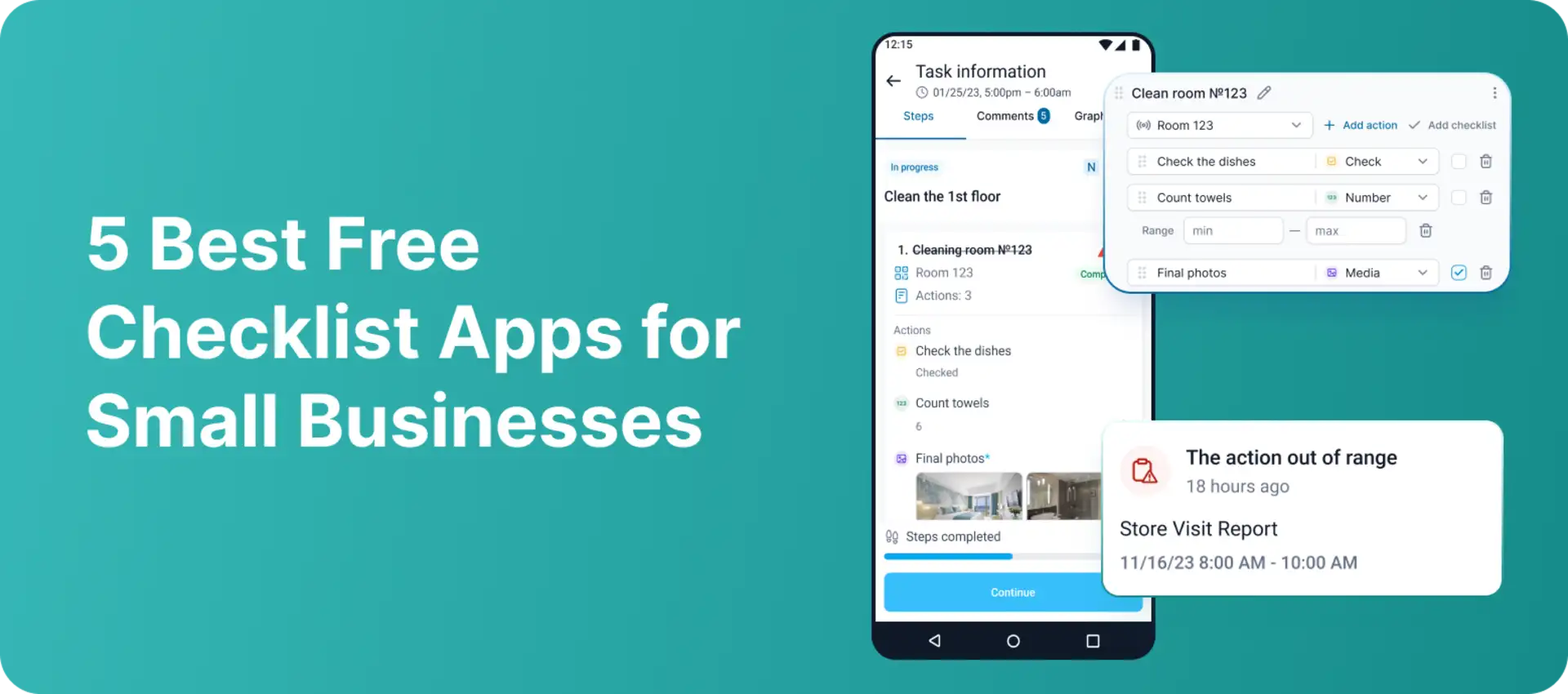
This makes it particularly useful when “completed” is not enough. A checklist can collect yes/no checks, numbers, text, single- or multi-select answers, instructions, and media. Required fields, numeric ranges, text rules, and warning or error values help standardize what employees submit and bring exceptions to a manager’s attention.
Where TARGPatrol stands out
Reusable digital checklists with structured action types, validations, and alerts.
Recurring tasks and schedules for opening, closing, cleaning, patrol, inspection, and maintenance routines.
Photo confirmation, including a camera-only option when current visual evidence matters.
QR and NFC checkpoints plus GPS Point proximity validation to confirm that a check-in happens within the configured radius.
Incident management from mobile: employees can register an Incident separately or while completing a task, checklist, inspection, or patrol.
Centralized reporting across users, tasks, locations, checklist results, warnings, errors, and evidence.
Offline mobile execution for teams working in locations with unreliable connectivity.
Free-plan limits
TARGPatrol’s Free plan supports up to 10 users and includes its core operational workflow, but media storage is limited to up to seven days. Video attachments, unlimited storage, the External API, and webhooks require the Base plan. Base costs $15 per user per month, or $12 per user per month when billed annually.
Best for: small businesses that need to prove work at a place—not merely tick boxes. Review the current TARGPatrol plans or start with the free plan.
2. SafetyCulture — Best for inspections and audits
SafetyCulture is built around digital inspections. Teams can create templates, complete inspections on mobile devices, produce reports, assign follow-up actions, and report issues. Its public template library can also reduce setup time for common safety and quality processes.
What the free plan includes
Up to 10 free seats
Five active inspection templates
Unlimited inspections
Tasks and issue reporting
PDF and web reports
Up to three years of data and evidence history
Limitations
Five active templates may be restrictive if every department, site, or asset needs a separate workflow. Advanced analytics, integrations, permission controls, and unlimited templates are paid features. SafetyCulture is an excellent inspection platform, but a business seeking location checkpoints and recurring frontline task control should compare its workflow carefully with TARGPatrol.
Best for: safety inspections, quality audits, compliance checks, and organizations that think in inspection templates and reports.
3. Connecteam — Best all-in-one app for teams of 10 or fewer
Connecteam combines forms and checklists with scheduling, time tracking, chat, onboarding, and HR tools. For a very small company that wants one employee app rather than separate products, that breadth is its main advantage.
What the Small Business Plan includes
Free access for up to 10 active and archived users in total
Digital forms, checklists, and task assignment
Mobile image uploads, signatures, and GPS stamps
Scheduling and time clock tools
Employee communication and training features
Limitations
Connecteam organizes functionality into several hubs, so it can feel broader than necessary when a team only needs operational checklists. The free Small Business Plan is tied to a strict 10-user total that includes archived users. Larger teams move to paid hub plans or a more limited free configuration after the trial.
Best for: small deskless businesses that need checklists, scheduling, time tracking, and communication in one system.
4. MaintainX — Best for maintenance procedures and work orders
MaintainX connects checklists and procedures to maintenance work orders. It is a natural fit when the checklist exists to inspect an asset, complete preventive maintenance, document a repair, or respond to a work request.
What the Basic plan includes
Unlimited work orders
Unlimited procedures
Unlimited requester users
Real-time messaging
Basic reporting and PDF exports
Limitations
The free tier limits work orders with attached procedures to two per month, active repeating work orders to two, and work-order images to five per month. Offline mode, broader preventive maintenance, advanced analytics, API access, and multi-site reporting are available higher in the plan structure. This makes the free plan useful for evaluating a maintenance workflow, but potentially restrictive for daily inspections at scale.
Best for: small facilities and maintenance teams that want work orders, assets, and procedures in the same system.
5. ClickUp — Best for office and project checklists
ClickUp is a general work-management platform rather than a dedicated field-operations checklist app. Its checklists live inside tasks, where teams can assign individual checklist items, nest items, save templates, convert items into tasks, and keep project discussion close to the work.
What the Free Forever plan includes
Unlimited tasks and Free-plan members
Task checklists and checklist templates
Collaborative documents
Kanban boards and calendar view
Basic custom fields and 60 MB of storage
Limitations
ClickUp is strong for planning and collaboration, but GPS proximity, QR or NFC checkpoints, field evidence rules, and inspection-specific reporting are not the core of the product. Its free storage allowance is also small for teams that attach many photos or videos. For physical operations, it may work better as a project layer than as proof that a routine happened correctly at a site.
Best for: administrative procedures, onboarding, marketing, project delivery, and other desk-based team checklists.
Which free checklist app should you choose?
Choose TARGPatrol if employees perform repeatable work at customer sites, stores, buildings, or checkpoints and managers need reliable proof.
Choose SafetyCulture if inspections, audits, and standardized reports are the center of the workflow.
Choose Connecteam if you have no more than 10 users and want checklists together with scheduling, time tracking, communication, and HR tools.
Choose MaintainX if most checklists relate to equipment, preventive maintenance, repairs, and work orders.
Choose ClickUp if checklists support office projects and collaboration rather than on-site verification.
What to verify before moving your checklists
Free-plan boundaries: Check user limits, template caps, storage duration, attachment limits, and recurring-work restrictions.
Mobile workflow: Make sure employees can complete the process quickly on the devices they already use.
Evidence: Decide whether you need photos, camera-only capture, signatures, GPS stamps, QR codes, NFC tags, or proximity validation.
Exceptions: A checklist should help managers see failed checks and out-of-range values, not bury them in completed records.
Offline access: Confirm how the app behaves when mobile coverage is weak and how data synchronizes later.
Growth path: Review paid-plan pricing before building dozens of processes in a free account.
Exports and integrations: If reports must flow into another system, verify API, webhook, PDF, and spreadsheet options early.
Why TARGPatrol is our top operational choice
Many free checklist apps help a person remember steps. TARGPatrol goes further by connecting those steps to schedules, people, physical locations, evidence, exceptions, and Incident follow-up. That combination is valuable for a small business because the manager can start with a simple checklist today and expand into a traceable operational process without replacing the system.
For example, a cleaning supervisor can schedule a closing task, require room-by-room checks, collect current photos, flag an out-of-range result, and let the employee register an Incident from the same mobile workflow. A security team can verify patrol points with QR, NFC, or GPS. A maintenance team can record readings and attach evidence before a manager reviews the result.
Explore TARGPatrol digital checklists, review the checklist setup guide, or compare the Free, Base, and Enterprise plans.
Frequently asked questions
Is there a completely free checklist app for a small team?
Yes. All five products in this comparison offer continuing free plans. TARGPatrol, SafetyCulture, and Connecteam each support free use for teams of up to 10 users or seats, while MaintainX and ClickUp use different plan limits. “Free” does not mean unlimited in every category, so check storage, templates, attachments, automation, and reporting before choosing.
What is the best free checklist app for inspections?
SafetyCulture is a strong choice when the inspection template and formal report are the main deliverables. TARGPatrol is a better fit when inspections are part of broader recurring operations and need location check-ins, task scheduling, Incident follow-up, and multi-location oversight.
Can a checklist app verify where work happened?
Some can. TARGPatrol supports QR and NFC checkpoints and GPS Point check-ins with configured-radius validation. Optional GPS tracking can also record route history while the mobile app is active when the corresponding user setting is enabled.
Can employees report an Incident while completing a checklist?
Yes. In TARGPatrol, an employee can create a standalone Incident from the mobile app or register one while completing a task, checklist, inspection, or patrol. Managers can then assign responsibility, set priority, track status, and keep evidence and history in one workflow. Learn more about TARGPatrol Incident management.
Is a free plan enough for daily business operations?
It can be enough for a small team with a focused process. Paid plans become relevant when you need more users, longer evidence retention, more templates, higher attachment limits, advanced permissions, API access, webhooks, exports, or multi-site analytics. Start with one recurring workflow and test it with the employees who will actually use it.
Final recommendation
Choose the app that matches where the work happens. ClickUp is excellent for collaborative office tasks, MaintainX for equipment maintenance, Connecteam for an all-in-one workforce toolkit, and SafetyCulture for inspection-led programs. For small businesses that need structured checklists, recurring tasks, mobile evidence, location verification, Incident reporting, and management visibility in one operational system, TARGPatrol is the most complete fit in this comparison.
Start TARGPatrol for free and turn one paper checklist into a trackable digital workflow.