5 Best Restaurant Checklist Apps for Opening and Closing

A restaurant checklist app should show the closing manager which checks were missed and what still needs fixing. A checked box is enough for routine work. A broken cooler latch is different: the next shift needs the location, a photo, and someone responsible for following up.
These five tools take different approaches to restaurant task management. Some are built for daily shift routines; others are a better fit for inspections or a formal food-safety program. Compare how each handles recurring assignments, evidence, and follow-up before you choose. Plan details were checked against vendor documentation in November 2026; this is not a hands-on test of all five apps.
Restaurant checklist apps at a glance
App | Best fit | What happens after a check | Free access |
|---|---|---|---|
TARGPatrol | Opening and closing work across locations | Review checklist answers and photos in Schedule; report an Incident from the task and assign follow-up | Free for up to 10 active users; photos and attachments expire seven days after upload |
Connecteam | One app for shift scheduling, staff communications, and routine tasks | Review form submissions or create and assign a follow-up task | Small Business Plan: up to 10 users, active and archived combined |
FoodReady | Restaurants and commissaries that also need a formal food-safety program | Use checklist and log records in the food-safety verification workflow | Request a quote for the restaurant and food-service package |
GoAudits | Area managers who run inspections and track corrective actions | Give a failed check an owner and due date, then review evidence of the fix | 14-day trial; scheduled audit assignment is listed on Enterprise |
Mitti (formerly SafetyCulture) | Teams that need inspection templates, reports, and corrective actions | Record a failed inspection item, assign an action, and track it separately | Free for up to 10 users and five active inspection templates |
1. TARGPatrol — for recurring checks across restaurants
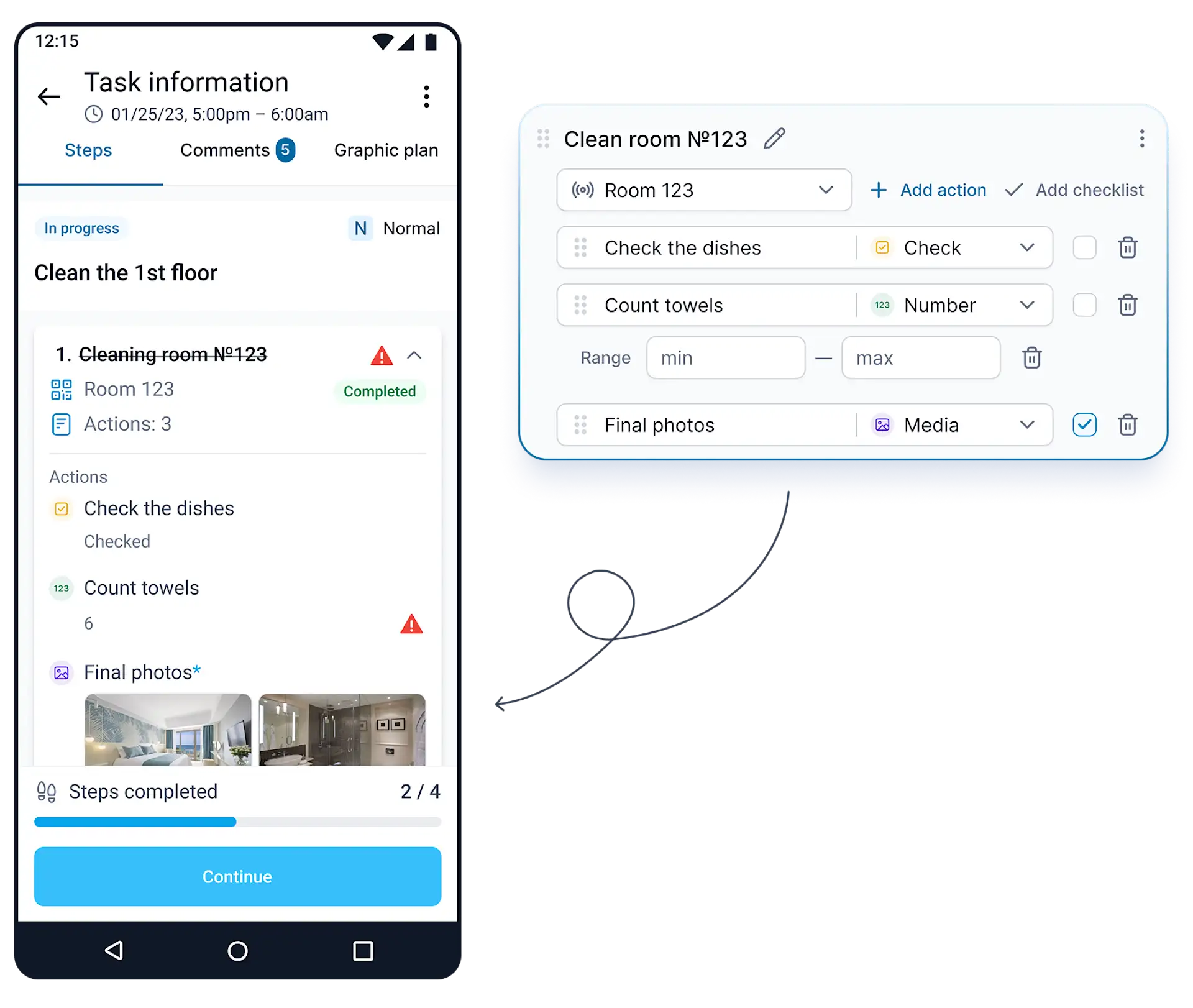
TARGPatrol demo: checklist answers and photo evidence. The illustration shows sample cleaning checks, not the franchise’s account.
Use a reusable checklist for each routine and schedule the task at the right time and Location. Staff can answer on their phones, attach photos where required, and scan an NFC or QR checkpoint when the task calls for it. After sync, a manager opens the task in Schedule to see who did it, when, and what they recorded.
A completed checklist and a resolved problem are different things. If an employee finds damaged equipment, they can report an Incident from the task if they have permission. A manager can then assign it and review the evidence before closing it. TARGPatrol is for running and verifying operational work; it is not a labor-roster system or a tool for building a formal food-safety plan.
Free supports up to 10 active users. Photos and attachments are automatically deleted seven days after upload, not seven days after the task is completed. Free does not include notifications or task PDF exports. Base removes the seven-day expiry and costs $15 per user per month billed monthly, or $12 per user per month billed annually. See TARGPatrol pricing.
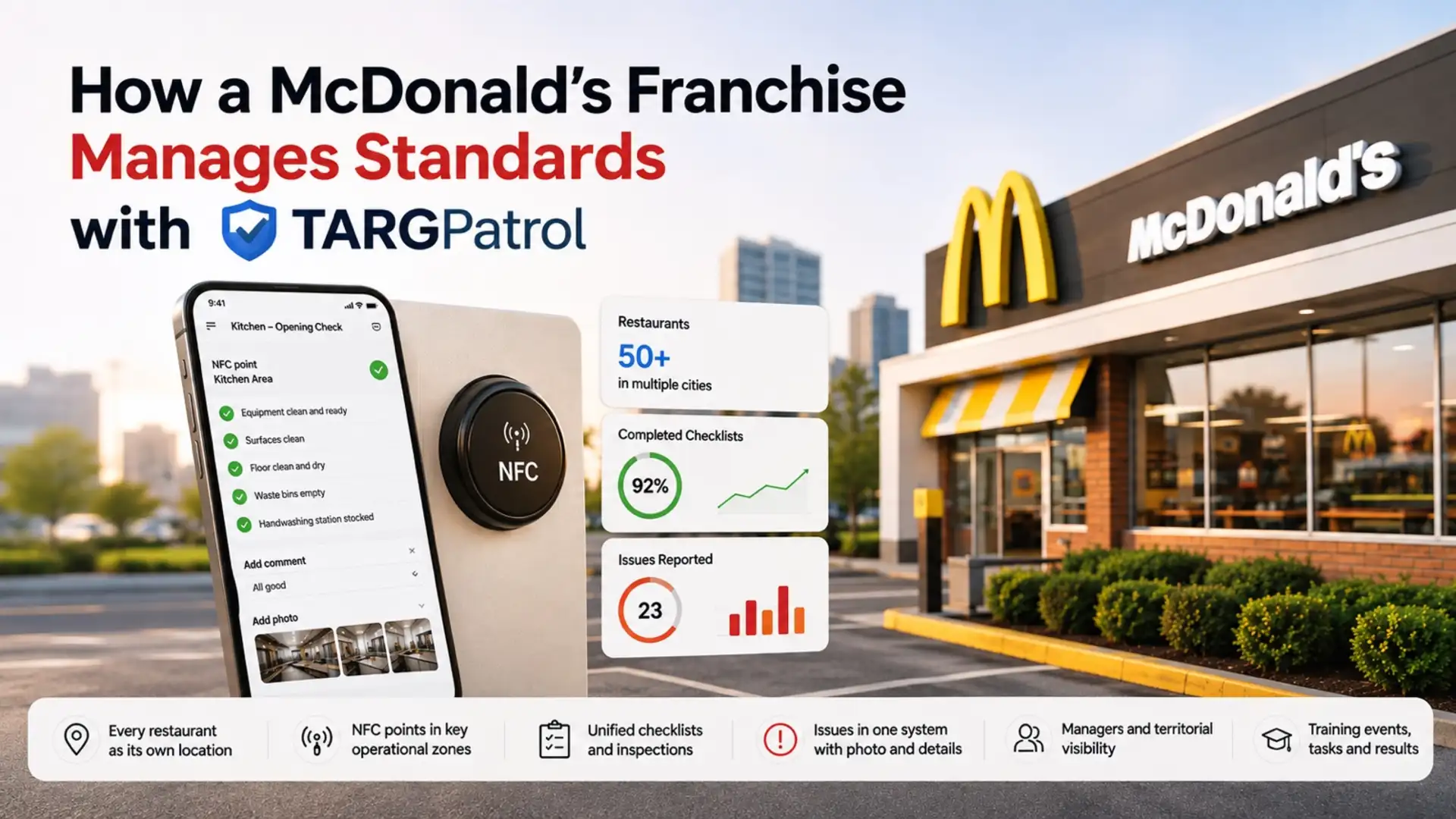
How a McDonald’s franchise runs opening and closing checks
One McDonald’s franchise operator uses TARGPatrol across more than 50 restaurants. Each restaurant is a separate Location, but staff use common checklists for opening, closing, and other daily checks. Employees scan NFC tags in the relevant zones, complete the checks in the mobile app, and add notes or photos when needed. Restaurant managers review their own location’s work; area managers can compare records across restaurants. Read the McDonald’s franchise case study for the full setup.
Try the workflow with one restaurant
This example uses the same approach as the franchise, with sample checklist items and a sample maintenance issue.
Opening checklist
Open the free restaurant opening checklist. Choose the items you need, then use Add to TARGPatrol to bring them into your account. In Schedule, create a repeating task at the restaurant’s Location, assign it to the opening lead, and attach the imported checklist. The lead opens the assigned task on their phone, checks the entrance and dining room, and records anything that isn’t ready.
Closing checklist
Import the restaurant closing checklist the same way and attach it to a separate closing task. Both template pages also offer a free printable PDF, separate from exporting a completed task. For this example, add a check for the walk-in door: record whether it latches and attach a photo if it doesn’t. Add a checkpoint scan only where you need a record of the visit.
Corrective action workflow
If the latch fails, a staff member with permission can report an Incident from the closing task. After sync, the manager opens the completed task in Schedule, reviews the answer and photo, and assigns the Incident to an active user with access to that Location. Verify the repair before moving the Incident to its final state. Completing the checklist does not close the separate Incident.
2. Connecteam — for checklists alongside shift scheduling
Connecteam fits restaurants that want their roster, communications, and operational tasks in the same app. Use recurring Quick Tasks for reminders and Forms checklists for checks that need an answer or a photo. A manager can review the submission and assign a follow-up task if something needs attention.
The free Small Business Plan counts both active and archived users toward its limit of 10. For larger teams, recurring Quick Tasks start at Operations Advanced: $59/month billed monthly, or $49/month billed annually for the first 30 users. If you want the form embedded as a shortcut in each task, verify that separately; the vendor documents Shortcuts as an Expert-tier feature.
3. FoodReady — for food-safety records and verification

FoodReady is most relevant when you need operational checklists alongside a formal food-safety program. Its restaurant and food-service package lists a checklist builder, mobile critical-control-point logs, operating procedures, and a verification dashboard. It also includes specialist support for hazard analysis and critical control points (HACCP).
It may be more than you need for a simple closing list. If you are evaluating it for several restaurants or a commissary, ask the vendor to show how a flagged entry reaches the person who verifies the correction. Pricing is by quote.
4. GoAudits — for restaurant inspections and corrective actions

Use GoAudits when area managers need to inspect several restaurants, compare findings, and verify a fix. An inspector can add photos and comments, assign a corrective action with a due date, and check the evidence when it is closed. The mobile inspection app supports offline use.
GoAudits offers a 14-day trial. Its pricing table lists corrective actions on both plans and scheduled audit assignment on Enterprise. Starter is $12 per user per month billed monthly or $10 billed annually; Enterprise is $35 per user per month billed monthly or $30 billed annually. Test recurring assignments on the plan you expect to buy, since the trial includes Enterprise features.
5. Mitti — for inspection templates and reports
Mitti, formerly SafetyCulture, suits teams that run inspections from reusable templates and need a separate record of corrective actions. Schedule inspections, record evidence, and assign an action if an item fails. It is better suited to that workflow than to staffing the next shift.
The Free plan supports up to 10 active users and five active templates. That can be enough for a pilot, but map how many separate forms you need across stores. Premium Full seats are listed at $29 per seat per month on monthly billing or $24 on annual billing, excluding applicable taxes. Premium adds unlimited active templates and more access controls; check location-based pricing if comparing costs for several restaurants.
What to test before rolling out a restaurant checklist app
Run one opening and one closing at a single restaurant. Give someone who was not on shift the manager view. Can they tell who completed the checks, see the evidence for an exception, and find the owner of the fix without asking in the group chat? If your kitchen network is unreliable, test the checklist, photo upload, and follow-up after reconnecting. Offline support for one does not guarantee the others work the same way.
If all you need is a printable list, use the templates above. Pay for software when recurring assignments, evidence, or follow-up are harder to manage on paper. And if you need regulatory logs or a formal food-safety program, verify those requirements separately: an opening or closing checklist is not a substitute.