TARGPatrol
Checklists LibraryOrganising Corporate Events Checklist
EventsEvents
Date icon11/18/2025

Organising Corporate Events Checklist

This Corporate Event Planning Checklist is a field-ready tool for marketing, HR, and operations teams to run any corporate function — from town halls and launches to client summits — without guesswork. It covers goals and KPIs, budget and approvals, venue and layouts, AV/streaming and power, registration and badges, branding and signage, VIP protocol, F&B and sustainability, accessibility and safety, transport and lodging, day-of execution, and post-event reporting.


Use it in TARGPatrol to assign owners, capture photo proof, and record real numbers in real time. Every line supports four answer types — [Flag], [Number], [Media], [Text] — so you can log quick pass/fail checks, exact counts (chairs, circuits, attendees), visual confirmations (room sets, wayfinding, stage), and notes (names, timings, special requirements).


The template aligns with a practical milestone timeline (D-120/90/60/30/14/7/1) and a run-of-show, producing a live audit trail with timestamps and attachments. Failed checks can auto-create follow-up tasks for verified closure. Export the results as a clean PDF for stakeholders and use the data to measure outcomes (attendance, NPS, budget variance) and improve the next event.

Organising Corporate Events Checklist
0/130

Corporate objectives & audience defined

Text

Executive sponsor confirmed

Check

Stakeholders mapped & approvals noted

Text

Success KPIs set (attendance, leads, NPS, pipeline)

Text

Budget approved, ≥10% contingency

Check

Total budget amount

Number

Milestone timeline set (D-120/90/60/30/14/7/1)

Check

Event date/time locked

Check

Format decided (town hall/launch/gala/offsite)

Text

Theme/messaging approved

Check

Venue shortlisted & inspected

Check

Venue contracted, terms stored

Check

Capacity by layout

Number

Load-in/load-out windows confirmed

Check

Exclusive policies (catering/AV/rigging) captured

Text

Floor plan obtained (plenary/breakouts/BOH)

Media

Custom layout annotated (stage/aisles/ADA/exits)

Media

On-site storage/green room confirmed

Check

Power distribution plan uploaded

Media

Wi-Fi capacity test scheduled

Check

Compliance/risk register completed

Text

COIs collected

Check

Egress & muster points mapped

Media

AED availability verified

Text

Incident reporting flow briefed

Check

Run-of-show drafted & approved

Check

Speakers confirmed (names/topics)

Text

Speaker contracts executed

Check

Speaker count

Number

Travel/lodging booked for speakers

Check

Pronunciation guide prepared

Text

Rehearsal schedule set

Check

MC/host confirmed, script drafted

Check

AV requirements captured per segment

Text

Stage plot uploaded

Media

Audio spec (lav/handheld/podium per room)

Text

Microphones total

Number

Lighting design approved

Check

Playback/show control tested

Check

Backup laptops/adapters ready

Check

Streaming/recording plan (rooms/formats)

Text

Streaming platform latency tested

Text

Recording storage/retention plan

Text

Brand guidelines to vendors

Check

Creative assets approved (logos/templates)

Check

Main stage artwork uploaded

Media

Wayfinding/signage plan approved

Media

Total print/sign pieces

Number

Badges proofed (titles/pronouns/colors)

Check

Badge stock on site

Number

Audience segments defined

Text

Email calendar approved

Check

Email sends (count)

Number

Event app/push plan defined

Text

Landing page live, tracking set

Check

Social plan (channels/hashtag/cadence)

Text

Press list & media pass policy set

Check

Press kit uploaded

Media

VIPs identified, protocol briefed

Check

VIP lounge arranged

Check

VIP arrivals/ETAs

Text

Gifting decided

Text

Gift quantity

Number

Catering vendor contracted

Check

Service style (plated/buffet/stations/box)

Text

Coffee/water stations count

Number

Menu tasting notes uploaded

Media

Dietary/allergen signage approved

Check

Bar service & licenses verified

Check

Alcohol policy (limits/last call)

Text

Sustainability plan (reusables/compost/recycling)

Text

Waste streams & bins placed

Number

Donation plan for leftovers

Text

Accessibility audit completed

Check

ADA seating reserved

Number

Captions/CART/ASL arranged

Check

Quiet/wellness room designated

Check

Mother’s room equipped

Check

Transport plan finalized

Text

Shuttles/valet/rideshare zones confirmed

Check

Parking allocation (guests/VIP/vendors)

Text

Hotel blocks secured, cutoff noted

Text

Room nights blocked

Number

Rooming list uploaded

Media

Sponsor packages finalized

Check

Signed sponsor agreements on file

Check

Sponsor deliverables checklist

Text

Lead capture solution chosen

Text

Radio/walkie fleet tested, channels set

Check

Walkie count

Number

Daily brief time & format set

Text

Volunteers scheduled & trained

Check

Volunteer headcount

Number

Code of conduct published

Check

Set-day: room sets verified

Check

Room set photo evidence

Media

Wayfinding installed

Check

Wayfinding final photo sweep

Media

AV line check per room complete

Check

Mic inventory snapshot

Media

Stage safety & fire code verified

Check

Registration opens on time

Check

First session starts on schedule

Check

Live attendance per segment

Number

Overflow room activated (if needed)

Check

Catering delivered on schedule

Check

Food safety/temps logged

Text

Cleaning rounds per hour

Number

Sponsor entitlements delivered

Check

Press escorted to interviews

Check

Accessibility services functioning

Check

Incidents logged (count)

Number

End-of-day reset completed

Check

Load-out start/end times

Text

Rental return counts verified

Number

Final venue walk-through done

Check

Damage/incident photos captured

Media

Freight pickups confirmed

Check

Final payments/tips prepared

Check

Post-event survey sent

Check

Responses received

Number

NPS/CSAT score

Number

Attendance vs registration variance

Number

Budget variance (rev/cost)

Number

Lead count & quality notes

Text

Sponsor/exhibitor ROI prepared

Check

Recordings/slides uploaded & linked

Check

Press coverage links collected

Text

Team retrospective notes

Text

Improvements backlog created

Check
Similar checklists
Webinar Preparation Checklist
EventsEvents
Date icon2/25/2026

Webinar Preparation Checklist

Webinars run smoothly when planning is as structured as the content itself. The Webinar Hosting Checklist brings every moving part into one clear workflow — topic and agenda design, speaker coordination, platform configuration, registration and promotion, rehearsals, live moderation, and post-webinar follow-up. It helps teams anticipate risks, avoid technical surprises, and stay focused on delivering value from the first minute to the final CTA. The checklist is designed for real live conditions. It aligns host, speakers, and producer around concrete, verifiable tasks: branded registration pages, tested audio/video and screen sharing, security settings, captions and accessibility, a defined Q&A process, backup plans for connectivity, and a run-of-show that keeps timing under control. Each item reduces last-minute decisions and ensures the audience experience is consistent and professional. You can use the checklist as a printable PDF during prep meetings and rehearsals, or run it in a mobile checklist app to assign responsibilities, track completion in real time, and capture notes or screenshots as evidence. This makes handoffs between marketing, ops, and sales reliable and supports compliance with privacy and consent requirements. After the webinar, the same checklist supports recording delivery, slides and resources distribution, CRM lead export, segmentation, performance reporting, and internal debriefs. Over time, it becomes a reusable standard that improves execution quality, increases attendance-to-engagement, and helps you turn each webinar into a repeatable growth asset rather than a one-off event.

TARGPatrol
Starting an Event Planning Business Checklist
EventsEvents
Date icon2/25/2026

Starting an Event Planning Business Checklist

Starting an event planning business is as much about structure as creativity. The Starting an Event Planning Business Checklist brings every foundational step into one clear path — from defining your niche and pricing to legal setup, insurance, branding, vendor networks, sales workflows, and event-day execution. It turns a complex launch into a sequence of concrete actions, so nothing critical is missed early on. The checklist is designed for both solo planners and small teams. It helps you formalize processes that clients expect from day one: clear contracts and payment terms, standardized timelines and budgets, reliable vendor shortlists, and contingency plans for event-day risks. Each item answers a practical question: Is this ready to sell? Is this legally covered? Can I deliver consistently? You can use it as a free printable PDF during planning sessions, or run it in a checklist app to track progress, assign tasks, and attach notes or documents (contracts, quotes, branding files). This makes it easy to move from idea to first paid event with visibility over what’s done and what still needs work. Over time, the checklist becomes your operating baseline. As you grow — adding staff, new event types, or higher-budget clients — you can expand and reuse it to keep quality, profitability, and client experience consistent. Instead of building everything from scratch each time, you launch your business with a system that supports long-term growth.

TARGPatrol
Sports Event Planning Checklist
EventsEvents
Date icon2/25/2026

Sports Event Planning Checklist

Sporting events run smoothly when planning is as disciplined as the competition itself. The Sports Event Planning Checklist brings every operational element into one clear workflow — permits and insurance, venue readiness, equipment and officials, athlete registration, medical coverage, security, crowd control, logistics, and post-event closeout. It helps organizers anticipate risks and coordinate teams long before the first whistle. The checklist is designed for real event conditions. It aligns organizers, referees, volunteers, medical staff, and venue operators around a shared plan: safe playing surfaces, tested timing and scoring systems, clear athlete and spectator flows, hydration and amenities, and contingency plans for weather or delays. Each item is concrete and verifiable, reducing last-minute decisions and confusion on event day. You can use the checklist as a printable PDF during planning meetings and site walks, or run it in a mobile checklist app to assign responsibilities, track completion in real time, and capture notes or photos as evidence. This makes handovers between shifts and teams reliable and supports compliance with governing bodies and insurers. After the event, the same checklist supports results verification, incident review, equipment recovery, and debriefs. Over time, it becomes a reusable standard that improves safety, consistency, and efficiency — allowing organizers to focus on the sport, the athletes, and the spectator experience.

TARGPatrol
Planning Event Budget Checklist
EventsEvents
Date icon2/25/2026

Planning Event Budget Checklist

Event budgets fail when costs are tracked too late and decisions are made without a clear baseline. The Event Budget Planning Checklist turns budgeting into a structured workflow — revenue assumptions, cost categories, vendor quotes, payment schedules, cash flow, contingency reserves, and plan-vs-actual control. It helps teams build a realistic budget early, protect margins, and prevent “silent” overspend from deposits, add-ons, and last-minute changes. The checklist is designed for real production conditions. It aligns event owners, procurement, and finance around concrete, verifiable steps: itemized quotes, approvals and thresholds, deposits and due dates, platform fees, staffing hours, and risk buffers for weather, overtime, or inflation. Each line item has an owner and a tracking method, so the budget stays actionable — not a spreadsheet that’s updated once a month. You can use the checklist as a printable PDF during planning meetings and vendor reviews, or run it in a mobile event management app to assign responsibilities, track completion in real time, and capture notes or photos as evidence — such as signed quotes, invoice confirmations, or on-site spend approvals. This makes handovers between teams reliable and creates an audit trail for every commitment. After the event, the same checklist supports reconciliation: collecting invoices, closing payments, matching revenue reports to bank totals, and producing a clear plan-vs-actual summary. Over time, it becomes a reusable standard that improves forecasting accuracy, speeds up financial close, and keeps every event financially controlled from first estimate to final report.

TARGPatrol
Planning a Sponsorship Event Checklist
EventsEvents
Date icon2/25/2026

Planning a Sponsorship Event Checklist

Sponsorship works when it’s managed like a structured program — not a last-minute scramble. The Event Sponsorship Checklist brings every step into one clear workflow: defining sponsor tiers and exclusivity, packaging benefits, building a prospect pipeline, negotiating terms, onboarding sponsors, delivering marketing and on-site placements, and closing with measurable post-event reporting. It helps you protect revenue targets, avoid missed deliverables, and keep sponsor relationships professional from first outreach to renewal. The checklist is designed for real event conditions. It aligns the sponsorship lead, event manager, marketing team, and finance around verifiable tasks: a ready sponsorship deck and rate card, tracked outreach and approvals, signed contracts and invoices, logo and creative deadlines, activation requirements (space/power/internet), lead capture methods with consent, and a run-of-show that includes sponsor mentions and visibility. Each item reduces ambiguity and ensures sponsors get what was promised — on time and in the right format. You can use the checklist as a printable PDF during planning meetings, or run it in a mobile checklist app to assign responsibilities, track completion in real time, and capture photos or notes as evidence — like signage placement, booth readiness, or branded content delivery. This makes handovers between teams reliable and keeps fulfillment consistent across multiple sponsors and tiers.

TARGPatrol
Event Planning Checklist for Restaurants
EventsEvents
Date icon2/25/2026

Event Planning Checklist for Restaurants

Restaurant events succeed when service, kitchen timing, and guest flow are coordinated like a single system. The Restaurant Event Planning Checklist turns that coordination into a repeatable workflow — confirming event details and deposits, reserving the right space and layout, locking the menu and beverage plan, capturing dietary and allergen needs, scheduling staff, and aligning the run-of-service from arrivals to dessert and speeches. The checklist is built for real operations. It connects front-of-house and back-of-house: prep lists, inventory checks, holding and reheating plans, bar stock planning, and pre-event restroom and dining-room readiness. Safety and compliance are included as standard — capacity limits, clear exits, alcohol service rules, and noise restrictions — so the event runs smoothly without last-minute surprises. Use it as a printable PDF for planning meetings and shift briefs, or run it in a mobile checklist app to assign tasks, track progress in real time, and capture evidence (layout photos, menu approvals, delivery notes). This makes handovers between managers and shifts reliable and keeps vendors aligned on delivery windows and setup requirements. After the event, the same checklist supports a clean closeout: space inspection, lost & found, staff hours, billing, and client feedback. Over time, it becomes a reusable standard that helps restaurants deliver consistent private dining experiences while protecting margins, quality, and compliance.

TARGPatrol
Event Management Safety Checklist
EventsEvents
Date icon2/25/2026

Event Management Safety Checklist

Safety is the foundation of any successful event. The Event Safety Checklist brings all critical risk controls into one clear workflow — permits and insurance, site and crowd safety, fire protection, medical readiness, security, electrical and technical setups, food and alcohol service, weather planning, accessibility, and emergency response. It helps organizers identify and address hazards before doors open, not while guests are already on site. The checklist is designed for real-world coordination between organizers, venue teams, security, vendors, and contractors. Each item is specific and verifiable, ensuring exits are clear, equipment is secure, staff are briefed, and emergency procedures are understood. This reduces last-minute confusion and supports consistent decision-making under pressure. Use the checklist as a printable PDF for pre-event walkthroughs and safety meetings, or run it in a mobile checklist app to assign responsibilities, track completion in real time, and attach photos or site maps as evidence. Digital records make it easy to demonstrate due diligence to venues, authorities, insurers, and clients. After the event, the same checklist supports incident review and continuous improvement. By logging issues, near misses, and corrective actions, you create a safety baseline that strengthens future events. The result is better risk control, smoother operations, and a safer experience for guests, staff, and partners.

TARGPatrol
Charity Golf Tournament Planning Checklist
EventsEvents
Date icon2/25/2026

Charity Golf Tournament Planning Checklist

A charity golf tournament succeeds when the planning is as disciplined as the play. The Charity Golf Tournament Planning Checklist brings every operational element into one clear workflow — course booking, tournament format and rules, sponsorship packages, player registration, on-course contests, logistics, safety, and post-event reconciliation. It helps organizers anticipate risks, coordinate vendors and volunteers, and protect the fundraising goal long before the first tee shot. The checklist is designed for real tournament conditions. It aligns the event director, course staff, scoring team, sponsors, and volunteers around verifiable tasks: confirmed tee times or shotgun start, defined handicap and tie-break rules, tested scoring workflow, staffed registration and starter positions, hydration stations, signage and sponsor fulfillment, and weather and lightning protocols. Each item is concrete, reducing last-minute decisions and delays on event day. You can use the checklist as a printable PDF during planning meetings and course walk-throughs, or run it in a mobile checklist app to assign responsibilities, track completion in real time, and capture photos and notes as evidence — such as sponsor signage placement, contest hole setup, or registration desk readiness. This makes handovers reliable and keeps financial controls clear across payments, donations, raffles, and auctions. After the tournament, the same checklist supports scoring verification, sponsor reporting, revenue and expense reconciliation, thank-you communications, and lessons learned. Over time, it becomes a reusable standard that improves consistency, increases sponsor confidence, and helps your team raise more funds with less stress — so the focus stays on the players, the cause, and the community impact.

TARGPatrol
Charity Event Checklist
EventsEvents
Date icon2/25/2026

Charity Event Checklist

Charity events succeed when planning is as disciplined as the mission behind them. The Charity Event Planning Checklist brings every operational element into one clear workflow — goals and fundraising model, permits and compliance, budget controls, sponsorship and partnerships, guest registration, volunteers, marketing, safety planning, and post-event reporting. It helps organizers anticipate risks, coordinate teams, and protect the donor experience long before the doors open. The checklist is designed for real event conditions. It aligns the organizing committee, beneficiary organization, sponsors, vendors, and volunteers around concrete, verifiable tasks: a tested donation flow, clear ticketing and check-in, compliant raffle/auction processes, privacy and consent handling, accessible venue setup, first-aid readiness, and a run-of-show that includes structured “ask” moments. Each item reduces last-minute decisions and ensures the fundraising story is delivered consistently. You can use the checklist as a printable PDF during planning meetings and site walk-throughs, or run it in a mobile checklist app to assign responsibilities, track completion in real time, and capture notes or photos as evidence — such as sponsor signage, auction setup, or safety checks. This makes handovers reliable and supports accountability across all stakeholders. After the event, the same checklist supports reconciliation of donations and expenses, sponsor fulfillment, thank-you communications, tax receipts (where applicable), impact updates, and a structured debrief. Over time, it becomes a reusable standard that improves execution quality, increases sponsor confidence, and helps your team raise more funds with less stress — so you can focus on the cause and the community impact.

TARGPatrol
Wedding Organisation Checklist
EventsEvents
Date icon11/18/2025

Wedding Organisation Checklist

This Wedding Organisation Checklist is a field-ready tool for coordinators and event professionals to run a wedding from briefing to load-out with zero guesswork. It covers the full arc — vision and budget, venue logistics, permits and insurance, vendor coordination, ceremony cues, reception flow, guest services, accessibility and safety, media, décor, catering/bar, transport, and end-of-night close — with space for evidence at critical control points. Use it in TARGPatrol on the day-of (and during prep) to assign tasks, capture photo proof, log numbers (counts, times, quantities), and record quick pass/fail decisions. Every item supports four answer types — [Flag], [Number], [Media], [Text] — so the same template works for rapid checks, precise metrics, visual confirmation, and notes. For operations, the checklist aligns with a practical timeline and creates a live audit trail: who did what, where, and when. GPS/time stamps and photo attachments reduce disputes, while push notifications keep vendors and staff on schedule. After the event, export results to PDF for clients and auditors, and use the data to refine SOPs, vendor performance, and future budgets. Print as a clean PDF for clipboards, or run entirely in the mobile app. Recommended workflow: duplicate per event, prefill known details (venue, vendor contacts, permit numbers), mark mandatory photo points (ceremony setup, safety, rentals, cake, seating), and enable automatic tasks for any failed checks to ensure verified closure.

TARGPatrol
Music Concert Planning Checklist
EventsEvents
Date icon11/18/2025

Music Concert Planning Checklist

The Music Concert Planning Checklist is designed to guide organizers through every key stage of a live show — from the first booking confirmation to the final teardown. It replaces scattered notes and verbal agreements with one structured list that keeps venue staff, technical crew, security, and the artist’s team aligned on the same plan. The checklist covers all critical blocks of a concert: venue and stage setup, sound and lighting equipment, artist hospitality and backstage, ticketing and entry, crowd control and safety, merch stand preparation, show flow, and post-event cleanup. Each section focuses on what must be physically checked on-site, not on theory or paperwork, so teams can move quickly and confidently on the day of the event. Tasks use mixed answer types so the checklist works both in the field and in reports: [Flag] for simple “done/not done” checks, [Number] for gear counts and audience/staff figures, [Text] for incidents, changes, and notes to future teams, and [Media] for photos of stage setup, crowd, entrances, and final condition of the venue. This makes the checklist ideal for running in TARGPatrol on mobile with time stamps and photo proof. You can use this template as a free printable PDF for pre-event planning meetings or as a live digital checklist during the show. Over time, completed checklists form a base of real operational data: what worked, what failed, where bottlenecks appeared, and how safety and guest experience can be improved for the next concert.

TARGPatrol

Mobile Work Order Management Software for Business Maintenance
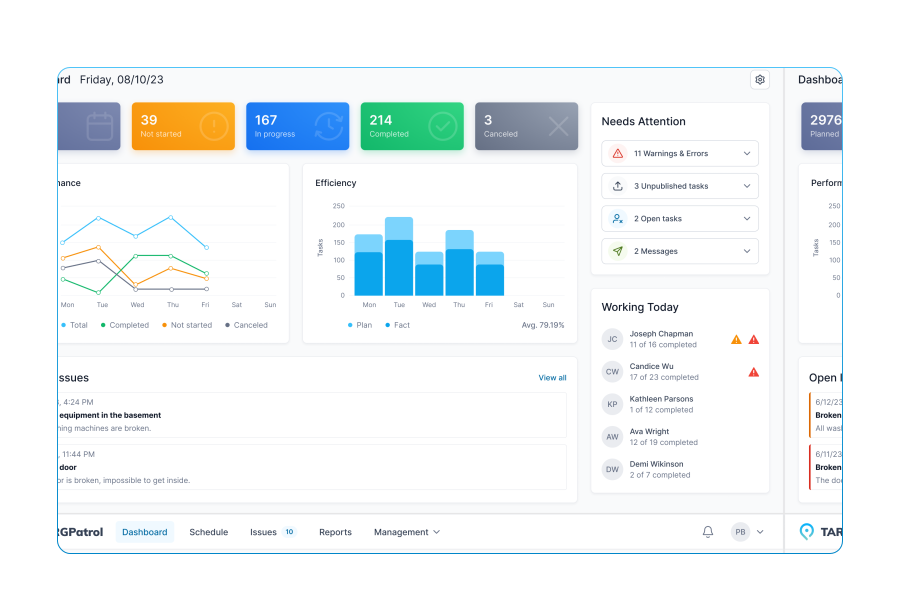
A cloud-based work order software designed to streamline inspections and task management across diverse service areas, enhancing operational efficiency and productivity.
Try now for FREE
TARGPatrol promo