How Does Security Guard Monitoring Work?

Security guard monitoring compares the round a guard was assigned with the visits and observations they recorded. At handover, the supervisor should be able to answer three questions: Which stops have a check-in? What did the guard find? What still needs someone’s attention?
This is about supervising officers who are on site. Remote video monitoring is a different service: an operator watches camera feeds. A patrol record tells you what the officer reported at a particular stop, not what a camera saw between visits.
What is the importance of monitoring security guards?
Suppose a client asks whether the visitor entrance was checked last night. A timesheet shows who was on duty. A checkpoint scan adds a place and a time. The answer to “Does the door latch when released?” records what the guard reported finding. Each record answers a different part of the client’s question.
Monitoring Security Guards: Best Practices and Tools
Give each stop a check the guard can actually perform
In TARGPatrol, assign a patrol task to the guard at the right site. Put the stops in order, choose the check-in method for each Point, and write the question the guard should answer there. “Check reception” leaves room for guesswork; “Test the assistance bell and record whether it rings at the desk” gives the next shift a useful result.
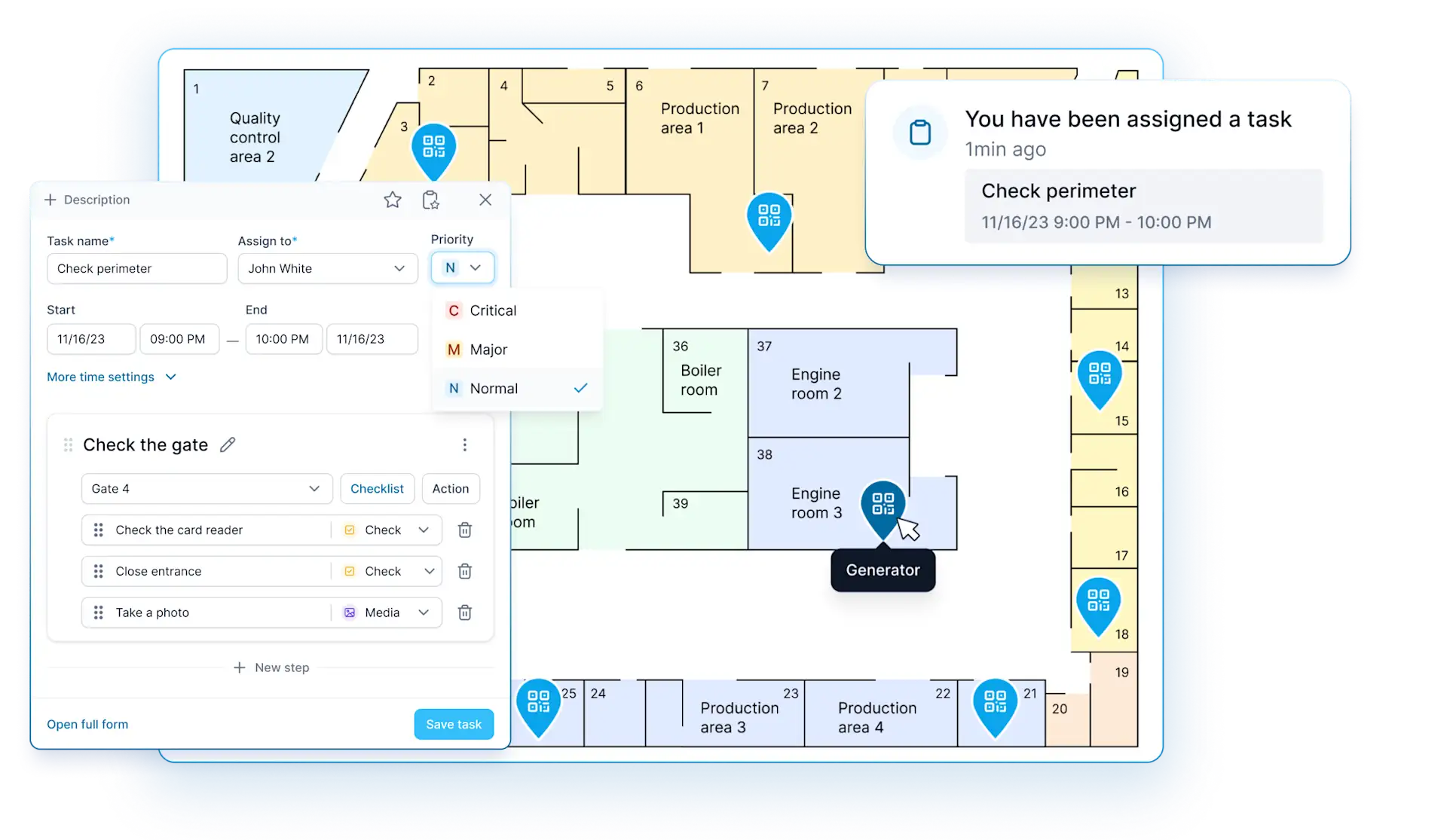
Task setup example: “Check perimeter” has an assigned officer, a scheduled time and a gate step with two checks and a photo action. The assignment describes planned work; it isn’t a record of a visit. Open the task setup at full size
For a recurring round, use the same task steps each shift so supervisors can compare like with like. The Tours & Patrols walkthrough shows how to put the schedule, Points and checklist together. If the team already uses a general task app, check whether “done” refers to the whole assignment or to a recorded visit at a particular stop.
What are the different methods of monitoring security guards?
QR code. The guard scans a printed code with the phone’s camera. This identifies the code that was read, not the condition of the site. A QR Point is a practical choice for a clearly labeled indoor stop. See the QR patrol example.
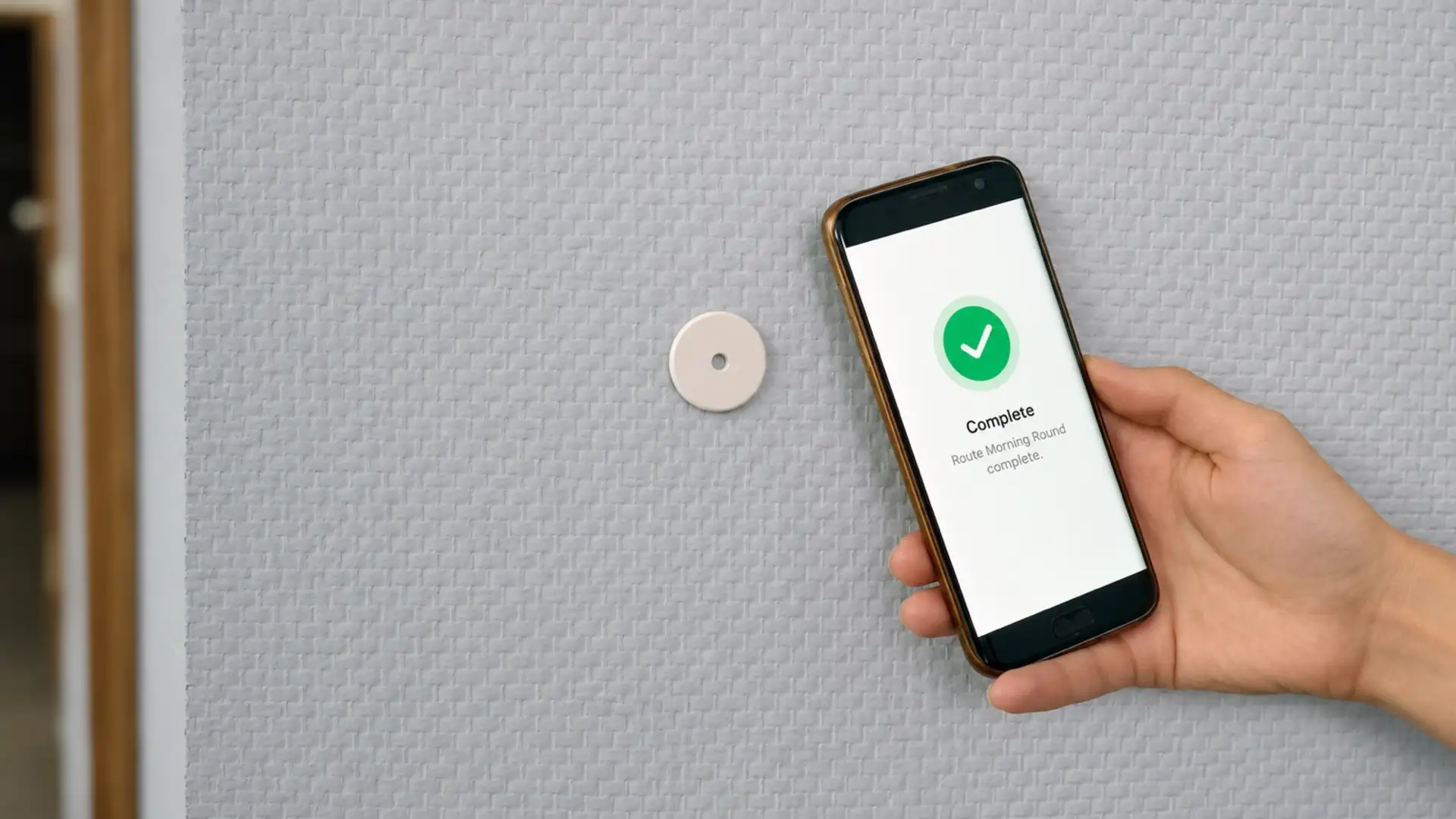
NFC tag. The guard holds a compatible phone near the tag. A fixed tag is useful when two nearby doors need separate records: the reader must be close to the tag for that door. The NFC setup guide for security teams covers configuration; the RFID patrol guide explains the hardware distinction.
GPS Point. With location permission and a usable GPS signal, the phone checks its position at the time of the visit. With a radius configured, the device must be within that area. That helps with an outdoor stop, but doesn’t establish which side of a wall the guard checked. A GPS check-in is not a continuous route history. Separate GPS tracking must be enabled for the user and records coordinates while the mobile app is active.
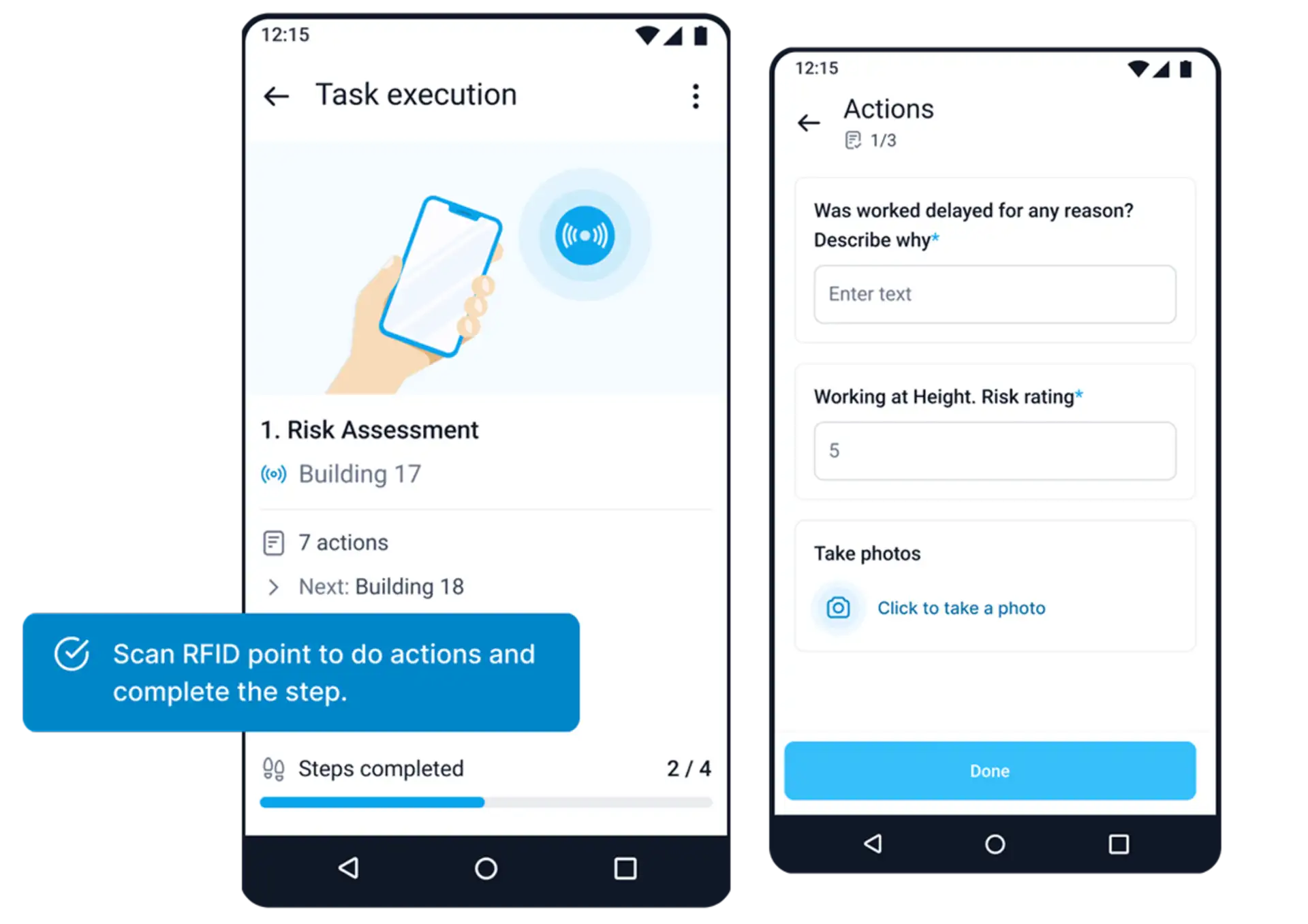
Mobile task example: the Risk Assessment step at Building 17 prompts for a tag scan. The Actions screen shows a delay question, a risk rating and a photo prompt. The scan identifies the stop; the answers document the work. Open the mobile screens at full size
A missed checkpoint on an evening shift
In this fictional example, the evening guard at an office has two stops: the visitor entrance and reception. The site’s instructions call for the reception bell test by 8:45 p.m., before the 9 p.m. handover.
8:32 p.m. — One visit recorded. The guard taps the NFC tag at the visitor entrance, tests the door and records “Latched on first try.” The time and the answer are now part of the same task.
8:50 p.m. — No reception record yet. The supervisor opens the task in Schedule. The entrance has an answer; reception does not. Before counting it as missed, the supervisor contacts the guard. If the phone synced the assigned task before losing signal, the guard can record a check offline. Until the phone reconnects and syncs the result, the supervisor won’t see it in Schedule. If there is an immediate concern about the guard’s safety, follow the site’s contact procedure rather than waiting for the phone to sync.
8:54 p.m. — The guard confirms the stop was missed. The guard was escorting a delivery and confirms they did not test the bell by 8:45. The supervisor notes the missed check and assigns the incoming guard a new task. The follow-up gets its own time; it does not replace the original record.
For a team running rounds across several properties, see how TARGPatrol supports security guard services.
What the supervisor puts in the handover report
A useful handover separates what the app recorded from what someone confirmed afterward. In the office example, the note could read:
Visitor entrance: checked at 8:32 p.m.; latch held. Reception bell test due at 8:45 p.m.: missed. Officer confirmed at 8:54 p.m. that they were escorting a delivery. Incoming guard to test the bell at the start of the next round and record the result.
For the shift summary, open the By tasks report and compare scheduled work with its status. For a question about a particular stop, open the task details and read the check-in, answer and any attached photo after synchronization. A completed task and an unresolved defect can coexist: if a bell fails its test, record the fault separately and name the person responsible for following up.
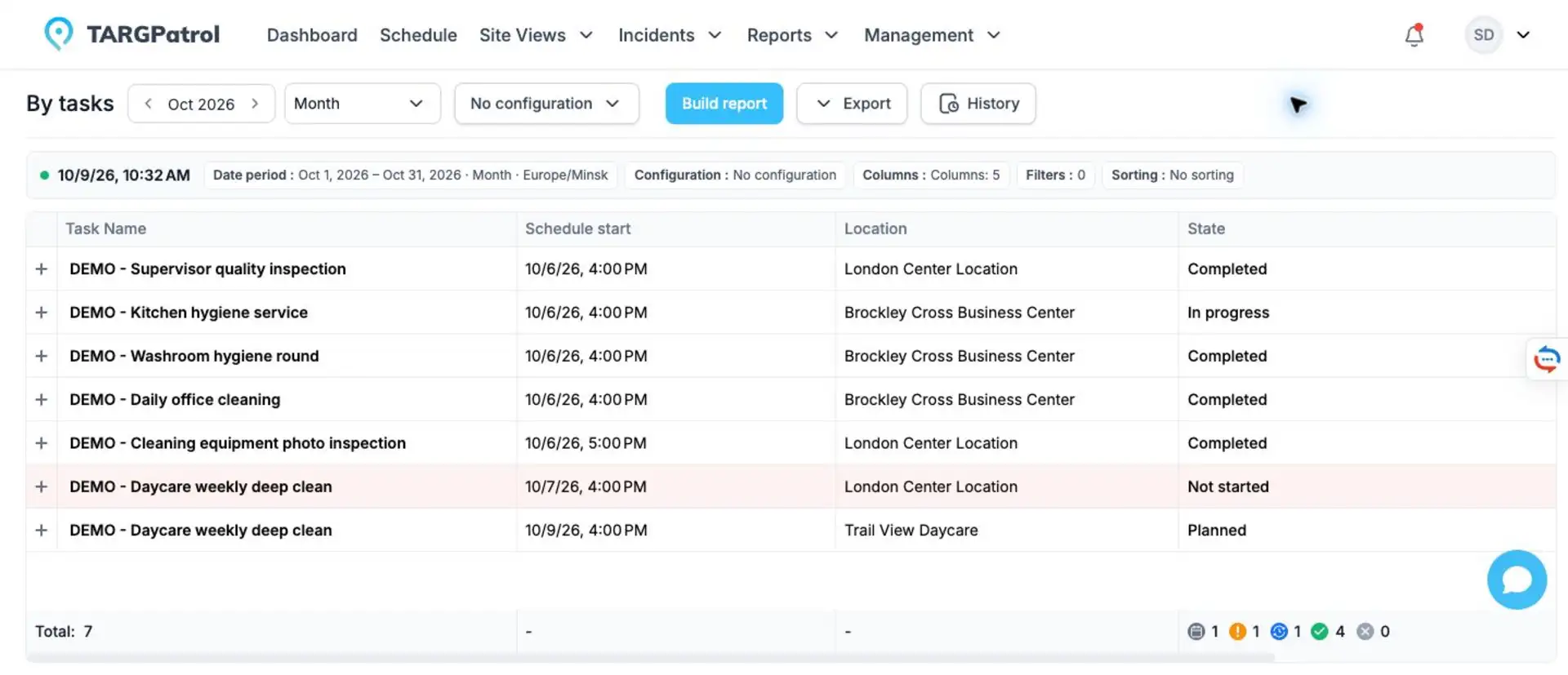
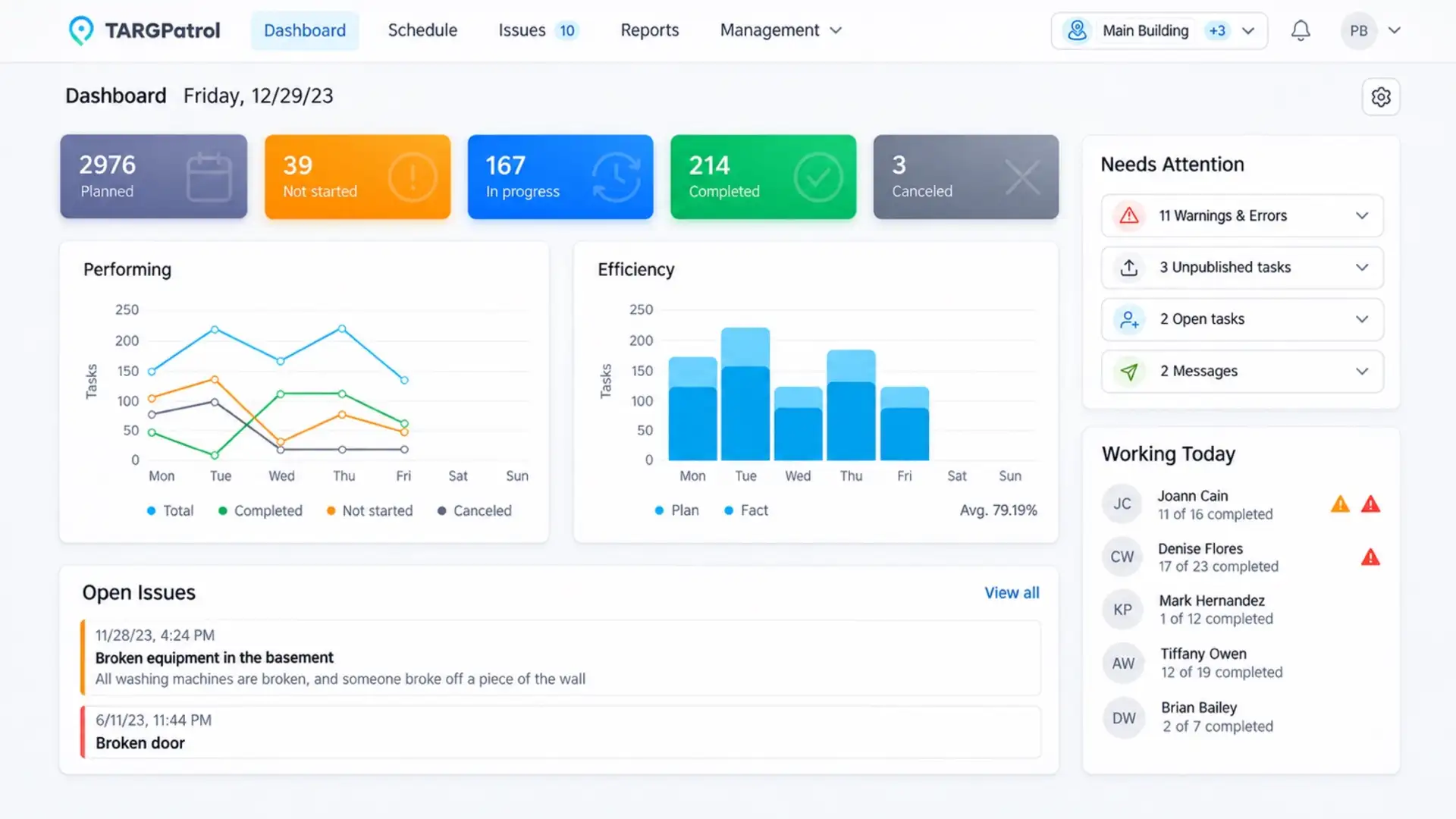
The By tasks demo shows planned, in-progress and completed work by site and time. These are sample cleaning tasks in the same report, not records of the fictional guard shift. Open the task report at full size
If a finding needs a separate report, use the security incident report template and filled example. For responsibilities that extend beyond one shift, the on-site management guide covers the site manager’s role.