
User Calendar Feed
User Calendar Feed (Calendar Synchronization)
TARGPatrol allows you to synchronize assigned Scheduled Tasks with external calendar applications such as Google Calendar, Microsoft Outlook, and Apple Calendar.
Once calendar synchronization is enabled, all assigned Scheduled Tasks will automatically appear in your selected calendar. The data stays synchronized, ensuring that any relevant updates are reflected in your calendar view.
By connecting your calendar, you can use standard calendar features such as notifications and reminders (for example, alerts when a task is about to start). This helps users stay organized and ensures tasks are not missed while working within their preferred scheduling tools.
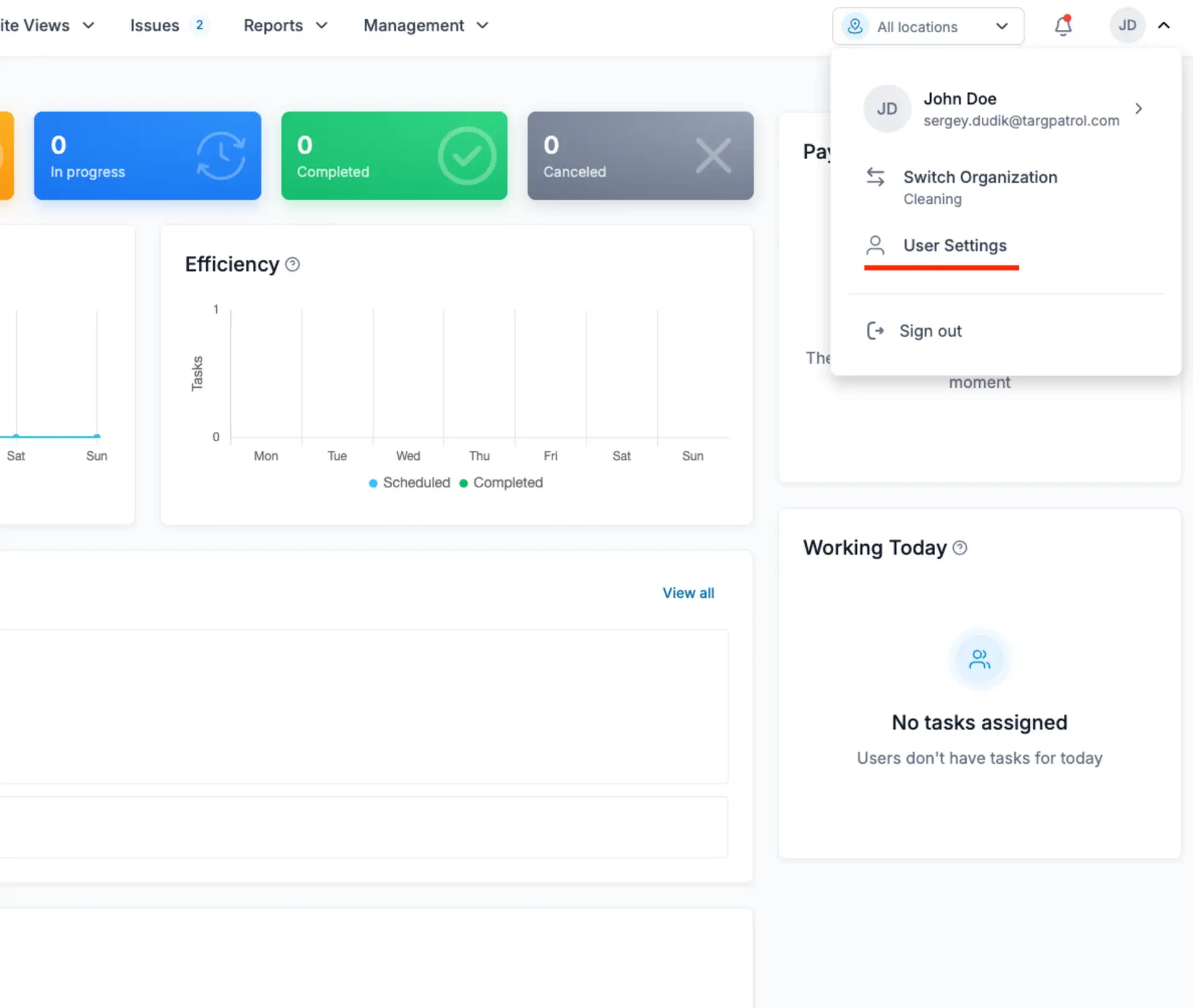
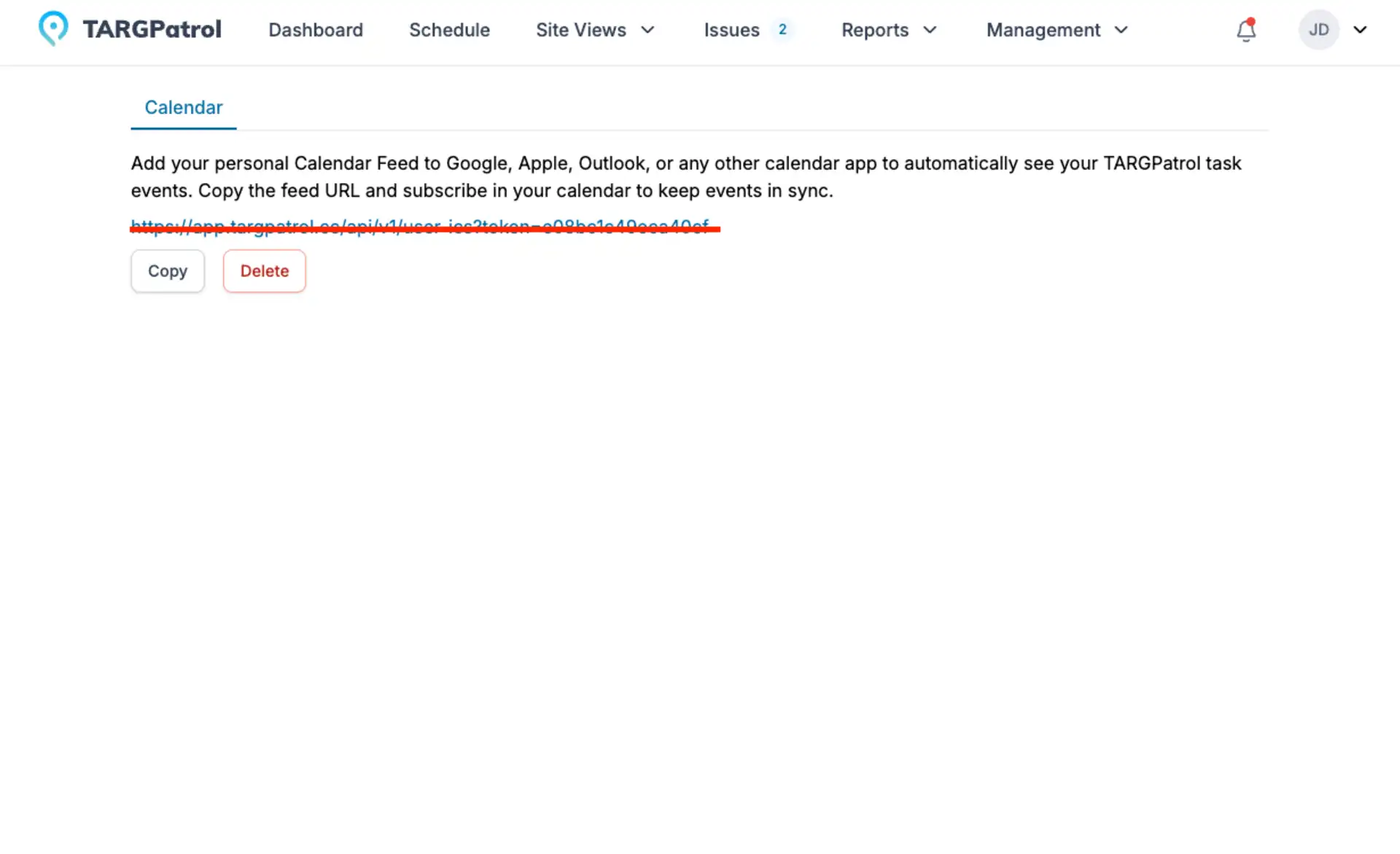
To set up your organization calendar feed URL, go to User Settings → Calendar and click Create (if no URL has been generated yet).
Once created, copy the calendar feed URL and paste it into any external system that supports ICS calendar subscriptions. Your Scheduled Tasks will then appear and stay synchronized in that calendar
Google Calendar
To enable the synchronization, open your Google Calendar, navigate to Other calendars → From URL, and paste your TARGPatrol calendar feed link into the provided field.
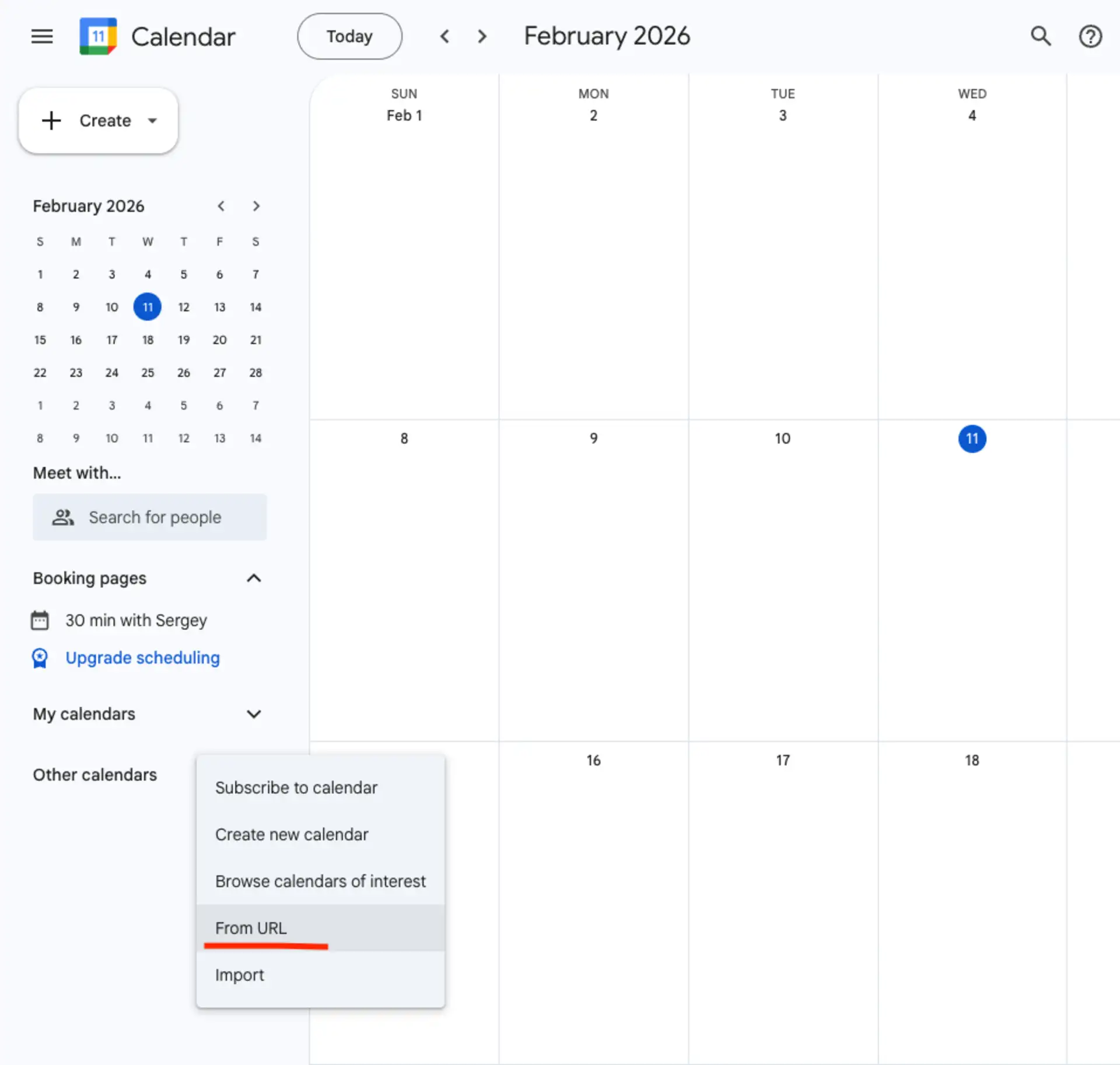
Once added, your Scheduled Tasks will automatically appear in your Google Calendar and stay updated.
Apple Calendar
To add the calendar to Apple Calendar:
Open the Calendar app → tap Add Calendar → select Add Subscription Calendar → paste your TARGPatrol calendar feed link → confirm.
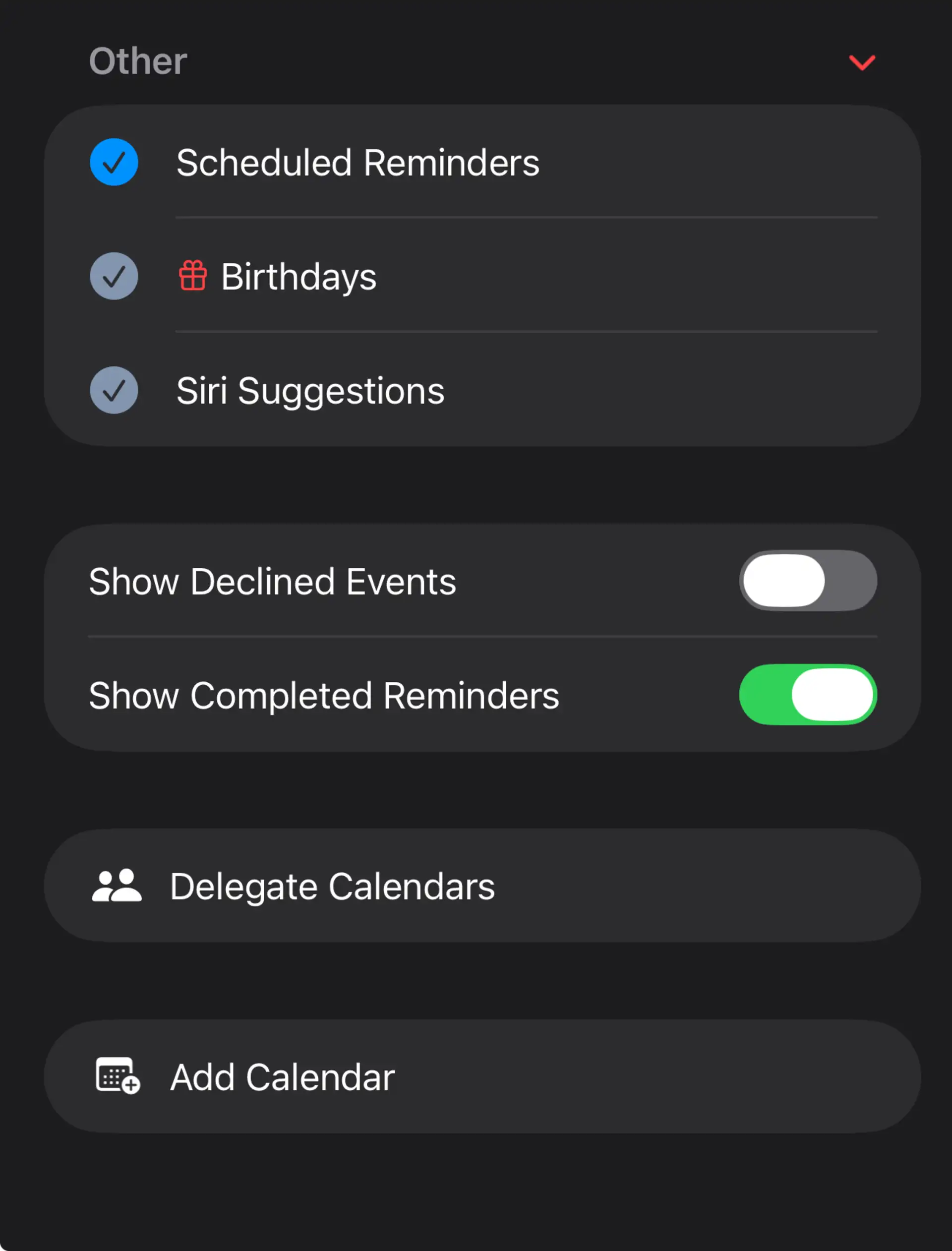
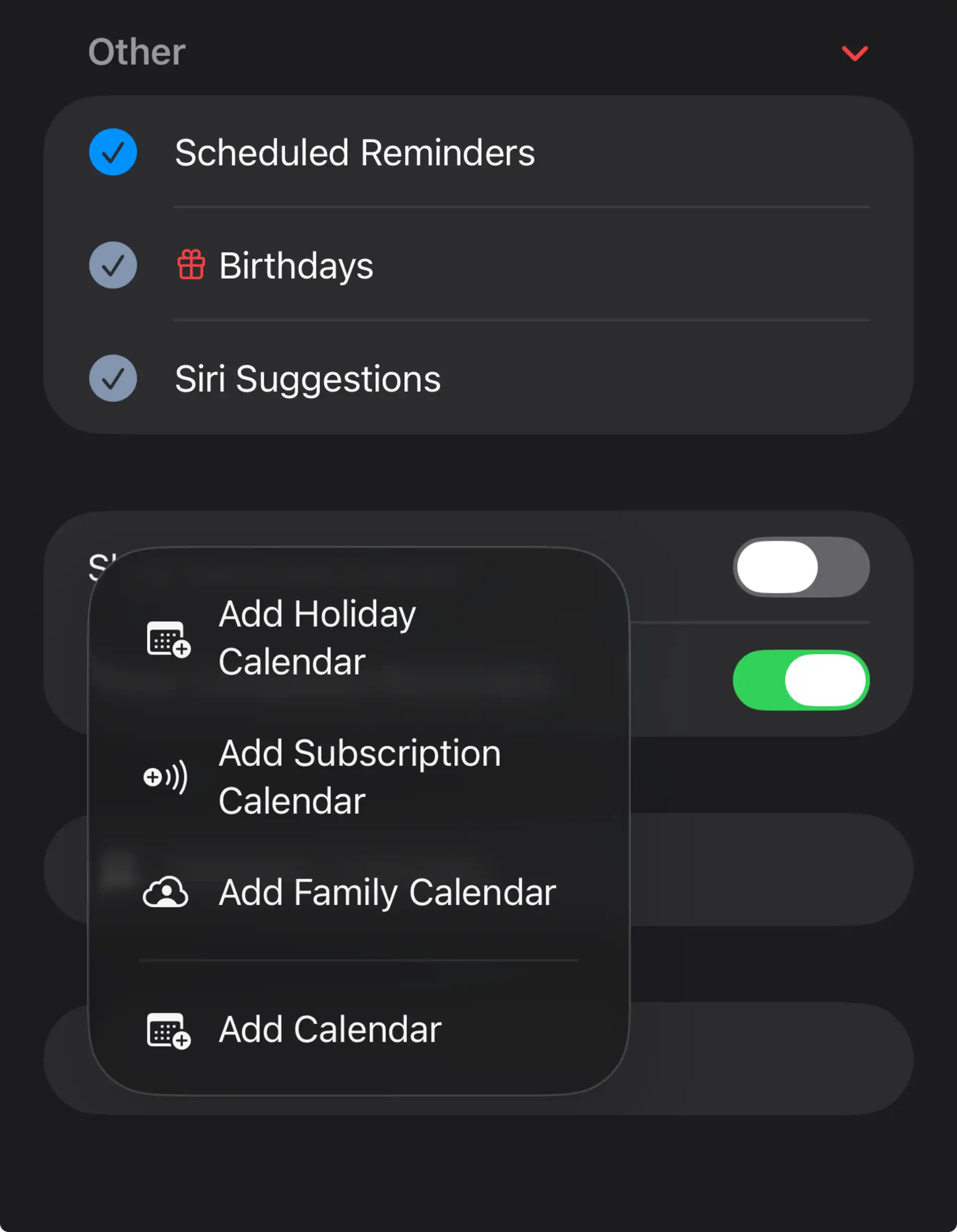
Once added, your Scheduled Tasks will automatically appear and stay synchronized.
Microsoft / Outlook
To enable synchronization, open your Outlook (Microsoft) Calendar, navigate to Add calendar → Subscribe from web, and paste your TARGPatrol calendar feed link into the provided field.
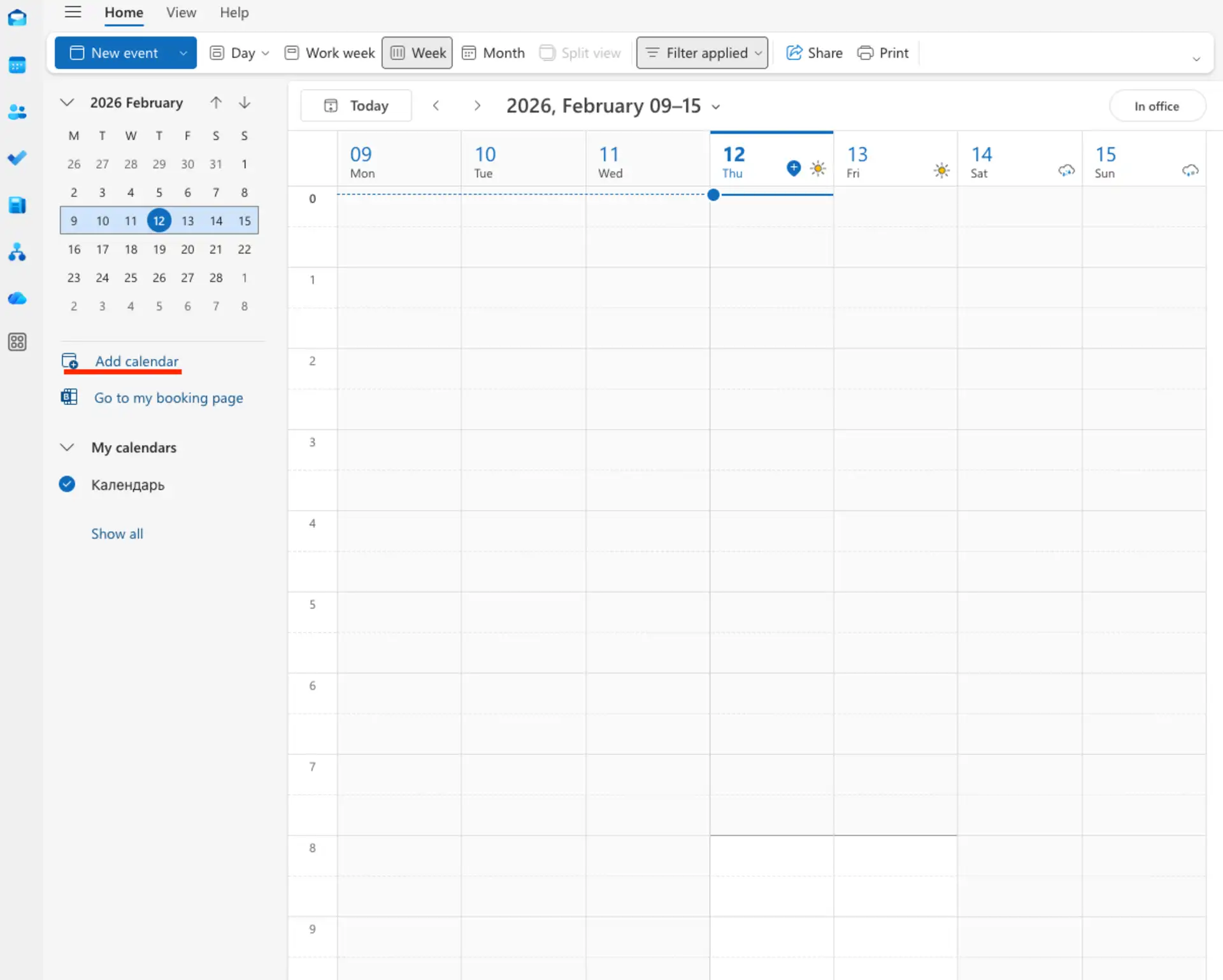
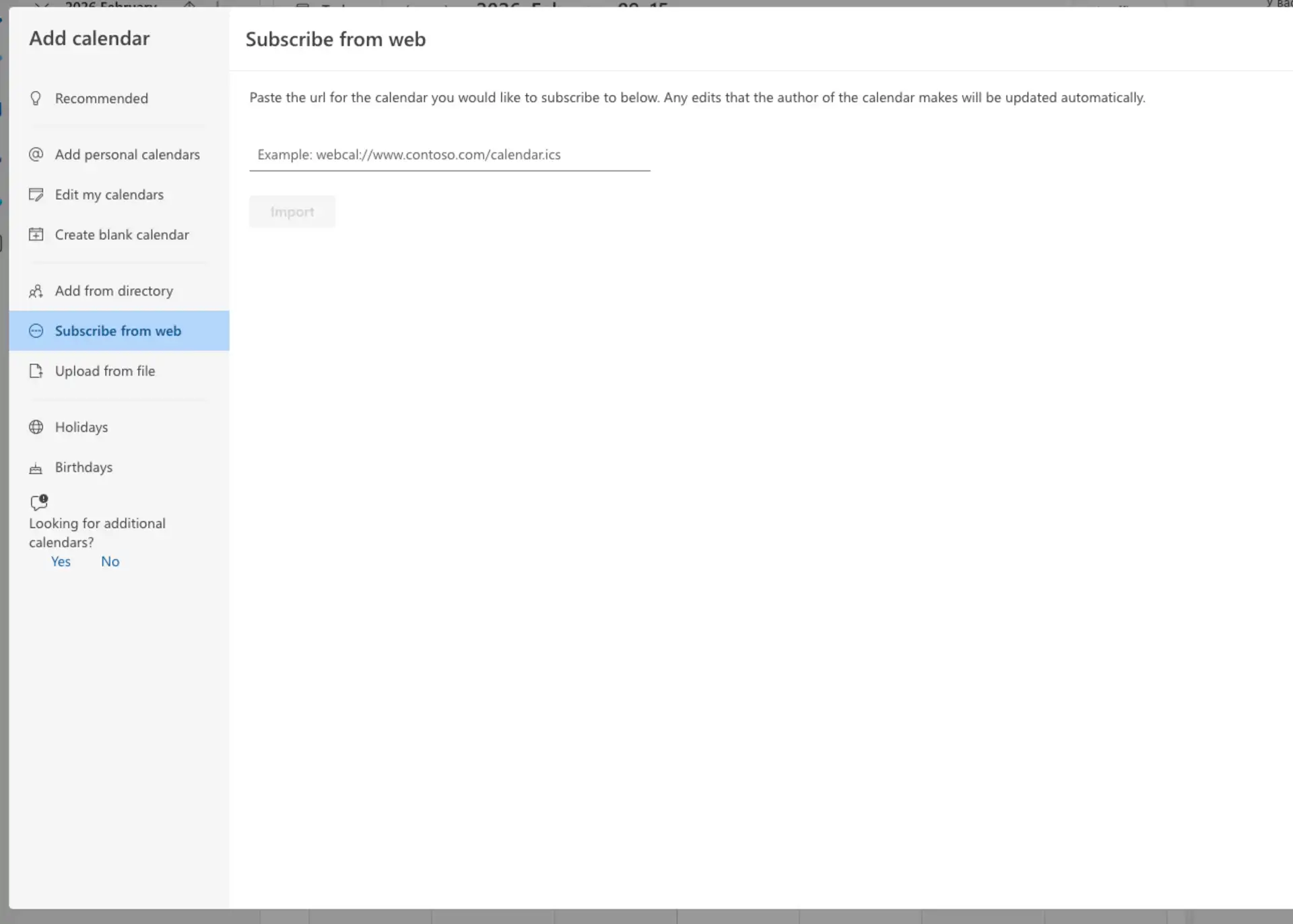
Once added, your Scheduled Tasks will appear in Outlook and stay synchronized automatically.
Other ICS-Compatible Calendars
TARGPatrol provides a standard ICS calendar feed, which means it can be subscribed to in any calendar application that supports ICS/URL-based calendar subscriptions. This includes many third-party desktop, web, and mobile calendar tools.
To connect, simply locate the option in your calendar app to Subscribe from URL, Add calendar from link, or Add subscription calendar, and paste your personal TARGPatrol calendar feed link.
Once subscribed, your assigned Scheduled Tasks will automatically appear and stay synchronized in your preferred calendar application.