External API

Integrating TARGPatrol with other systems can significantly expand your organization's functionality and improve efficiency. This guide will show you how to set up integration using the External API of TARGPatrol.

Obtaining an API Key

  1. Go to the web application https://app.targpatrol.com/ and log in with your account.
    Obtaining an API Key
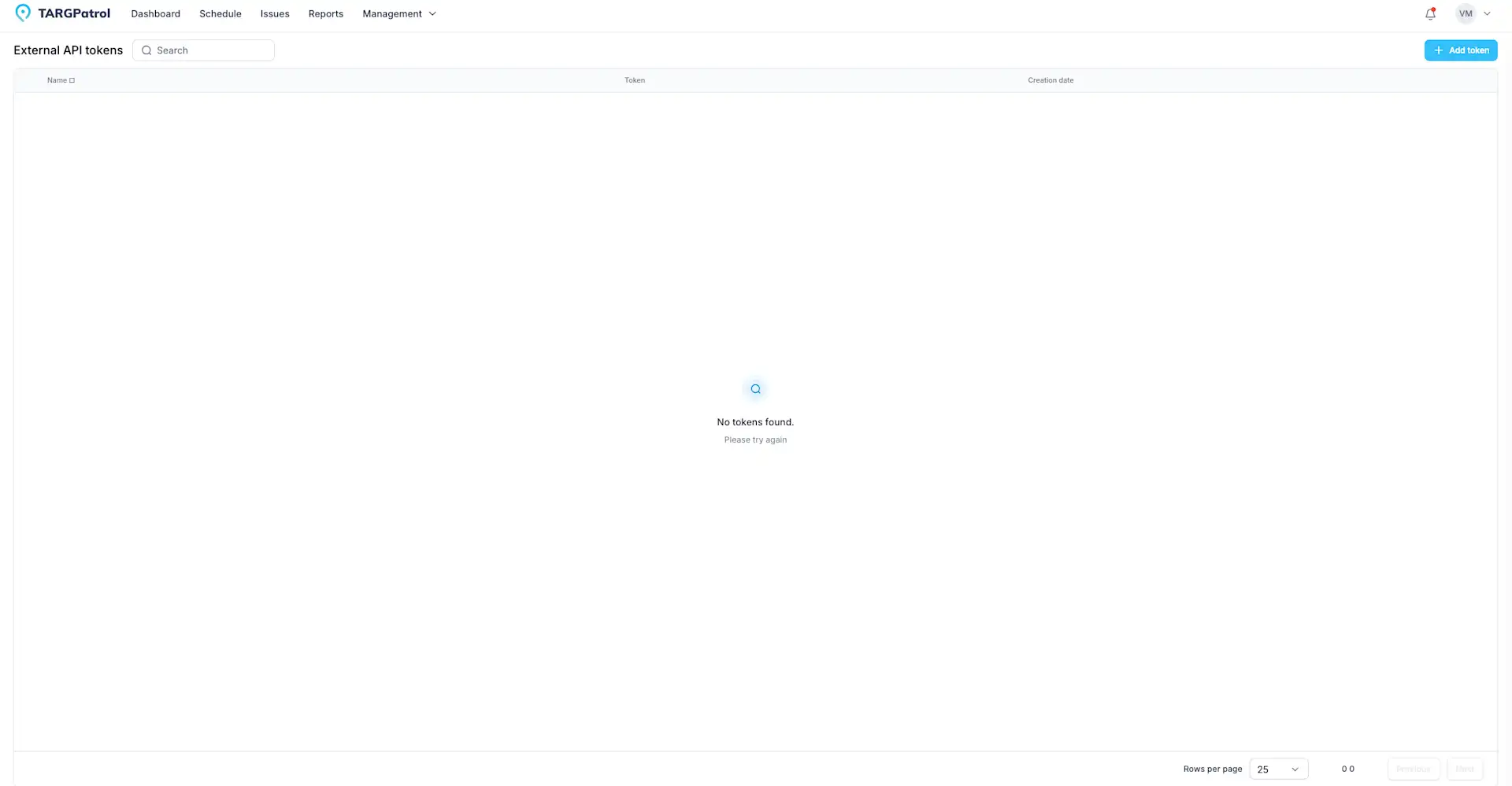
  2. Navigate to the "Management" -> "External API" section (this section will only be available to users with the Owner role).

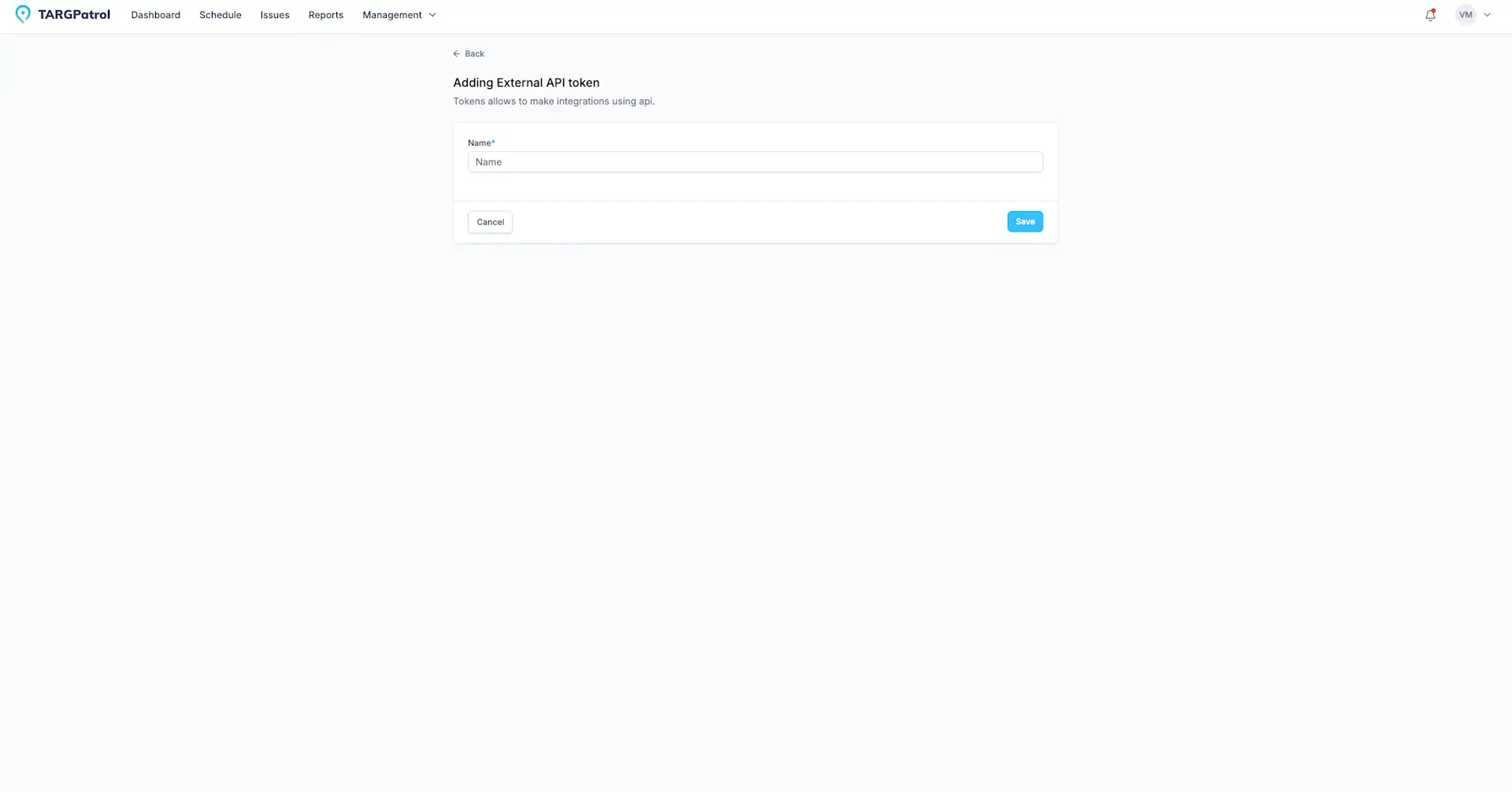
  3. Click the "Add Token" button.

    Obtaining an API Key
  4. Then click "Save", and the token will appear in the table.

  5. Next, click the copy token icon.

API Documentation and Testing

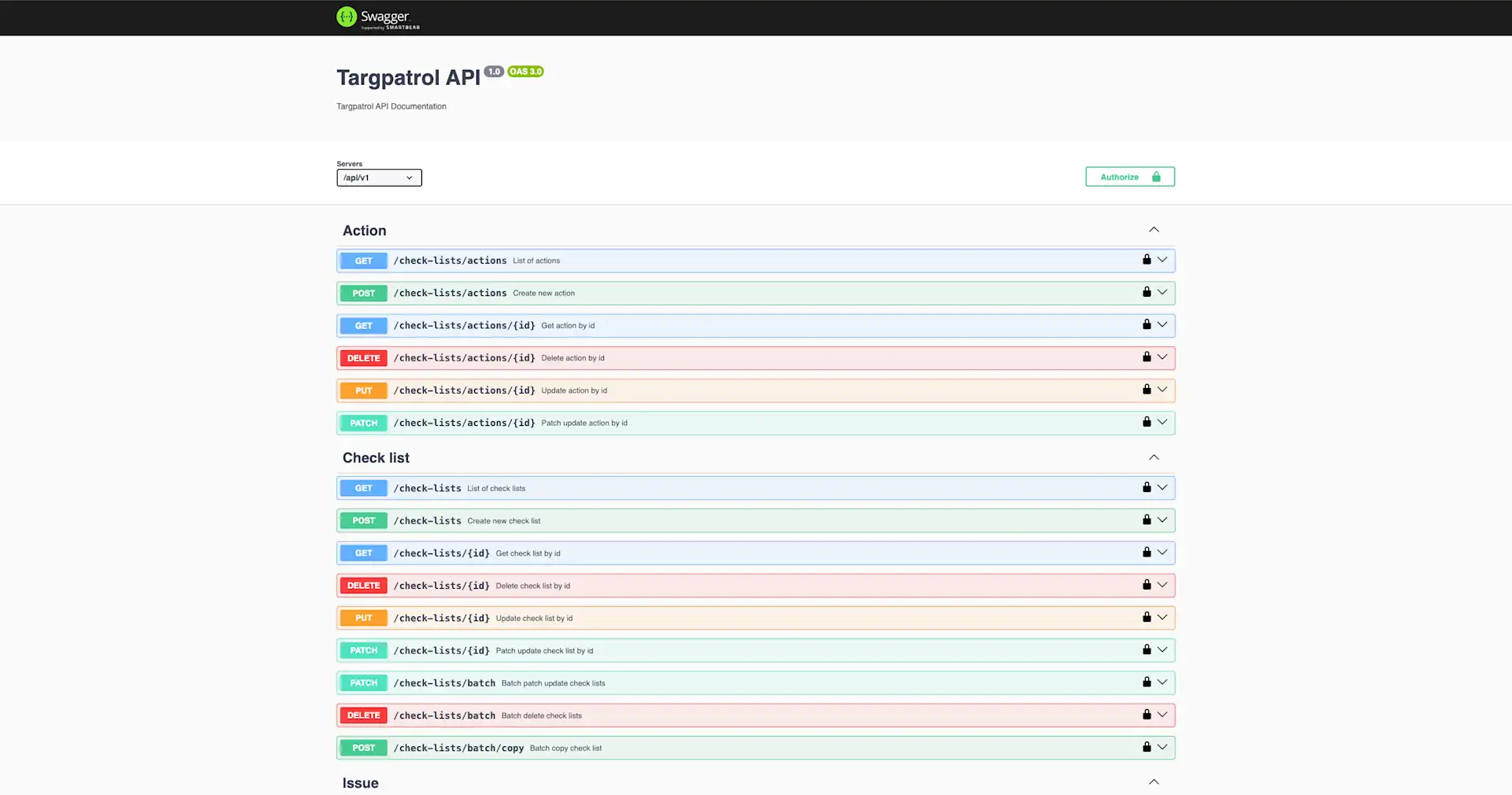
  1. Open the API documentation at https://api.targpatrol.com.

  2. Review the available endpoints and their capabilities. For example, you can find endpoints for creating tasks, managing users, and more.

  3. Use the testing capabilities directly in the documentation, or use third-party tools like Postman to ensure your API key works correctly.
API Documentation and Testing

Conclusion

Integrating TARGPatrol with other systems using the External API allows you to automate numerous processes and ensure more efficient task management. Follow this guide to set up the integration and leverage all the benefits it offers. Remember to regularly check the documentation and API updates for the most current information.


Tasks & issues management

Media Gallery

Learn how to use TARGPatrol’s Media Gallery to support work order management with photo reports for audits, inspections, and incident tracking.

Notifications

Optimize your task management by configuring notifications in TARGPatrol. Receive alerts for tasks and essential employee actions in real time.

On-Demand Check-ins

On-Demand Check-ins allow users to scan a point and complete assigned actions or checklists without being assigned to a Scheduled Task. This mode is ideal for ad-hoc visits, unscheduled inspections, spot checks, or flexible patrol workflows.

Reports

Learn how to effectively work with Reports in TARGPatrol. Discover how to create reports in the task management software with useful tips and tricks.

Schedule Guide

Learn how to create a work schedule in TARGPatrol: adding and editing tasks. A guide to assigning and managing tasks for your team in the task tracker.

Task Creation

Discover how to efficiently manage tasks in TARGPatrol. Learn to create and assign tasks to your team to ensure optimal productivity and smooth operations

Task Execution

An employee guide to task execution in TARGPatrol: how to start, conduct and complete tasks in the mobile app. Tips for efficient task execution.

Task Management

Learn to create repeatable tasks, copy existing ones, save favorites, handle deadline-driven tasks, and organize recurring work with task series.

User Calendar Feed

Synchronize assigned tasks with external calendars such as Google, Microsoft (Outlook), and Apple Calendar — keeping field teams aligned with their schedules.

Webhooks

Learn how to set up webhooks in TARGPatrol to streamline your workflows. A comprehensive guide to creating, testing, and reviewing webhook logs.