
Notifications
TARGPatrol provides flexible notification options to keep your team informed and responsive. Supported notification channels include email, mobile push notifications, and Telegram. These alerts can be triggered by important events such as task assignments, issue updates, comments, or reminders—ensuring that users receive timely updates no matter where they are. Notifications help streamline communication and reduce delays in task execution and response.
TARGPatrol supports detailed notifications to help both users and managers stay on top of important updates. When a User is assigned a task or when a task is about to start, they will automatically receive an notification.
Managers and Admins receive notifications alerts for task warnings and errors — such as when a task was not started on time, has expired, or contains issues. Notifications are also sent for issue updates and new comments added to tasks.
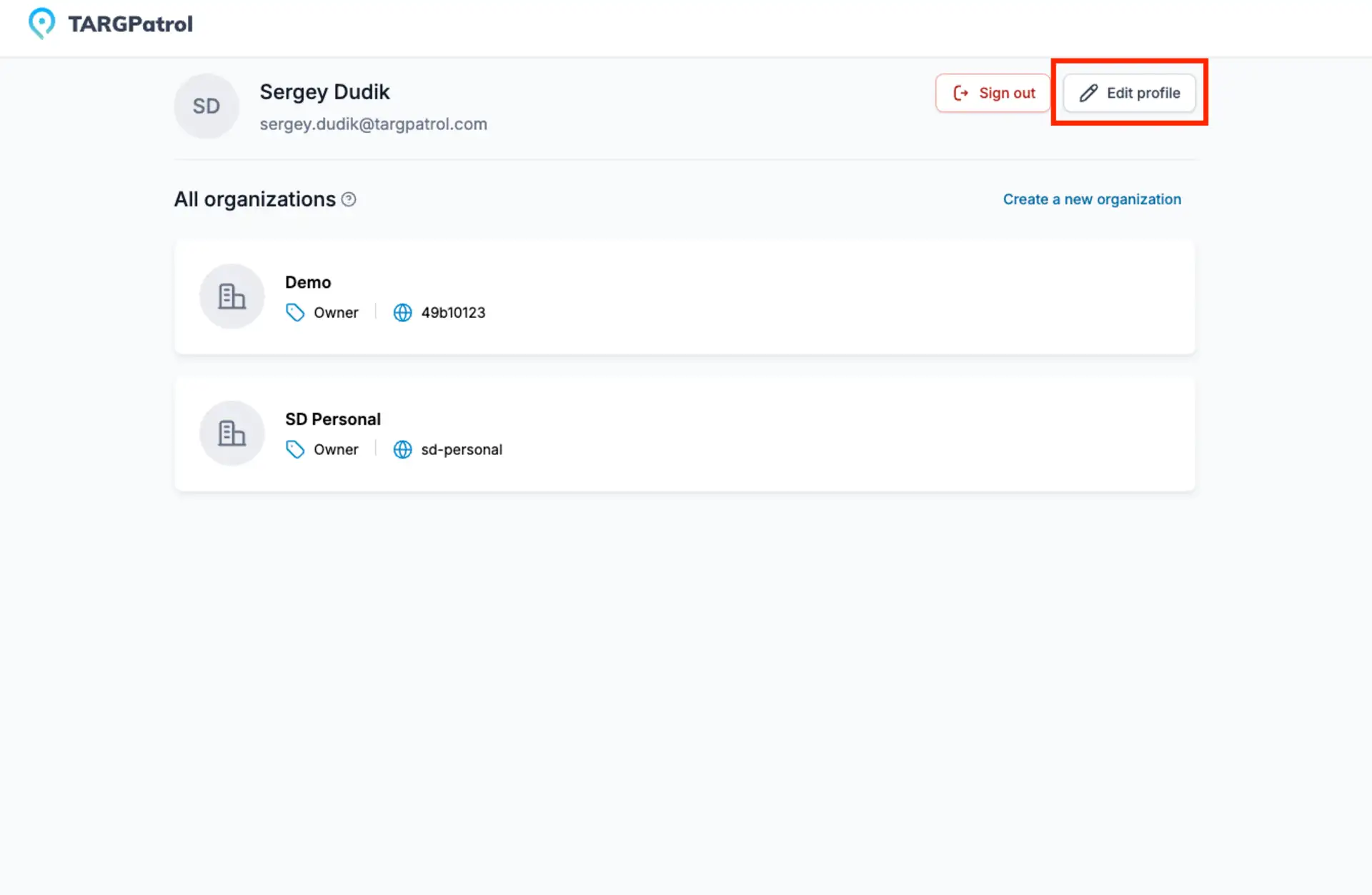
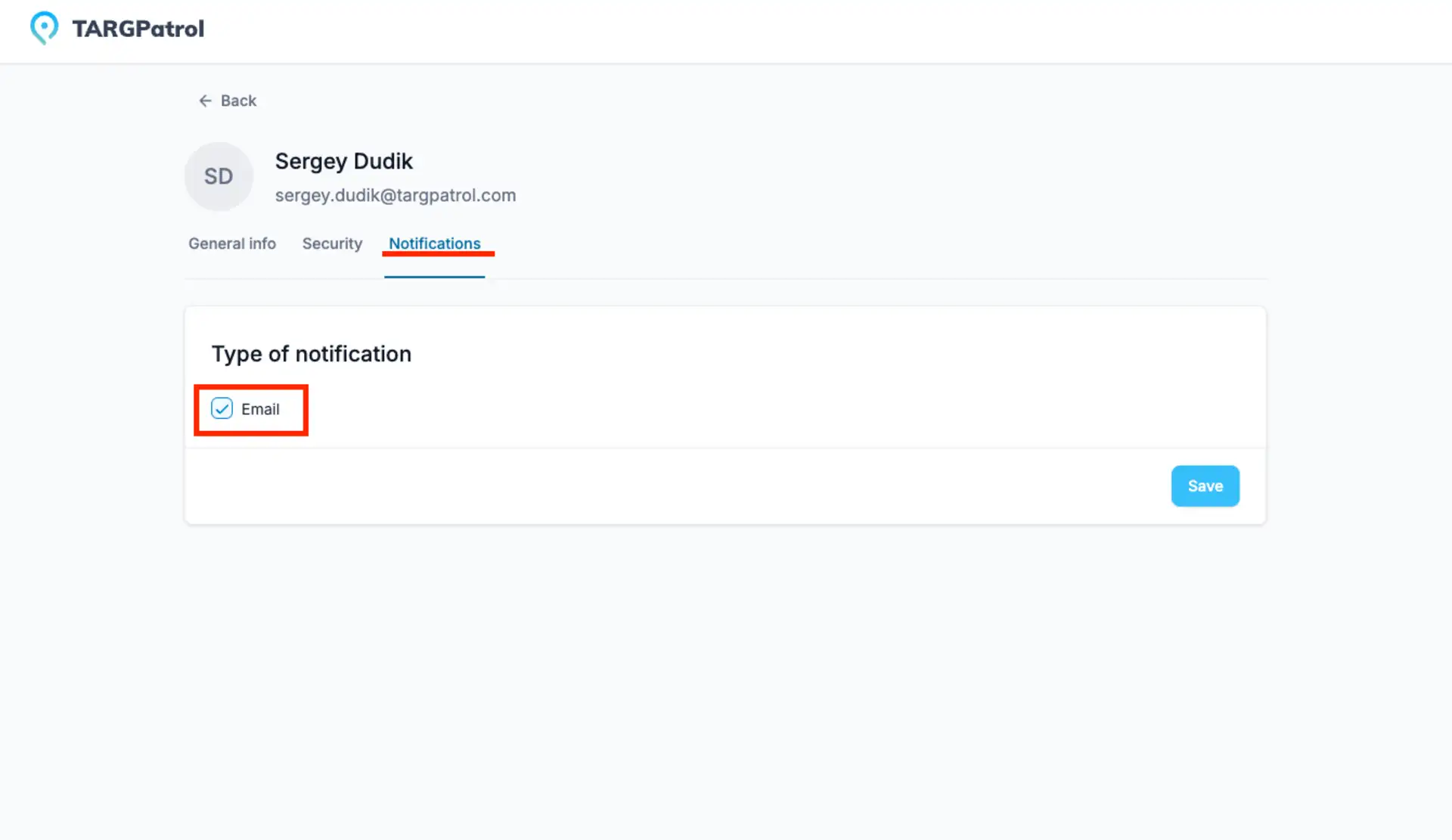
Users can manage their email notification preferences at any time by going to their Profile settings and turning specific notifications on or off. This ensures everyone gets the right level of information they need.
Mobile Push
TARGPatrol supports push notifications on mobile devices, ensuring users receive real-time updates about their tasks and activities. These notifications help employees stay informed about task assignments, upcoming tasks, and important alerts or updates.
Push notifications are managed directly on the user’s mobile phone through the device’s notification settings. Users can easily enable or disable TARGPatrol notifications as needed, giving them full control over their mobile alerts without affecting system functionality.
Telegram
To set up notifications via Telegram:
Go to our Telegram Bot: https://t.me/TARGPatrolBot.
Click on the Start button.
A welcome message with a Login button will appear. Click this button.
If you are already authorized in TARGPatrol, the Telegram Bot will inform you that notifications have been successfully set up.
If you are not authorized, click on Login and complete the authorization process. After this, the bot will inform you that notifications have been successfully set up.
After these few steps, you will start receiving notifications from TARGPatrol.
To disable notifications, select the bot and then click the Stop and Block button. The TARGPatrol Telegram Bot will stop sending you notifications, but you can activate it again at any time.