5 Best Patrol Management Software Tools in 2026
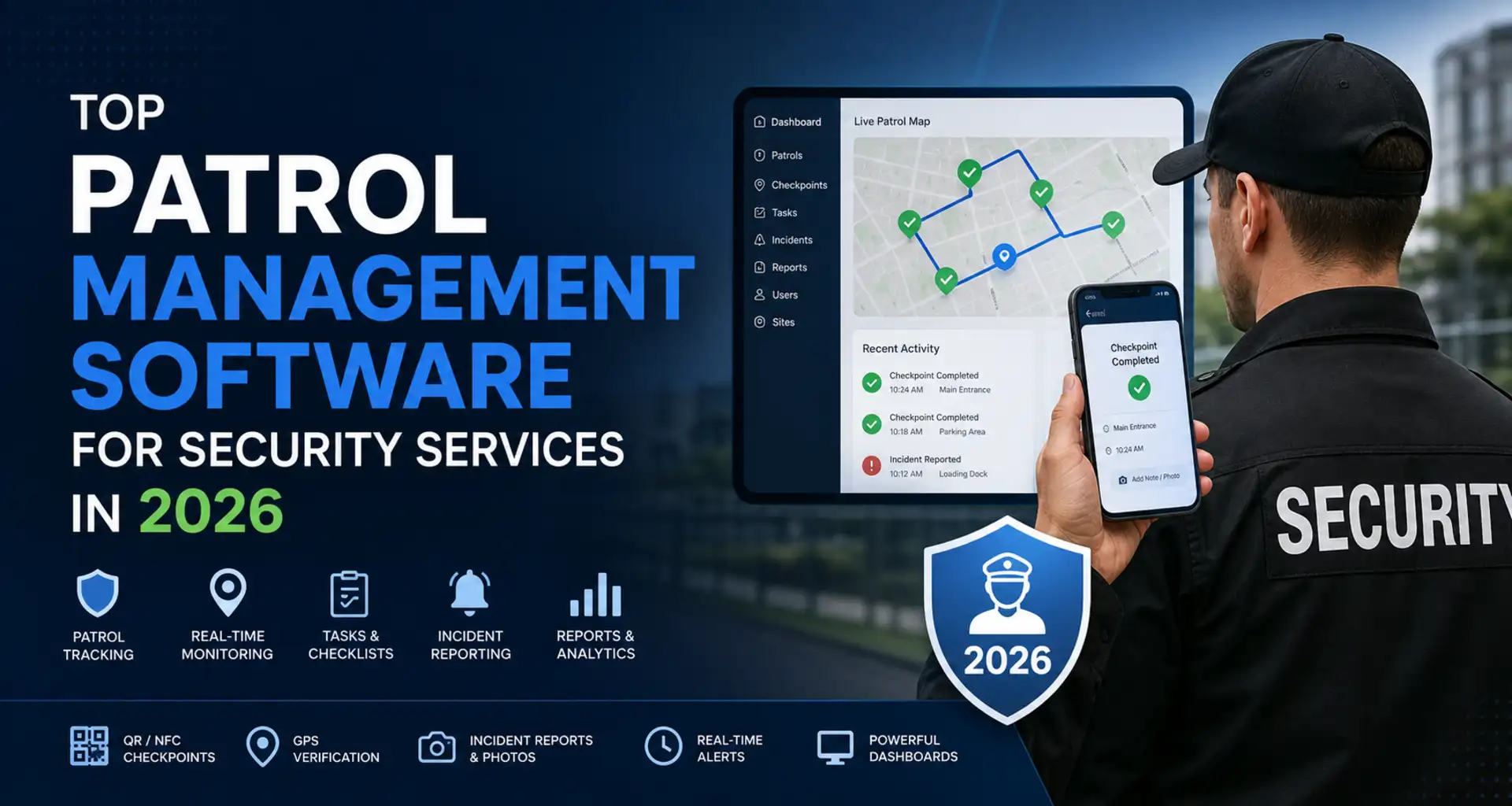
A completed schedule does not prove that a patrol happened. Guard patrol software records which checkpoints were visited, when the work was completed and what evidence was collected. This guide compares five options for guard tours, offline work, incident reporting and supervisor review, so you can choose a tool that fits the way your sites operate.
Reviewed November 8, 2026 using official product, help and pricing information. This is an editorial comparison, not a hands-on benchmark. TARGPatrol publishes this guide and is one of the products compared. Silvertrac and TrackTik remain in the list because readers know both products, but they are now part of the same Trackforce brand—not two independent vendors. Read our software review methodology.
Quick comparison: patrol software in 2026
Product and best fit | Checkpoints and field evidence | Offline work and supervisor review | Plan or trial notes |
|---|---|---|---|
TARGPatrol — patrols plus site tasks | QR, NFC, GPS Points; checklists and Incidents | Offline check-ins, photos and notes; reports after sync | Free up to 10 users; media deleted 7 days after upload; paid notifications/exports |
Silvertrac — established tour/reporting workflows | QR, barcode and NFC scans; checkpoint photos | Tour completion records; confirm offline behavior for your app | Part of Trackforce; confirm current availability and quote |
TrackTik — complex security operations | NFC, barcode and GPS checkpoints; report forms | Tours can run offline; some actions need a connection; operational reports | Trackforce quote; confirm licensing, modules and setup |
Novagems — patrols tied to guard shifts | NFC/QR tours; incident photos and location records | Offline scans and incidents sync later; client reports | Quote per active user; 14-day trial requires a card |
GuardsPro — modular patrol operations | QR, NFC, virtual and BLE tags; notes and media | Tour logs and reports; test offline tour/media sync | 30-day trial; site tours on Professional; Scheduler extra |
The table summarizes workflows, not a guarantee that every feature is included in every plan. Confirm device compatibility, offline steps, report access and the full subscription cost with each vendor.
What is patrol management software?
Patrol management software helps security teams plan rounds and review evidence from the field. A useful record connects the guard, site, checkpoint, time, result and any supporting photos or notes. This is different from a staff roster: a roster plans coverage; a patrol record documents activity during that coverage.
Need staff scheduling rather than checkpoint verification? Compare security guard scheduling tools. Need a broader security-company suite? Compare security guard management software.
What to look for in patrol management software in 2026
Start with the evidence your client or supervisor needs, then work backward to the guard’s mobile workflow.
1. Checkpoint and proof-of-presence options
Choose checkpoint methods that fit the site and devices. QR and NFC are useful for fixed checkpoints; GPS proximity checks depend on location permissions and signal quality. A coordinate alone does not show that an inspection was completed, so pair check-ins with the instructions, checklist or evidence the job requires. Compare QR, NFC and GPS check-in methods before choosing tags or devices.
2. Incident reporting from mobile
A guard who finds an unlocked door or damaged barrier should be able to report an Incident from the field, attach evidence and leave a record that a supervisor can follow up. Check what happens offline and whether media has finished uploading before the report is shared.
3. Map visibility and site awareness
Keep three location features separate in TARGPatrol. A GPS Point checks whether a check-in is within its allowed radius. Optional per-user GPS tracking records coordinates while the mobile app is open and in use. Location geofencing records boundary events for enabled users on paid plans. These are different records; none should be described as uninterrupted background tracking or automatic instant geofence alerts. Offline activity reaches managers after synchronization.
4. Reporting and analytics
Ask to see the report a supervisor will actually use: completed and missed work, checkpoint times, notes, photos and unresolved Incidents. TARGPatrol’s reporting tools help review work across locations; PDF/Excel exports and scheduled reports require a paid plan. Check how every shortlisted product handles report access and media retention.
5. Room to grow beyond guard tours
If patrols are only part of your service, consider how the same workflow handles recurring tasks and site inspections. TARGPatrol connects this operational work with checklists and Incidents. A business that also needs staff rostering, payroll or invoicing should assess those requirements separately rather than assume a patrol app replaces them.
Best patrol management software for security services in 2026
These five products cover different needs. The best fit depends on your sites, field process and management requirements.
1. TARGPatrol
Best fit: teams that want patrol verification, site tasks and Incident follow-up in one workflow.
Managers can schedule rounds as tasks, add checkpoint steps and attach instructions or checklists. Guards use the mobile app to check in with QR, NFC or location-verified GPS Points, record results and add photos. If they find a problem, they can register an Incident separately or while completing the task.
Connect scheduled work to checkpoint timestamps, checklist answers and evidence.
Continue prepared mobile patrol work offline, then synchronize when connectivity returns.
Review work and Incidents across locations; use paid-plan exports when evidence needs to be shared.
Limitations: TARGPatrol is not a full payroll, billing or certification-aware rostering system. Optional GPS tracking requires the user setting and an active app. A manager cannot see unsynchronized offline activity as it happens.
Plans: Free supports up to 10 users. Photos and other uploaded media are automatically deleted seven days after upload, not after task completion. Notifications and PDF/Excel exports require a paid plan. Base costs USD 15 per user seat per month with monthly billing, or USD 12 per user seat per month billed annually. Billing is based on the number of seats you select; archiving a user does not automatically reduce that quantity. Its 14-day trial requires a payment method and renews into a paid subscription unless canceled before the trial ends. Check TARGPatrol plans and feature limits before deciding how to retain and share evidence.
Example: a loading-bay check needs follow-up
Consider an illustrative evening round at a warehouse. The assigned guard opens the prepared task, visits the loading-bay checkpoint and records the check-in. The record ties the person, location, Point and time to the work; the checklist answer explains what was checked.

The mobile check-in screen shows GPS, QR and NFC Point options. This demo illustrates checkpoint selection, not a completed patrol. View the full-size screen.
The guard finds a damaged door closer, answers the inspection question and attaches a photo. They create an Incident from the task, so the supervisor can assign the repair and follow its status. A checkpoint scan by itself does not prove that the door was inspected or repaired.
If the prepared task is completed offline, its answers and media must synchronize before the supervisor can review them. The supervisor checks the task details for the checkpoint, person, timestamp, answer and photo, then follows the Incident separately. Completing the round does not automatically close that Incident.
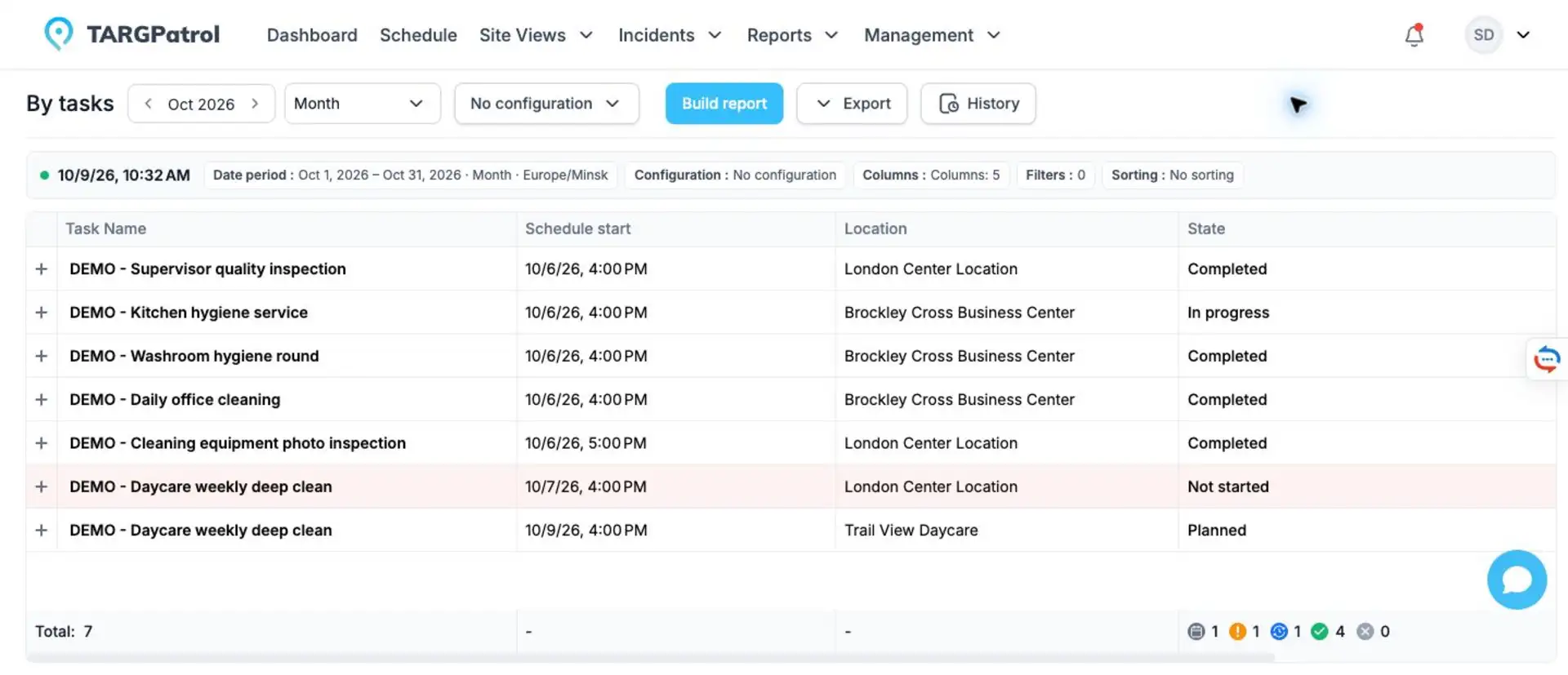
By tasks report with fictional cleaning demo records, states and times—not the warehouse patrol above. Patrol tasks use the same report structure. Open a task for its detailed evidence; sharing a PDF/Excel export requires a paid plan. View the full-size report.
2. Silvertrac
Best fit: teams evaluating an established checkpoint and reporting workflow, including existing Silvertrac customers.
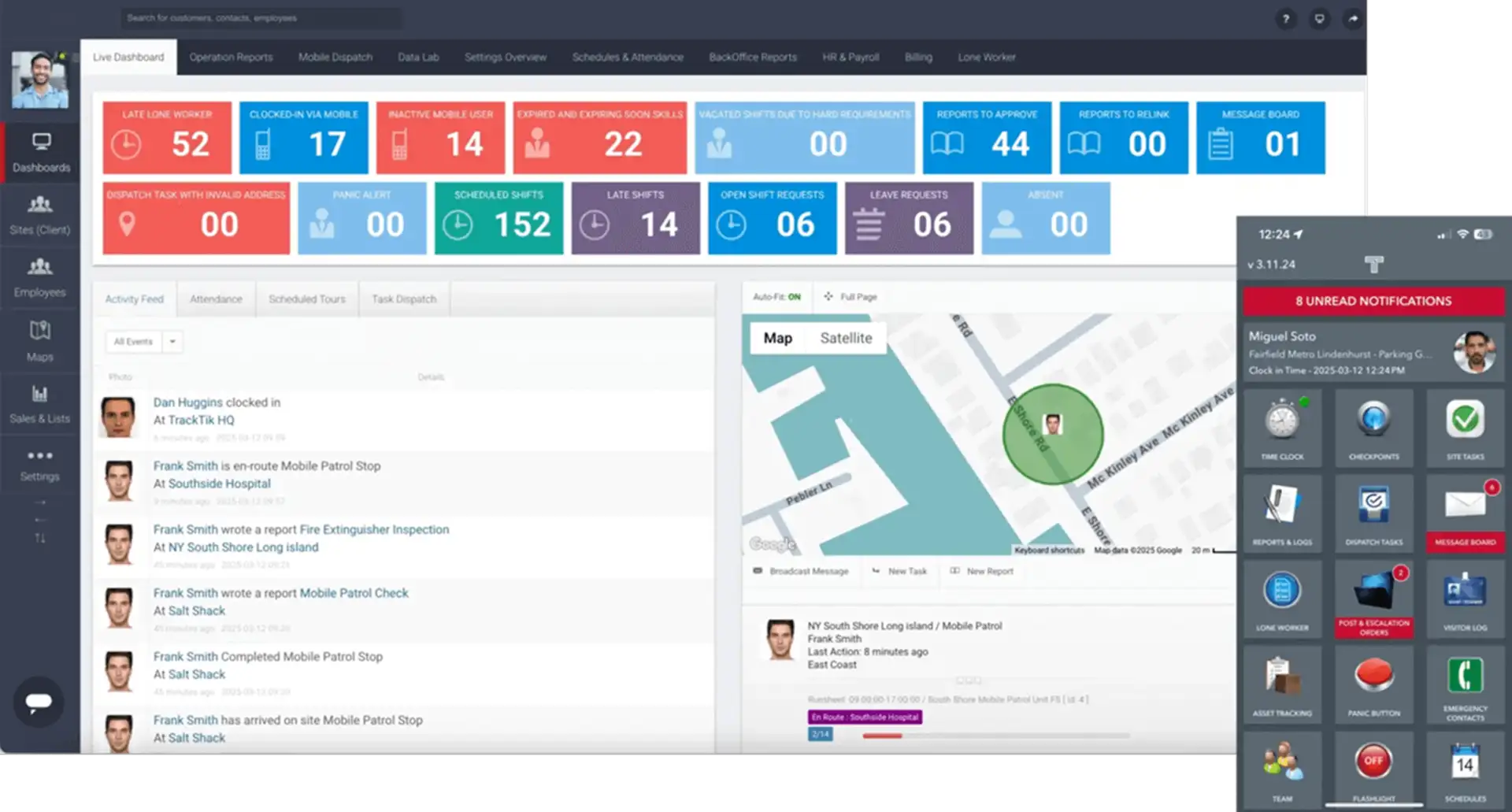
Silvertrac’s documented guard-tour flow includes scheduled rounds, QR/barcode/NFC checkpoints, required checkpoint photos and a completion record. Its guard-tour guide shows how unfinished checkpoints are handled when a tour ends.
Buying note: Silvertrac is now part of Trackforce alongside TrackTik. Existing customer environments continue, but a new buyer should confirm the currently offered product, package and support path with Trackforce. Validate offline behavior and reporting in the exact mobile app you would use; do not assume its workflow matches TrackTik.
3. TrackTik
Best fit: larger or more complex security programs that need structured tours and broader operational control.
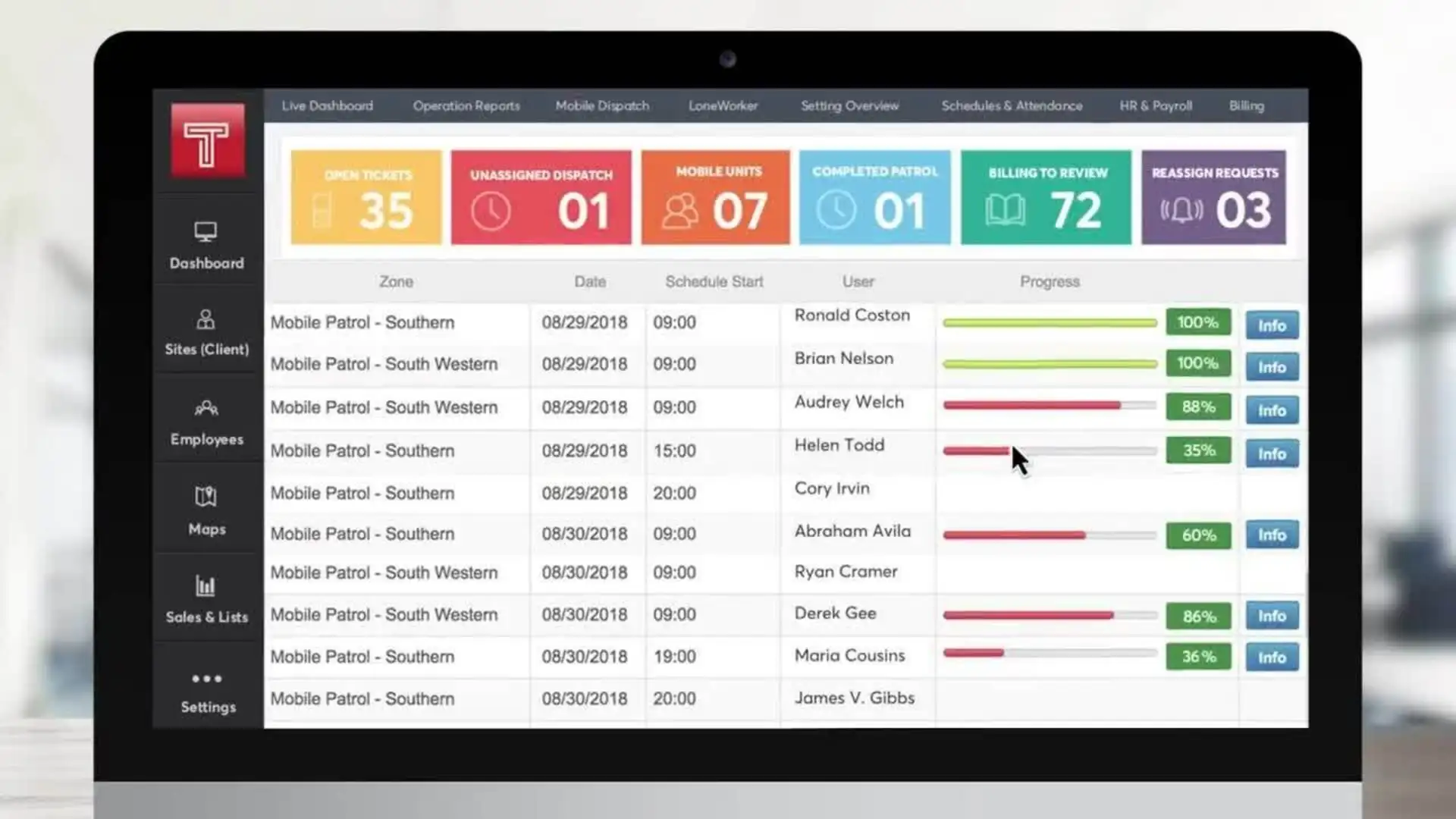
TrackTik supports checkpoint tours with NFC, barcode and GPS scanning, plus forms and reporting. Its official help documents offline tours, while actions such as signing in, clocking in and switching sites still need connectivity. Supervisors can review operational reports, and broader modules cover scheduling and back-office work. The TrackTik tour guide explains the online prerequisites.
Limitations and pricing: confirm modules, setup and training in the applicable licensing quote. TrackTik and Silvertrac share the Trackforce brand, but that does not mean every feature or workflow is identical across their existing products.
4. Novagems
Best fit: security companies that want guard scheduling and attendance alongside patrol evidence.
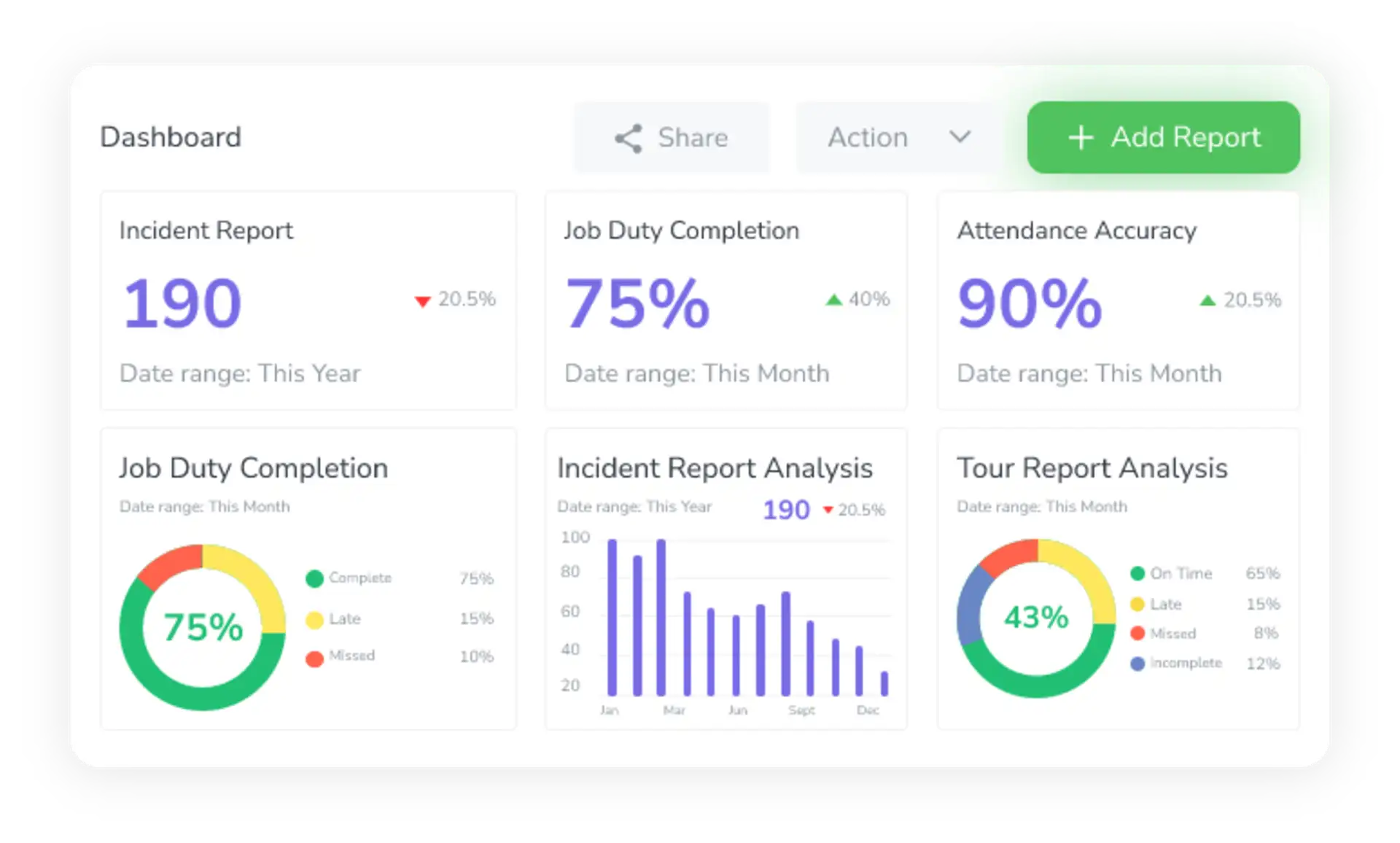
Novagems combines guard shifts, NFC/QR checkpoint tours, GPS visibility, incident photos and client reporting. Its documented offline workflow lets guards record checkpoint scans and incidents, then synchronize when they reconnect.
Limitations and pricing: Novagems is a paid service quoted per active user after its 14-day trial, not an ongoing free plan. A card is required to start the trial. Confirm the full quote and cancellation terms on the Novagems pricing page, and test patrol and reporting workflows in your own site conditions.
5. GuardsPro
Best fit: guard companies that want patrol operations with optional workforce and back-office modules.

GuardsPro supports QR, NFC, virtual and BLE checkpoint tags, with notes and media attached to scans. Supervisors can review tour records and checkpoint logs; scheduling, payroll and other workflows are available through additional modules.
Limitations and pricing: GuardsPro’s pricing lists site tours on Professional and Scheduler as an add-on. There is a three-user minimum and a 30-day trial. Confirm the complete package and test offline tour completion and media synchronization before deploying to low-signal sites.
Test one patrol before you commit
Use the loading-bay example above, or adapt a security patrol checklist, with every shortlisted product. The six steps below are a suggested pilot, not a claim that we performed these tests on all five platforms.
Create one representative round: for example, an entrance, loading bay and emergency exit. Add the instructions and evidence each stop requires.
Run it as a guard, not an administrator. Scan the checkpoints and verify that the record shows the correct site, person and time.
Record a defect, attach a photo and check how a supervisor assigns and follows up the Incident or report.
After preparing the device online, repeat part of the route without a signal. Check what remains usable and what is queued.
Reconnect and verify that scans, answers and attachments arrive without gaps or duplicates. Confirm what the manager could see before synchronization.
Review the resulting report and subscription limits, including exports, notifications and media retention. Decide whether that evidence meets your client’s needs.
Which patrol management software is best for security services?
Shortlist TARGPatrol when the main goal is to verify patrols and manage the resulting site work. Compare Novagems when shifts and attendance are equally important, or GuardsPro when modular guard-company operations fit your process. Evaluate TrackTik for a broader, complex security program. For Silvertrac, start by confirming the current Trackforce product and support path.
Free patrol management apps: what “free” usually means
An ongoing free plan and a free trial are different buying options. TARGPatrol Free supports up to 10 users, with media automatically deleted seven days after upload and paid-only notifications and exports. Novagems advertises a 14-day trial; GuardsPro advertises 30 days. For Trackforce products, request the applicable quote and evaluation terms.
Compare the workflow first, then the complete cost of keeping the evidence your client needs. Free access is not enough if your process requires reports or attachments beyond the plan’s limits.
For a pilot, start with TARGPatrol tours and patrols. If you are evaluating a wider rollout, see how the workflow fits security guard services and bring one representative site and report requirement to the discussion.