5 Security Guard Scheduling Tools Compared in 2026
Security guard scheduling can mean two different jobs: covering staff shifts and planning the patrols or checks performed during those shifts. This guide compares five tools, explains which offer ongoing free plans or time-limited trials, and shows where each fits. TARGPatrol focuses on scheduled operational work and proof of completion; teams needing advanced rostering, payroll or shift swaps should compare those capabilities separately.
Reviewed November 4, 2026. This is an editorial comparison of official product and pricing information, not a hands-on test of every platform. TARGPatrol publishes this guide and is one of the products compared. Plan limits and trial terms can change; confirm the package you need before buying.
Need a broader platform for a security company? Compare security guard management software.
Quick comparison: security guard scheduling tools in 2026
Software | Primary scheduling job | Ongoing free plan or trial | What to check before choosing |
|---|---|---|---|
TARGPatrol | Recurring patrols, tasks and inspections | Free: up to 10 users; 14-day Base trial | Operational work scheduling, not advanced staff rostering or payroll |
Connecteam | Deskless workforce shifts and attendance | Small Business and limited free options; 14-day trial | Scheduling, forms and time-clock features depend on hub and plan |
Sling | Shift rosters, time off and available shifts | Free core scheduling: up to 30 users | Time tracking and labor reporting require paid tiers; not a patrol system |
Novagems | Guard shifts connected to patrol operations | 14-day trial; paid subscription afterward | Quote-based pricing; check trial billing and cancellation terms |
GuardsPro | Security workforce shifts through its Scheduler module | 30-day trial; paid subscription afterward | Scheduler is an add-on; site tours also depend on plan |
What “free” means in this comparison
Free access can mean a permanent plan, a limited plan, or a trial. Only the first two can support ongoing operations without a subscription. A trial is useful for evaluation, but it should not be treated as free software in a budget forecast.
Permanent free plan: usable after the evaluation period, normally with user or feature limits.
Limited free option: available indefinitely but excludes advanced controls or reporting.
Free trial: temporary access that converts to a paid or restricted account.
Shift rostering or patrol-task scheduling?
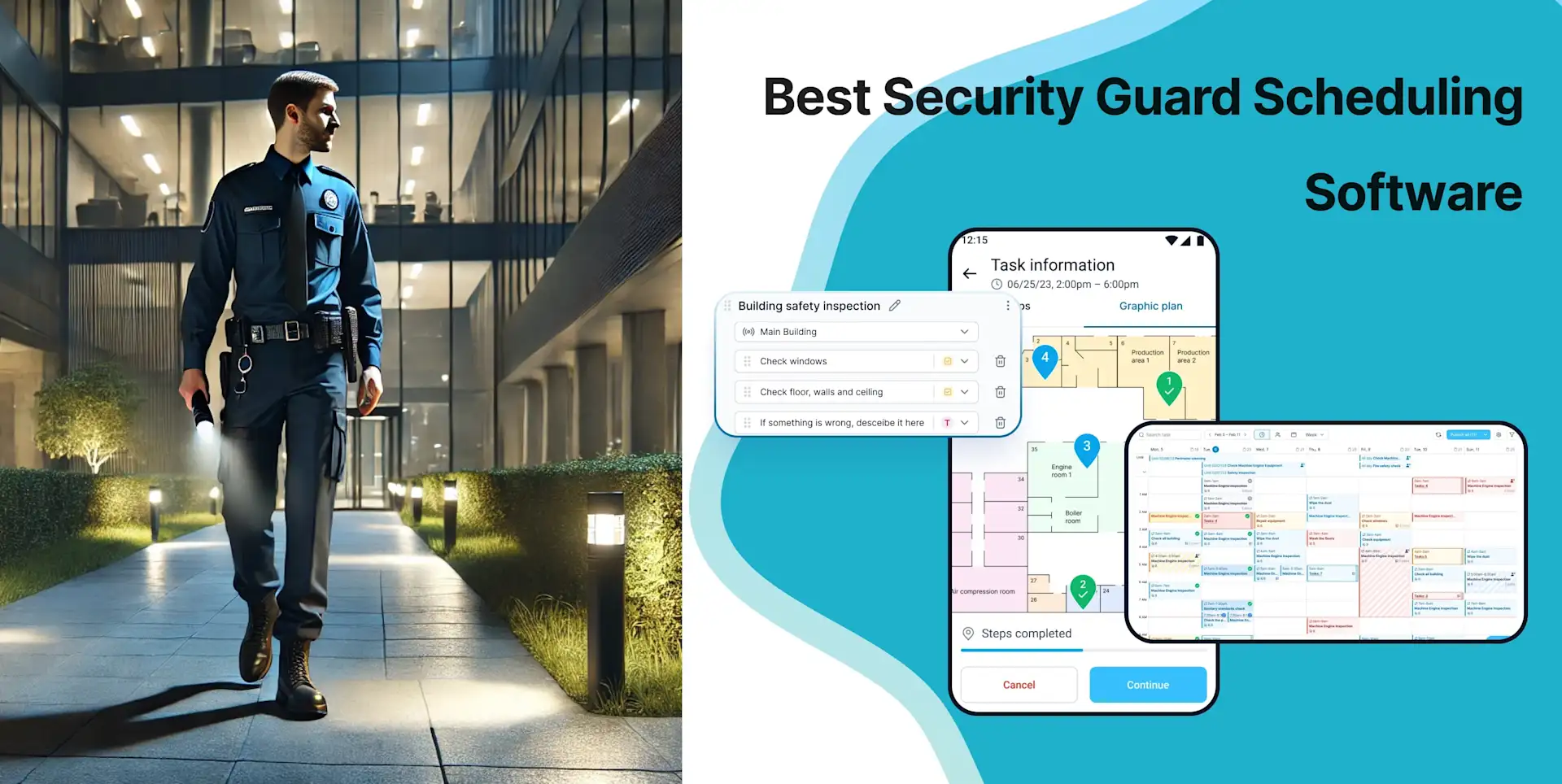
A roster answers who should cover a post and when. A patrol task answers what must happen during that coverage: visit the loading bay, check a door, complete a checklist or record a defect. Some products combine these jobs; others specialize. Decide which gap you are trying to close first.
If checkpoint verification is your main requirement, compare patrol management software.
How we selected the five tools
We considered both workforce schedulers and tools for scheduling operational work. The comparison separates their roles instead of assuming every product covers every requirement. We looked for:
Shift rosters or recurring task schedules, with a clear distinction between them
Multi-site assignments, attendance and location context
Patrol checkpoints, checklists or links to site instructions
Incident reporting and evidence where security workflows are included
Supervisor reporting, notifications and export options on the selected plan
Transparent free-plan, trial and add-on limitations
1. TARGPatrol — best for scheduling work that must be verified
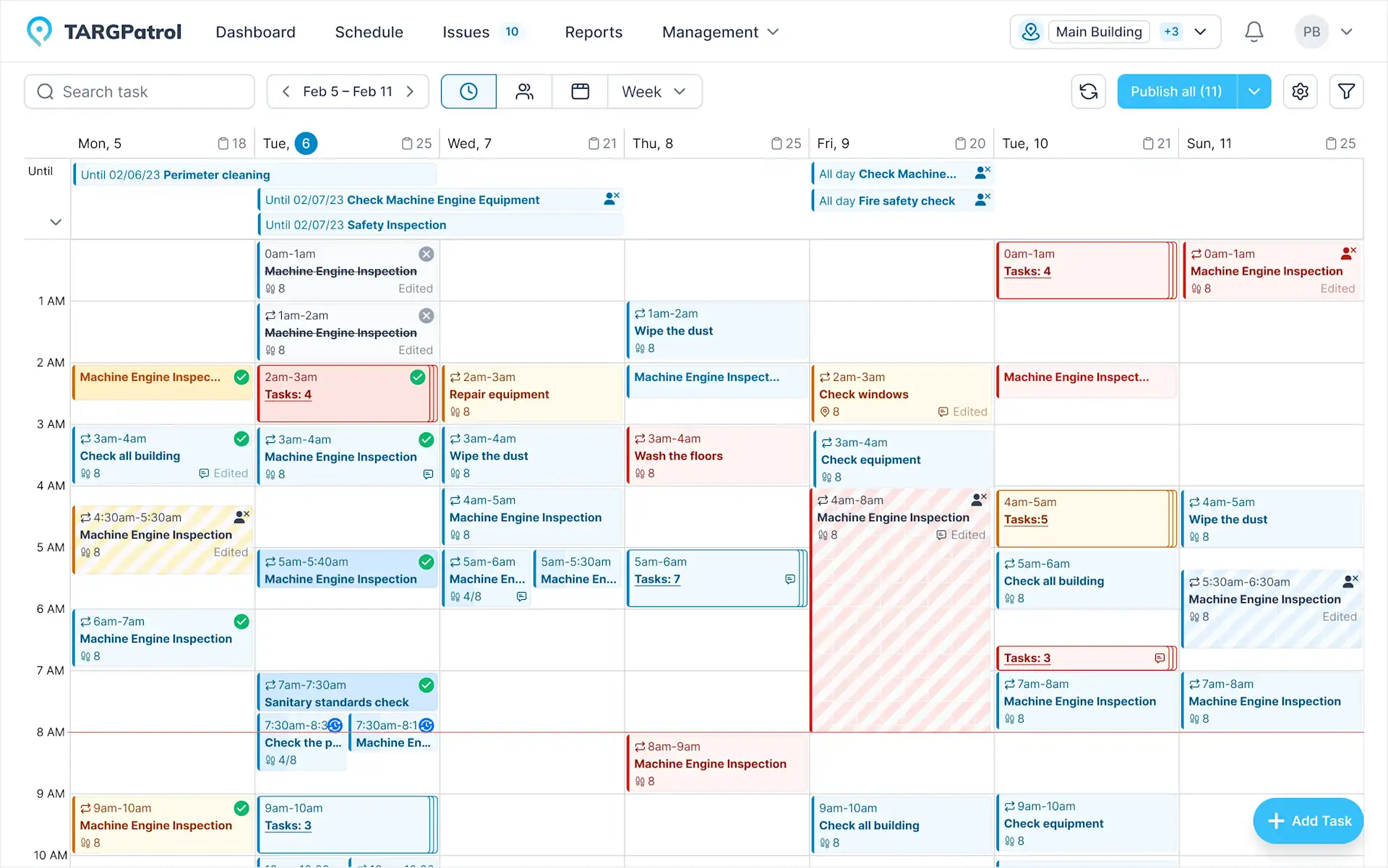
TARGPatrol connects recurring schedules with the actual work guards perform at each site. Managers can assign patrols, tasks and checklists; guards receive them in the mobile app and confirm checkpoints using NFC, QR codes or location-verified GPS Points.
This distinction matters. A schedule proves what was planned. TARGPatrol adds a timestamped operational record showing which points were visited, which evidence was attached and which incidents were raised. Optional GPS tracking can record coordinates for selected users while the mobile app is open and in use; it is separate from GPS Point proximity validation.
Key strengths
Recurring task, inspection and patrol scheduling across multiple locations
NFC, QR and GPS Point check-ins for on-site verification
Mobile incidents with photos, comments and video attachments where enabled
Checklists for post orders, opening procedures and patrol instructions
Reports, dashboards, API access and webhooks on applicable plans
Best fit: security, cleaning and facility teams where the manager needs evidence of completed work—not only a labor roster.
Limitation: TARGPatrol is not a payroll engine or an advanced labor-forecasting system. Businesses that mainly need shift swaps, wage optimization and payroll may prefer a specialist scheduler.
Pricing: Free is available for up to 10 users. Photos and attachments are kept for 7 days and then deleted automatically; this is a media-retention limit, not a seven-day limit on all task records. Free has no notifications. Base is USD 15 per user/month on monthly billing or USD 12 per user/month billed annually, and has a 14-day trial. Check TARGPatrol pricing for exports, media and integration limits.
2. Connecteam — best broad workforce suite for deskless teams
Connecteam combines scheduling, communication, time tracking, forms and operational tools. It can work well when security scheduling is one part of a broader HR and communication rollout.
Shift planning, availability and employee communication
Mobile time clock and location controls on applicable plans
Forms and checklists alongside workforce scheduling
Free Small Business option for eligible small teams; Limited plan for up to 30 users
Limitation: Connecteam is a general deskless workforce platform rather than a dedicated guard-tour system. Confirm that the selected hub and plan include every scheduling, forms and time-clock capability you need.
3. Sling — best free schedule builder for up to 30 users
Sling offers one of the clearest permanent free scheduling plans in this group. The free tier supports up to 30 users and includes shift scheduling, time-off requests, available shifts, long-term scheduling and communication.
Shift schedules, available shifts, time-off requests and shift offers
Mobile access to schedules and employee communication
Free core scheduling for up to 30 users
Paid tiers add time tracking, labor-cost tools and reporting
Limitation: Sling does not replace guard-tour checkpoints, incident workflows or security client reporting. It is best when scheduling is the main requirement and operational proof is handled elsewhere.
4. Novagems — best security-specific all-in-one alternative
Novagems is designed for security companies and includes scheduling, GPS tracking, checkpoint tours, incident and daily activity reporting, timesheets and client reporting. Its pricing is based on active users and supplied by quote.
Security guard and staff scheduling
GPS and geofencing, patrol checkpoints and mobile reporting
Payroll-ready timesheets and client portal
14-day free trial with no advertised setup fee or long-term contract
Limitation: There is no advertised permanent free plan. Request a quote for ongoing use and check the trial terms: Novagems states that a payment method is required and billing starts after the trial unless it is cancelled in time.
5. GuardsPro — best modular platform for private patrol companies
GuardsPro combines a security operations platform with optional modules for scheduling, payroll, dispatch, invoicing, vehicle patrol and visitor management. Its scheduler supports open shifts, attendance and shift status.
Security-specific back-office, guard and client applications
Guard tours, reports, live tracking and post-site workflows
Scheduling and other operational modules can be added as required
30-day risk-free trial advertised by the vendor
Limitation: The modular pricing model means scheduling and other functions may add to the base per-user cost. It is a trial-based option, not permanently free software.
Which security guard scheduler should you choose?
Choose TARGPatrol when patrol verification, tasks, checklists and incidents must stay connected to the schedule.
Choose Connecteam when company-wide communication and general deskless workforce tools are the priority.
Choose Sling when you want a straightforward, permanently free shift calendar for up to 30 people.
Choose Novagems when you want a security-specific suite and are comfortable requesting a quote.
Choose GuardsPro when modular patrol, client and back-office operations fit your process.
Security scheduling rollout checklist
List your client sites and the coverage or recurring work each one needs.
For workforce rostering, test availability, qualifications, overnight shifts and leave. For task scheduling, test recurrence, assignments and deadlines.
Build a representative week and check how changes reach the assigned guards.
Attach post orders, patrol instructions and required evidence where the product supports them.
Try a late arrival, incomplete patrol and incident; test offline work if your sites need it.
Confirm which notifications, client reports, exports and payroll integrations are included in the quoted plan.
Pilot at one location before expanding.
Frequently asked questions
Is free security guard scheduling software really free?
TARGPatrol, Connecteam and Sling offer ongoing free options with limits. Novagems and GuardsPro advertise time-limited trials. Check user caps, paid-only features and what happens when the trial ends before treating any option as permanently free.
Does scheduling software prove that a patrol happened?
Not by itself. A shift calendar records planned coverage. Proof of a patrol normally requires checkpoint scans, timestamps, GPS validation, task completion or photo evidence. TARGPatrol connects these records to scheduled work.
Can TARGPatrol replace payroll software?
No. TARGPatrol records operational work and time-related activity, but payroll calculation and tax processing should remain in a dedicated payroll system.
Final recommendation
Choose a shift scheduler when the main problem is staffing coverage. Choose TARGPatrol when the main problem is assigning recurring patrol work and knowing whether it was completed. Test one real site, a patrol route and an incident workflow before rolling it out.