How to Automate Site Patrols and Territory Inspections
Site Patrol and Territory Inspection Control: How to Organize and Automate It
Regular site patrols are an essential part of facility security. They help identify unlocked rooms, damaged fencing, equipment failures, fire safety violations, unauthorized persons, and other potential threats in time. Simply assigning a patrol is not enough: you also need to monitor the employee's route, schedule compliance, inspection results, and the resolution of detected issues.
Automated patrol monitoring replaces paper logbooks and provides proof that an employee actually followed the assigned route, inspected the required areas, and recorded the results.
Purpose of site patrols and inspections
The main purpose of a patrol is to regularly monitor the condition of a site and identify deviations before they cause an accident, property damage, a safety breach, or operational downtime.
Depending on the type of facility, a site patrol and inspection may include checking:
entrances, gates, doors, and windows;
fences and access control points;
production, warehouse, and technical areas;
fire exits and evacuation routes;
lighting, alarms, and video surveillance;
equipment and building systems;
material and waste storage areas;
the cleanliness and sanitary condition of the site;
the presence of unauthorized persons;
compliance with occupational and fire safety requirements.
Building and site patrols may be carried out by security officers, technicians, on-duty staff, maintenance and cleaning teams, or responsible shift supervisors.
Inspection procedures are usually defined by internal regulations. They specify the areas to inspect, inspection frequency, responsible employees, sequence of actions, and rules for recording violations.
How site patrols are organized
A patrol schedule is created for each site. It defines:
who is responsible for the inspection;
when the patrol should begin;
how often the route must be completed;
which zones are included in the inspection;
what must be inspected;
who should receive information about violations.
A separate site patrol route is created as a sequence of checkpoints that an employee must visit. For example:
main entrance;
parking area;
warehouse area;
technical room;
emergency exit;
external perimeter fence;
loading area.
Why a paper patrol log is not enough
Traditionally, site patrols are recorded in a paper logbook. The employee enters the inspection start and finish times, signs the log, and adds notes when necessary.
However, this approach cannot reliably confirm:
whether the employee completed the entire route;
whether the employee was actually present at a specified checkpoint;
whether the required schedule was followed;
exactly when a violation was detected;
whether the issue was reported to the responsible person;
whether the problem was resolved;
whether the same violation occurs repeatedly.
A logbook entry only confirms that a form was completed. Managers receive information with a delay and cannot see the actual situation at the site.
Paper records are also difficult to analyze. Finding recurring problems requires manually reviewing logs from several weeks or months.
How to automate site patrols with TARGPatrol
TARGPatrol helps organize digital monitoring of patrols, inspections, and checks at manufacturing plants, warehouses, construction sites, shopping centers, hotels, office buildings, and other facilities.
The system combines patrol routes, digital checklists, checkpoint verification, photo evidence, incident reporting, and analytics.
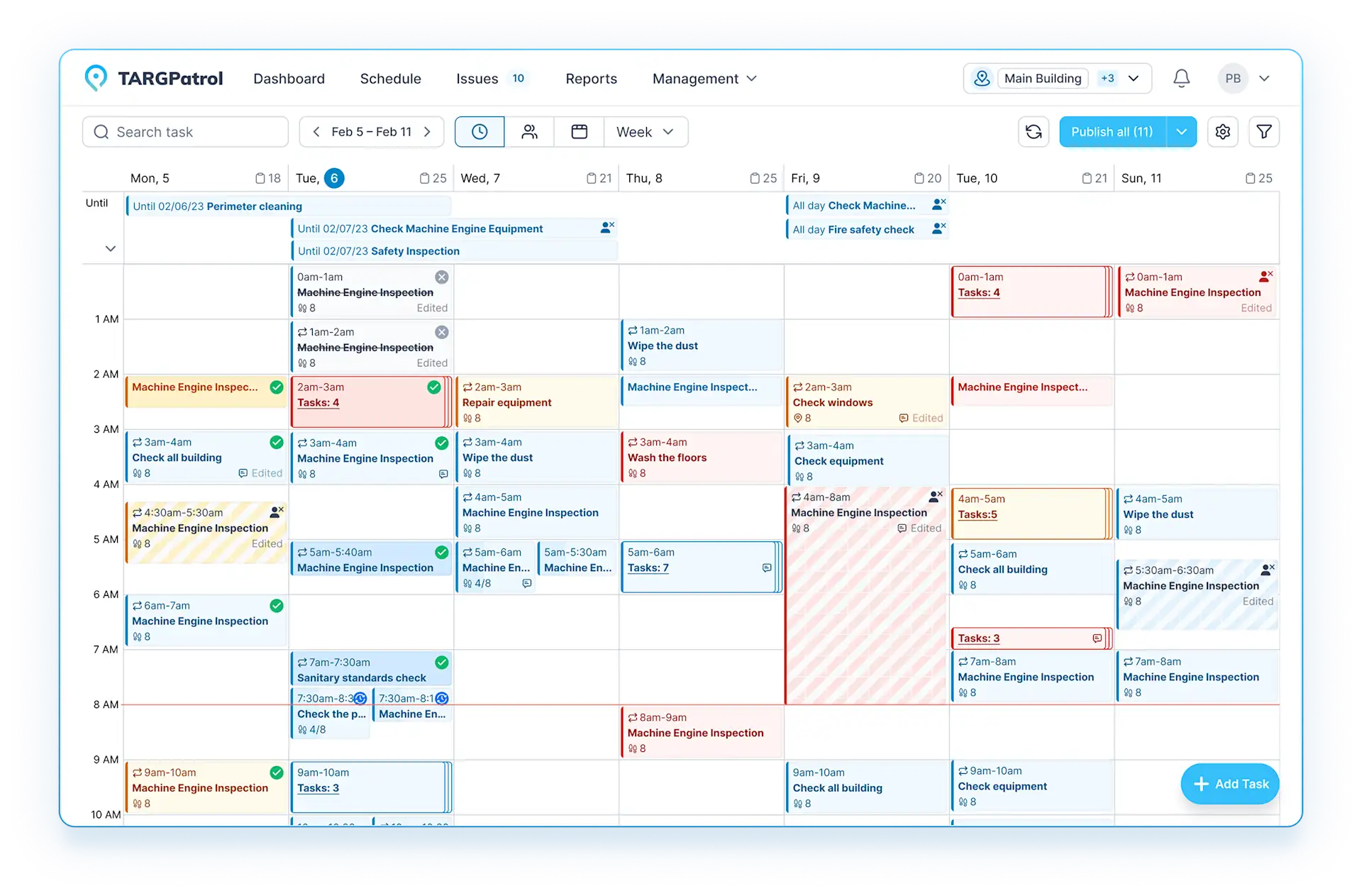
1. Create sites and control zones
First, create the structure of the site to be inspected in TARGPatrol. It can include separate facilities, branches, buildings, floors, production areas, warehouses, technical rooms, and outdoor zones.
This makes it possible to divide a large site into clear sections and establish specific monitoring rules for each one.
2. Configure the patrol route
A manager creates the route and specifies the checkpoints that the employee must visit.
The route can require checkpoints to be visited in a strict sequence or allow zones to be inspected in any order. For each checkpoint, you can define:
name and location;
required actions;
permitted inspection time;
requirement to attach a photo or video;
method used to confirm the visit.
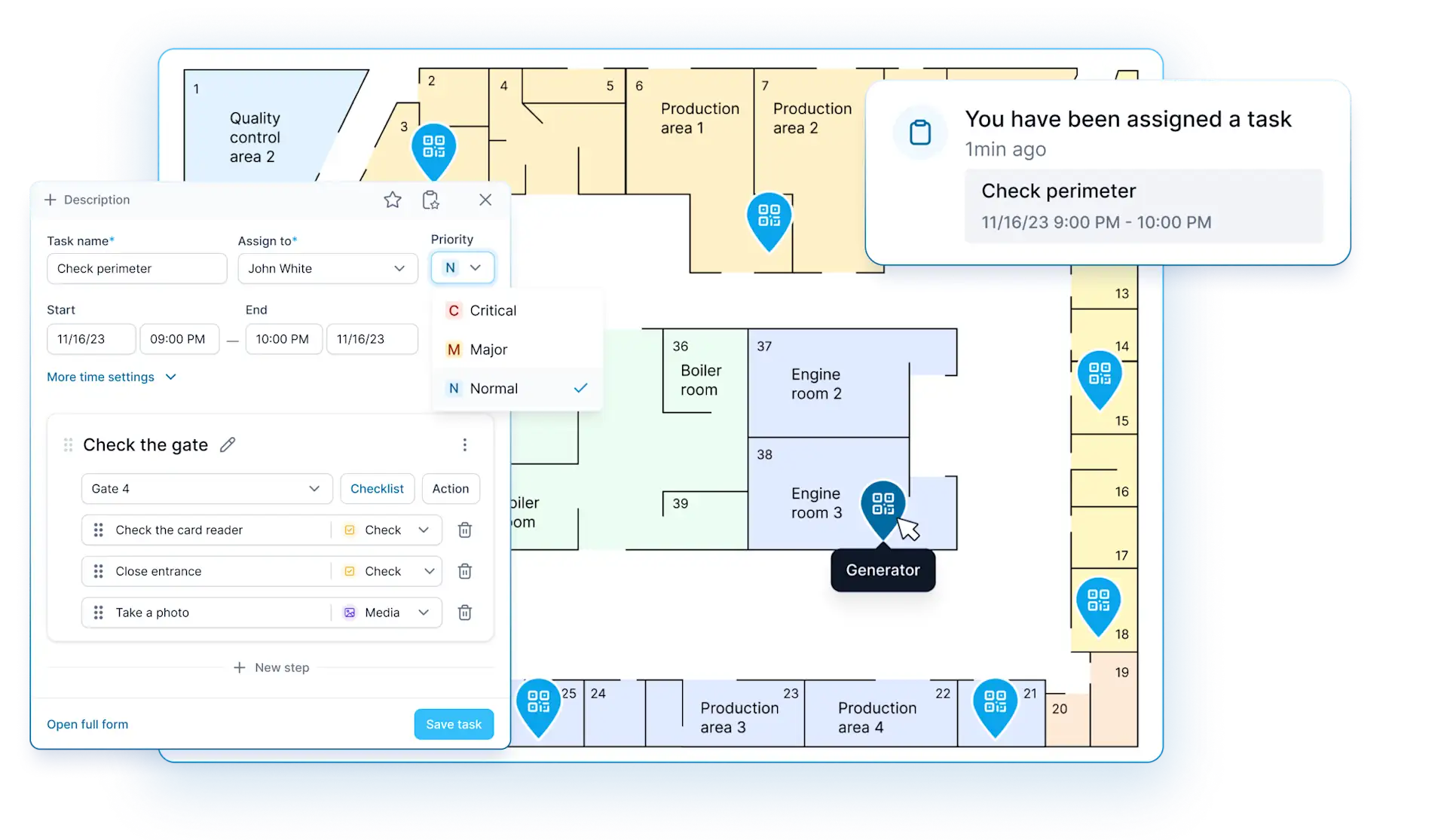
3. Create a patrol schedule
A schedule is configured for each route based on operating hours and safety requirements. The system specifies:
patrol frequency;
days and exact start times;
allowed completion window;
number of patrols per shift;
responsible employees;
possible substitute employees;
rules for weekends, holidays, and night shifts.
For example, the external perimeter can be checked every two hours, technical rooms at the beginning and end of each shift, and fire exits once per shift.
A route can be assigned to a specific employee, shift, or group of responsible staff. The manager can see who should complete the patrol, when it is scheduled, and whether it was missed or completed late.
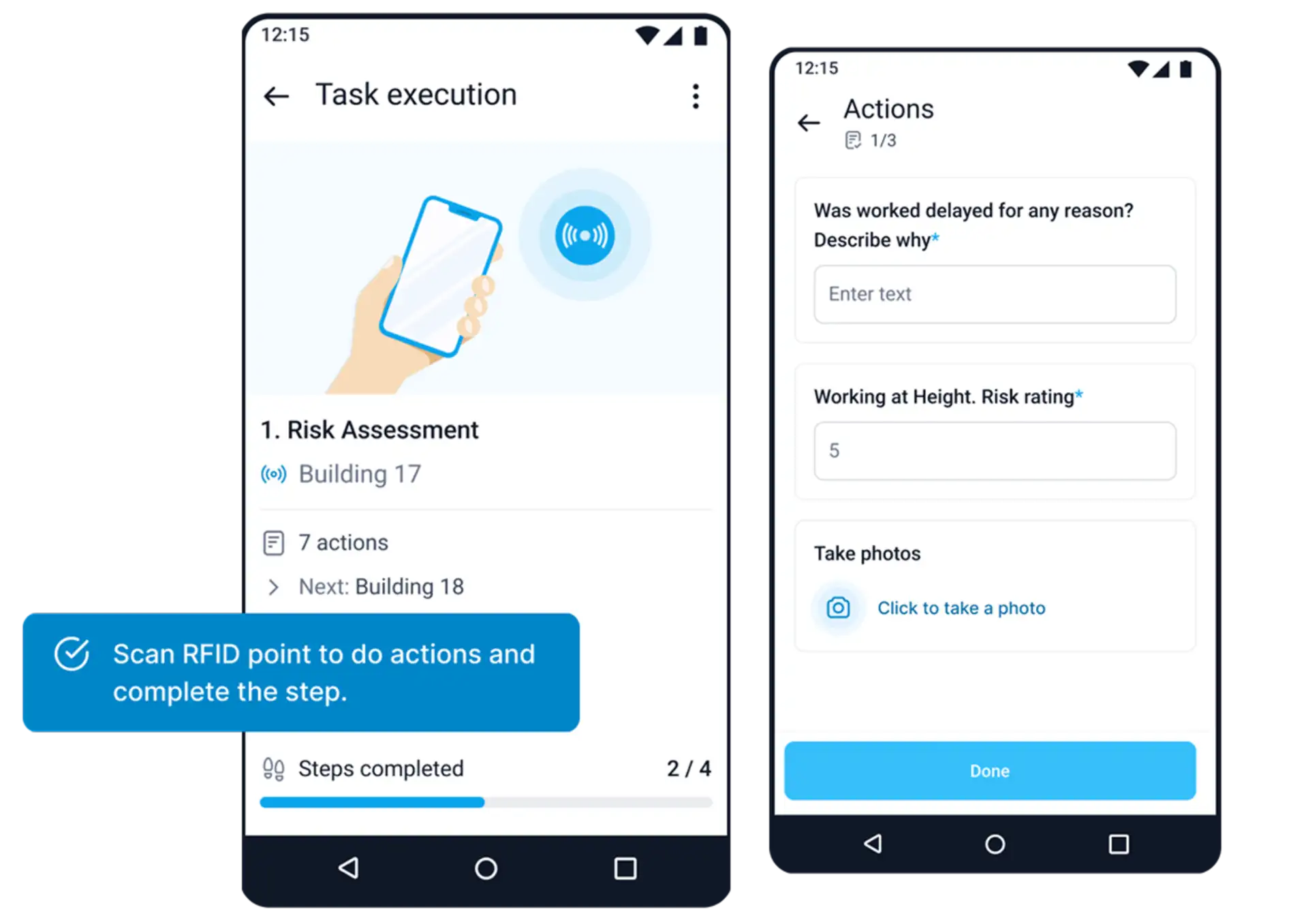
4. Confirm presence at each checkpoint
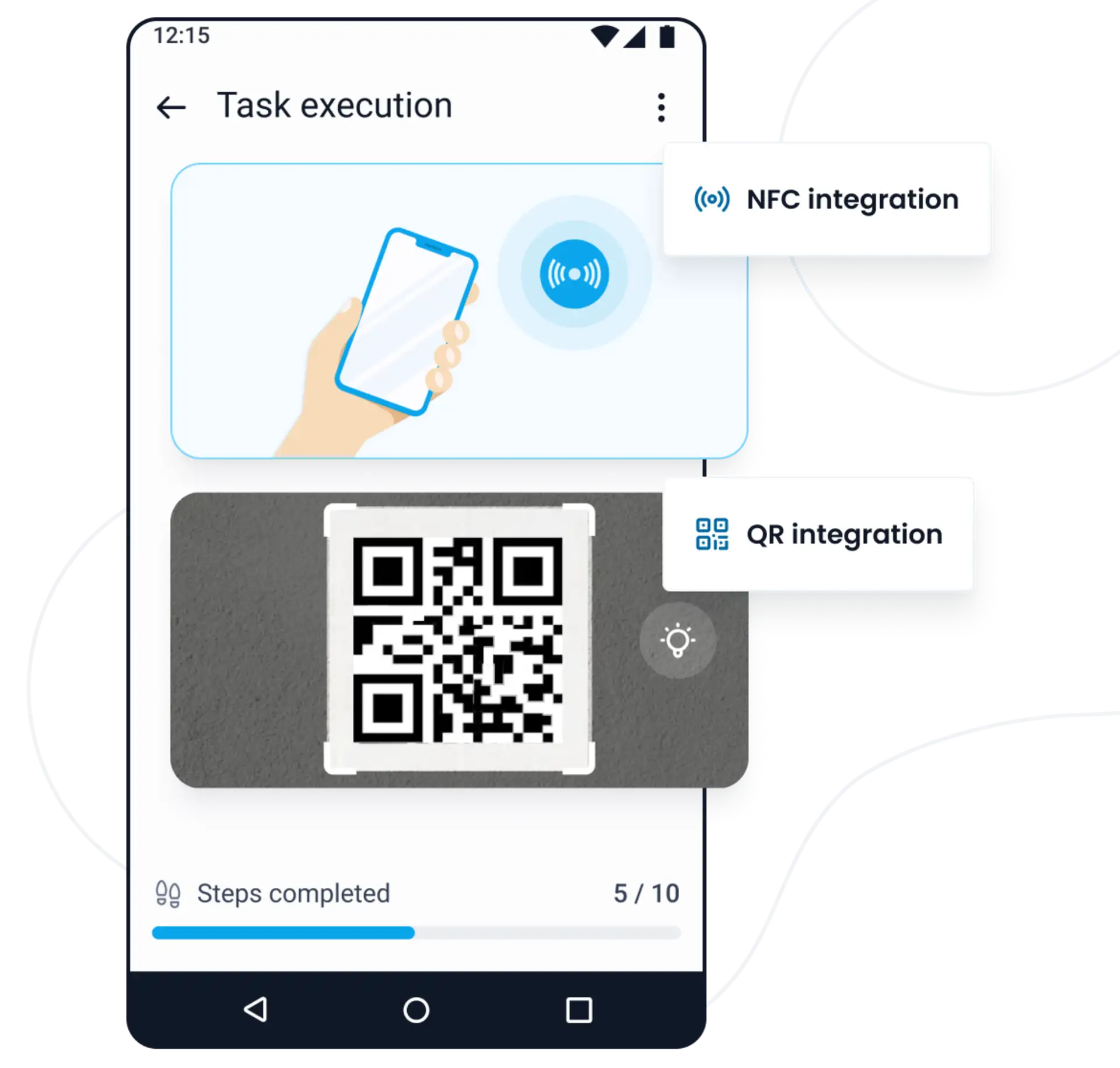
To confirm an actual checkpoint visit, an employee can:
scan a QR code;
scan an NFC tag;
confirm their GPS location;
complete the required checklist.
This approach reduces the risk of reports being completed without an actual inspection of the area.
QR codes are convenient inside buildings and at fixed locations. NFC tags provide fast visit confirmation with a physical tag. GPS verifies whether the employee was within the required geographic area.
Verification methods can be combined depending on the site's requirements and the required level of control.
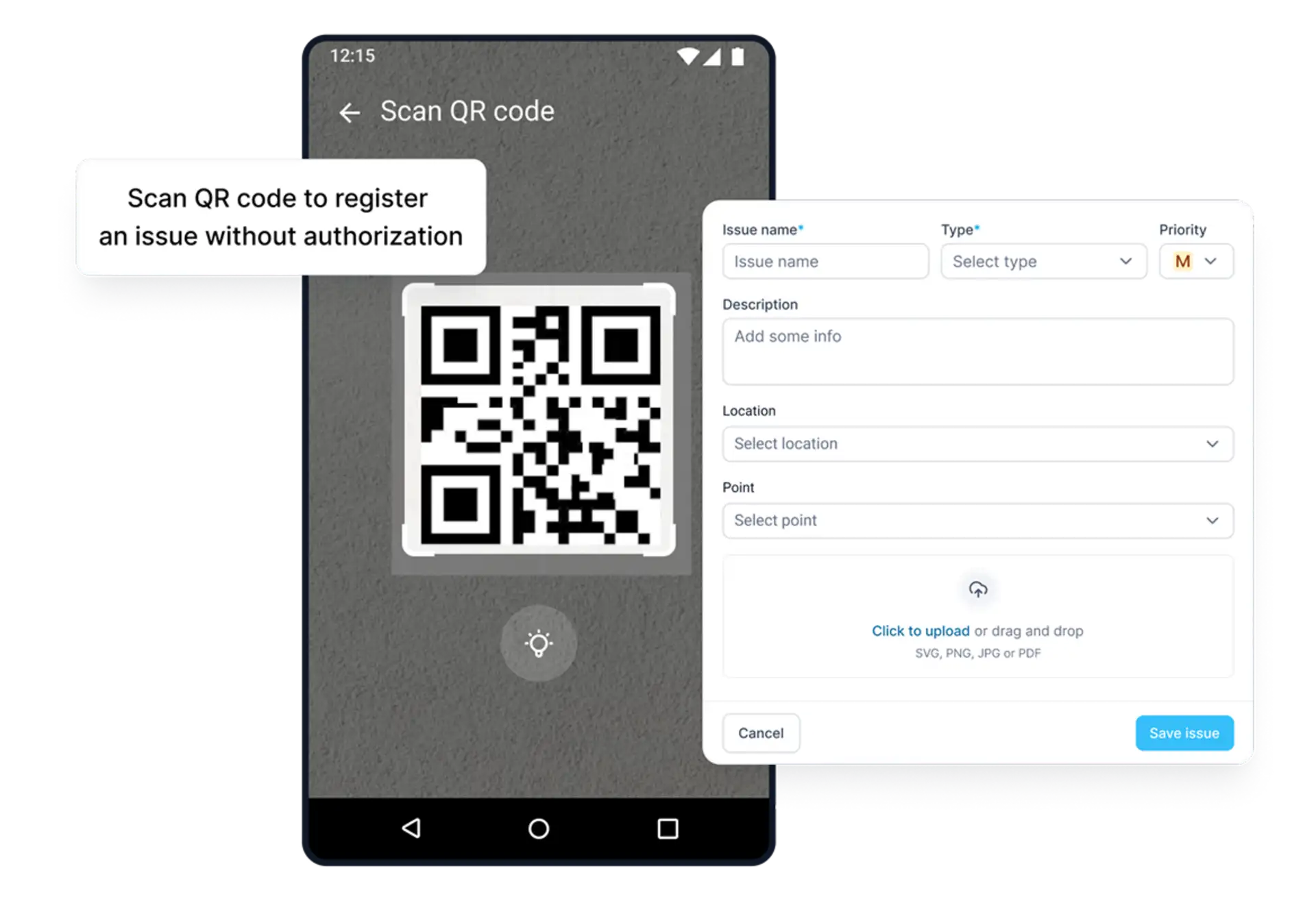
5. Work without a stable internet connection
Connectivity may be unreliable across large sites, warehouses, production facilities, and remote locations. TARGPatrol allows inspections to be completed offline.
The employee follows the route and completes checklists without an internet connection. Results are synchronized with the system when connectivity is restored.
6. Report incidents
If an employee discovers a problem during a patrol, they create an incident. Examples include damaged fencing, failed outdoor lighting, or a blocked fire exit.
The incident record contains the description, time, location, photos, and other relevant details.
The information becomes available to the manager immediately after synchronization. This makes it possible to respond without waiting for the shift to end or for a paper logbook to be handed over.
7. Assign corrective tasks
A task can be created from a detected violation. It specifies:
responsible assignee;
resolution deadline;
priority;
problem description;
photos;
required completion evidence.
After completing the work, the assignee changes the task status and attaches evidence. The manager sees not only that a violation was detected, but also the entire resolution process.
8. Monitor execution in real time
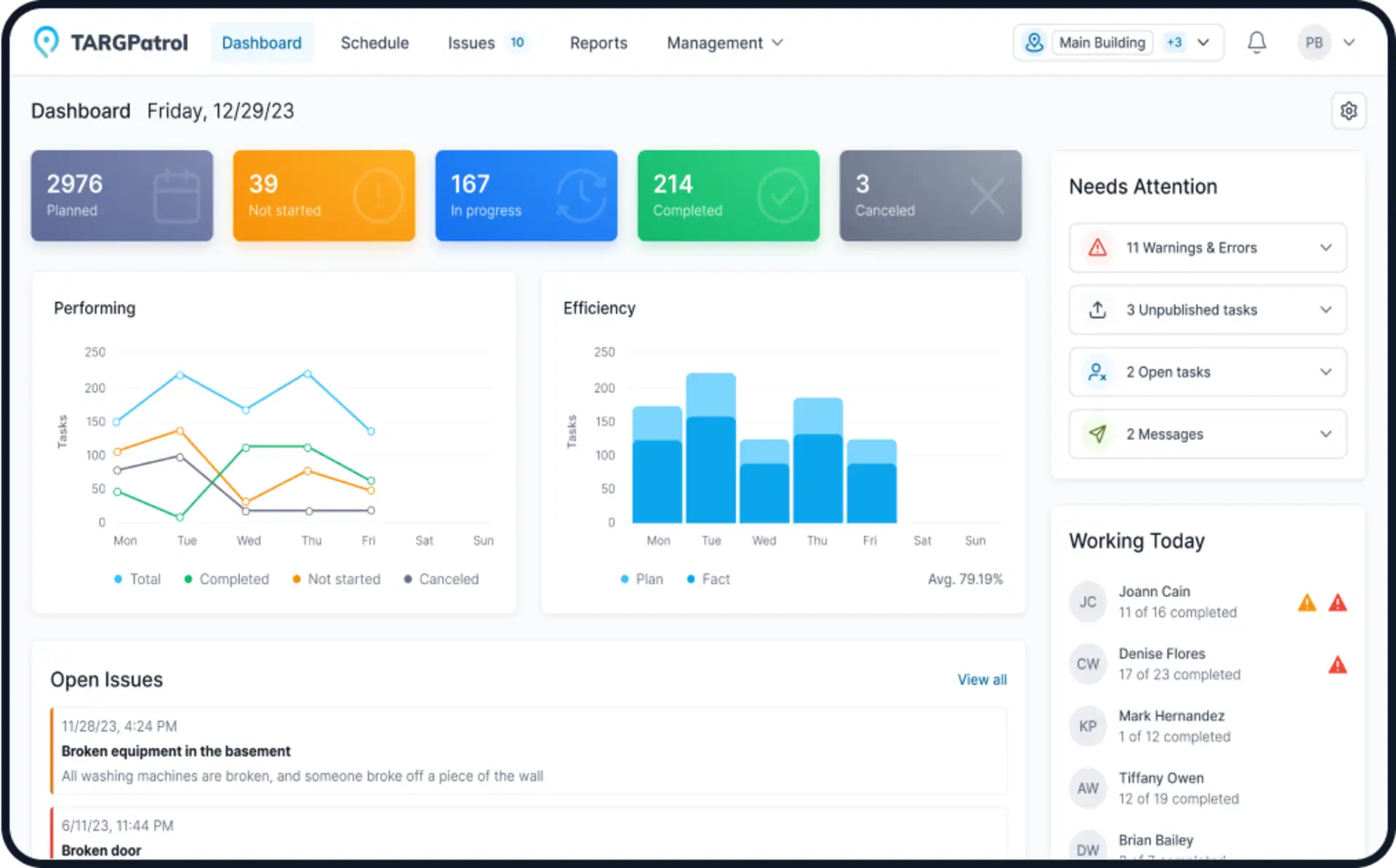
The TARGPatrol dashboard displays the current status of patrols:
which inspections are scheduled;
who is completing each route;
which checkpoints have already been visited;
which patrols are overdue;
where violations were detected;
which tasks remain open.
Managers do not need to call employees to ask whether they completed a patrol. All results are available in one system.
9. History and analytics
Every action is recorded: patrol start and finish times, visited checkpoints, responses, comments, photos, incidents, and tasks.
This data can be used to evaluate compliance with patrol procedures, employee performance, and the most problematic areas.
Reports can be exported to Excel or PDF, while data can be sent to external information and BI systems through the API.
How a site patrol monitoring system works in practice
Consider a patrol at a warehouse complex.
A security officer must follow the assigned route every three hours. The route includes the main entrance, parking area, external perimeter, loading zone, warehouse gates, technical room, and emergency exit.
A checkpoint marker is installed in every zone. The employee opens the task in the TARGPatrol mobile app and starts the route.
At the first checkpoint, the employee scans a QR code and verifies:
whether the gates are closed;
whether the lighting is working;
whether unauthorized persons are absent;
whether there are any signs of damage.
In the loading zone, the employee discovers a damaged light fixture. They record the violation, take a photo, and add a comment.
TARGPatrol registers the incident and sends the information to the responsible maintenance employee. A task to replace the light fixture is created from the report.
While inspecting the emergency exit, the employee notices that packaging materials are partially blocking the passage. They record the violation and attach a photo. The warehouse manager receives a notification and assigns someone to clear the route.
After the route is completed, the system records:
actual patrol time;
sequence of checkpoint visits;
inspection results;
photos;
detected violations;
created tasks.
The manager can see that the patrol was completed in full and on schedule and that detected problems were assigned to responsible employees. After resolving the issues, assignees attach new photos and close the tasks.
Site patrol tracking therefore becomes part of a single managed process, from a scheduled inspection to verified resolution of every issue.
Conclusion
Patrol monitoring is not only about confirming that an employee was present at a site. Its primary purpose is to ensure regular inspections, detect violations promptly, and monitor their resolution.
Paper logs do not provide complete information about the route, checkpoint visit times, or inspection results. A digital site patrol monitoring system makes the process transparent: employees receive a schedule and route, confirm zone visits, complete checklists, and report violations.
TARGPatrol combines building and site patrols, QR codes, NFC tags, GPS verification, photo and video evidence, incidents, tasks, and analytics. Managers can see the actual condition of each site, compliance with procedures, and the full issue resolution history in one system.