5 Best GPS Time Clock Apps for Small Businesses in 2026
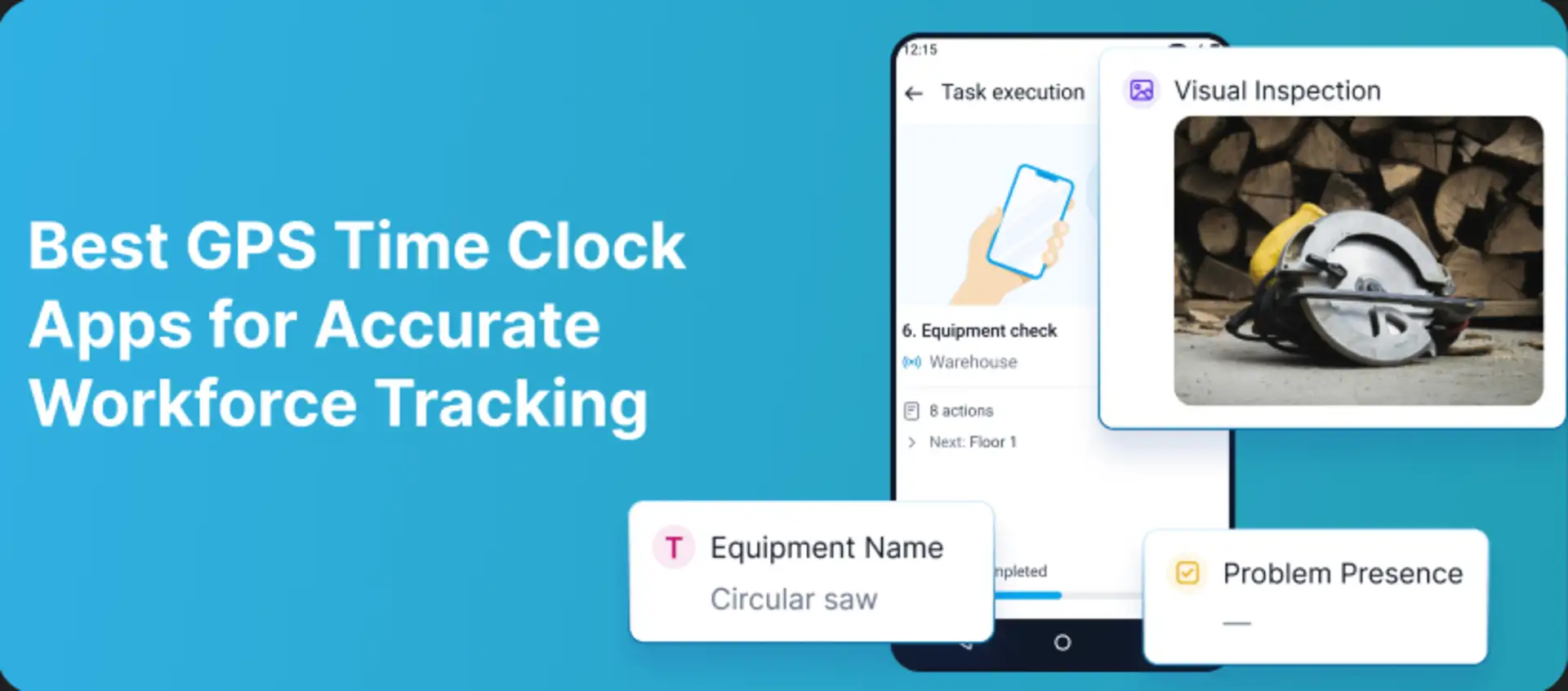
A GPS time clock helps a small business replace paper timesheets with verifiable mobile attendance. Employees can clock in from a job site, managers can review hours and location evidence, and approved records can move into payroll or client billing. The difficult part is choosing the right type of GPS control without paying for a system that is too complex—or collecting more location data than the business actually needs.
This 2026 comparison is for cleaning companies, maintenance teams, contractors, property services, construction crews, home services, and other mobile small businesses. If your main requirement is guard attendance and patrol verification, use our separate guide to GPS time clock apps for security guards.
Quick shortlist: TARGPatrol for time connected to tasks and proof of work; Hubstaff for distributed teams that also need productivity and project reporting; ClockShark for trades and construction crews; Jibble for a capable free attendance system; Timeero for route, stop, and mileage visibility.
What a GPS time clock can—and cannot—prove
GPS time clock vendors use similar language for different functions. Compare the exact workflow rather than assuming every map feature works the same way.
GPS stamp on a punch: records the phone location when an employee clocks in or out. It provides context but may not stop an off-site punch unless a rule is applied.
Geofenced clock-in: allows or blocks a punch based on a virtual radius around a workplace. It confirms the start or end location, not what happened during the shift.
On-clock GPS tracking: records multiple coordinates while an employee is working. It can provide live location, route history, distance, or time at stops.
Work verification: connects attendance to tasks, checklists, photos, notes, incidents, QR or NFC Points, and completed service. A time clock alone usually does not prove this.
The least invasive method that meets the operational need is usually the best starting point. A fixed-location shop may need only a geofence. A mobile service route may justify on-clock tracking. A cleaning or maintenance contract may require task and photo evidence in addition to time.
How we selected the apps
We reviewed official product, support, and pricing information available in August 2026. This is an editorial comparison, not a claim that every platform was tested in a live small-business deployment. We considered:
Mobile clock-in, GPS evidence, geofences, optional route tracking, and privacy boundaries.
Schedules, jobs, tasks, timesheets, approvals, overtime, breaks, and offline behavior.
Payroll, accounting, invoicing, exports, integrations, and client-ready reporting.
Suitability for teams with limited setup time, limited administrative capacity, and multiple job sites.
Whether the platform also proves completed work or focuses only on time and attendance.
Free plans, public pricing, base fees, minimum seats, add-ons, and contract commitments.
Prices below are public US-dollar list prices available at the time of review. Vendors can change plan limits, discounts, add-ons, and contract terms, so verify the final cost before buying.
Best GPS time clock apps for small businesses compared
App | Best for | GPS method | Work verification | Payroll/admin | Public starting price |
|---|---|---|---|---|---|
TARGPatrol | Mobile teams that must prove completed work | GPS Point radius validation plus optional GPS tracking | Tasks, checklists, photos, QR/NFC, Incidents, reports | Exports, API and webhooks; no payroll processing | Free up to 10 users; Base $15/user monthly or $12 annual |
Hubstaff | Distributed teams, projects and productivity visibility | GPS time, geofences, routes and configurable location modes | Projects, tasks, work orders and productivity data | Timesheets, invoicing, payments and integrations | Starter $4.99/seat/month annual; 2-seat minimum; GPS may require add-on/tier |
ClockShark | Construction, trades and field-service crews | Mobile GPS, geofencing and job-site location records | Jobs, tasks, notes, schedules and job costing | Timesheets, approvals and payroll/accounting integrations | Standard $40/month plus $9/user; 3-year term |
Jibble | Budget-conscious attendance and anti-buddy-punching | GPS punches, geofences, live-location options and offline capture | Projects, activities, kiosk, face recognition and NFC | Timesheets, overtime, approvals, exports and integrations | Free forever for unlimited users; paid tiers available |
Timeero | Mobile routes, mileage and time at multiple stops | On-clock GPS, route replay, geofences and auto clock-in/out | Jobs, custom fields, photos and stop timelines | Timesheets and payroll/accounting integrations on Pro | Basic $5/user/month annual; Pro $7.50 annual |
1. TARGPatrol — best for attendance connected to proof of work
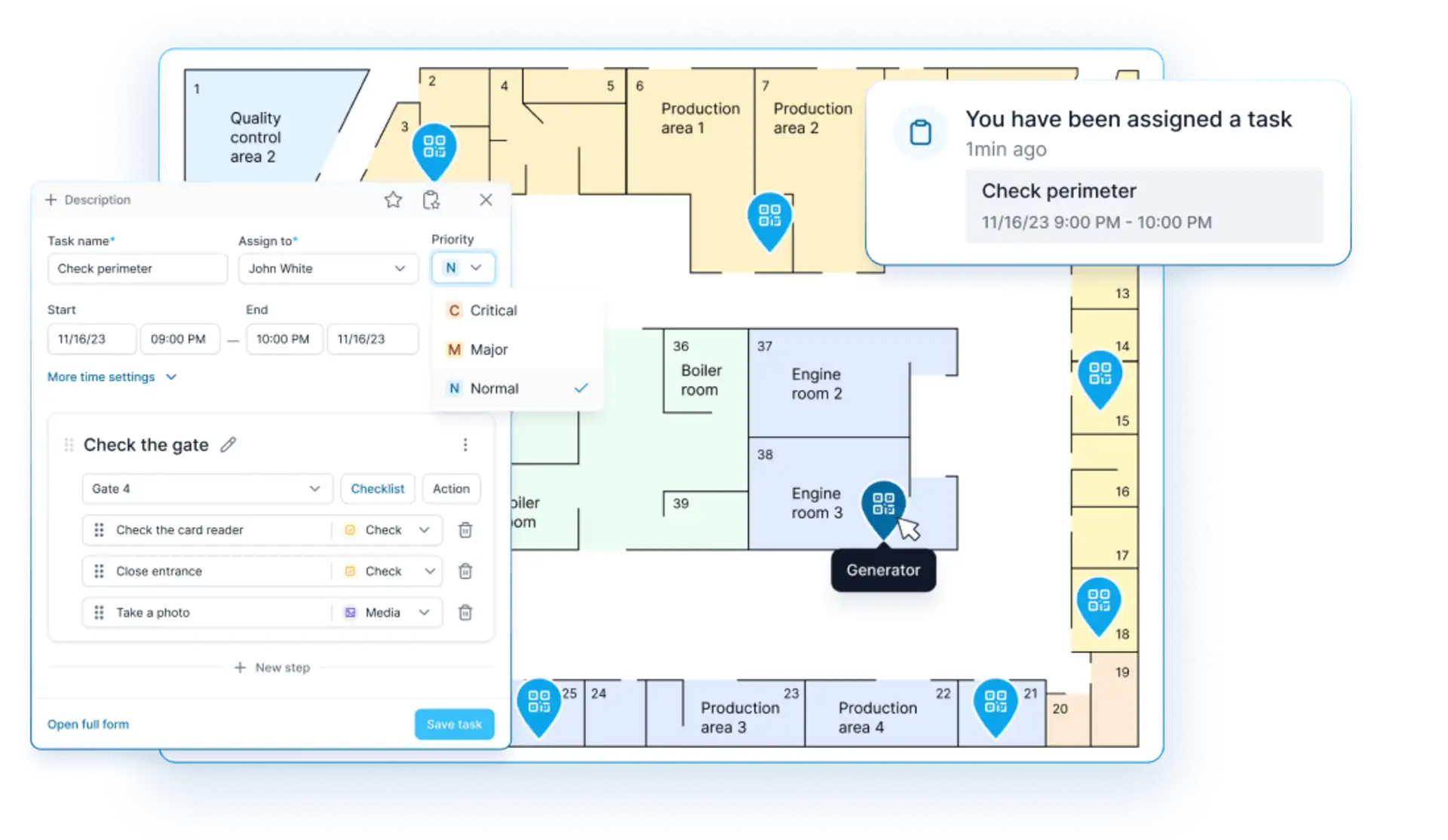
TARGPatrol is a field operations and task management platform rather than a payroll-first time clock. It is a strong small-business option when managers need to know not only when an employee worked, but also which location, task, checklist, inspection, or service action was completed.
Managers create locations, Points, assignments, recurring schedules, instructions, and checklists. Employees use the mobile app to track time, complete tasks, add notes, attach photos or videos, and register an Incident separately or during a task. Supervisors can then review results, timestamps, media, status, maps, and reports from the web application.
A GPS Point stores coordinates and an allowed radius. The employee can complete that Point only while close enough to the location. QR codes and NFC tags provide physical checkpoint verification, while optional GPS tracking is configured separately per user and records route coordinates while the mobile app is open and in use. This distinction prevents a one-time proximity check from being confused with continuous tracking.
Why small businesses choose it
One workflow for time, tasks, recurring service, checklists, inspections, incidents, and reports.
GPS Point proximity validation, QR and NFC check-ins, virtual Points, photos, video, notes, and timestamps.
Offline task completion and synchronization after connectivity returns.
Useful across cleaning, maintenance, property services, security, retail operations, and field work.
Multi-location dashboards, maps, scheduled reports, PDF and Excel exports, API, and webhooks on eligible plans.
A free plan lets a team of up to 10 users start without a subscription.
Limitations
TARGPatrol does not calculate payroll taxes, issue payslips, or replace full HR and accounting software. Its scheduling is designed around operational work rather than advanced workforce rostering. Businesses that mainly need payroll-ready punches may prefer Jibble, ClockShark, Hubstaff, or Timeero; businesses that need work verification can export or integrate TARGPatrol records with existing systems.
Pricing: Free forever for up to 10 users with seven-day data retention. Base costs $15 per user per month, or $12 per user per month when billed annually. A 14-day fully featured trial is available. See the current TARGPatrol pricing and plan comparison.
2. Hubstaff — best for distributed teams and project visibility
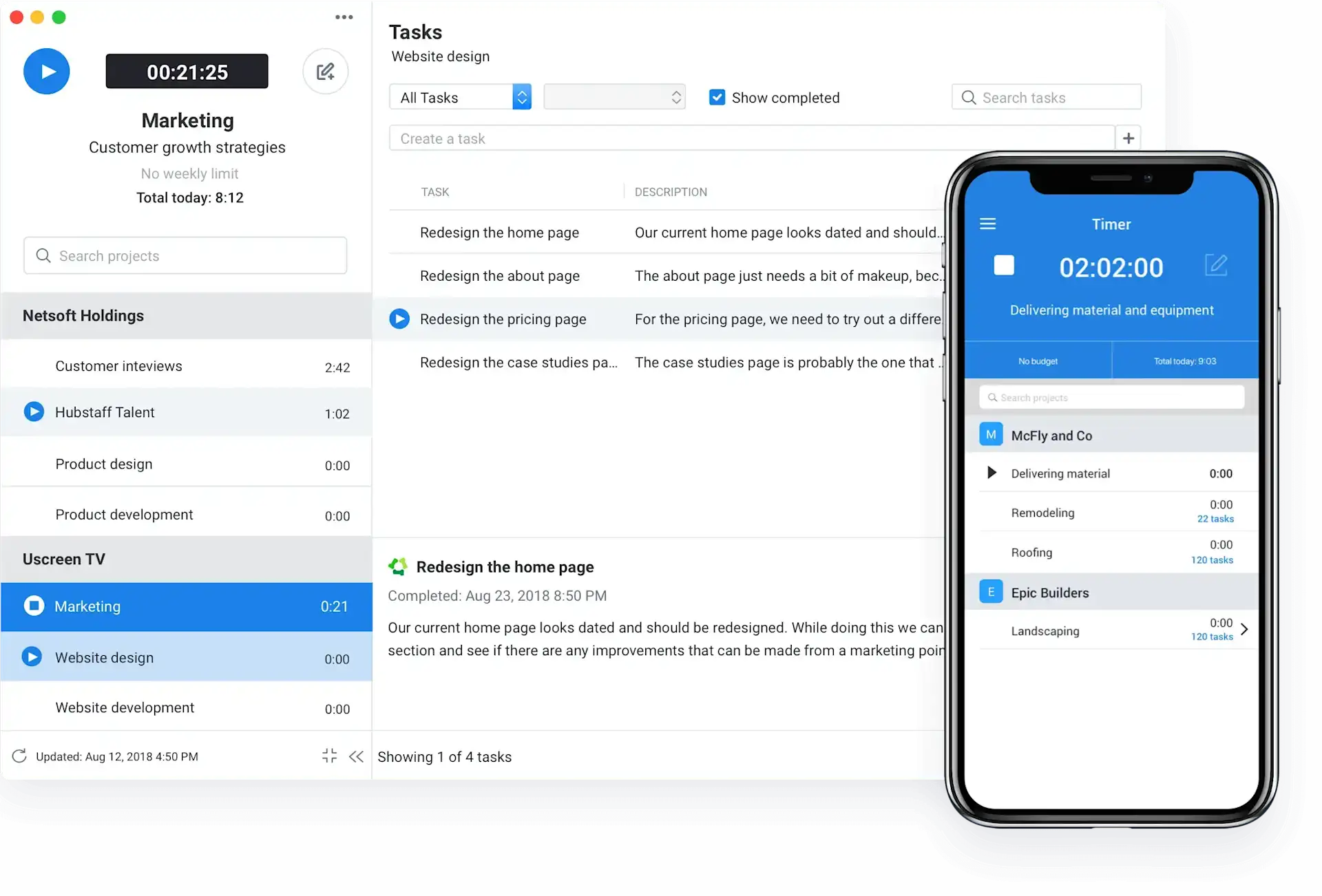
Hubstaff combines time tracking with GPS tools, project and task records, workforce analytics, productivity monitoring, invoices, payments, and integrations. It fits small businesses that manage both field and remote work and want hours connected to clients, projects, budgets, and productivity data.
Its field features include mobile GPS time tracking, job sites, route planning, geofenced time tracking, real-time location visibility, and location-based clock-ins. Hubstaff states that location can be tracked when an employee is scheduled to work or starts tracking time, with per-user controls. Fleet tracking can provide ongoing vehicle or crew location, so teams should review that mode separately from ordinary on-clock tracking.
Hubstaff also creates timesheets, supports clients and invoices, and connects to tools such as QuickBooks, Gusto, Deel, Wise, PayPal, Jira, and project-management platforms. Higher plans add scheduling, attendance, timesheet approvals, payments, payroll workflows, and more integrations.
Why small businesses choose it
Strong combination of time tracking, project costs, client billing, and distributed-team visibility.
GPS time, job sites, routes, geofences, and location data for field work.
Desktop productivity features can cover office, remote, and field employees in one system.
Timesheets, invoices, payment workflows, budgets, expenses, and many integrations.
A 14-day trial requires no credit card, and a 30-day money-back guarantee applies to paid plans under the vendor’s terms.
Limitations
Hubstaff can be broader and more monitoring-oriented than a field-only team wants. GPS Locations, advanced analytics, screenshots, tasks, and other capabilities may depend on the plan or add-ons. The standard paid plans have a two-seat minimum. Because scheduled tracking and fleet tracking can collect different levels of location data, employers should configure only the modes they need and explain them clearly.
Pricing: Starter starts at $4.99 per seat per month annually or $7 monthly, with a two-seat minimum. Grow is $7.50 annually or $9 monthly, and Team is $10 annually or $12 monthly. GPS or Locations capabilities may require an add-on or higher plan; confirm the final package for a field team.
3. ClockShark — best for construction, trades, and field-service crews
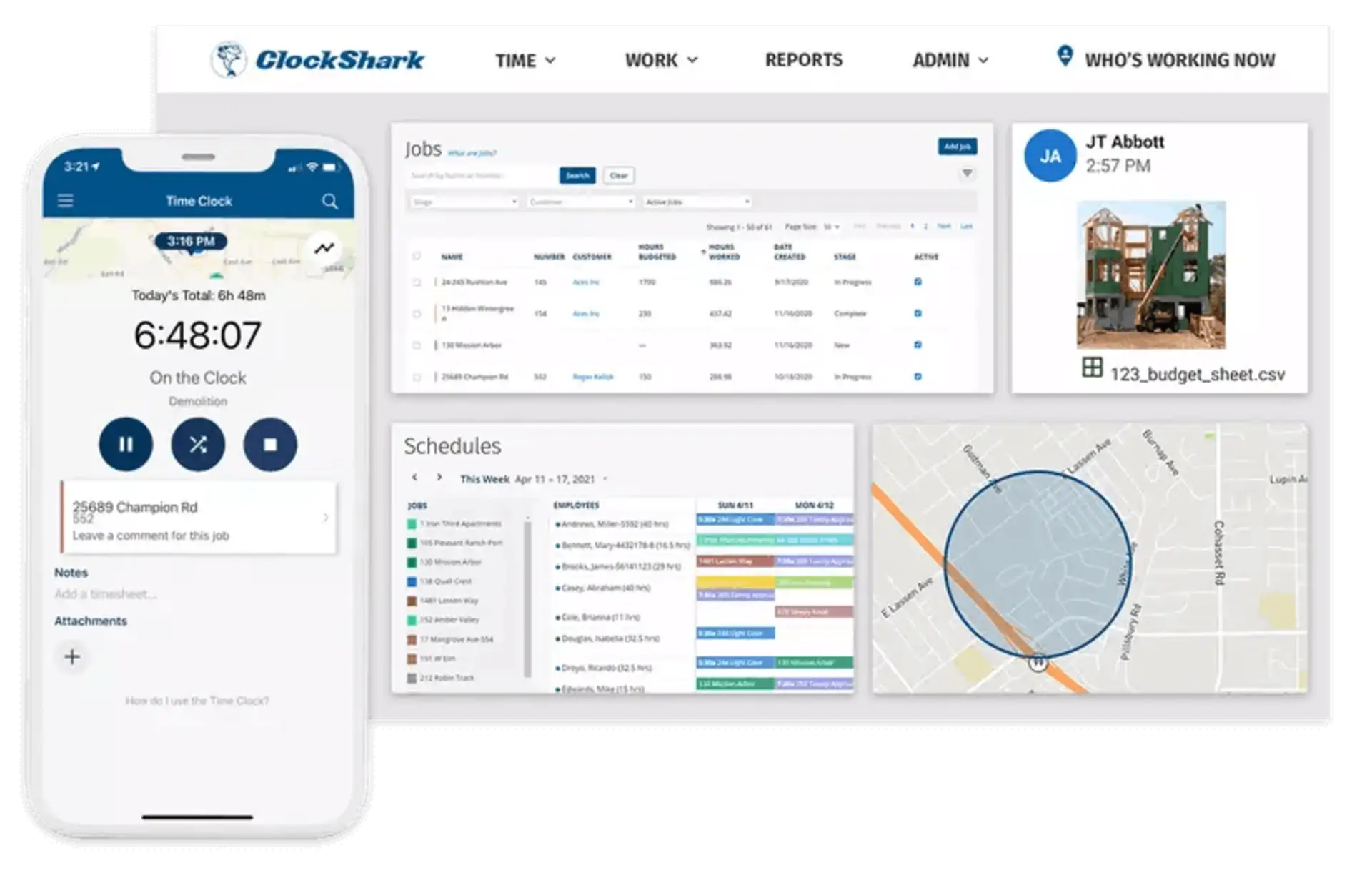
ClockShark is designed for small field-service businesses, especially construction and trades. It combines mobile time and attendance, GPS tracking, geofencing, job and task tracking, drag-and-drop schedules, manager approvals, job costing, and payroll or accounting integrations.
Employees clock in from iOS, Android, or the web and associate hours with jobs and tasks. Managers can review where field time was recorded, organize crew schedules, approve timesheets, and send clean records to QuickBooks, ADP, Sage, Xero, Paychex, Gusto, MYOB, and other supported systems.
Why small businesses choose it
The workflow is built around crews, job sites, tasks, schedules, labor costs, and payroll handoff.
GPS tracking and geofencing are included in both current plans.
Manager roles, approvals, job records, documents, addresses, and notes reduce office-to-field gaps.
Pro adds PTO, multi-department controls, advanced job costing, and shift wrap-up or compliance forms.
Both plans include live support and setup assistance; the trial includes Pro features for 14 days.
Limitations
ClockShark is optimized for construction and service crews rather than inspections, incident resolution, or detailed proof-of-work workflows. Its base fee makes it less economical for a team of only a few users. More importantly, the official pricing page states that a three-year contract term applies to all pricing plans, so buyers should review cancellation and renewal terms before committing.
Pricing: Standard costs $40 per month plus $9 per active user. Pro costs $60 per month plus $11 per active user. ClockShark says active users are prorated and offers a 14-day trial with no credit card required. A three-year contract applies.
4. Jibble — best free GPS attendance app
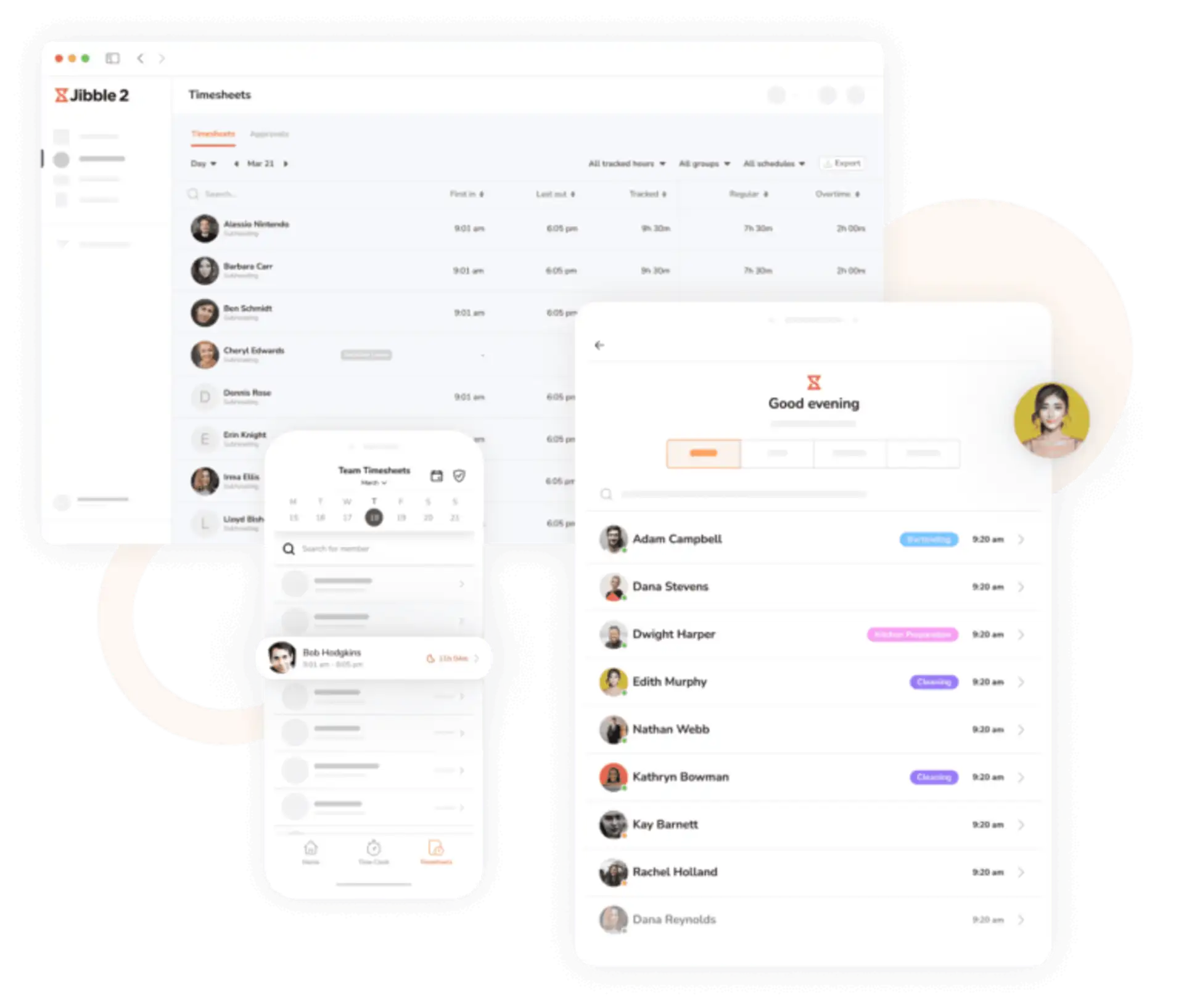
Jibble offers a free-forever time and attendance system for unlimited users. Its core positioning is unusually attractive for small businesses: mobile and web clock-ins, GPS evidence, geofences, face recognition, shared kiosk mode, automated timesheets, reports, overtime, projects, schedules, and offline capture can be deployed without a per-user charge for the core plan.
A manager can assign locations and clock-in rules, use GPS and geofences to verify attendance, add facial recognition to reduce buddy punching, and view attendance on a dashboard. Jibble also promotes live-location and route functionality for field teams. Because the product supports both punch-only location capture and broader GPS modes, confirm the exact setting and plan before promising continuous route history.
Timesheets can calculate regular hours, overtime, and breaks, then move to payroll through exports or integrations such as QuickBooks, Xero, and Deel. NFC, PIN, kiosk, desktop, Slack, and Microsoft Teams clock-ins provide alternatives for different workplaces.
Why small businesses choose it
Free forever for unlimited users, with no credit card or trial expiration for the core plan.
GPS, geofencing, facial recognition, NFC, kiosk, mobile, web, desktop, and offline attendance options.
Automated timesheets, schedules, overtime, breaks, reports, exports, and payroll integrations.
Useful for construction, retail, hospitality, manufacturing, logistics, cleaning, healthcare, and other shift-based teams.
Fast setup is practical for a small business without a dedicated IT administrator.
Limitations
Jibble is an attendance platform, not a comprehensive field-service or inspection system. It can verify who clocked in and where, but companies that need ordered tasks, detailed checklists, incidents, recurring service evidence, or complex customer reporting may still need another operational tool. Advanced approvals, integrations, analytics, or controls may require paid tiers.
Pricing: The core Free plan is free forever for unlimited users. Jibble also offers paid plans for advanced requirements, but its public pages emphasize that GPS, geofencing, face recognition, timesheets, reports, and unlimited users are available in the free core offering. Verify current paid-tier packaging inside the vendor’s pricing flow.
5. Timeero — best for routes, stops, and mileage
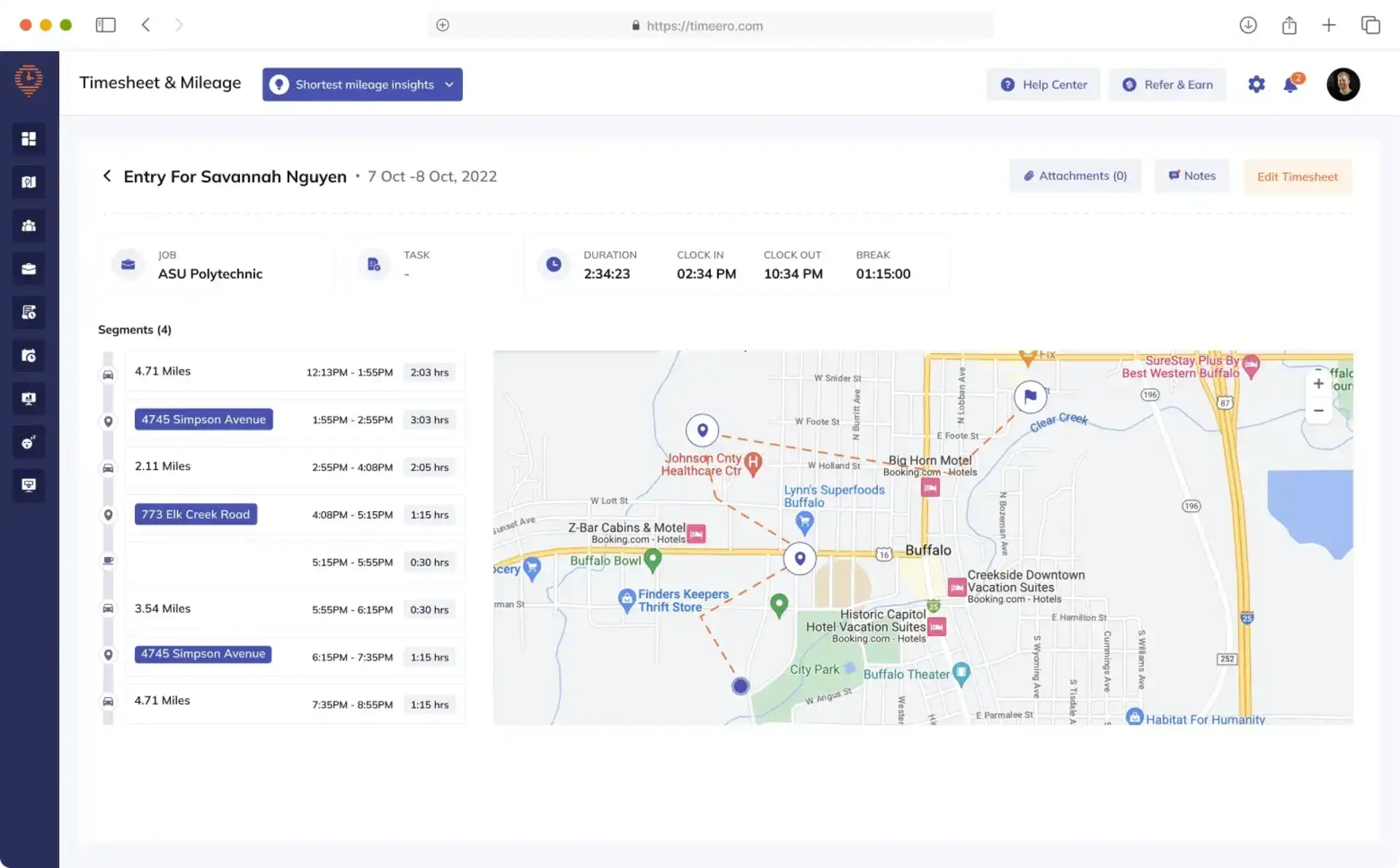
Timeero focuses on GPS time, routes, mileage, job locations, and mobile workforce visibility. It is a strong fit for home services, delivery, mobile maintenance, sales, care, and other small teams that travel between multiple stops and need to explain both worked hours and travel.
GPS tracking begins when an employee clocks in and stops after clock-out. Managers can see who is working, live location, route replay, speed, distance, time at sites, and geofence events. Timeero can capture GPS and time offline and sync the data after connectivity returns.
The Pro plan adds automatic clock-in and out, job tracking, payroll and accounting integrations, scheduling, geofencing, and photo attachments. The optional Segmented Tracking feature breaks a single clocked-in day into drives, stops, and time at locations without requiring the employee to punch repeatedly.
Why small businesses choose it
Clear route, stop, time, mileage, and job records for mobile work.
Location is captured only while the employee is clocked in or tracking mileage, according to the vendor.
Offline GPS and time capture supports remote and weak-signal work.
Auto clock-in/out, geofences, scheduling, photos, and payroll integrations are available on Pro.
No base fee: each active user is billed at the plan’s flat per-user rate.
Limitations
Timeero is not a complete task, incident, inspection, or field-service management system. Basic is limited to 10 users, while geofencing and payroll integrations require Pro. Segmented Tracking costs extra. Businesses that do not need routes or mileage may get better value from Jibble or a simpler punch-based system.
Pricing: Basic is $5 per user per month annually or $6 monthly and supports up to 10 users. Pro is $7.50 per user per month annually or $9 monthly. Premium is $10 annually or $12 monthly. Segmented Tracking starts at an additional $5 per user per month. A 14-day trial is available without a credit card.
Which GPS time clock should your small business choose?
Choose TARGPatrol when attendance must connect to tasks, checklists, QR or NFC Points, photos, incidents, and proof that the service was completed.
Choose Hubstaff when one system must cover remote, office, and field employees while connecting hours to projects, productivity, budgets, clients, and payments.
Choose ClockShark when construction or field-service crews need GPS time, job costing, schedules, approvals, and direct payroll or accounting integrations—and a multi-year contract is acceptable.
Choose Jibble when budget is the priority and the business wants GPS attendance, geofences, face recognition, kiosk options, and payroll-ready timesheets for unlimited users.
Choose Timeero when employees travel between sites and route replay, mileage, stops, geofence events, and job time are central requirements.
Small-business rollout checklist
Define the evidence required: attendance, an allowed-site punch, a route, a completed job, a photo, or a client-ready service record are different outcomes.
Calculate the real price: include base fees, active users, minimum seats, GPS add-ons, higher tiers, implementation, data retention, and contract length.
Write a location policy: state when GPS starts and stops, what employees can see, who can access history, why the data is needed, and how long it is retained.
Test real locations: check GPS accuracy at entrances, basements, high-rise buildings, large sites, rural jobs, and parking areas before enforcing a radius.
Plan for exceptions: decide how managers handle dead batteries, offline work, permission changes, forgotten punches, inaccurate coordinates, and emergency schedule changes.
Run one payroll cycle in parallel: compare new timesheets with the old process before relying on automation for wages or customer invoices.
Train managers as well as employees: supervisors need consistent rules for edits, approvals, exceptions, and privacy questions.
Frequently asked questions
What is the best free GPS time clock for a small business?
Jibble is the strongest conventional free attendance option in this comparison because its core plan supports unlimited users and includes GPS and geofencing. TARGPatrol is the stronger free option when a team of up to 10 users also needs tasks, checklists, Points, incidents, and proof of completed work. The better choice depends on whether attendance or operations is the main problem.
Is a geofence the same as employee GPS tracking?
No. A geofence checks whether the phone is inside an allowed area when an action occurs. GPS tracking records multiple coordinates over time and can show routes, stops, or live location. TARGPatrol explains its location-based completion rule in the GPS Point proximity validation guide.
Does a GPS punch prove that work was completed?
A GPS punch proves only that the device reported a location at a specific time. It does not prove that a cleaning checklist, inspection, repair, delivery, or patrol was completed. For proof of work, connect time to tasks, required steps, photos, notes, customer signatures, or checkpoint scans.
Can a GPS time clock work offline?
Several products in this comparison support offline capture, including TARGPatrol, Jibble, ClockShark, and Timeero. The exact behavior varies: confirm whether the app stores only punches or also GPS routes, photos, tasks, and job changes, and when supervisors can see the data after synchronization.
Is GPS employee tracking legal?
Rules vary by country, state, employment relationship, and industry. Businesses should define a legitimate purpose, notify employees, obtain consent where required, limit collection to working time, control access, define retention, and consult qualified local counsel. This article is not legal advice.
Does TARGPatrol track employees continuously?
Not by default. A GPS Point checks proximity only when the user completes that Point. Optional GPS tracking is enabled separately for selected users and records coordinates while the mobile app is open and in use. Managers should enable it only when route context is necessary.
Final recommendation
For simple attendance at the lowest cost, start with Jibble. For routes and mileage, Timeero is the clearest specialist. Hubstaff is strongest when a small business combines field work with remote or project-based work, while ClockShark is purpose-built for trades and construction crews that accept its pricing and contract structure.
Choose TARGPatrol when the business problem is larger than clocking in. It links time and location to scheduled work, GPS Points, QR and NFC check-ins, checklists, photos, incidents, offline execution, and management reports—giving a customer or supervisor evidence of what was done, not only when the employee arrived.
Explore TARGPatrol task management, see how it supports cleaning and mobile service teams, or start a free TARGPatrol trial.