Automate Vehicle Maintenance with Digital Checklists
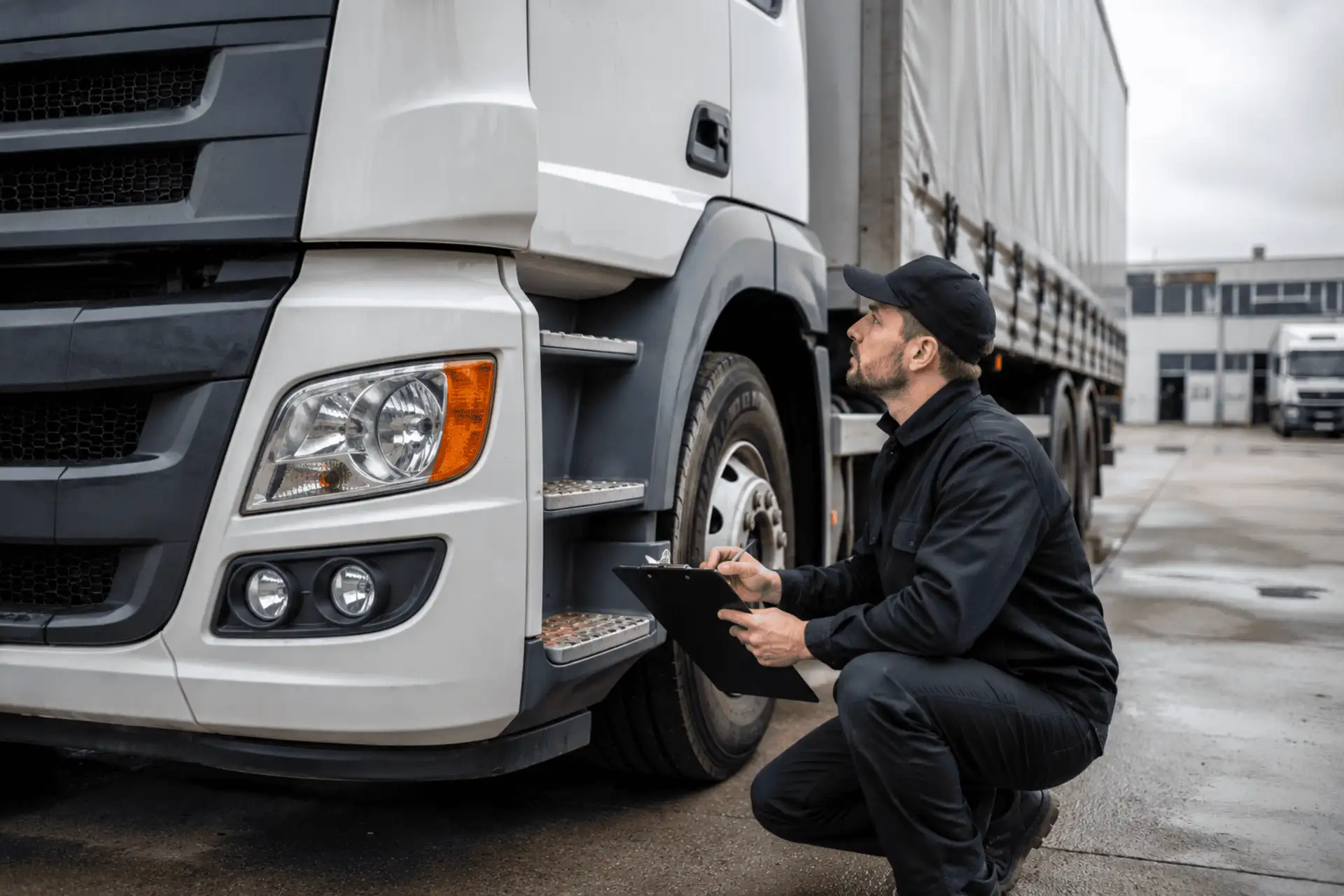
Keeping a vehicle in good condition depends on more than the quality of its repairs. Inspections, servicing, and quality checks need to be carried out consistently. A missed diagnostic check, undocumented damage, or an unrecorded handover can lead to repeat repairs, vehicle downtime, customer complaints, and additional costs.
Digital checklists help standardize vehicle-related work and keep the entire process under control, from intake and the initial inspection to servicing, quality checks, and handover.
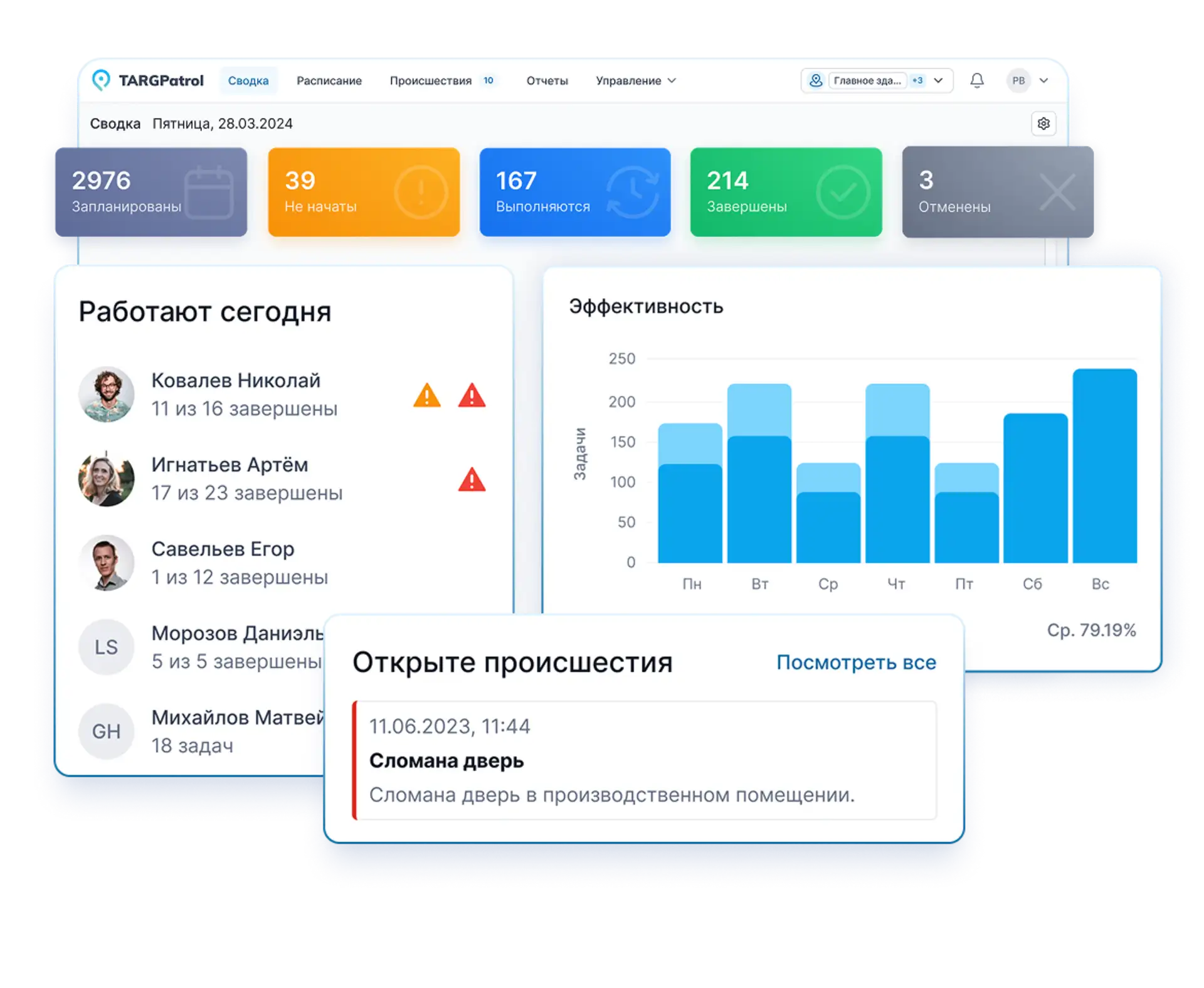
Here is how TARGPatrol brings task scheduling, checkpoints, checklists, photo and video evidence, defect reporting, and reporting together in one system.
TARGPatrol for vehicle maintenance oversight
TARGPatrol helps teams organize inspections, checks, and work verification across multiple sites. It supports the process from assigning a task and carrying out an inspection to reporting a defect and following up on corrective work.
Key features
Schedule one-off and recurring inspections.
Assign tasks to employees and track deadlines.
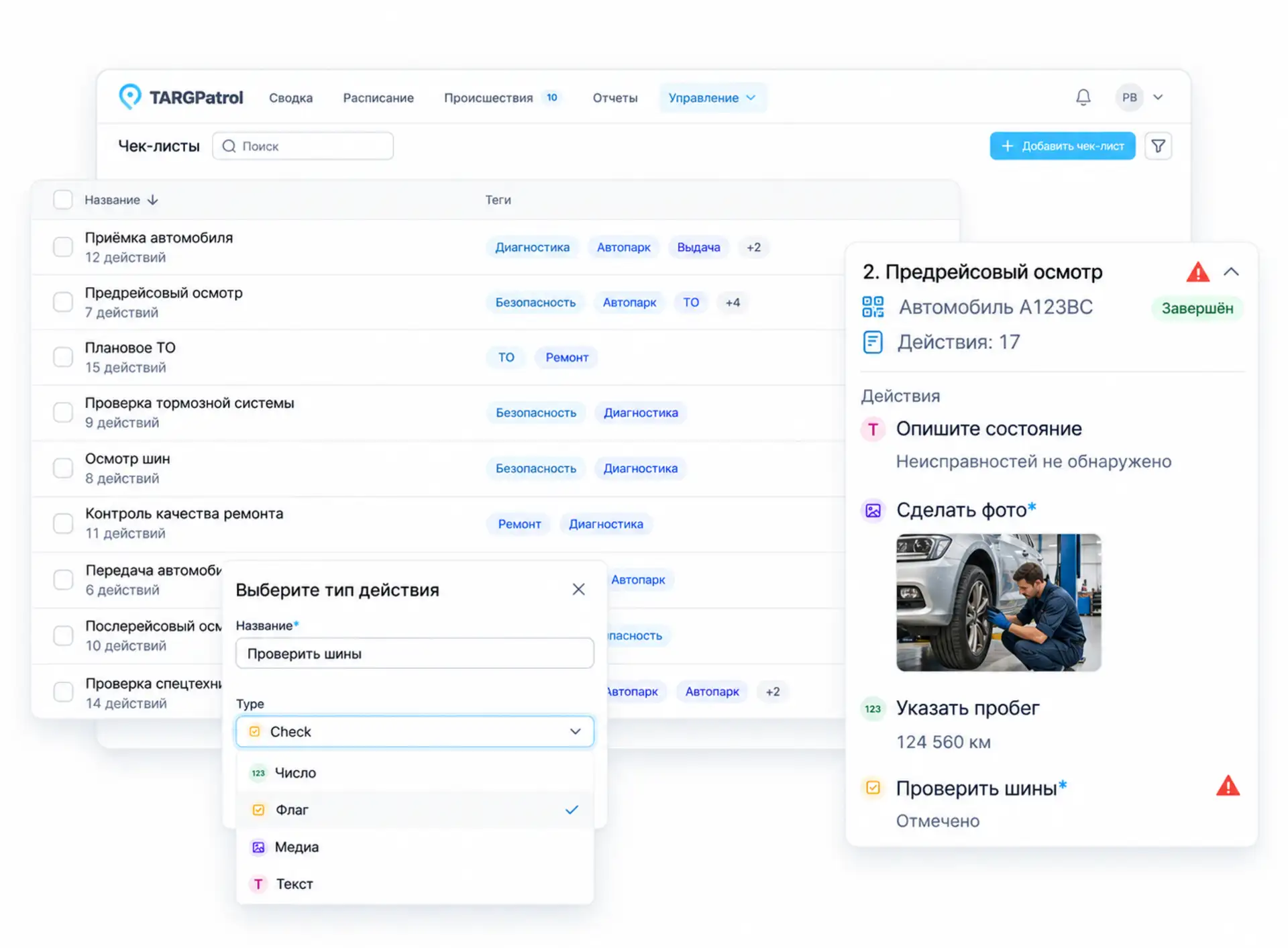
Create digital checklists for different inspection types.
Use QR, NFC, or GPS Points to record visits as part of the workflow.
Document vehicle condition with photos and videos.
Record damage and mechanical defects.
Create follow-up tasks to address reported problems.
Monitor progress as work data synchronizes.
Keep inspection records associated with each vehicle.
Review reports across vehicles, sites, and employees.
Complete supported mobile work offline and synchronize it later.
Who can use it?
The system is useful wherever vehicles are inspected, serviced, or handed over from one responsible person to another:
Repair shops, service centers, and dealerships
Transport and logistics companies, including delivery services
Taxi and bus fleets
Vehicle rental and leasing companies
Corporate fleets
Organizations operating specialist vehicles and equipment
The situations differ, but the principle is the same. A repair shop needs to record a vehicle’s condition at intake and verify repair quality. A logistics company needs a pre-trip inspection process to help identify defects before a vehicle is dispatched.
How TARGPatrol works
TARGPatrol can be configured around your company’s processes. Create tasks and checklists for the inspections your team actually performs, then use a consistent workflow to assign, complete, and review the work. Here are the main ways to use it.
1. Schedule inspection tasks
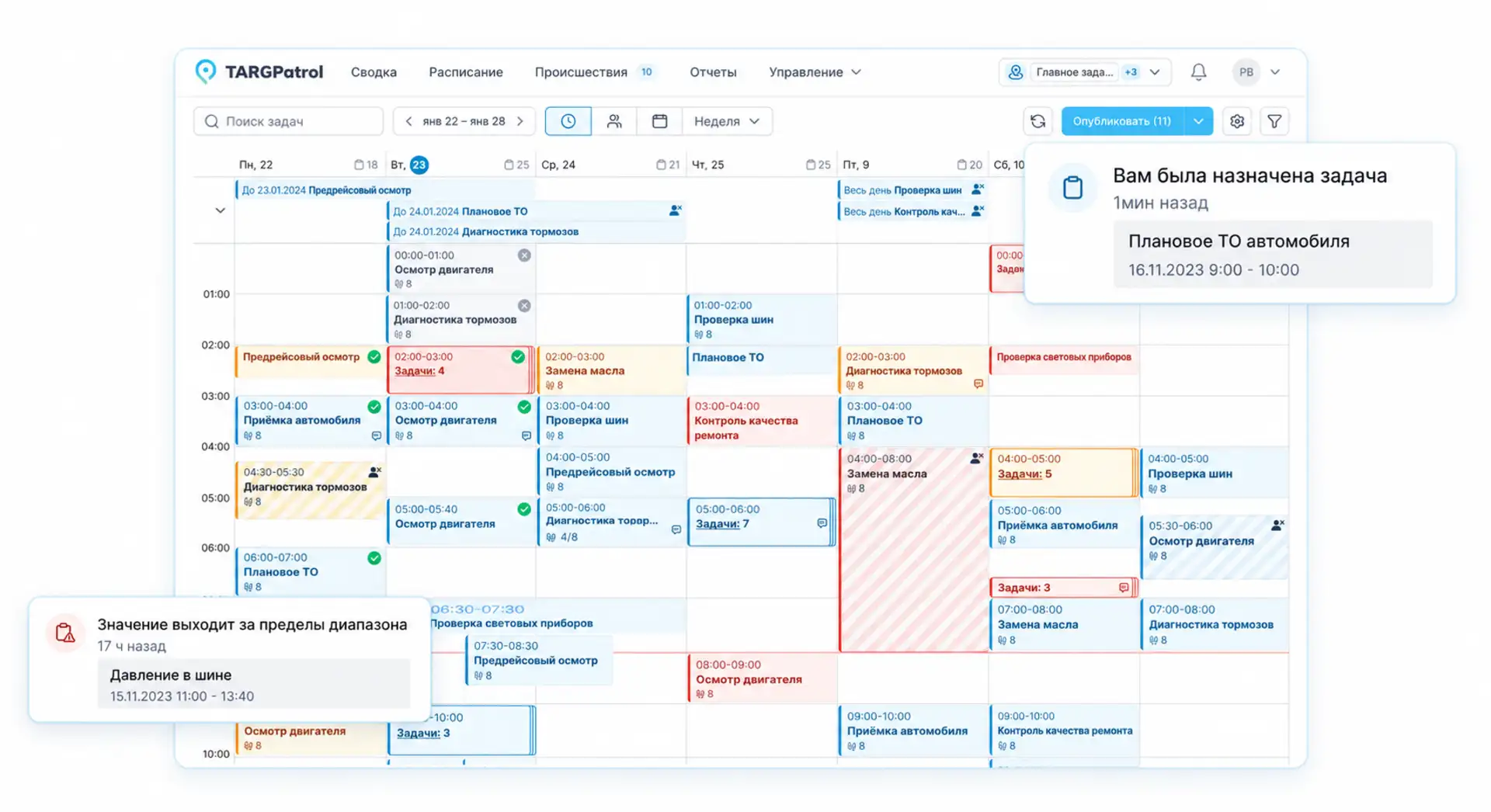
Set up recurring checks in advance, such as:
Daily pre-trip inspections
Checks after a vehicle returns
Scheduled maintenance
Seasonal preparation
Post-repair quality checks
Assign tasks to the employees responsible for the work, and define the date, time, repeat schedule, and completion deadline.
Managers can review planned, started, completed, and overdue work. This helps them follow progress during the working day instead of relying only on a report at the end of the month.
2. Identify vehicles and work areas with QR and NFC
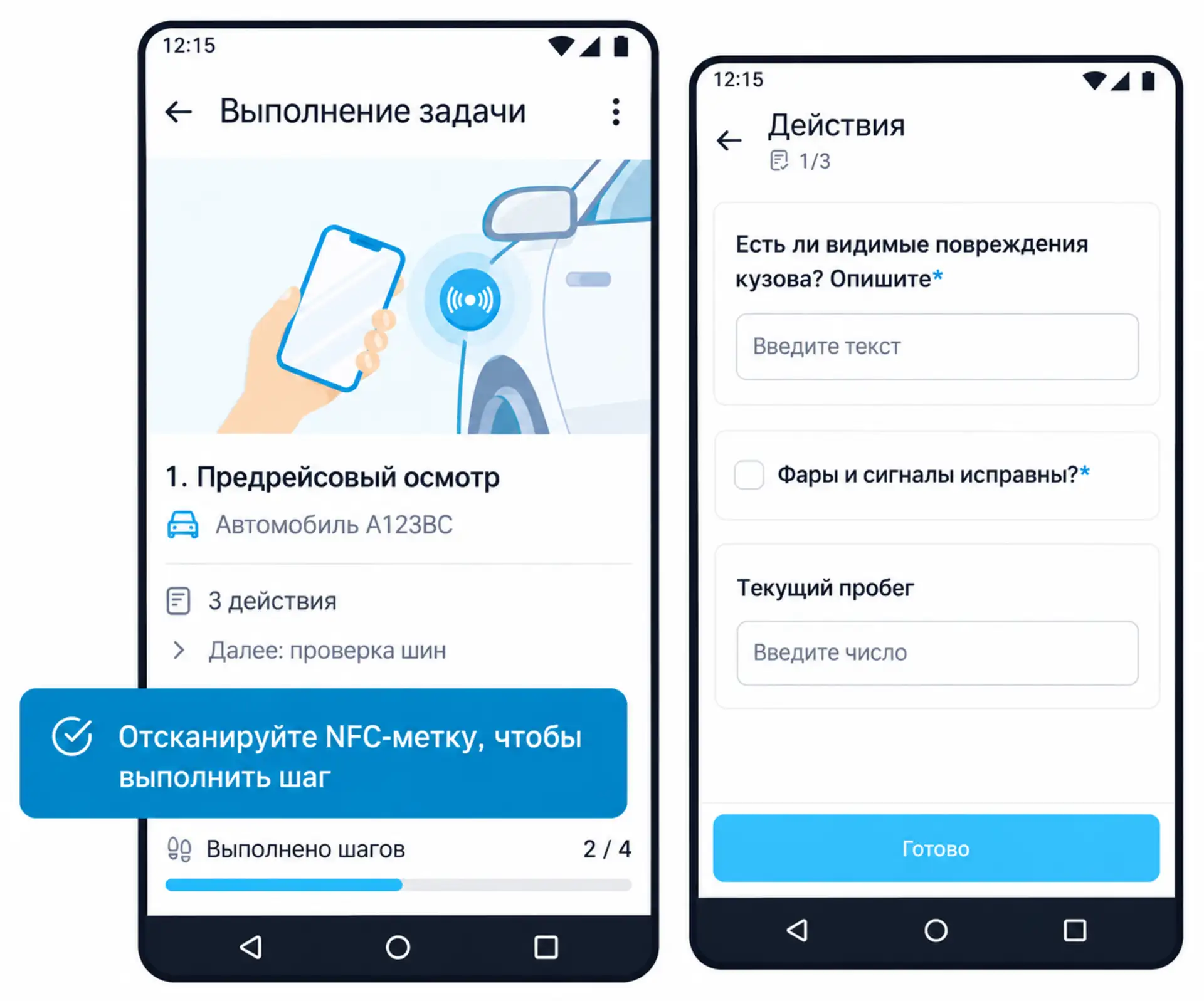
A Point can represent a vehicle, service bay, or piece of equipment. Attach a QR code or NFC tag so employees can identify the relevant Point during the inspection workflow. GPS and Virtual Points can also be used where appropriate.
Inspection records show who performed the work, where it took place, and when it started. When the device is online and data has synchronized, managers can follow progress without waiting for a separate update from the employee.
3. Use digital vehicle checklists
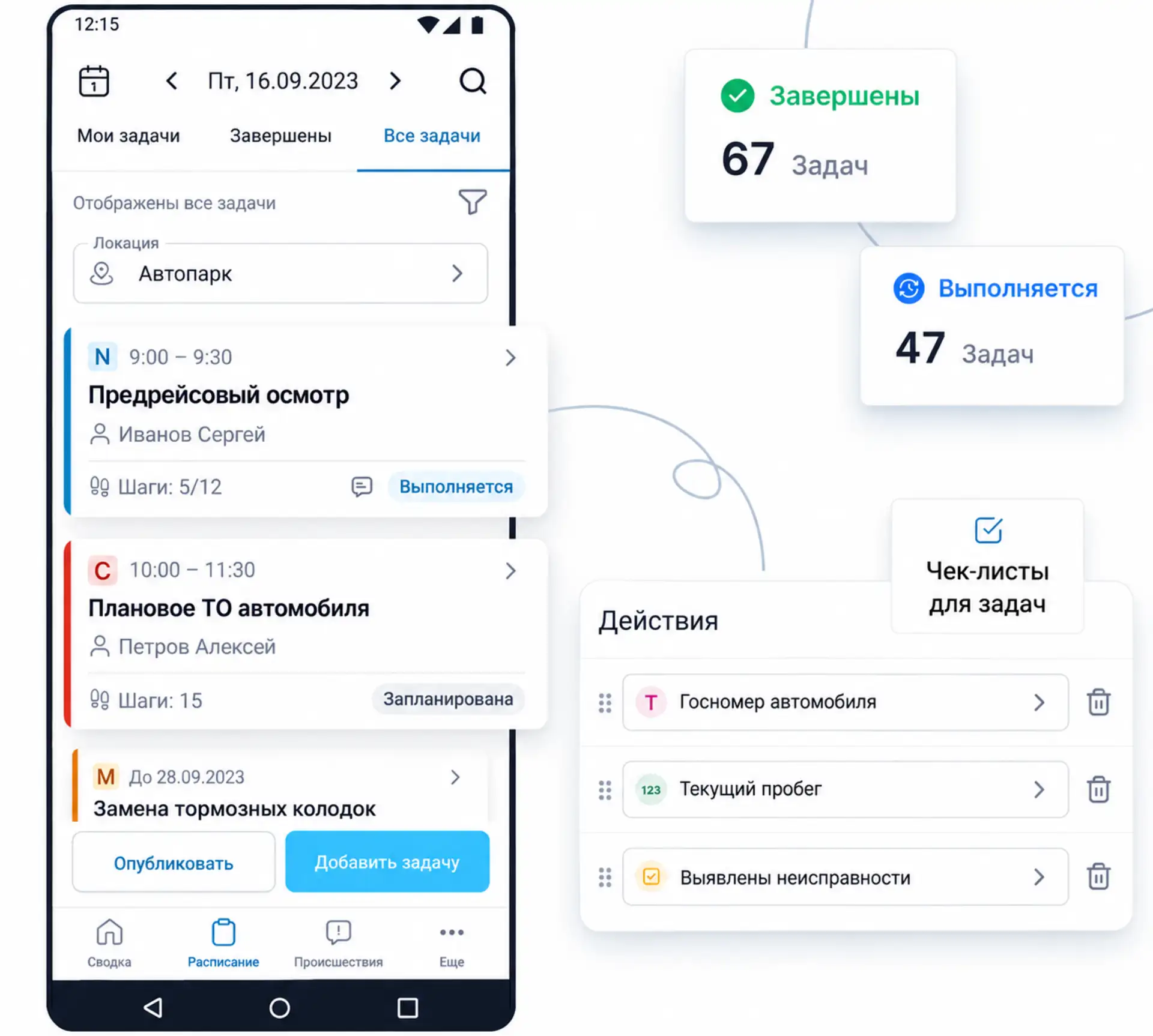
Create a separate checklist for each process. Checklist actions can capture different types of information:
A completion or yes/no confirmation
A selected inspection result
A numeric reading
A text comment
A photo or video
For example, an employee inspecting a vehicle can enter its mileage, check tire condition, record the fuel level, describe defects, and attach photographs of the bodywork.
Mark essential fields as required, and include mandatory comments or media where your inspection procedure calls for them. This helps turn a checklist into a meaningful inspection record rather than a form completed as a formality.
Example: a mechanic’s inspection checklist
The following sample can be adapted for a vehicle inspection, workshop equipment, or a mechanic’s work area:
General information
Item or asset name — [Text]
Area / workshop — [Text]
Equipment or area of responsibility — [Text]
Equipment asset number — [Text]
Photo of the work area — [Media]
Work area
The work area is accessible for inspection — [Check]
Access routes are clear — [Check]
No unrelated objects are present — [Check]
The floor is clean and dry — [Check]
Work-area lighting is operational — [Check]
Warning signs are in place — [Check]
Technical condition
The equipment housing is in good condition — [Check]
No visible deformation — [Check]
No cracks — [Check]
No significant corrosion — [Check]
All fasteners are present — [Check]
No unusual noises — [Check]
For a vehicle-focused template, explore our Vehicle Maintenance Checklist.
4. Capture photo and video evidence
Attach photos and videos directly to the inspection, checklist action, or reported Incident. There is no need to search through messages later or work out which images belong to which job.
Where the action settings support it, disable uploads from the device gallery and require camera capture during the inspection. This helps reduce the use of old photographs as evidence of current work.
5. Report defects and follow up
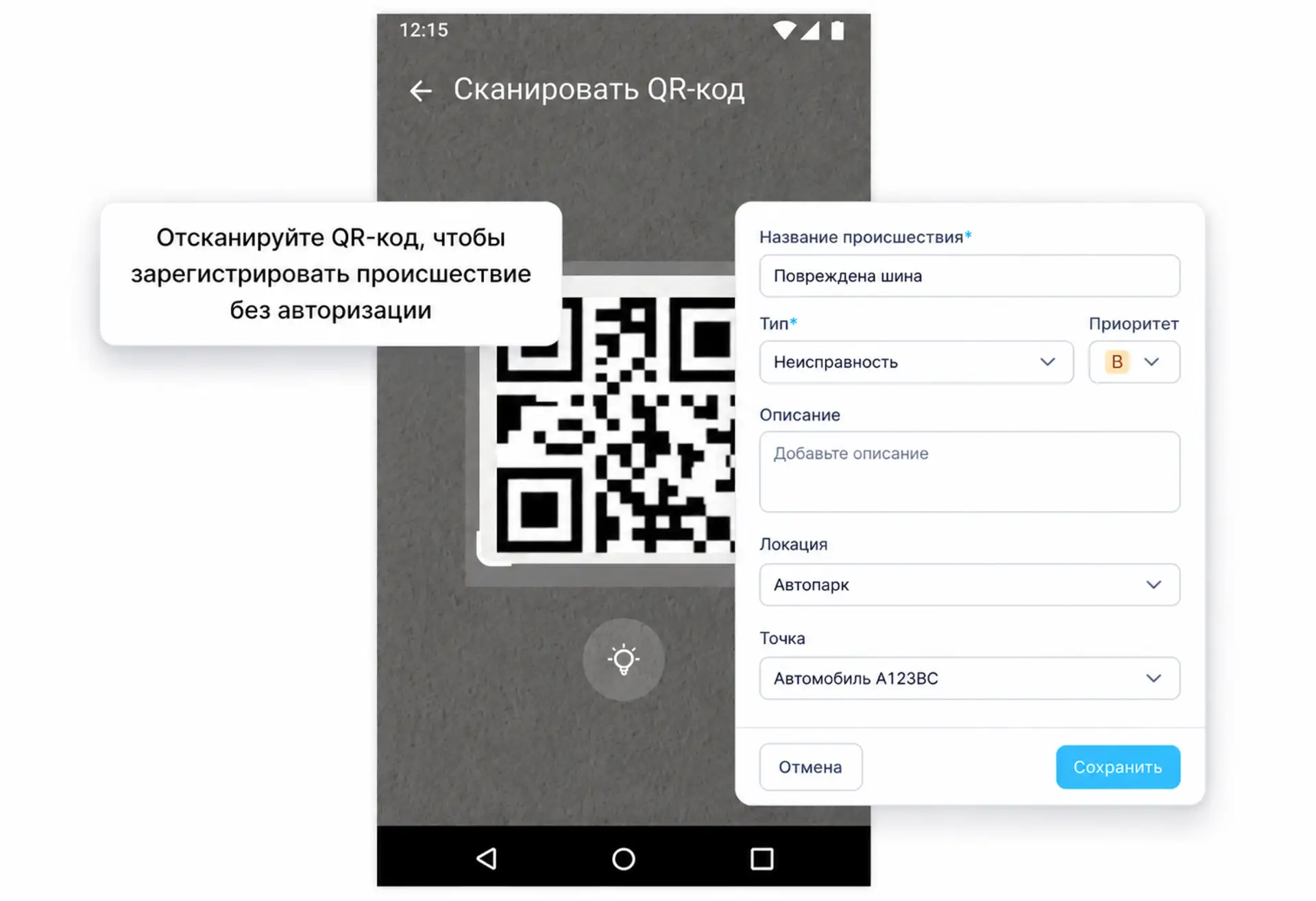
When an employee finds a problem, they can create an Incident, select its Type, and add a description, photos, or videos.
The responsible manager can review the defect and create a follow-up task with an assignee and deadline. For example:
A driver spots tire damage during a pre-trip inspection.
The driver creates an Incident and attaches a photo.
The fleet manager receives a notification when the relevant rules and delivery settings are enabled on a paid plan.
The manager assigns the repair task to a mechanic or tire-service team.
After the repair, the employee records the result.
The responsible manager verifies the work and closes the Incident through its configured workflow.
The records help the team trace who found the problem, when it was reported, who was responsible for corrective work, and how long the response took.
6. Work without a constant internet connection
Inspections often take place in parking areas, repair bays, warehouses, or remote sites with unreliable connectivity. Supported mobile inspection data is saved on the device and synchronized when the connection returns.
Employees can complete supported assigned work, fill in checklists, and capture evidence while offline. Managers see those updates after synchronization.
Which inspections can you digitize?
Vehicle intake. Record the registration number, VIN, mileage, fuel or charge level, supplied equipment, bodywork, windows, and interior condition, along with available documents and customer concerns. Attach walk-around photos to the inspection record.
Diagnostics and maintenance. Create separate checklists for scheduled servicing, engine diagnostics, suspension, brakes, electrical systems, tire work, fluid changes, and seasonal preparation.
Post-repair quality checks. A supervisor verifies that the agreed work is complete, the reported fault has been addressed, and no new damage is present. They can include equipment tests and a road test where appropriate before authorizing handover. Separating repairs from final verification helps reduce the risk of returning a vehicle with an unresolved fault.
Pre-trip and post-trip inspections. Check tires, lights, brakes, mirrors, fluids, visible leaks, bodywork, and the cargo area, together with required safety equipment and documents. Record the odometer and fuel level. If a serious defect is found, the responsible person decides whether the vehicle needs repair, replacement, or removal from service.
Vehicle handovers. Record vehicle condition when handing it to a driver, transferring it between shifts or branches, returning it to a customer after repairs, or providing it to a renter or contractor. Keep a record of who handed over the vehicle, to whom, when, and in what condition.
Benefits for your business
Repair shops and dealerships
For service businesses, TARGPatrol helps standardize work and make the process easier for managers and customers to review.
Use it to:
Record a vehicle’s condition before work begins.
Help reduce disputes over damage.
Check that service procedures have been followed.
Document the completion of individual operations.
Separate repairs from final quality checks.
Keep before-and-after photos.
Pass findings to the people responsible more quickly.
Follow up on defects before vehicle handover.
Maintain a consistent inspection record.
Digital checklists are especially useful for dealership networks and businesses with several service centers. Managers can apply the same standards across branches and compare how consistently those standards are followed.
Logistics and corporate fleets
For an in-house fleet, the priority is to keep vehicles serviceable and reduce unplanned downtime.
TARGPatrol helps teams:
Track pre-trip and post-trip inspections.
Identify defects earlier.
Record vehicle condition when handing it to a driver.
Check that required equipment and documents are present.
Identify recurring defects.
Retain inspection records for each vehicle.
Review work by in-house mechanics and contractors.
Keep findings from being lost between shifts.
Review inspection results across the fleet in one system.
A digital inspection record supports better-informed decisions. If the same vehicle repeatedly receives findings about one system, the pattern may indicate a need for further diagnostics, major repairs, or a review of whether the vehicle should be replaced.
What digitizing the process changes
TARGPatrol does not replace diagnostics or a qualified mechanic. It makes maintenance work easier to document and verify: who inspected a vehicle, where the inspection took place, what defects were found, who is responsible for follow-up, and what still needs to be checked before the vehicle returns to service.
With a consistent digital workflow, you can:
✔ Apply the same inspection procedures across your team.
✔ Track task completion.
✔ Record inspection times and locations.
✔ Attach photos and videos.
✔ Keep inspection records associated with each vehicle.
✔ Follow up on reported defects.
✔ Review reports across vehicles and teams.
TARGPatrol is suitable for repair shops, dealerships, transport companies, rental businesses, and corporate fleets that need a consistent way to document vehicle condition and check that maintenance procedures are followed.
Start managing vehicle inspections digitally today — get started.