5 Best Commercial Cleaning Checklist Apps in 2026
Managing a cleaning contract takes more than a list of rooms. You need to assign each visit, tell cleaners what the client expects, record unfinished work, and give supervisors enough evidence to review the shift without visiting every site.
This comparison covers five commercial cleaning checklist apps: TARGPatrol, Swept, Connecteam, Jobber, and Notion. They solve different problems. TARGPatrol connects cleaning tasks with check-ins and incident follow-up; Swept centers operations on cleaning locations; Connecteam combines forms with workforce scheduling; Jobber connects field work to customer billing. Notion is an option for shared instructions and simple lists, not a like-for-like janitorial operations system.
Reviewed November 9, 2026. TARGPatrol publishes this article and is one of the products compared. We checked official product documentation and plan information; this is an editorial comparison, not a hands-on benchmark of all five apps. Existing vendor images illustrate workflows and may differ from the current interface.
Commercial cleaning software with checklists: a quick comparison
The useful starting price is the plan that includes the workflow you need, not necessarily the vendor's cheapest subscription. Check user limits, billing terms, photo storage, recurring assignments, and exports before comparing costs.
App | Best fit | Starting point for this use case | Main consideration |
|---|---|---|---|
TARGPatrol | Cleaning tasks, site check-ins, photos and incident follow-up | Free for up to 10 users; Base USD 15 per seat/month, or USD 12 with annual billing | Free media expires after 7 days; notifications and exports require a paid plan |
Swept | Janitorial teams managing several client locations | Optimize: $120/month billed annually ($1,440/year), or $150 billed monthly, for up to 15 locations | Location-based pricing; confirm currency and the location band |
Connecteam | Staff schedules, mobile forms and team coordination | Eligible teams of up to 10 users can use Small Business free; Operations Advanced for recurring work: USD 49/month billed annually or USD 59 billed monthly, for the first 30 users | Basic costs less but excludes recurring tasks and repeating shifts; hubs are priced separately |
Jobber | Cleaning visits, customer records, quotes and invoices | Connect: USD 99/month billed annually for one user; USD 149/month annually for up to 5 users | Checklists are a Connect feature, not a reason to compare only the cheaper Core price |
Notion | Cleaning instructions and lightweight shared task lists | Free plan; paid plans charged per member | You build and maintain the workflow; Free limits blocks for teams and uploads to 5 MB each |
Prices and plan boundaries were checked on the review date. They can change; use each product's linked plan page for your team size and billing choice.
What a cleaning checklist app needs to record
A checklist should describe an observable result. “Restock soap dispensers and record any empty units” gives a cleaner and a supervisor more to work with than “check restroom.” Separate routine cleaning, periodic deep cleaning, and supervisor inspections so staff do not have to sort through irrelevant steps on every visit.
For commercial cleaning, compare these capabilities:
Assignments tied to a site, responsible person, and scheduled time, with recurring work where needed.
Room or area instructions, required answers, and photos for work that needs visual review.
A way to record blocked access, missing supplies, damaged equipment, or a safety concern without marking the problem as resolved.
Supervisor visibility across client locations, including incomplete work and follow-up responsibility.
Retention and export options that match how long you need to answer client queries.
A GPS clock-in records attendance, not the cleanliness of a room. A photo records a view, not proof that every step was performed. Use these records together with clear standards and supervisor checks; no app by itself guarantees service quality or regulatory compliance.
1. TARGPatrol — for cleaning checklists with evidence and follow-up
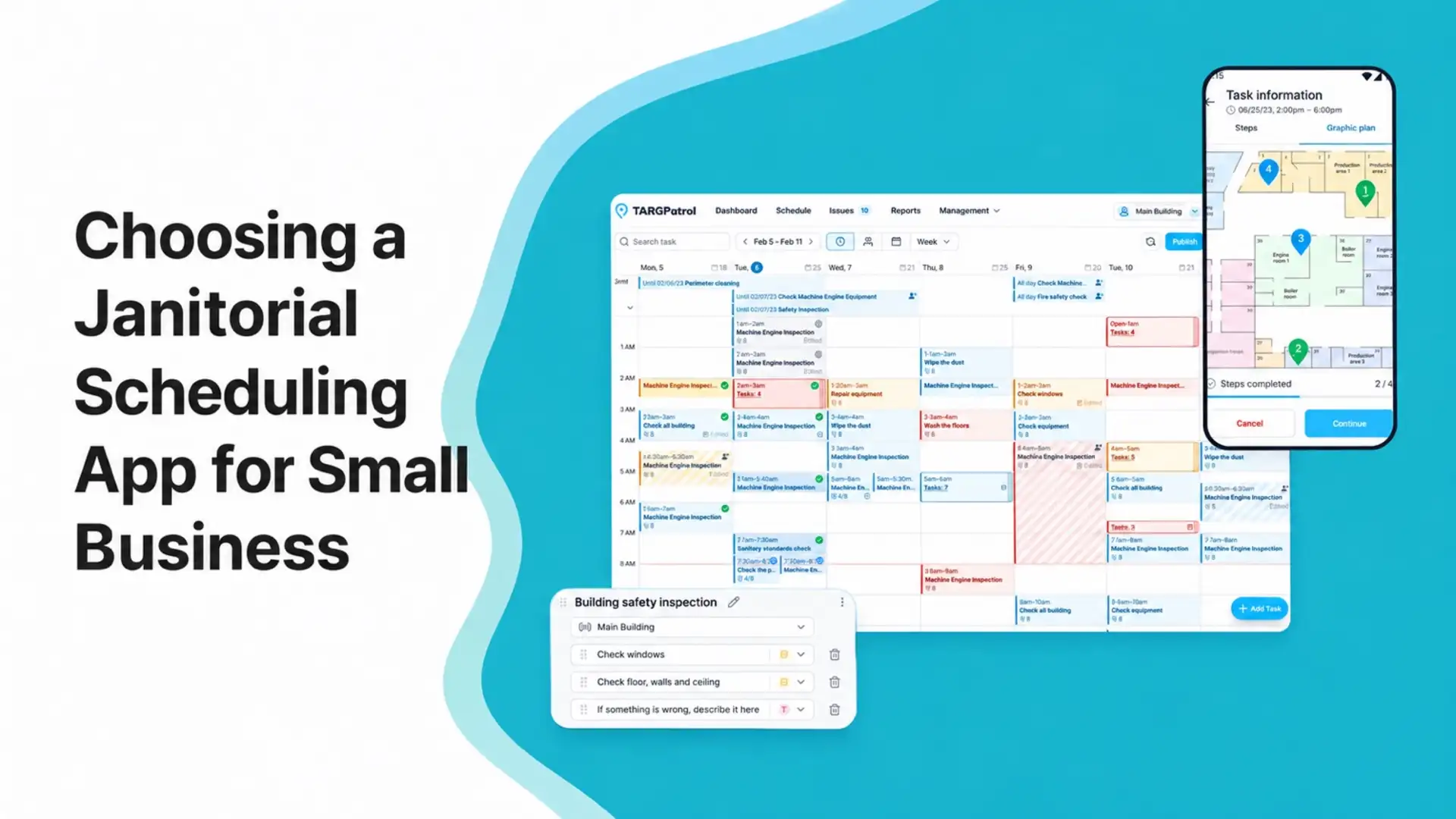
TARGPatrol suits contractors and in-house teams that need to see what happened at each site. Managers schedule one-off or recurring tasks, attach reusable checklists, and assign work. Cleaners complete steps on mobile, add photos or notes, and report problems while working.
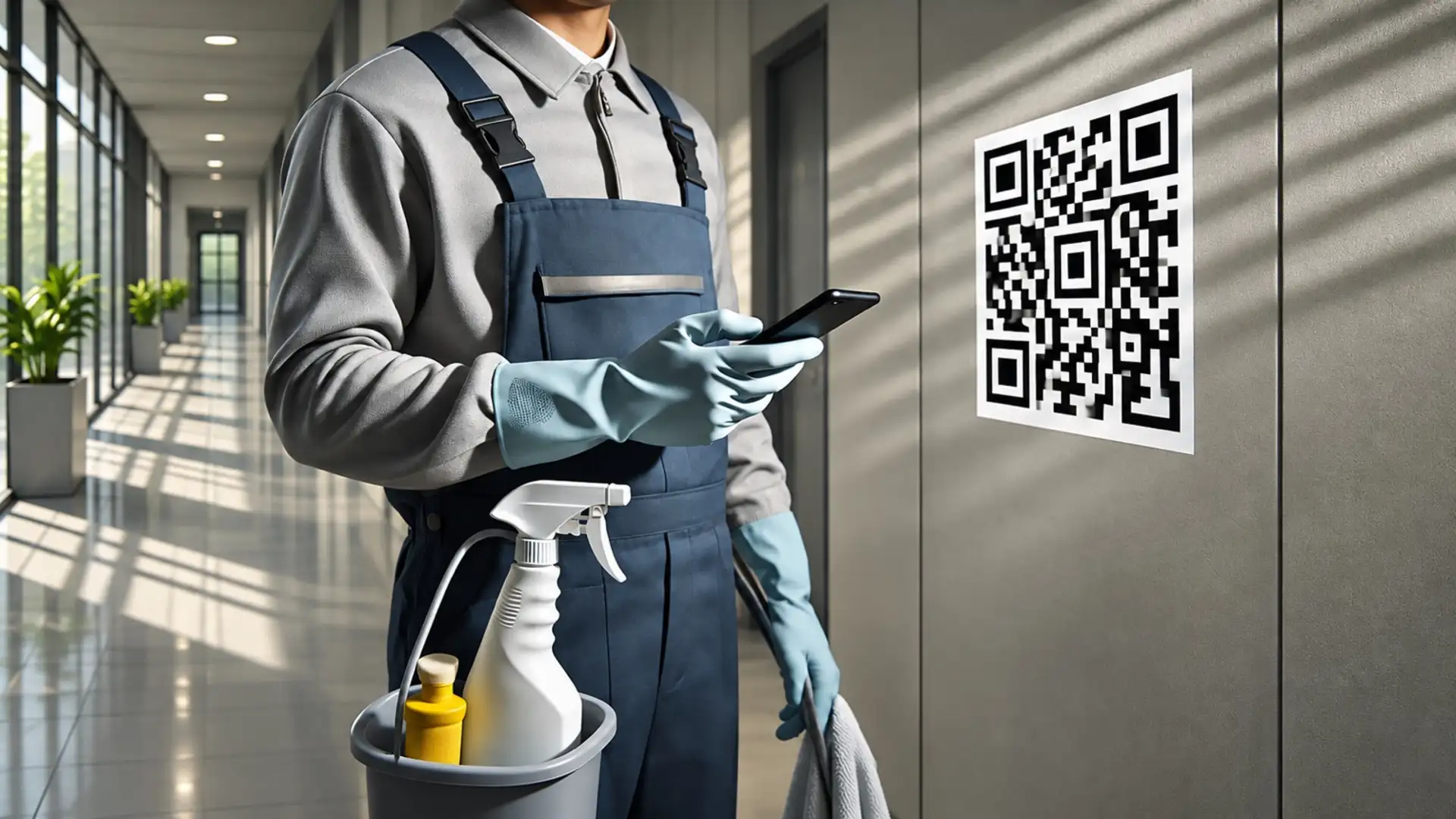
QR and NFC points can identify rooms or areas. GPS Point check-ins use proximity validation against the saved coordinates; they are different from location geofence event tracking. For indoor cleaning, choose a checkpoint method that works reliably in the building rather than assuming GPS can identify a particular room.
Staff can record supported task work offline and synchronize it when connectivity returns. Managers only see that offline activity after it has synchronized. A cleaner can also create an Incident for a leak, damaged fixture, or supply problem, giving follow-up work an assignee and visible status instead of leaving it in a group chat.
TARGPatrol focuses on operational work and evidence. If your main requirement is quoting, customer payments, or accounting, compare those needs separately; this article does not present it as a replacement for a billing system.
Free supports up to 10 users, but photos and attachments are automatically deleted 7 days after upload. Notifications, PDF/Excel exports, and bulk attachment downloads require a paid plan. Base is USD 15 per selected user seat/month, or USD 144 per seat/year, equivalent to USD 12/month. Pricing is not per location. See TARGPatrol Pricing and the cleaning operations overview.
2. Swept — for location-based janitorial operations
Swept is built around commercial cleaning locations. Its Optimize plan combines schedules, mobile clock-ins, cleaning checklists, photo inspections, and location messaging. That structure is useful when the supervisor needs to open one client site and review the work and conversations associated with it.

Swept inspection-report illustration from the existing article. The example scores are not results of comparative testing.
Optimize starts at $120/month with annual billing ($1,440 per year), or $150/month billed monthly, for up to 15 locations. Swept also offers Scale for additional operational needs. This is a location-based model, so compare the cost at your actual number of sites rather than against a per-user headline price. The pricing page displays a dollar symbol without specifying the currency; confirm it and your location band in the quote.
Swept is worth considering when janitorial communication and quality checks are the core requirement. During a demo, ask a supervisor to review a failed inspection and show how the cleaner receives and resolves the follow-up. Check the current Swept plans rather than relying on the older Launch pricing quoted elsewhere.
3. Connecteam — for forms and workforce coordination
Connecteam's Operations Hub brings together a time clock, scheduling, forms, and tasks. Cleaning teams can use forms to collect answers and images, with plan-dependent controls for required fields, GPS data, and exports. It is a useful candidate when managing shifts is as important as documenting the cleaning itself.

Connecteam illustration showing a cleaning form with task checks, photos, and signature capture.
The Small Business plan is free for eligible organizations with up to 10 users, counting active and archived users together. Eligibility also requires no more than one Time Clock and one Job Schedule.
For larger teams, Operations Basic starts at USD 29/month with annual billing or USD 35/month with monthly billing for the first 30 users. If you need repeating shifts or recurring tasks, Operations Advanced starts at USD 49/month billed annually (USD 588 per year), or USD 59/month billed monthly, for the first 30 users. Additional users cost extra. Communications and HR hubs have their own subscriptions. Check Connecteam's plan table against the full workflow you intend to use.
4. Jobber — for cleaning visits connected to customer billing
Jobber is a stronger fit when the office needs to manage the customer journey as well as the visit: quotes, schedules, client records, invoices, and payments. Its checklists, previously called job forms, can be attached to jobs and visits. Cleaners can enter answers and images on site, and completed records can be shared with clients.

Jobber customer and job-record illustration. This image shows the customer-management side, not its checklist editor.
The current pricing page includes checklists on Connect. For one user, Connect is USD 99/month billed annually or USD 139/month with no commitment. The up-to-five-user option is USD 149/month billed annually or USD 199/month with no commitment. Jobber also offers a separate monthly-payment option with a one-year commitment, so check the renewal terms as well as the monthly figure.
For a cleaning company whose biggest gap is site inspections rather than billing, compare the extra business-management features with the cost and setup involved. Use the Jobber pricing page to select the correct team size and plan.
5. Notion — for shared cleaning instructions and simple lists
Notion can hold cleaning procedures, site notes, training documents, and a task database with owners and dates. A small team already using it may find that sufficient for organizing instructions and keeping a simple record of work.
The limitation is the amount of process you must design yourself. A shared checkbox or database does not automatically become a janitorial inspection workflow. Decide how cleaners will record exceptions, how supervisors will find overdue work, and how site attendance will be handled before relying on it for field operations.
Notion has a Free plan and paid plans charged per member. Free workspaces with multiple members have block limits, and individual uploads are limited to 5 MB. Offline page access is available, but that alone does not establish the same field-task workflow as a dedicated cleaning app. Review the Notion plan limits if your procedures include large photos or files.
Choose it for documentation and lightweight coordination. Shortlist a dedicated operations tool when you need location-linked check-ins, structured inspection records, and repeatable follow-up across sites.
Example: from an evening cleaning task to supervisor review
Here is an illustrative TARGPatrol workflow for an office-cleaning contract. It describes a setup you can try, not a measured customer result.
1. Define the work for each area
Create a location for the client site and points for areas such as reception, restrooms, and the kitchen. Build a reusable checklist with specific steps and the evidence you need. For setup guidance, see working with checklists.
2. Schedule the visit and assign responsibility
Create the evening cleaning task, assign the cleaner, and set its recurrence. Keep periodic work, such as a weekly deep clean, separate from the nightly checklist. Use task management to make the planned work and its owner clear.
3. Record work on mobile
The cleaner opens the assigned task, checks in at the configured points, answers the checklist, and attaches requested photos. If a room is locked, record the reason rather than treating it as cleaned. Our QR-code cleaning workflow guide explains the checkpoint approach in more detail.
4. Give unresolved problems an owner
If the cleaner finds a leaking sink, create an Incident and record its location, description, and evidence. Assign follow-up to the appropriate person and track it through the configured workflow. Completing the cleaning task does not, by itself, mean the leak has been fixed. See Incident management for the follow-up process.
5. Review the shift and share the required records
After synchronization, the supervisor reviews task status, answers, times, photos, and unresolved Incidents. Use reports to examine a date range or location and investigate exceptions. Where your plan permits it, export the needed records for the client rather than sharing unrelated employee or site information.
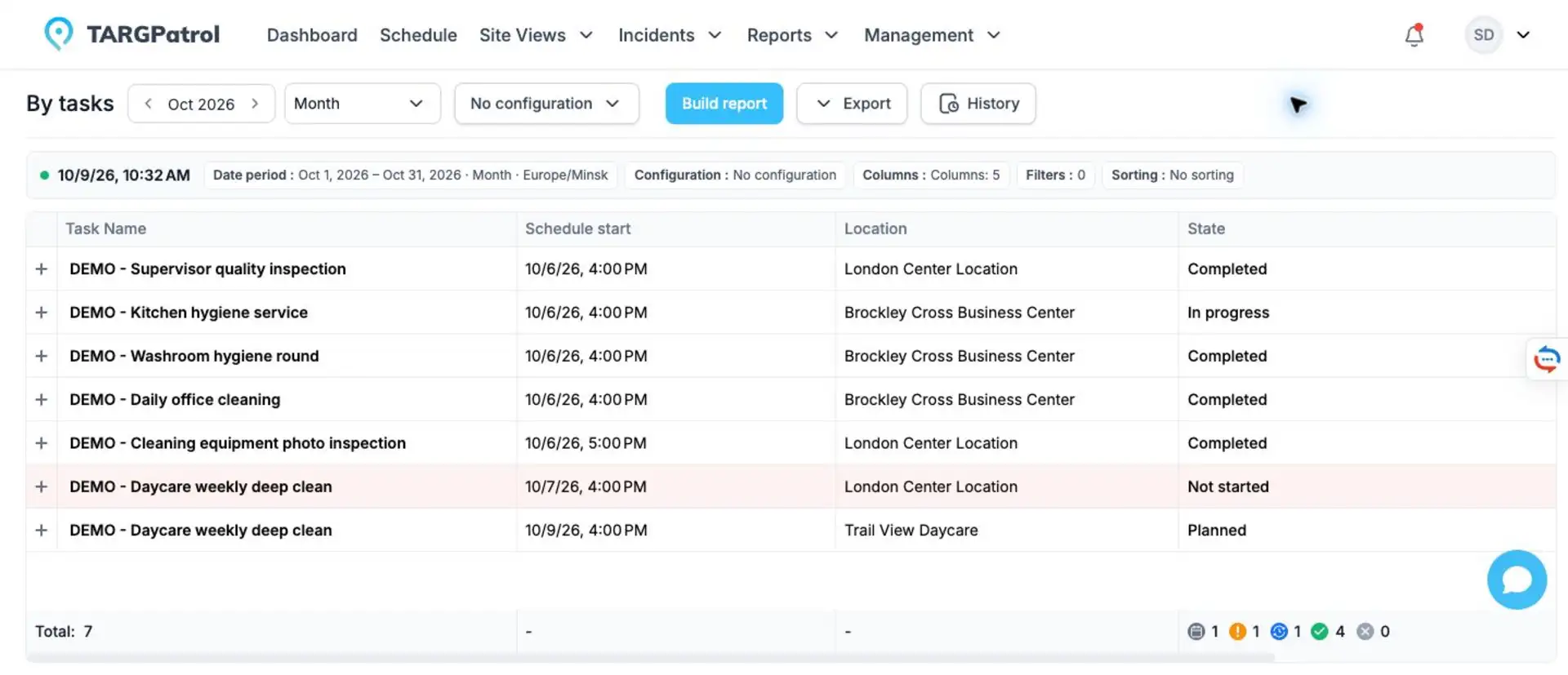
Real TARGPatrol report screen with fictional cleaning demo records. It illustrates task states and times, not the results of the office scenario above. The visible Export control is a paid feature. Open the full-size report.
What to test before choosing an app
Run a small pilot on one real contract with the people who will use the app. Include an ordinary visit and a visit with an exception, not just a checklist where every answer passes.
Ask a cleaner to find the assigned work, follow the instructions, add a photo, and record an inaccessible area.
Ask a supervisor to identify incomplete work and assign a follow-up without contacting every cleaner individually.
If reception is unreliable, test what can be opened and completed offline, then confirm what appears after synchronization.
Check who can see each site's records and what the client will receive in an export.
Calculate the subscription for the whole team, including supervisors, and confirm photo retention before promising long-term evidence to clients.
For cleaning software with checklists, the deciding question is whether the record helps you act: can you see what was done, what was missed, and who is handling the exception? If that is your priority, start with TARGPatrol's cleaning workflow and test it on one site before rolling it out more widely.