TARGPatrol Update September 2026
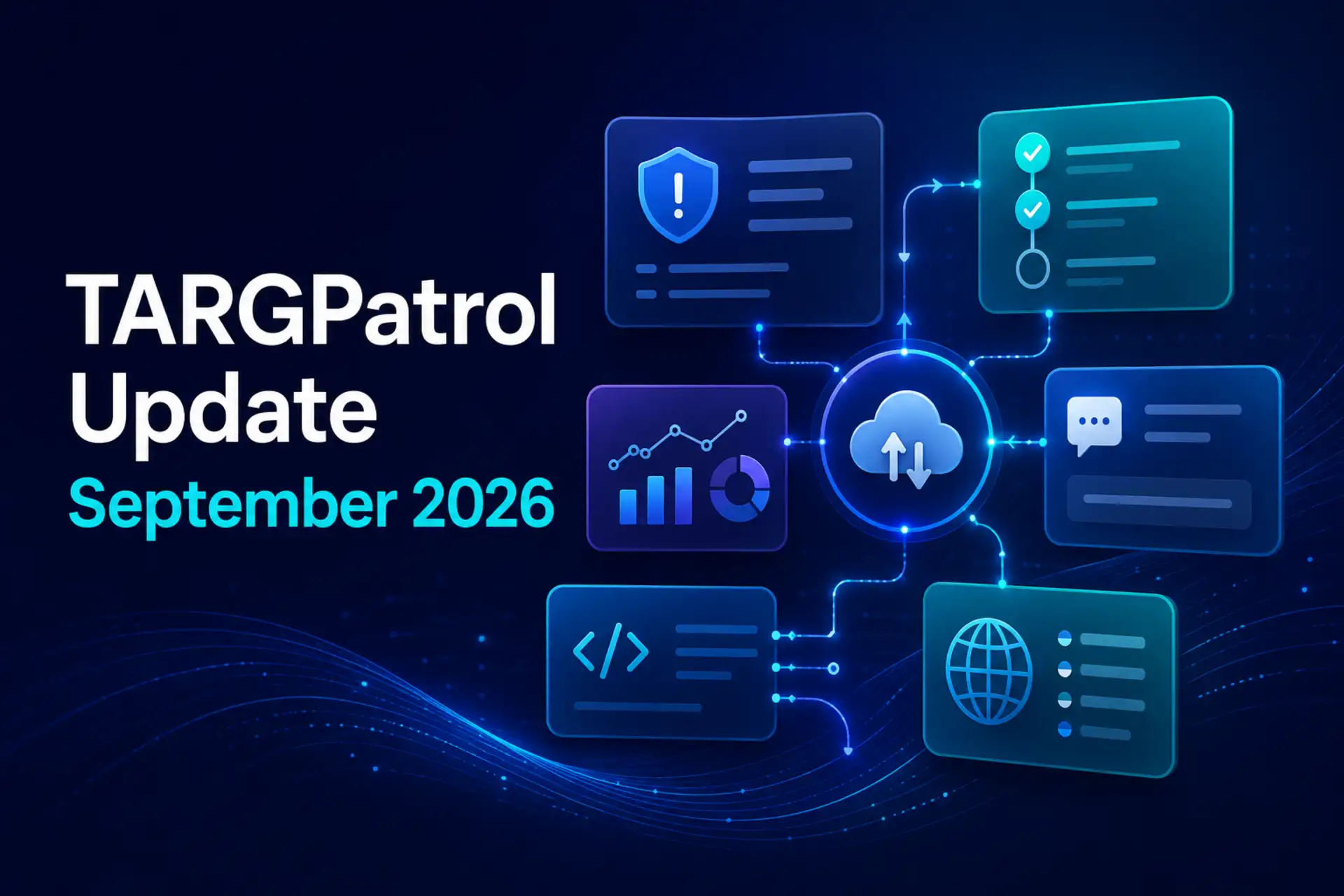
The September 2026 TARGPatrol update makes field execution, incident response, reporting, and collaboration more connected. This release introduces step-by-step Check-in synchronization, the new Incidents module, a redesigned report-building workflow, reusable Report Configurations, an improved comment editor, Comment support in the External API, and a French interface.
Step-by-Step Check-in Synchronization
Field work does not always happen with a stable internet connection. Security patrols, cleaning rounds, equipment inspections, and maintenance visits can involve many Points and actions before a Check-in is complete.
TARGPatrol now synchronizes Check-in progress in smaller, safer stages. When a step is completed, its result is saved locally and prepared for synchronization without relying on one all-or-nothing upload at the end of a long Check-in.
Step data is synchronized before its related photos and other media. If the connection is interrupted, pending information remains in the device queue and can be retried instead of requiring the employee to repeat completed work.
Stable Check-in identifiers also allow TARGPatrol to update the same Check-in safely as its step structure changes, reducing the risk of duplicate records during repeated synchronization attempts.
Security patrols covering multiple checkpoints
Cleaning rounds across large facilities
Maintenance inspections with many assets
On-Demand Check-ins using QR, NFC, GPS, or Virtual Points
Teams operating in areas with intermittent connectivity
Managers receive a more dependable record of completed work, while employees spend less time recovering failed uploads or repeating actions.
Introducing the New Incidents Module
The new TARGPatrol Incidents module provides a structured way to report, investigate, resolve, and verify operational events from one place.
Incidents can be used across security, cleaning, maintenance, hospitality, retail, property management, and other field operations. Teams can record anything that requires a traceable response—from safety risks and equipment failures to cleaning problems, damaged property, policy violations, and customer complaints.
Incidents is the recommended module for new incident-management workflows. Legacy Issues remain available during the transition for organizations that still rely on them.
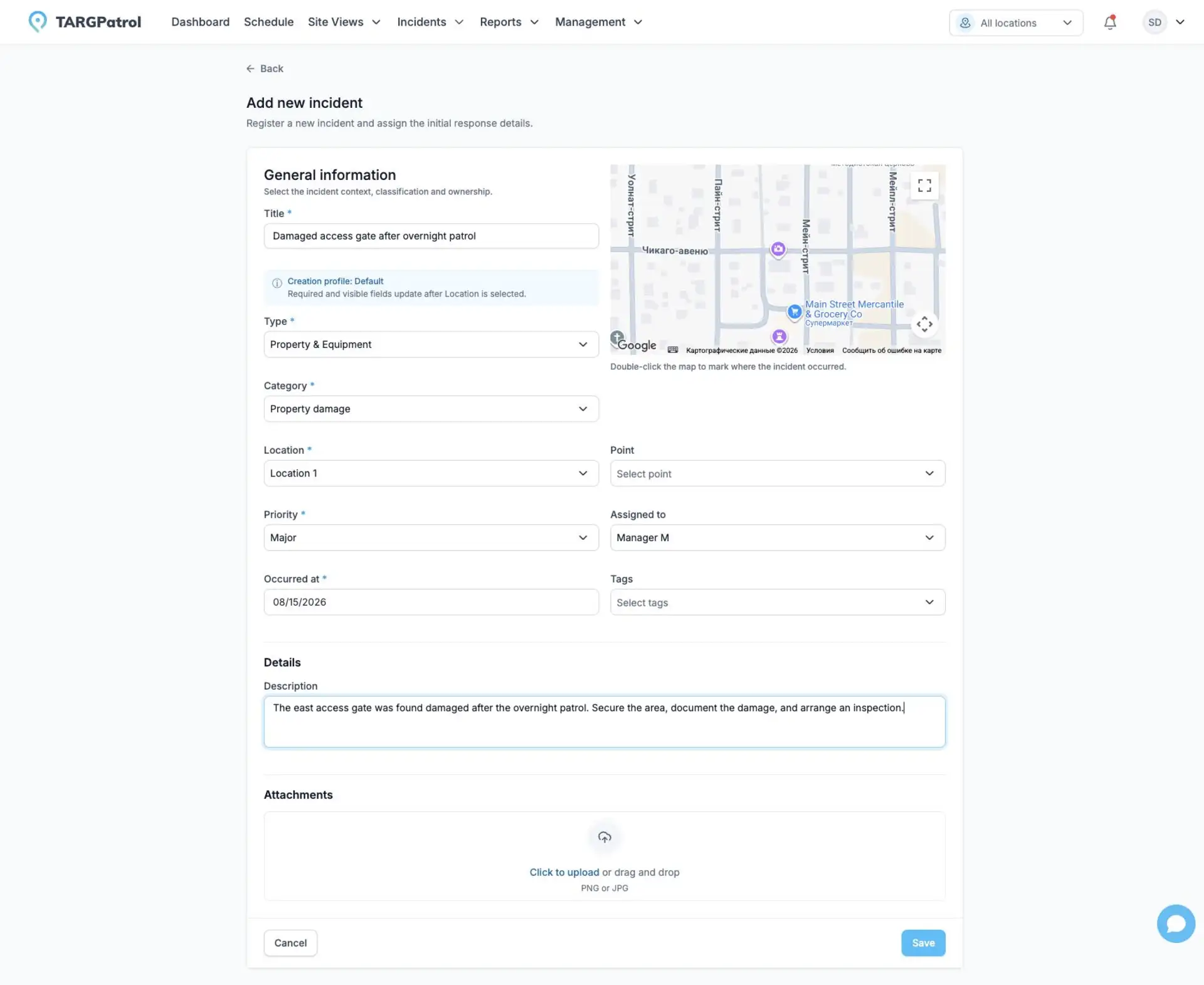
Configurable Incident Reporting
Organizations can configure the incident form to capture the information that matters to their operation, including:
Incident name and description
Type and Category
Priority
Location and Point
Assignee
Incident time
Tags
GPS coordinates
Photo and video evidence
Different profiles can support different operational contexts. Types and Categories help standardize classification without forcing every team into the same reporting structure.
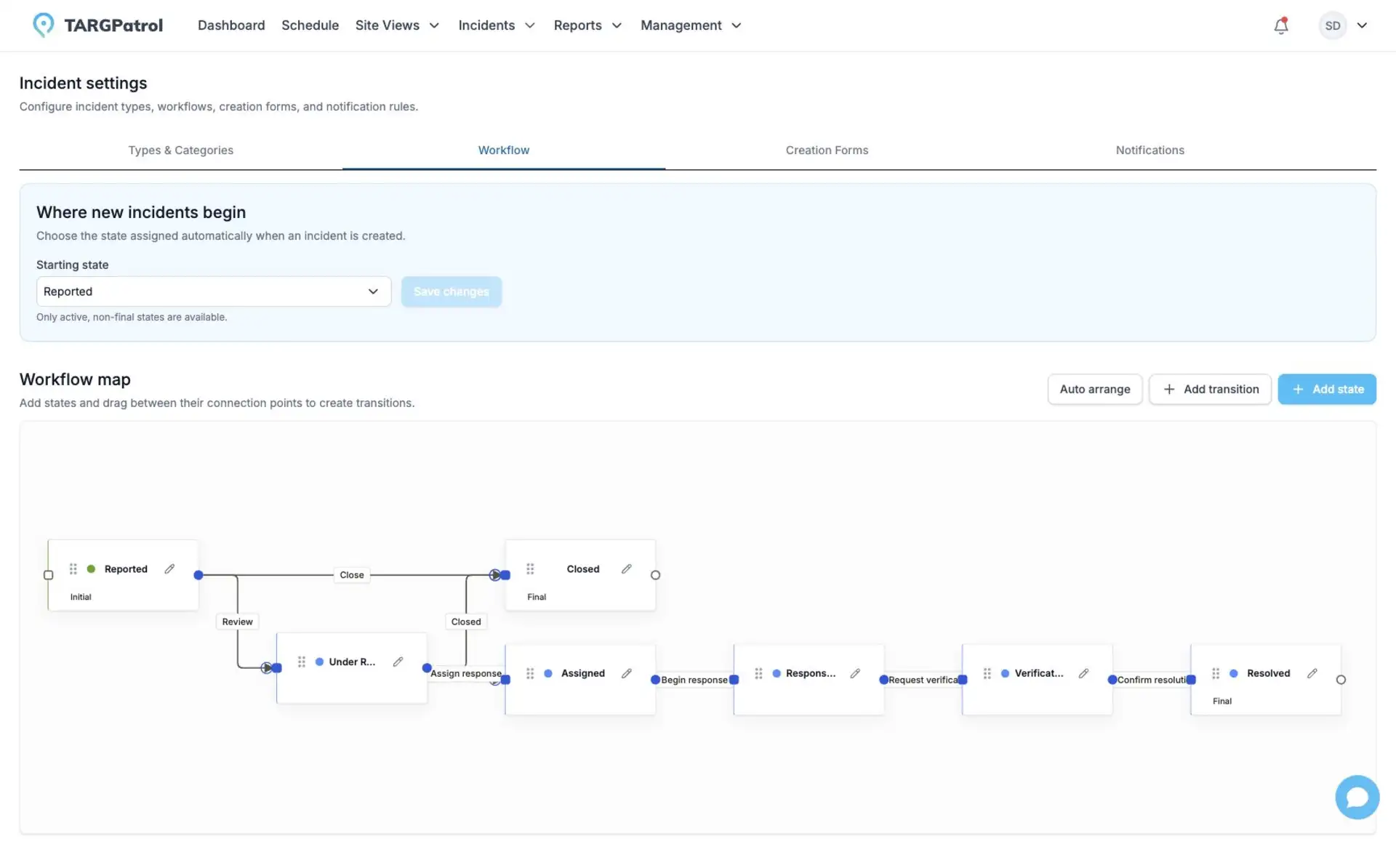
From Initial Report to Verified Resolution
Incident workflows can define their own states and allowed transitions. Role-based transition rules help ensure that reports follow the correct path from the frontline employee to the manager who verifies the result.
Managers can assign ownership, set priority, add comments and evidence, review the full history, and configure notifications for important changes. Incident records can also be exported as PDF files, while attachments can be downloaded together in a ZIP archive when supporting evidence is required.
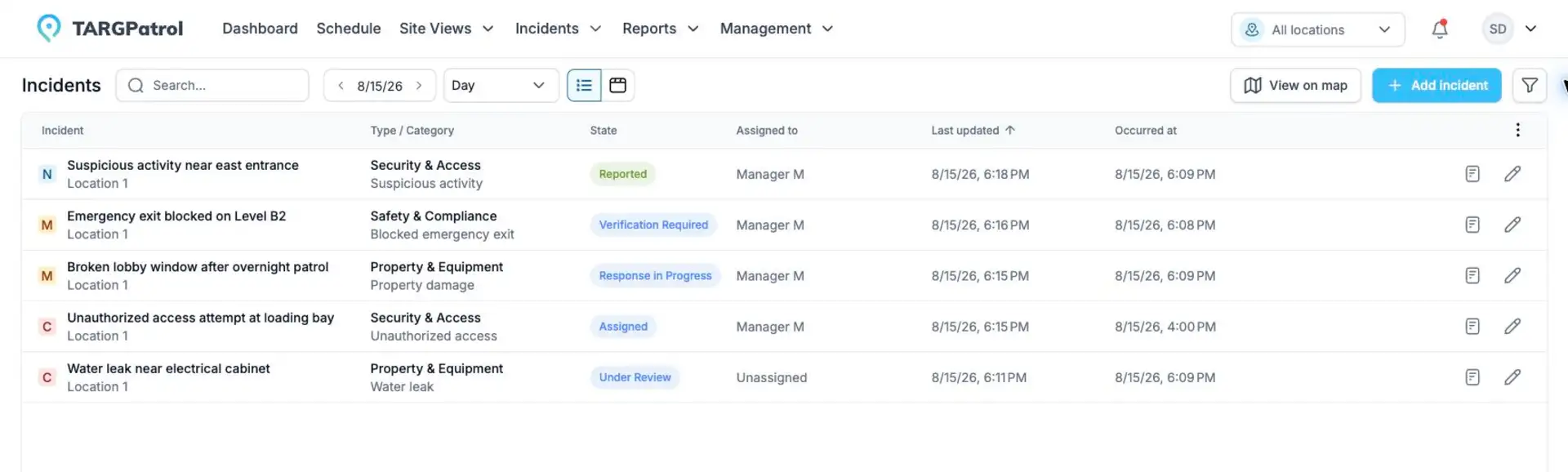
Table, Kanban, Map, and Analytics Views
Teams can work with Incidents through several complementary views:
Table view for detailed filtering and bulk operational review
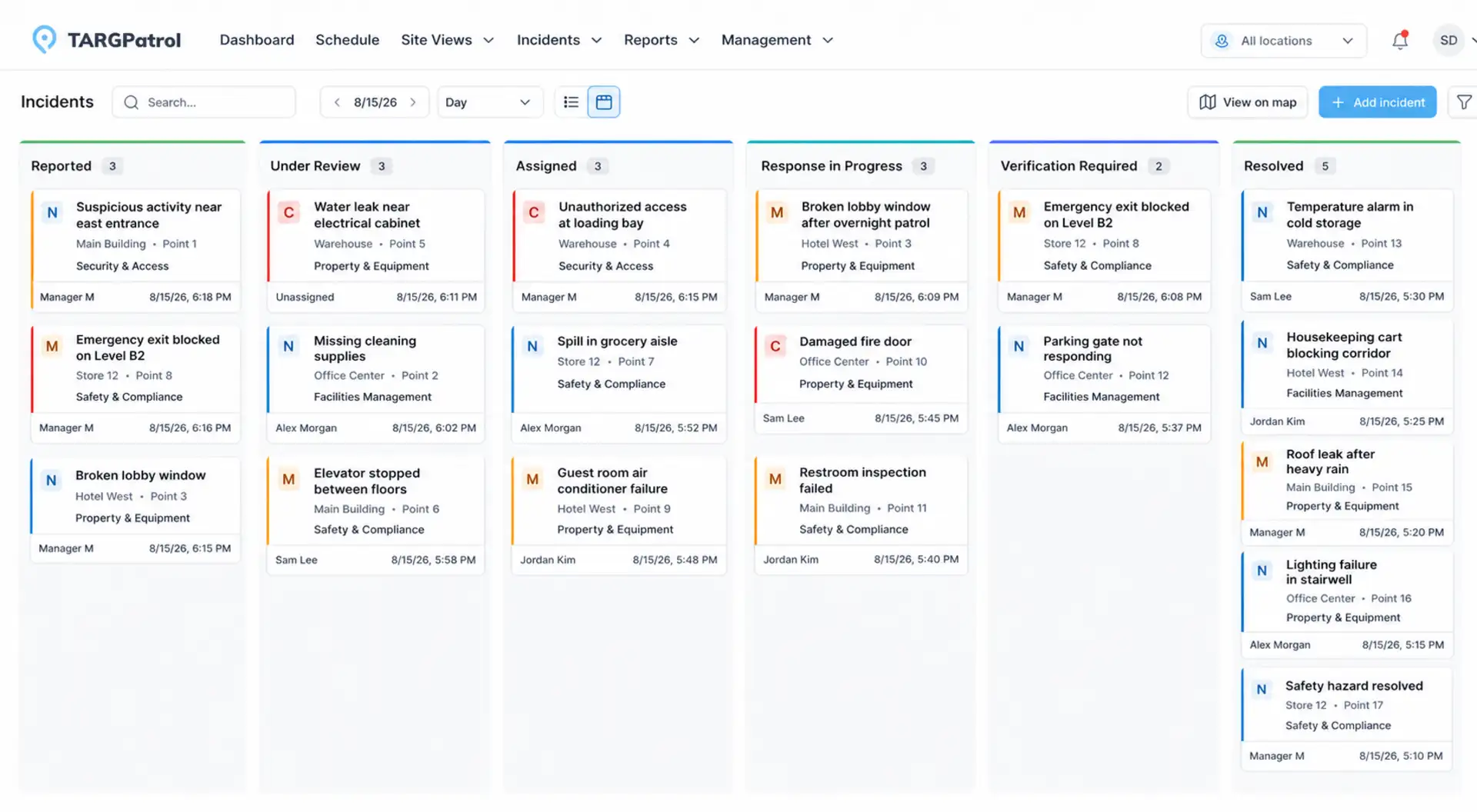
Kanban view for following work by status
Map view for understanding where incidents occur
Analytics view for tracking trends and response performance
The analytics dashboard highlights totals, open and completed Incidents, critical and unassigned reports, and median resolution time. Breakdowns by status, priority, Type, Category, assignee, and Location help managers identify recurring risks and operational bottlenecks.
Employees can create and update Incidents from the mobile app while online, either as a standalone report or in the context of their field work.
A New Guided Report-Building Flow
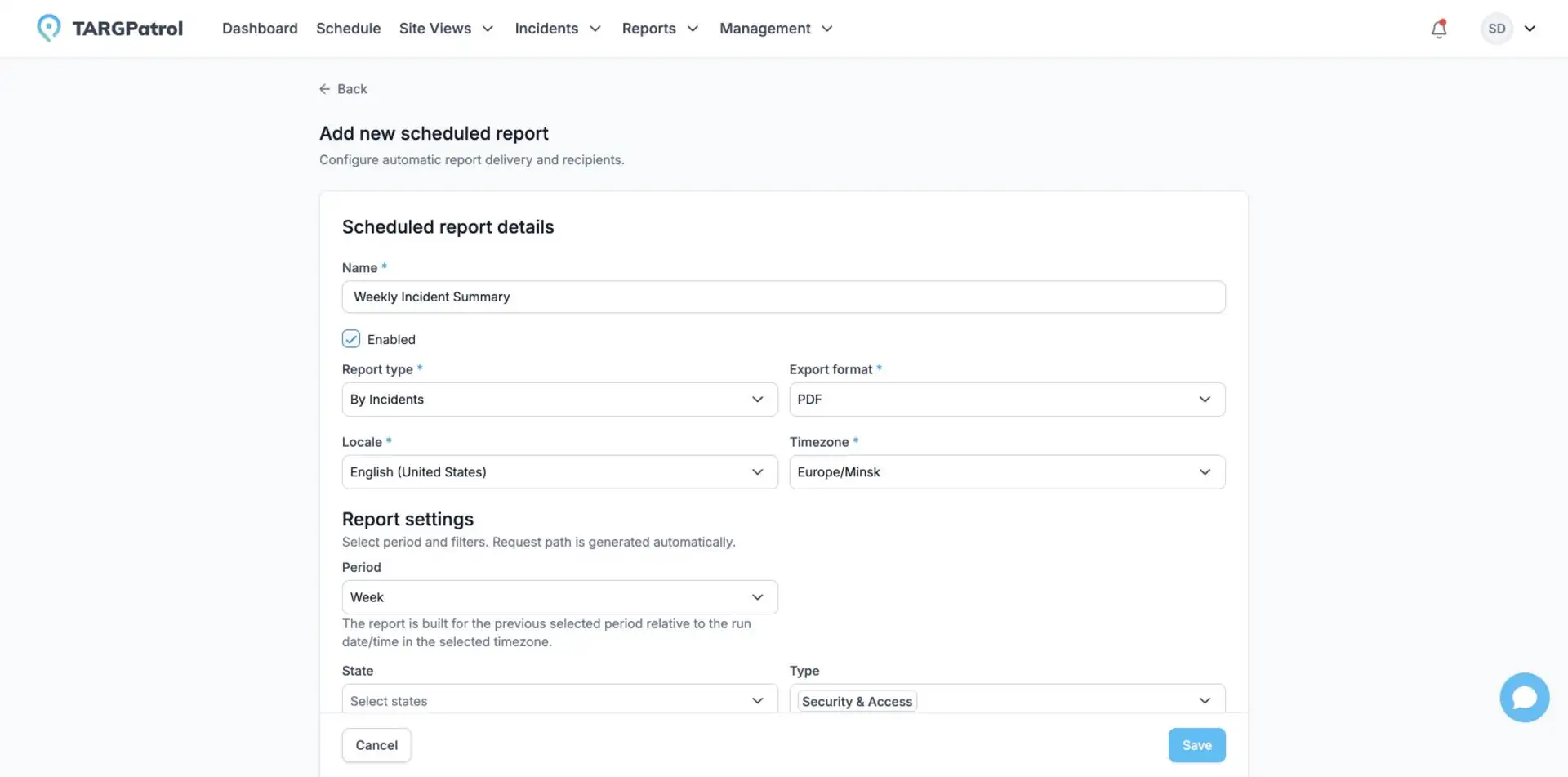
Building reports is now clearer and more consistent. The redesigned workflow guides users through the report setup in logical stages:
Select the reporting period
Choose report-specific options
Select and order columns
Apply filters
Define sorting
Review the configuration before building the report
The flow adapts to the selected report, so users only see relevant options. A summary makes the exact setup visible before the report is generated and records a structured snapshot in report history after it is ready.
The same report definition can support on-screen reporting, exports, and scheduled delivery, giving teams a more consistent reporting experience.
Save and Reuse Report Configurations
Frequently used report setups can now be saved as reusable Report Configurations. A configuration can store:
A relative reporting interval
Selected columns and their order
Filters and search settings
Detail and grouping options
Sorting rules
Report-specific options
Exact dates remain specific to an individual run, while reusable intervals make configurations practical for recurring operational reporting.
Configurations can be personal or shared across the organization. Permissions control who can create, update, save as a new configuration, restore, or remove shared setups. Scheduled reports use the same configurations, reducing duplicate setup work and keeping recurring reports consistent.
Improved Comment Editor
The comment editor has been redesigned to make operational discussions faster and easier to follow.
Typing @ opens a user selector with names, email addresses, and initials. The list can be filtered and controlled from the keyboard, and mentions remain visually distinct after a comment is posted.
The editor also handles cursor position and maximum comment length more reliably, and continues to support photo attachments. These changes make collaboration clearer across Tasks, Incidents, and other operational records.
Comments in the External API
External systems can now work with comments for Tasks, legacy Issues, and Incidents through the TARGPatrol External API.
API integrations can:
Retrieve comments
Create new comments
Update or delete comments created through the API
Use externalId for synchronization with another system
Read attachment identifiers
Generate temporary download URLs for existing attachments
Comments created through an integration are attributed to the organization’s External API auditor. Comments created by application users remain read-only through the API, protecting the ownership of user-generated records. Existing attachments can be read through the API, while uploading new comment attachments remains available in the TARGPatrol application.
Combined with the COMMENT_CREATED webhook, this makes it easier to synchronize operational conversations with help desks, customer portals, maintenance platforms, and other connected systems.
Implementation details and endpoint examples are available in the TARGPatrol API documentation.
French Locale Support
TARGPatrol is expanding its multilingual support with a French locale for the web application.
French users can work with the main interface, sign-in and account flows, emails, reports, country names, and regional date and number formats in French. The public website and Knowledge Base are also available in French, helping organizations provide a more consistent experience from evaluation and onboarding through daily operations.
French joins English, German, Spanish, and Russian in the TARGPatrol language lineup. French support for the mobile app will be delivered with the corresponding mobile release.
Summary
The September 2026 update strengthens the full operational cycle: teams can capture work more reliably in the field, respond to Incidents through configurable workflows, build and reuse reports more efficiently, collaborate through improved comments, and connect those conversations to external systems.
Together with expanded French support, these improvements make TARGPatrol more dependable for distributed teams managing security, cleaning, maintenance, inspections, and other field operations across multiple locations.