TARGPatrol Update May 2026
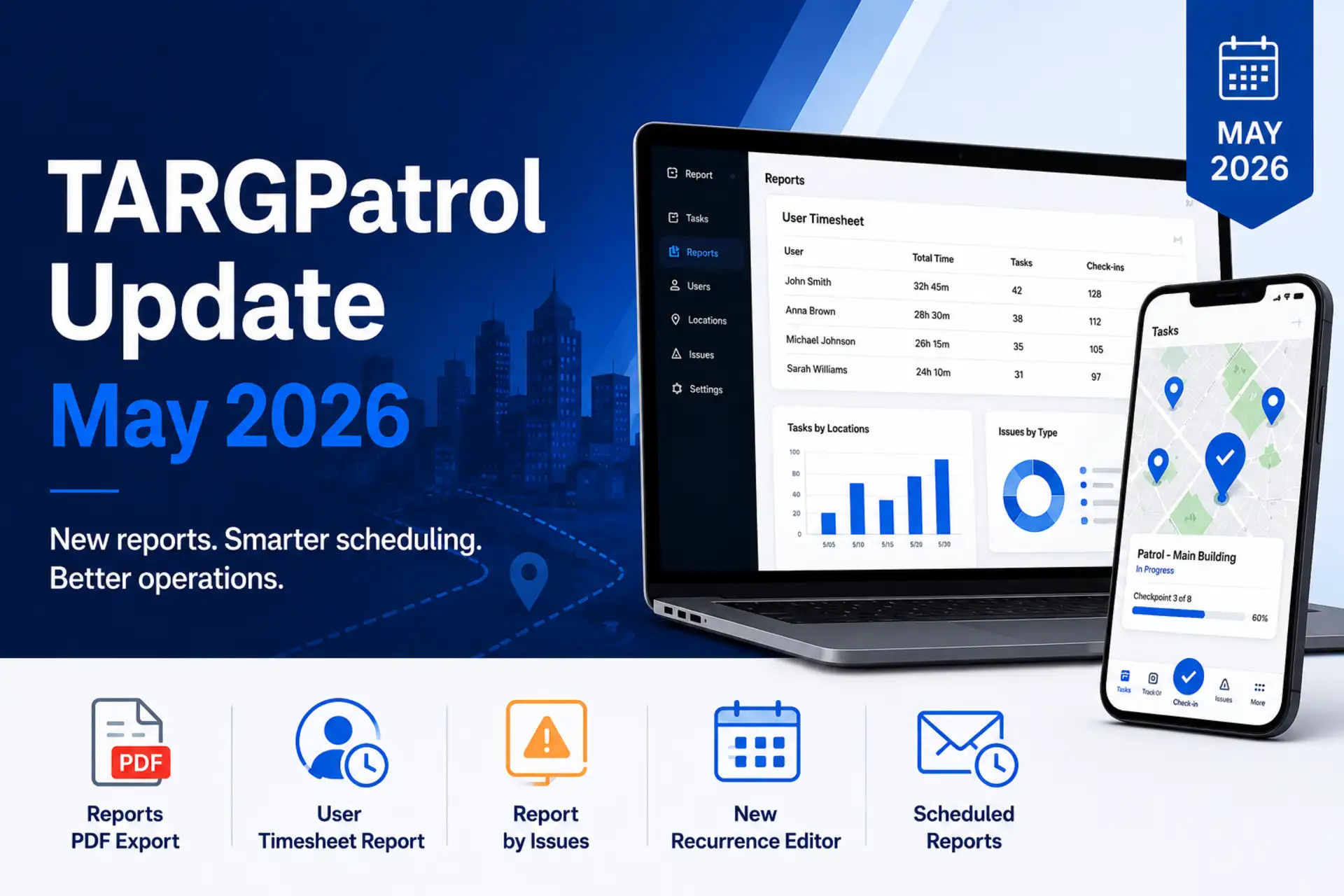
This month’s TARGPatrol update focuses on reporting: faster access to the right operational data, cleaner exports, and automated delivery for recurring reports.
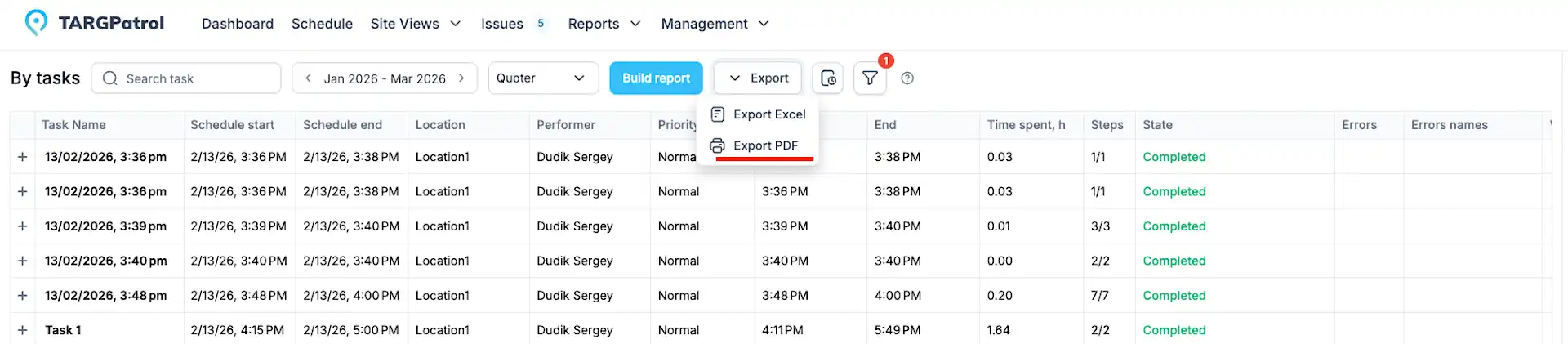
Reports Can Now Be Exported to PDF
Reports are easier to share outside the system with new PDF export support. Alongside Excel exports, teams can now generate report files in PDF format for reviews, audits, and regular operational summaries.
PDF exports include report titles, generated timestamps, reporting periods, localized labels, and summary rows where available.
New User Timesheet Report
The new User timesheet report gives managers a day-by-day view of an employee’s field activity.
It shows the first task start time, last task end time, total check-ins, total tasks, and total hours for the selected period. The report can be filtered by user, location, and point, then exported for payroll review, attendance checks, or team performance analysis.
New Report by Issues
TARGPatrol now includes a dedicated issues report for tracking operational problems across sites.
The report lists issue name, type, priority, status, creator, creation time, assignee, due date, location, and point. It helps teams review what was reported, where it happened, who is responsible, and which issues need follow-up.
Updated Recurrence Editor
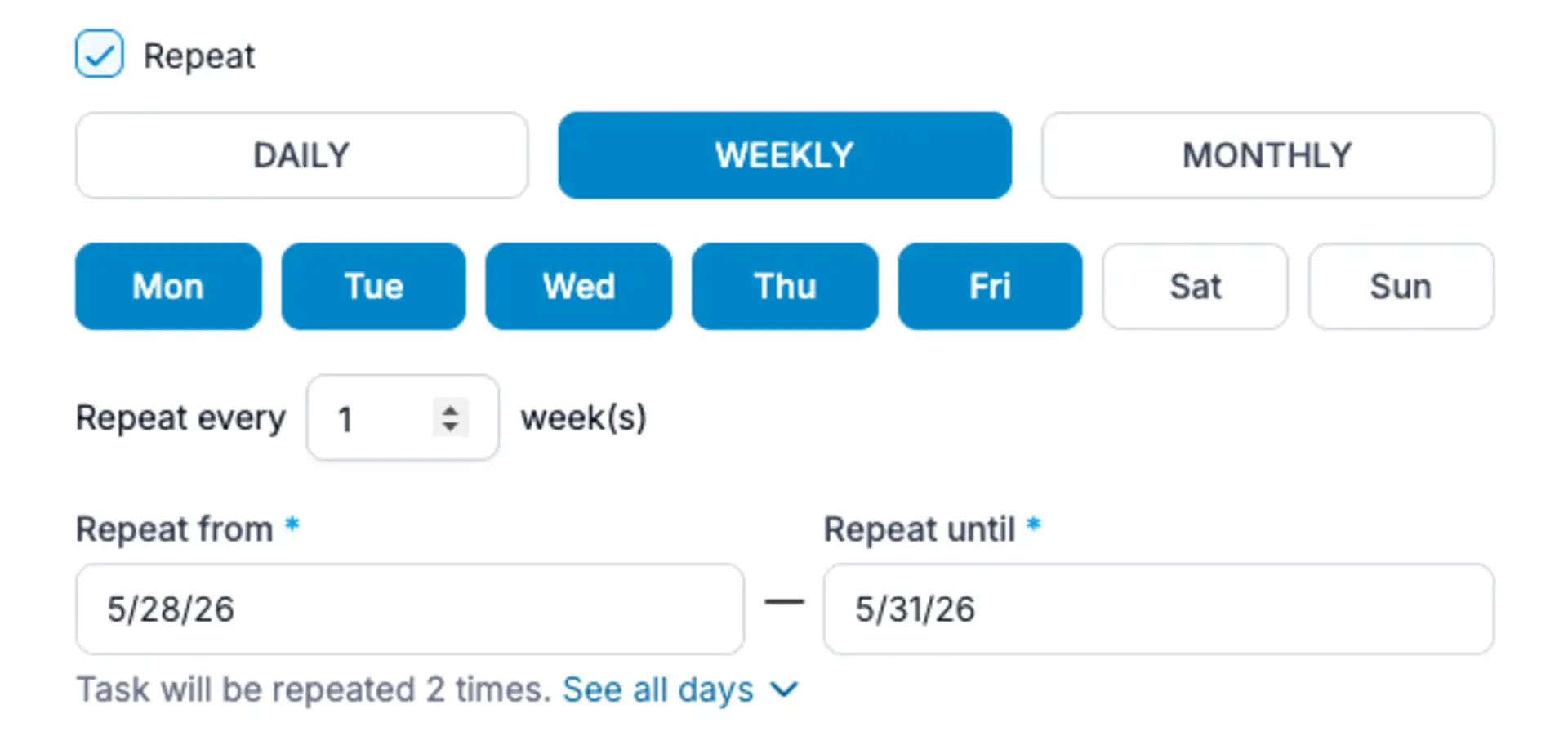
The recurrence editor for tasks has been refreshed to make recurring task scheduling clearer and easier to configure.
In this update, we added new daily and monthly recurrence options, giving managers more flexibility when planning repeated work such as daily patrols, monthly inspections, cleaning checks, maintenance reviews, or compliance activities.
Managers can now define how often a task should repeat using improved frequency selection and clearer scheduling controls, instead of recreating the same task manually.
To reduce scheduling mistakes, the editor also displays the generated schedule expression together with a human-readable explanation, so users can review how the recurrence will work before saving the task.
With the updated recurrence editor, recurring tasks are easier to set up, easier to understand, and better suited for real operational schedules.
Scheduled Reports
The biggest reporting upgrade this month is Scheduled Reports.
TARGPatrol users can now create automatic report deliveries and receive reports by email on a predefined schedule. Instead of generating the same report manually every day, week, or month, managers can configure it once and let TARGPatrol prepare and send it automatically.
When creating a scheduled report, users can choose the report type, export format, language, timezone, reporting period, filters, schedule, and recipients. This gives organizations full control over what data is included, how often the report is generated, and who receives it.
Scheduled reports can be sent both to internal TARGPatrol users and to external email addresses. This is useful when reports need to be shared not only with managers and supervisors inside the organization, but also with clients, contractors, auditors, or other stakeholders who do not have access to the TARGPatrol system.
Supported report types include:
reports by tasks
reports by points
reports by users
reports by locations
reports by issues
the new user timesheet report
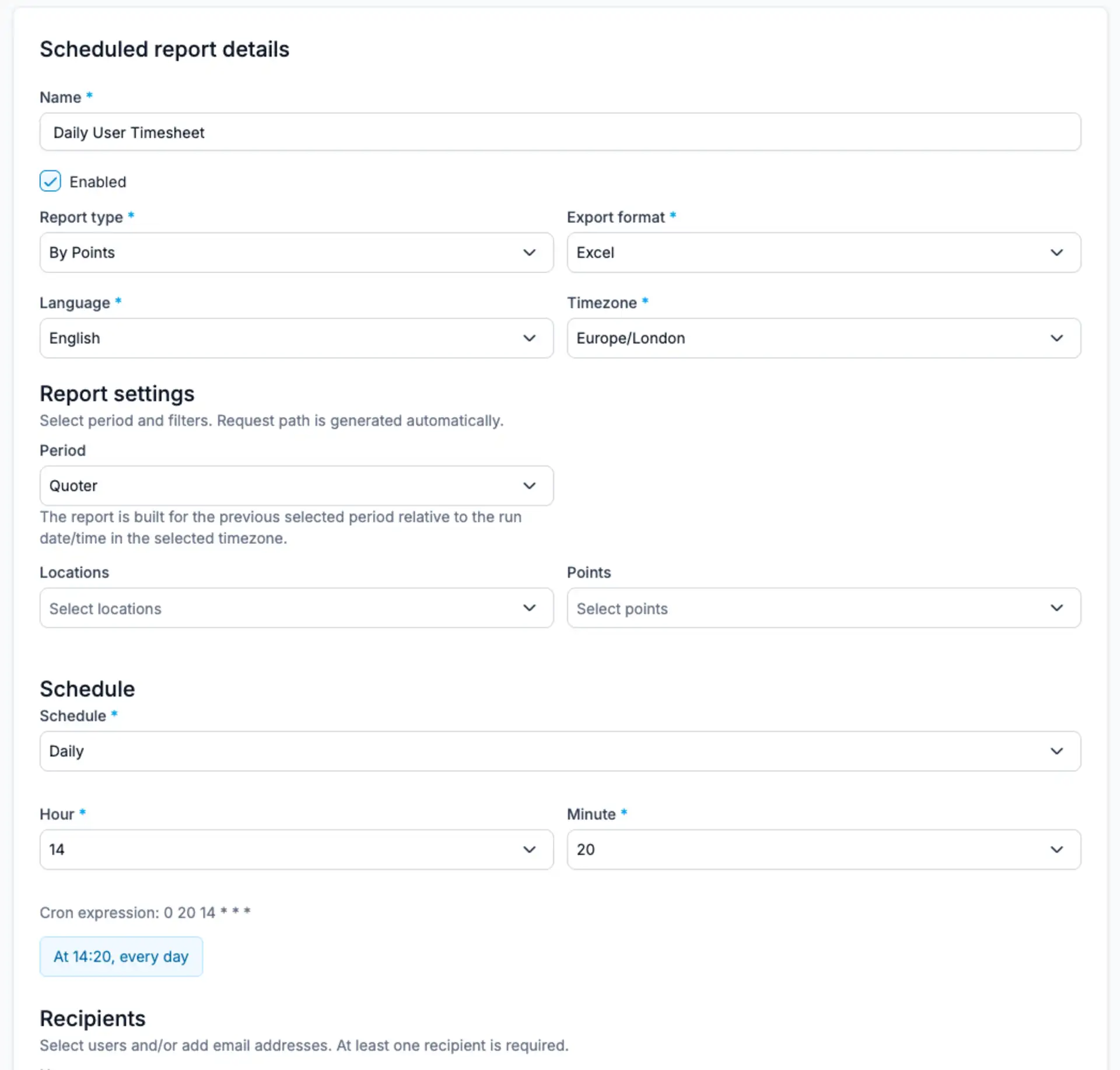
Reports are delivered automatically as email attachments, making it easier to keep everyone informed without giving external recipients direct access to the system.
A dedicated Scheduled Reports page helps users manage all configured report deliveries in one place. From there, they can review the report type, export format, recipients, status, next run, last run, and delivery configuration.
This feature is especially useful for recurring operational workflows, such as daily activity summaries, weekly site reports, monthly customer reports, timesheets, issue overviews, or compliance documentation.
With Scheduled Reports, recurring reporting becomes much easier: set up the report once, choose who should receive it, and TARGPatrol will send it automatically on schedule.