Best Workforce Planning Software in 2026
Best Workday Workforce Planning Software for Business Efficiency
Workforce planning software covers two related but different layers of workforce management. Strategic platforms help HR and finance teams model headcount, skills, compensation, labor costs, and future scenarios. Operational platforms help managers schedule work, assign tasks, record attendance, and verify that work is completed across mobile, hourly, or deskless teams.
These categories are connected, but the products are not interchangeable. A company planning next year’s hiring budget needs different capabilities from a field service manager who needs to confirm that employees arrived at the right location and completed assigned work. This guide compares both types so businesses can choose a tool that matches the level of planning they actually need.
The five tools included in this comparison are UKG Ready, Workday Adaptive Planning, TARGPatrol, Deel Workforce Planning, and Connecteam. We reviewed publicly available product information, feature descriptions, pricing pages, and suitability for the selected use case.
Before selecting a platform, define the planning horizon and the decisions the system must support. Strategic teams may need annual or multi-year headcount models, skills analysis, cost forecasts, and approval scenarios. Operations teams may need weekly schedules, time records, task assignments, proof of attendance, and completion evidence. Buyers should also compare mobile access, integrations, reporting, pricing structure, implementation effort, and whether specific capabilities require an add-on. A platform can be strong in one layer without covering the other. The comparison below therefore describes the planning focus, best-fit audience, and commercial model of each product rather than treating every tool as a direct substitute.
Free plans and trials also differ substantially. A free plan may limit users, data retention, modules, or advanced features, while a trial may provide temporary access to a broader package. The pricing notes below use publicly available vendor information and identify custom pricing where no reliable public amount is provided.
UKG Ready
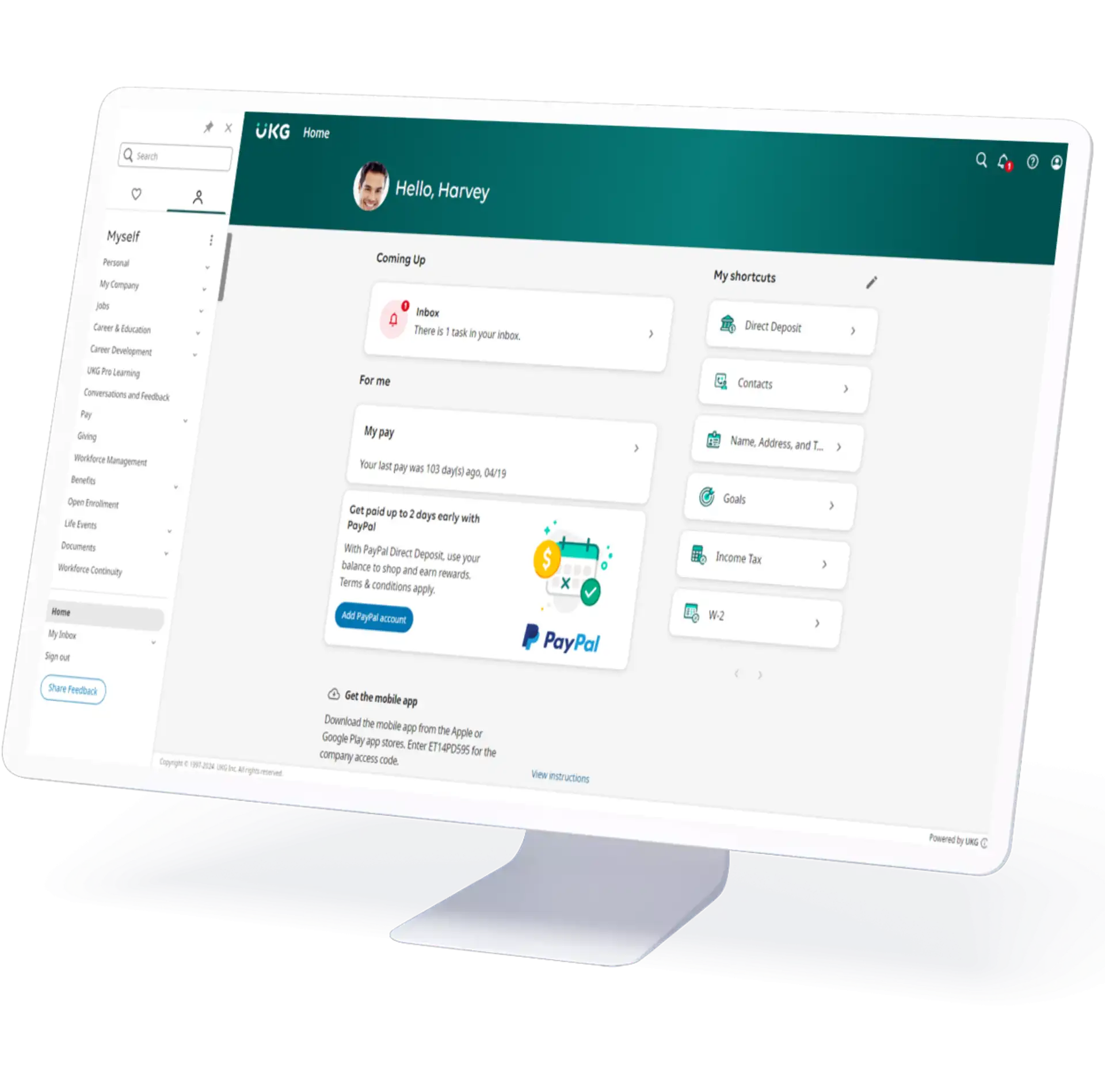
UKG Ready is an all-in-one HR, payroll, time, and workforce management platform for small and midsize organizations. In this comparison, it represents operational workforce planning: maintaining employee data, managing time, building schedules, and connecting payroll processes. It is not the same type of long-range headcount and scenario-planning platform as Workday Adaptive Planning.
Key Features
1. Connected HR and Payroll Foundation
Maintains employee, payroll, benefits, time, and workforce information in a connected system.
Supports payroll calculations and configurable pay rules while reducing repeated data entry between HR and time records.
2. Employee Scheduling
Supports basic scheduling in core plans, with broader Scheduler capabilities available in selected packages.
Can account for operational demand, employee skills, availability, preferences, and configured compliance rules when schedules are created or adjusted.
3. Time and Attendance
Records working time through supported web, mobile, and timeclock options.
Helps managers review timesheets, overtime, exceptions, leave, and time-off requests before payroll processing.
4. Compliance Support and Reporting
Uses configured rules, alerts, reports, and dashboards to help organizations identify time, scheduling, and payroll exceptions.
Supports record keeping and operational oversight, although businesses remain responsible for their own legal and regulatory compliance.
5. Mobile Self-Service
Allows employees to review schedules, submit requests, and access workforce information from supported devices.
Gives managers mobile access to approvals and day-to-day workforce data.
Who Can Benefit from UKG Ready?
UKG Ready is best suited to small and midsize organizations that want HR, payroll, time, and scheduling in one system. Organizations that require enterprise-scale strategic workforce forecasting or advanced organizational scenario modeling should also evaluate products designed specifically for those use cases.
Pricing
Pricing is available upon request. UKG provides personalized quotes based on the selected bundle, organization size, and additional capabilities.
Workday Adaptive Planning
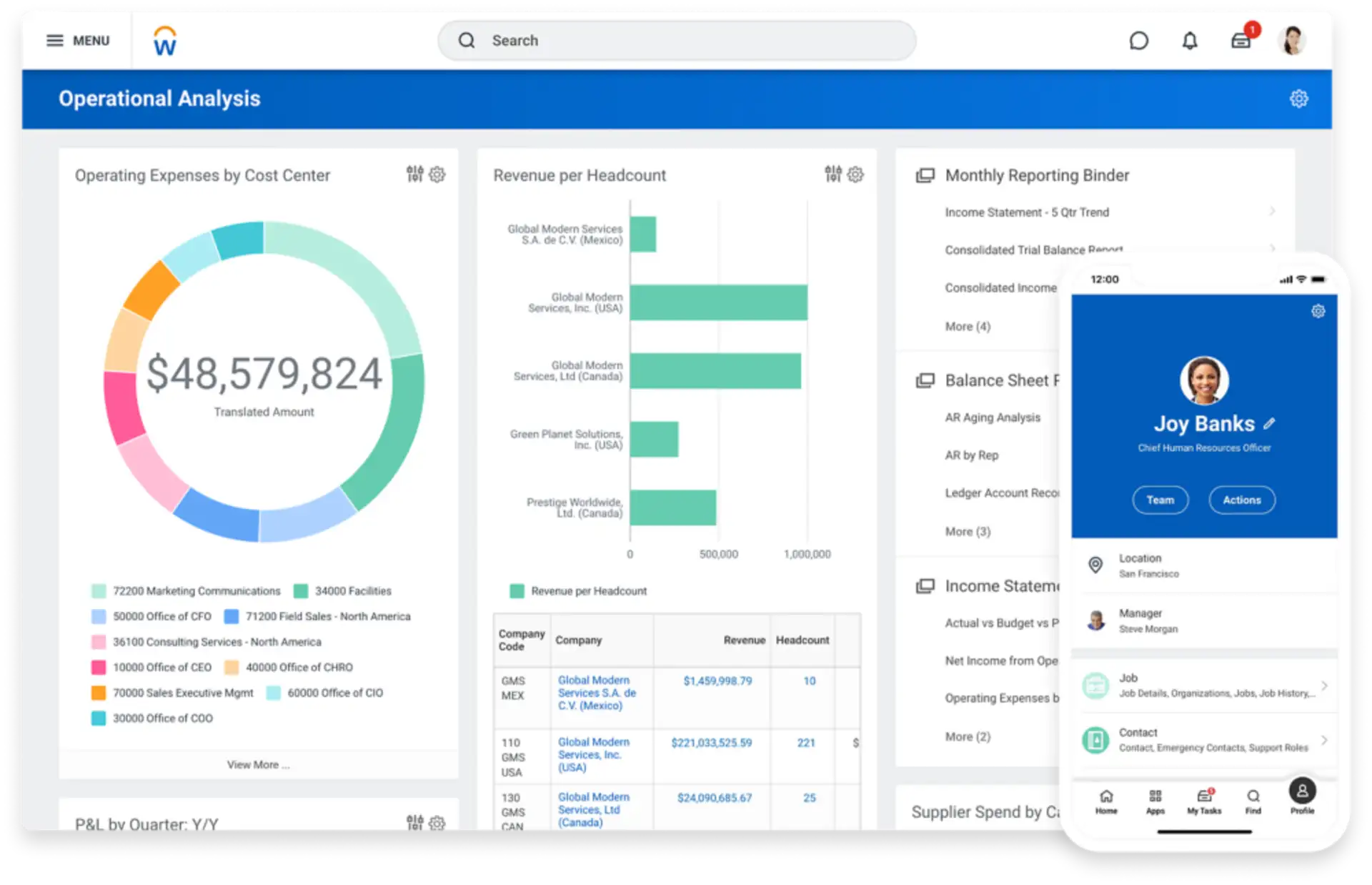
Workday Adaptive Planning is a strategic workforce planning and enterprise performance management platform. It helps HR, finance, and business leaders connect hiring plans, compensation, skills, organizational structure, and workforce costs with broader financial and operational goals.
Key Features
1. Headcount and Cost Planning
Builds headcount plans by department, role, location, cost center, or other business dimensions.
Connects planned positions, compensation, benefits, and related workforce costs with financial models and budgets.
2. Scenario Modeling
Supports what-if analysis for hiring, transfers, retention, compensation changes, and organizational restructuring.
Shows the financial and workforce impact of alternative scenarios before a plan is approved.
3. Skills and Talent Planning
Helps organizations identify skills gaps and evaluate hiring, development, transfer, and retention strategies.
Supports longer-term planning around the roles and capabilities required to meet business objectives.
4. Collaborative Planning
Provides shared workflows for HR, finance, business managers, and senior leadership.
Supports top-down targets and bottom-up plans while keeping headcount decisions aligned with approved budgets.
5. Reporting and Integration
Provides dashboards and role-based reports for costs, open positions, headcount, and workforce dimensions.
Connects with HR, ERP, general ledger, and other enterprise data sources used in planning.
Who Can Benefit from Workday Adaptive Planning?
Workday Adaptive Planning is best suited to organizations that need strategic headcount, skills, and cost planning across HR and finance. It is particularly relevant to midsize and enterprise teams that require collaborative planning, scenario modeling, and close alignment between workforce decisions and financial targets.
Pricing
Pricing is available upon request. Workday also offers a 30-day free trial of Adaptive Planning.
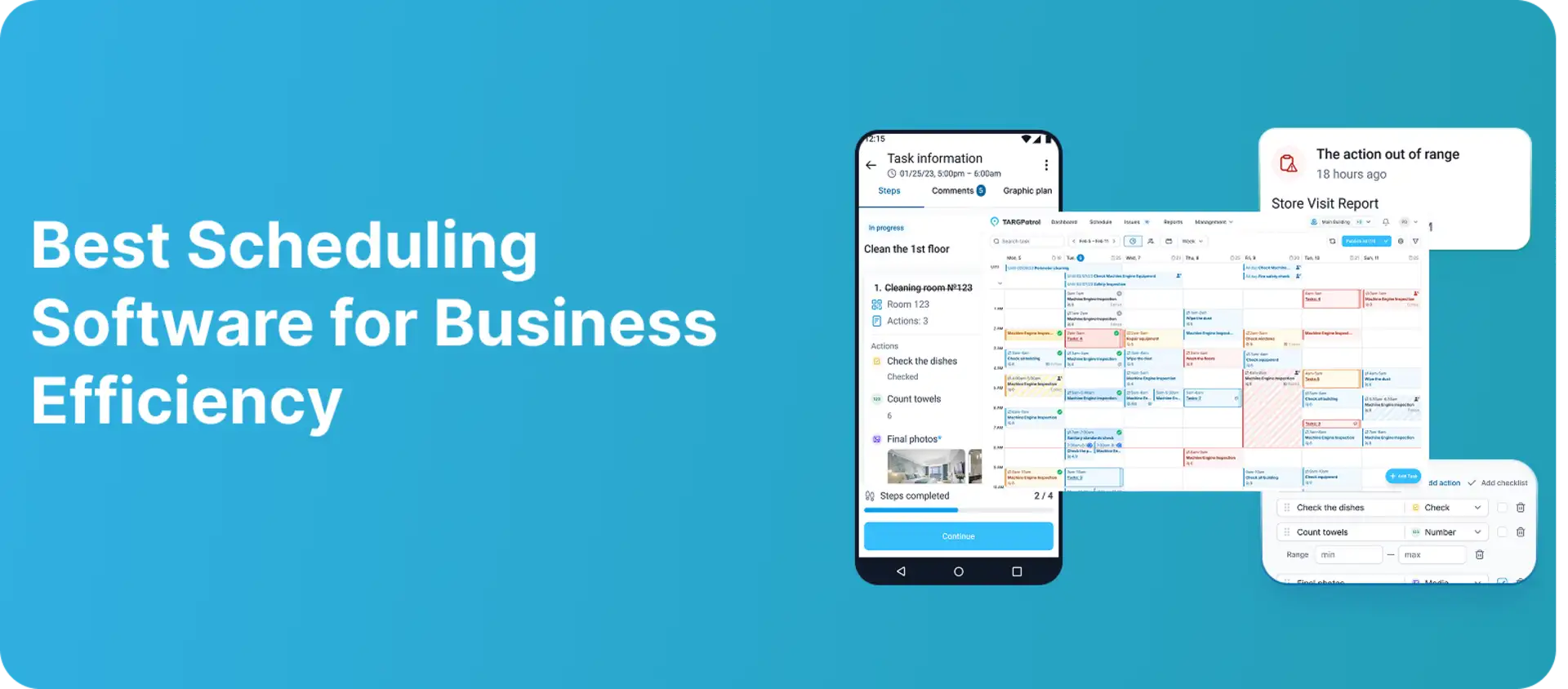
TARGPatrol
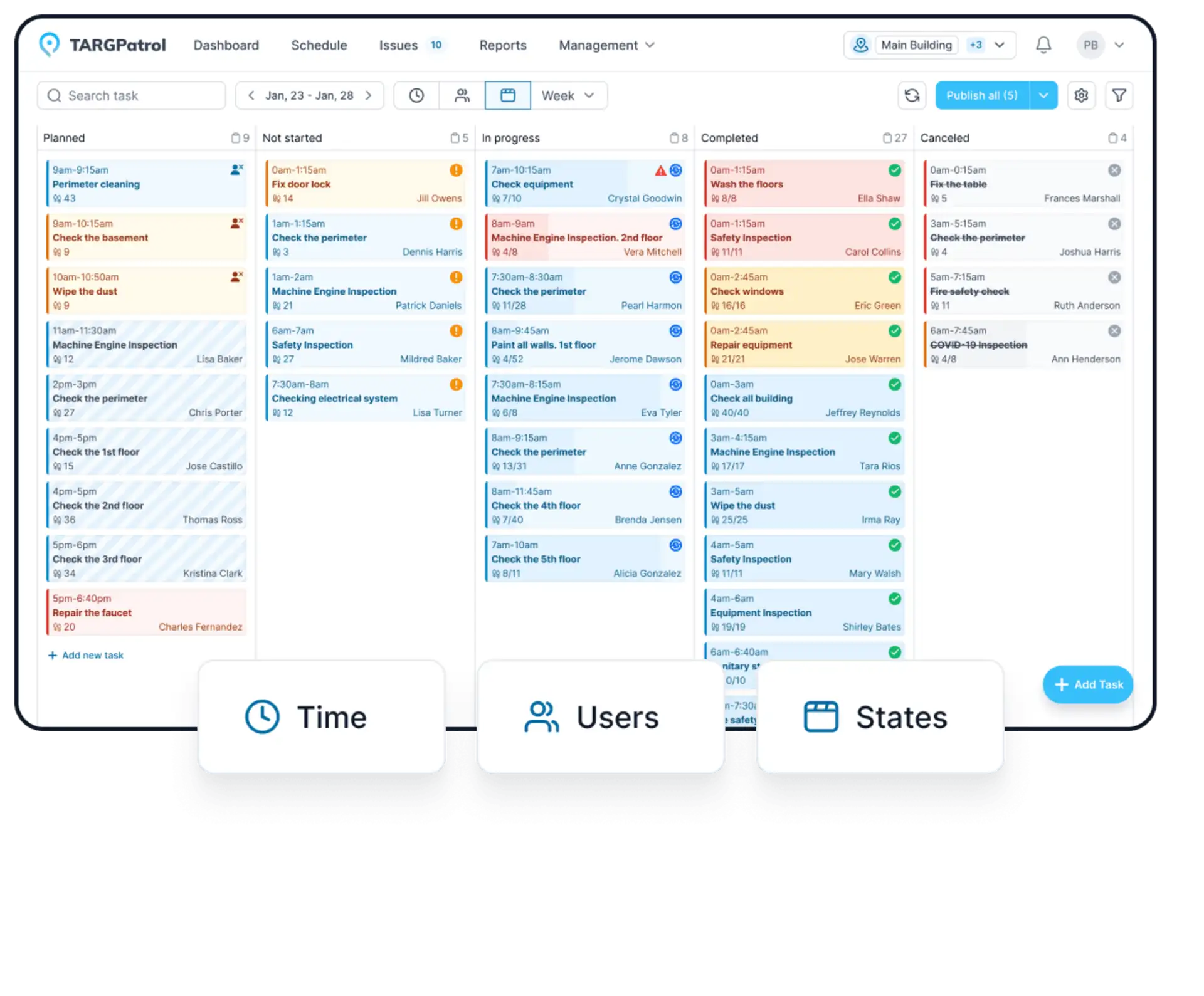
TARGPatrol is not a strategic workforce planning platform and does not replace systems such as Workday Adaptive Planning or UKG. It supports the operational management of mobile and on-site teams by helping businesses schedule and assign tasks, confirm employee presence at designated points, and monitor completed work. It does not calculate payroll, automate labor-law compliance, or forecast future headcount.
Key Features
1. Scheduled Tasks and Operational Work
Supports recurring and one-time tasks with assigned performers, locations, deadlines, priorities, instructions, and notifications.
Helps managers organize inspections, audits, patrols, cleaning routines, maintenance work, and other repeatable field processes.
2. Presence and Check-In Verification
Uses QR codes, NFC tags, GPS points, and virtual points to confirm activity at designated locations.
Creates time-stamped check-in records rather than presenting checkpoint confirmation as continuous employee location tracking.
3. Checklists, Evidence, and Incident Reporting
Provides digital checklists and smart forms for structured data collection during tasks and check-ins.
Allows field employees to attach photos or videos, add notes, and report incidents or operational issues from the mobile app.
4. Offline Mobile Work
Allows employees to perform tasks, complete forms, capture media, and record check-ins in areas with limited connectivity.
Stores activity on the device and synchronizes it after the connection is restored.
5. Operational Reports and Integrations
Provides dashboards and reports for tasks, check-ins, users, locations, working time, issues, and collected field data.
Supports exports, REST API access, webhooks, and integrations according to the selected plan.
Who Can Benefit from TARGPatrol?
TARGPatrol is best suited to security, cleaning, facility management, field service, retail, hospitality, and other businesses that need verifiable task execution across physical locations. It can complement a strategic workforce planning system by supplying operational records, but it does not provide headcount scenario modeling, skills forecasting, or payroll processing.
Pricing
TARGPatrol offers a free plan for up to 10 users, with data storage limited to 7 days. A 14-day fully featured trial is available. The Base plan starts at $15 per user per month, or $12 per user per month with annual billing. Get more information — Pricing.
Deel Workforce Planning
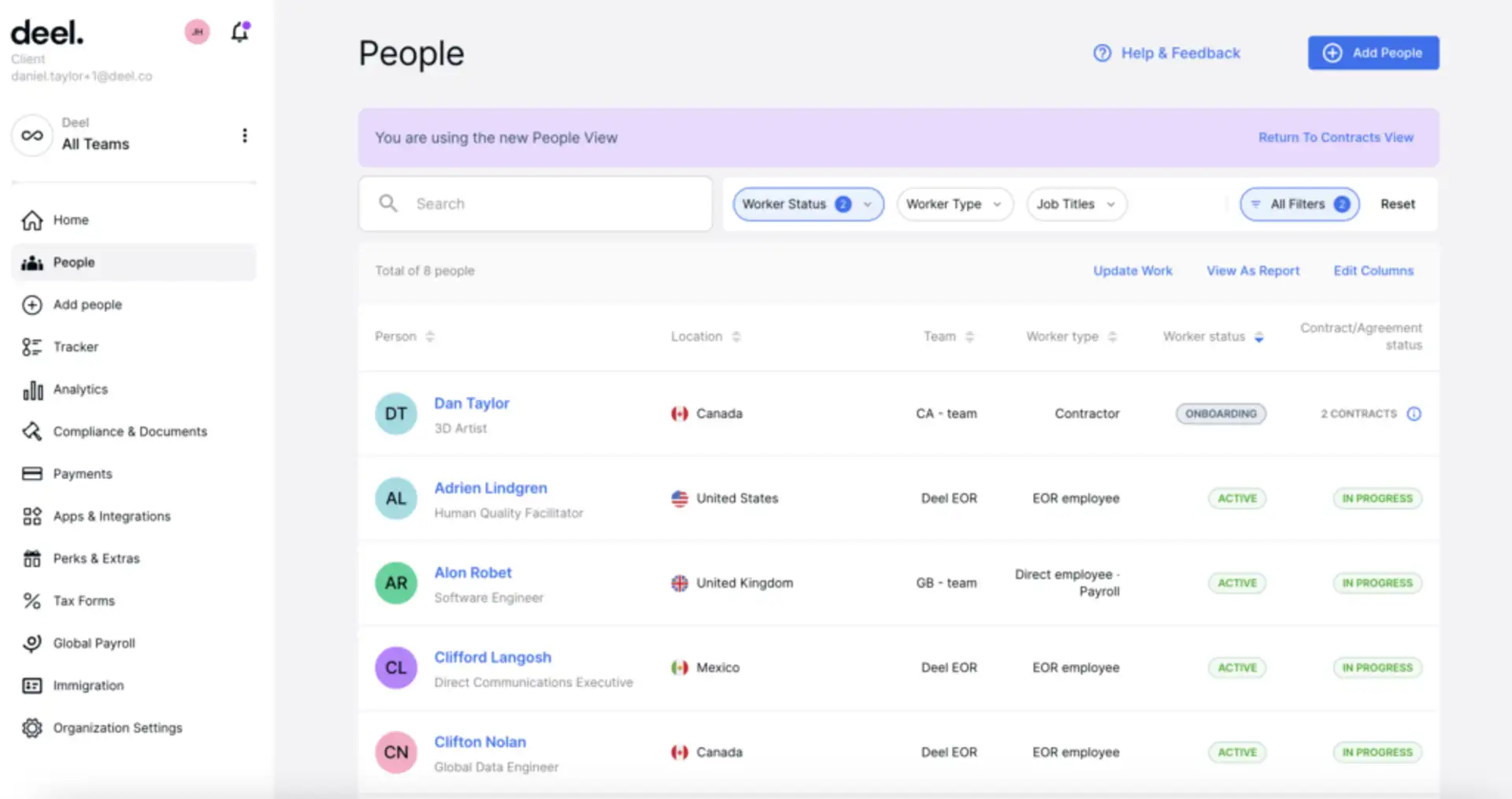
Deel Workforce Planning is a headcount planning module for organizations coordinating hiring across HR, finance, and recruiting. Although Deel is also known for global payroll, contractors, and Employer of Record services, its Workforce Planning product focuses on headcount requests, approvals, scenarios, hiring costs, and execution of approved plans.
Key Features
1. Headcount Requests and Approvals
Allows hiring managers to request roles and route them through structured approval workflows.
Gives HR, finance, and recruiting teams a shared view of approved, open, and planned positions.
2. Scenario and Cost Planning
Supports workforce scenarios for growth, backfills, organizational changes, and geographic expansion.
Uses compensation bands and workforce data to estimate headcount costs before hiring decisions are finalized.
3. Cross-Functional Collaboration
Keeps hiring plans, budgets, role owners, and approvals visible to relevant stakeholders.
Helps reduce spreadsheet handoffs between HR, finance, recruiting, and business managers.
4. HRIS and ATS Connections
Connects with Deel’s HRIS and supports synchronization of approved headcount with recruiting workflows.
Deel currently identifies Ashby as an ATS integration and states that additional ATS and financial planning integrations are planned.
5. Global Planning Context
Provides global salary insights that can support location and compensation decisions.
Helps distributed organizations consider country, worker type, hiring model, and expected costs in workforce plans.
Some hiring projections, AI-driven compensation insights, hiring recommendations, and skills-gap capabilities are described by Deel as coming soon. Buyers should confirm current availability during a product demonstration.
Who Can Benefit from Deel Workforce Planning?
Deel Workforce Planning is best suited to distributed or international organizations that need structured headcount requests, cost visibility, and coordination between HR, finance, and recruiting. It is not intended to replace shift scheduling or field task execution software.
Pricing
Pricing is available upon request.
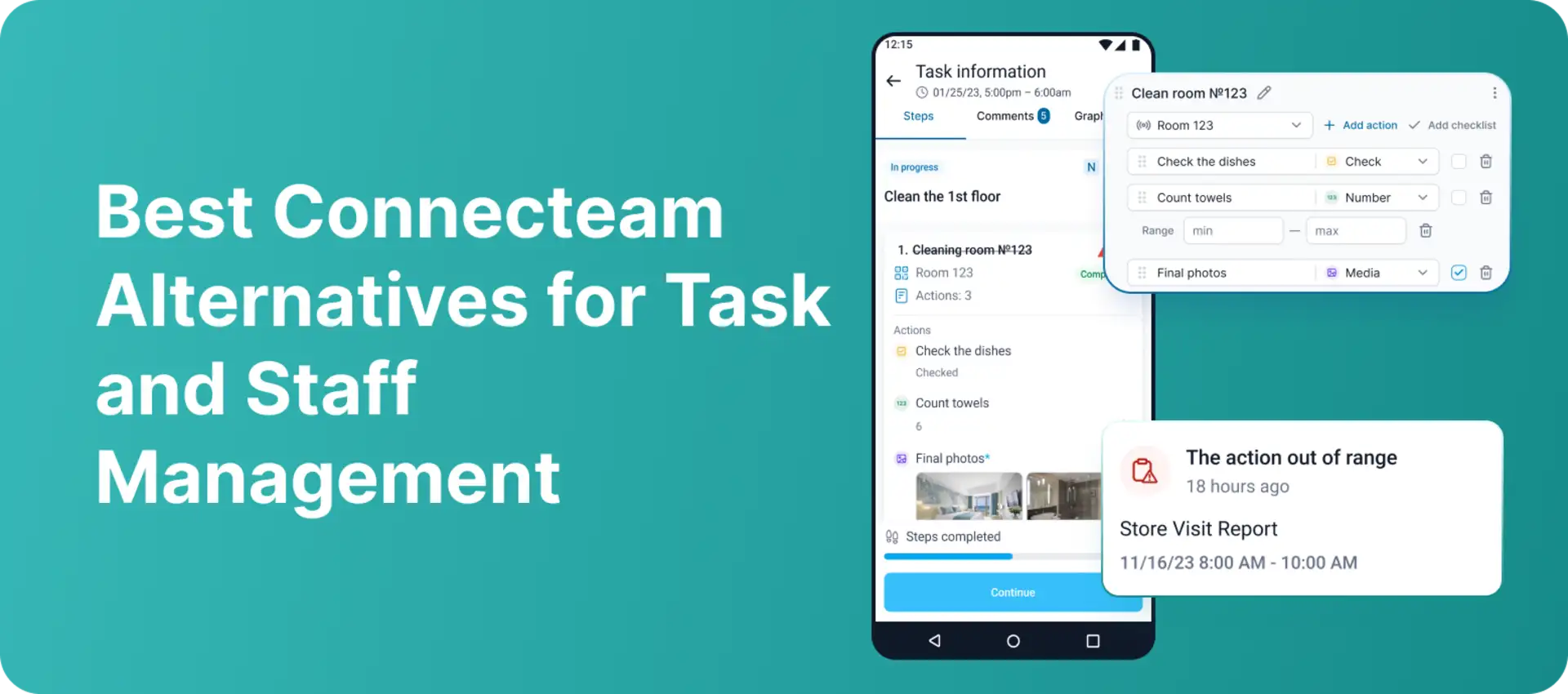
Connecteam
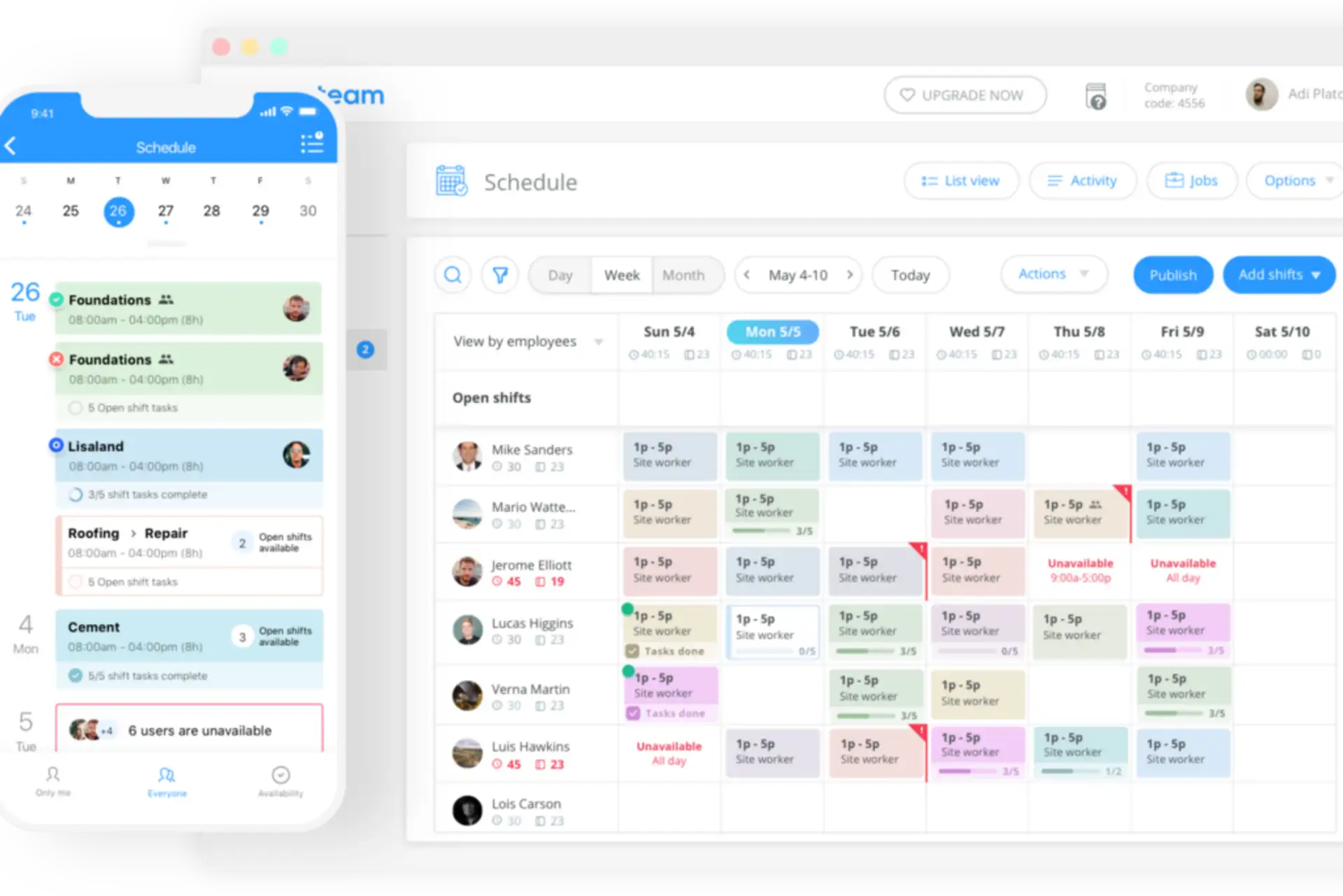
Connecteam is a mobile-first workforce management platform for deskless and hourly teams. It focuses on job scheduling, time tracking, tasks, forms, communication, and day-to-day employee coordination rather than long-term headcount, skills, or organizational scenario planning.
Key Features
1. Employee Scheduling
Provides shift scheduling, open shifts, repeating schedules, templates, availability management, and real-time updates.
Advanced plans add capabilities such as auto-scheduling, additional schedules, and more extensive scheduling rules.
2. Time Tracking and Payroll Integrations
Provides a mobile time clock, timesheets, GPS clock-in records, and optional geofencing.
Exports or transfers approved time data to supported payroll systems; Connecteam should be described as providing payroll integrations, not as a complete payroll processor.
3. Tasks, Forms, and Checklists
Allows managers to assign tasks, set deadlines, add attachments, and monitor status.
Supports digital forms and checklists for recurring operational procedures and field reporting.
4. Employee Communication
Includes chat, company updates, directories, surveys, and other communication features through its Communications Hub.
Helps deskless teams receive schedule changes, operational instructions, and company information in one mobile app.
5. Mobile Workforce Coordination
Allows employees to view schedules, submit requests, complete tasks, and send reports from mobile devices.
Gives managers visibility into current shifts, time records, task completion, and activity across multiple job sites.
Who Can Benefit from Connecteam?
Connecteam is best suited to businesses with deskless or hourly employees in areas such as construction, cleaning, field services, logistics, hospitality, retail, and security. It is an operational workforce management tool rather than a strategic headcount forecasting platform.
Pricing
Connecteam offers a free Small Business Plan for up to 10 users and a 14-day trial with no credit card required. Operations Basic starts at $29 per month with annual billing, or $35 with monthly billing, for the first 30 users. Pricing is organized by product hub, so the total cost depends on which Operations, Communications, and HR capabilities are selected.
Conclusion
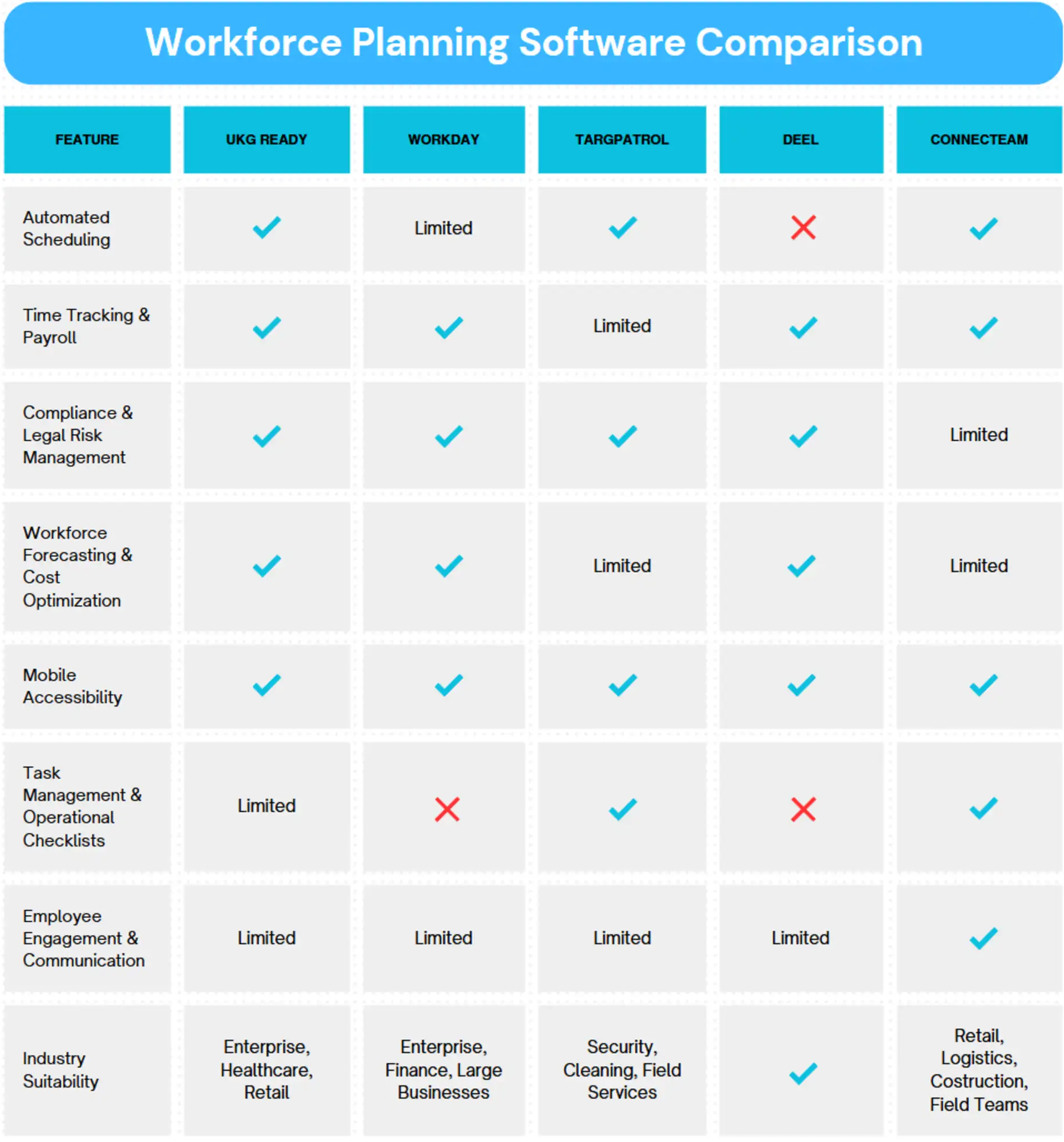
These five products address different parts of workforce planning and management. The most appropriate choice depends on whether the business needs strategic headcount planning, operational scheduling, global hiring coordination, or verified execution of work in the field.
UKG Ready combines HR, payroll, time, scheduling, and workforce management for small and midsize organizations.
Workday Adaptive Planning is the strongest fit in this comparison for strategic headcount, skills, cost, and scenario planning across HR and finance.
TARGPatrol supports field task execution, location-based check-ins, digital checklists, incidents, offline work, and operational reporting for mobile teams.
Deel Workforce Planning helps distributed organizations manage headcount requests, approvals, hiring scenarios, and expected workforce costs.
Connecteam combines shift scheduling, time tracking, tasks, forms, and communication for deskless and hourly employees.
Businesses should first define the planning level they need. Workday Adaptive Planning and Deel focus on future headcount and organizational decisions. UKG Ready and Connecteam focus more heavily on daily workforce administration and scheduling. TARGPatrol complements these categories by verifying presence and work execution at physical locations, but it should not be treated as a replacement for strategic workforce planning, payroll, or labor-law management software.