Best GPS Time Clock Apps for Security Guards in 2026

A GPS time clock can confirm when a security guard starts and ends a shift, but not every GPS feature proves the same thing. Some apps capture one location at clock-in. Others restrict punches to a geofence, record a route while the guard is on duty, or verify individual patrol checkpoints. Choosing the wrong type can leave managers with accurate hours but no evidence that a patrol was completed.
This 2026 guide compares five credible options for different security operations. TARGPatrol is the best fit when time records must connect to patrols, tasks, checkpoints, incidents, and site evidence. Connecteam and Buddy Punch are stronger conventional workforce clocks, Timeero specializes in on-shift GPS routes and mileage, and TrackTik provides a much broader enterprise security platform.
Quick shortlist: TARGPatrol for verified field work; Connecteam for an all-in-one small-team workforce app; TrackTik for enterprise guard operations; Timeero for route and mileage visibility; Buddy Punch for straightforward timekeeping and payroll workflows.
First, understand the four types of GPS verification
“GPS time clock” is often used as a broad label for several different controls. Before comparing vendors, decide which evidence your contracts and supervisors actually require.
GPS location stamp: the app records the phone location when the employee punches in or out. This is useful evidence, but it may not stop an off-site punch.
Geofenced clock-in: the employee can punch only inside an allowed radius around a workplace. It verifies the start or end location, not the rest of the shift.
On-shift GPS tracking: the app records multiple coordinates while the employee is clocked in or the relevant mobile mode is active. This can provide live location, route history, mileage, or time at sites.
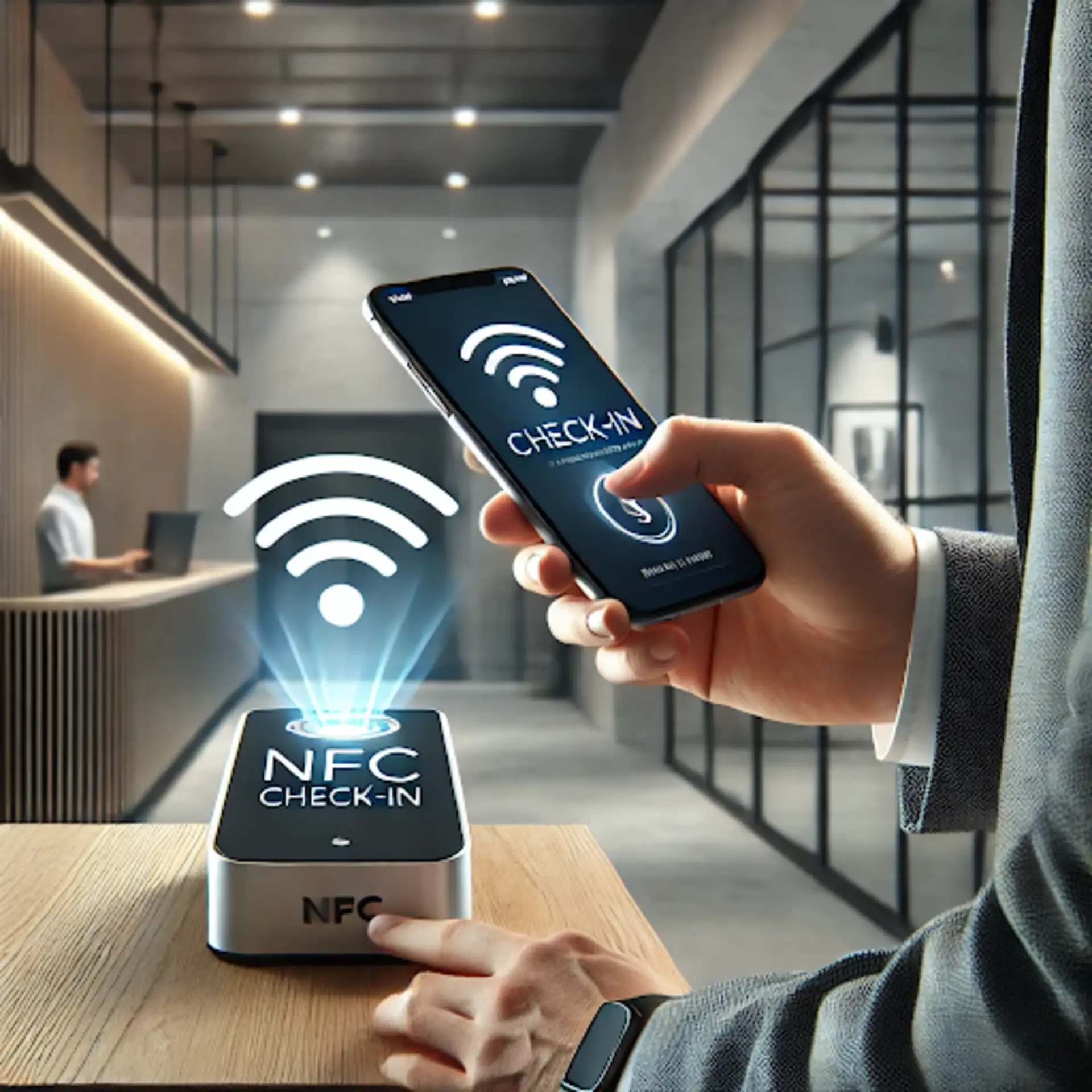
Patrol checkpoint verification: the guard completes QR, NFC, GPS, or other checkpoints during a route. This proves specific patrol activity rather than attendance alone.
A team may need one method or a combination. For example, a geofenced clock-in can confirm arrival at a warehouse, while QR or NFC checkpoints prove that the interior patrol was performed.
How we selected the apps
We reviewed official product, pricing, and support information available in August 2026. This is an editorial comparison, not a claim that every platform was tested in a live guard operation. We evaluated each app against the following requirements:
GPS punch records, geofences, optional route tracking, and clear off-duty privacy boundaries.
Shift scheduling, late or missed punch visibility, timesheet review, and multi-site management.
Security-specific functions such as patrol checkpoints, incidents, post instructions, and lone-worker support.
Offline behavior and reliability at basements, parking areas, remote posts, and other weak-signal locations.
Payroll, invoicing, exports, integrations, APIs, and the effort required to deploy the system.
Public pricing and trials where the vendor provides them.
Published prices below are in US dollars and can change. Confirm plan limits, GPS add-ons, minimums, and regional payroll support with the vendor before purchasing.
Best GPS time clock apps for security guards compared
App | Best for | Location method | Security workflows | Payroll/back office | Public starting price |
|---|---|---|---|---|---|
TARGPatrol | Attendance linked to patrols, tasks, and incidents | GPS Point radius validation plus optional GPS tracking | QR/NFC/GPS checkpoints, checklists, photos, Incidents | Reports, exports, API and webhooks; no payroll | Free up to 10 users; Base $15/user monthly or $12 annual |
Connecteam | Small and midsize teams needing one workforce app | GPS punches, geofences, on-clock Breadcrumbs | Security schedules, forms, post instructions, incident records | Payroll integrations and separate HR/communications hubs | Free small-business plan; Operations Basic from $29/month annual |
TrackTik | Enterprise security companies and complex multi-site programs | GPS-verified clock-ins plus NFC/QR patrol proof | Tours, command center, incidents, lone worker, dispatch | Scheduling, payroll preparation, billing, contracts and BI | Custom quote by sites and modules |
Timeero | Route history, mileage and multi-stop field work | On-clock GPS, route replay, geofences, auto clock-in/out | General jobs and custom fields; not security-specific | Timesheets and payroll/accounting integrations on Pro | Basic $5/user/month annual; Pro $7.50 annual |
Buddy Punch | Simple GPS timekeeping and payroll handoff | GPS on punches, geofences, optional real-time GPS | No patrol or incident workflow | Scheduling, reports, integrations and optional payroll | Starter $4.99/user/month annual plus $19 base fee |
1. TARGPatrol — best for time records connected to patrol proof
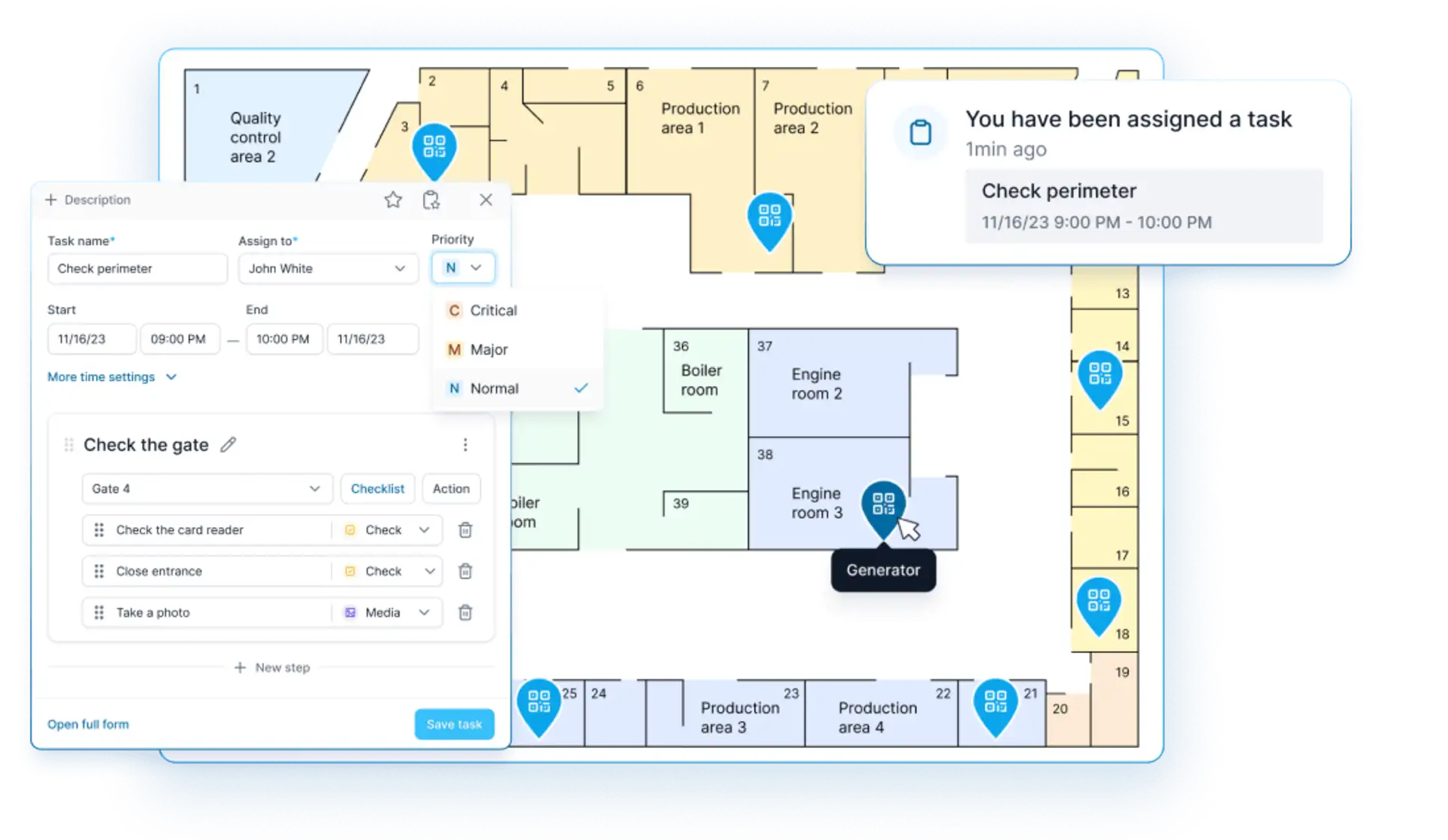
TARGPatrol time tracking is part of a wider field-operations platform. Instead of treating attendance as an isolated payroll event, it connects guard activity to locations, Points, scheduled tasks, checklists, patrol routes, media evidence, and Incidents. This makes it particularly useful when a security company needs to demonstrate both how long a guard worked and what happened during the shift.
For location verification, managers can create a GPS Point with saved coordinates and an allowed radius. A guard can complete that Point only while physically close enough to the location. QR codes and NFC tags provide stronger proof for specific indoor or physical checkpoints. Photo and video confirmation, notes, timestamps, and route history can add operational context.
Optional GPS tracking is a separate per-user setting. When enabled, TARGPatrol records coordinates while the mobile app is open and in use. It should not be confused with GPS Point proximity validation: tracking provides route context over time, while the Point rule decides whether one location-based action can be completed.
Strengths for security teams
GPS Point proximity validation, QR checkpoints, NFC tags, virtual check-ins, and photo or video proof.
Time tracking tied to tasks, patrols, locations, users, and scheduled operational work.
Incidents can be registered separately or during a task, then assigned, prioritized, resolved, verified, and reported.
Offline mobile work synchronizes when connectivity returns.
Maps, dashboards, scheduled reports, PDF and Excel exports, External API, and webhooks on eligible plans.
The same workspace can also coordinate cleaning, maintenance, inspection, and other site teams.
Limitations
TARGPatrol is not a payroll service and does not calculate taxes, produce payslips, or replace a certification-aware guard roster and billing system. Its scheduling focuses on operational work. Teams can export records or use the API and webhooks to connect verified activity to existing payroll and business systems.
Pricing: Free forever for up to 10 users with seven-day data retention. Base costs $15 per user per month, or $12 per user per month when billed annually. A 14-day fully featured trial is available. Review the current TARGPatrol pricing.
2. Connecteam — best all-in-one workforce clock for smaller security teams
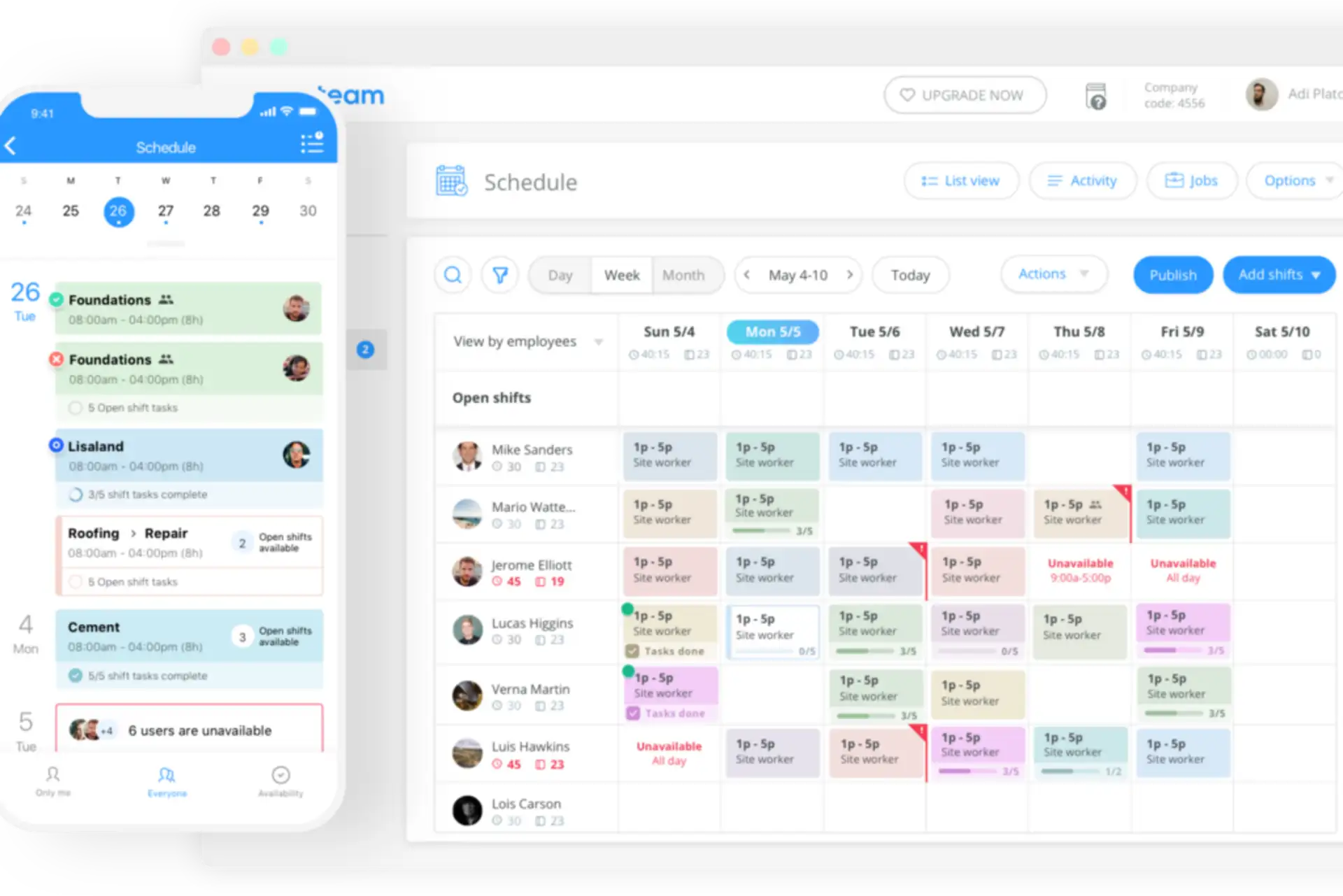
Connecteam combines a GPS time clock with job scheduling, open shifts, forms, checklists, tasks, chat, post instructions, and payroll integrations. Its dedicated security-industry configuration makes it a strong option for companies that want broad workforce coordination without buying a full enterprise guard-management platform.
The Operations Basic plan records real-time clock-ins and clock-outs with GPS. Advanced adds up to 10 geofence sites and more scheduling controls, while Expert provides unlimited geofence sites and automated reporting. Connecteam’s Breadcrumbs feature can record location during a shift; the vendor states that location is documented only while the user is on the clock.
Security teams can also attach site instructions, assign forms and checklists, capture incident information with photos, video, timestamps, signatures, and geotagged records, and organize hours by site or client. This is useful for payroll and client disputes as well as basic operational accountability.
Strengths for security teams
GPS punches, geofenced attendance on eligible plans, and optional on-clock location history.
Scheduling, open shifts, shift swaps, time clock, timesheets, tasks, forms, and communications in one app.
Payroll integrations and fixed pricing for the first 30 users.
Site instructions, incident records, media evidence, and searchable activity history.
A free small-business option and a 14-day trial make evaluation accessible.
Limitations
Connecteam is a general deskless workforce platform, not a patrol-first security system. Its security page now references NFC check-ins, but teams should still validate checkpoint routes, missed-check escalation, client patrol reports, and offline behavior against their exact contracts. Costs can also rise when multiple product hubs or higher GPS tiers are required.
Pricing: The Small Business Plan is free for teams with fewer than 10 employees, and a limited free plan is available for up to 30 users. Operations Basic starts at $29 per month for the first 30 users when billed annually, or $35 month to month. Advanced, which includes up to 10 geofence sites, starts at $49 annually or $59 monthly.
3. TrackTik by Trackforce — best enterprise security time and attendance platform
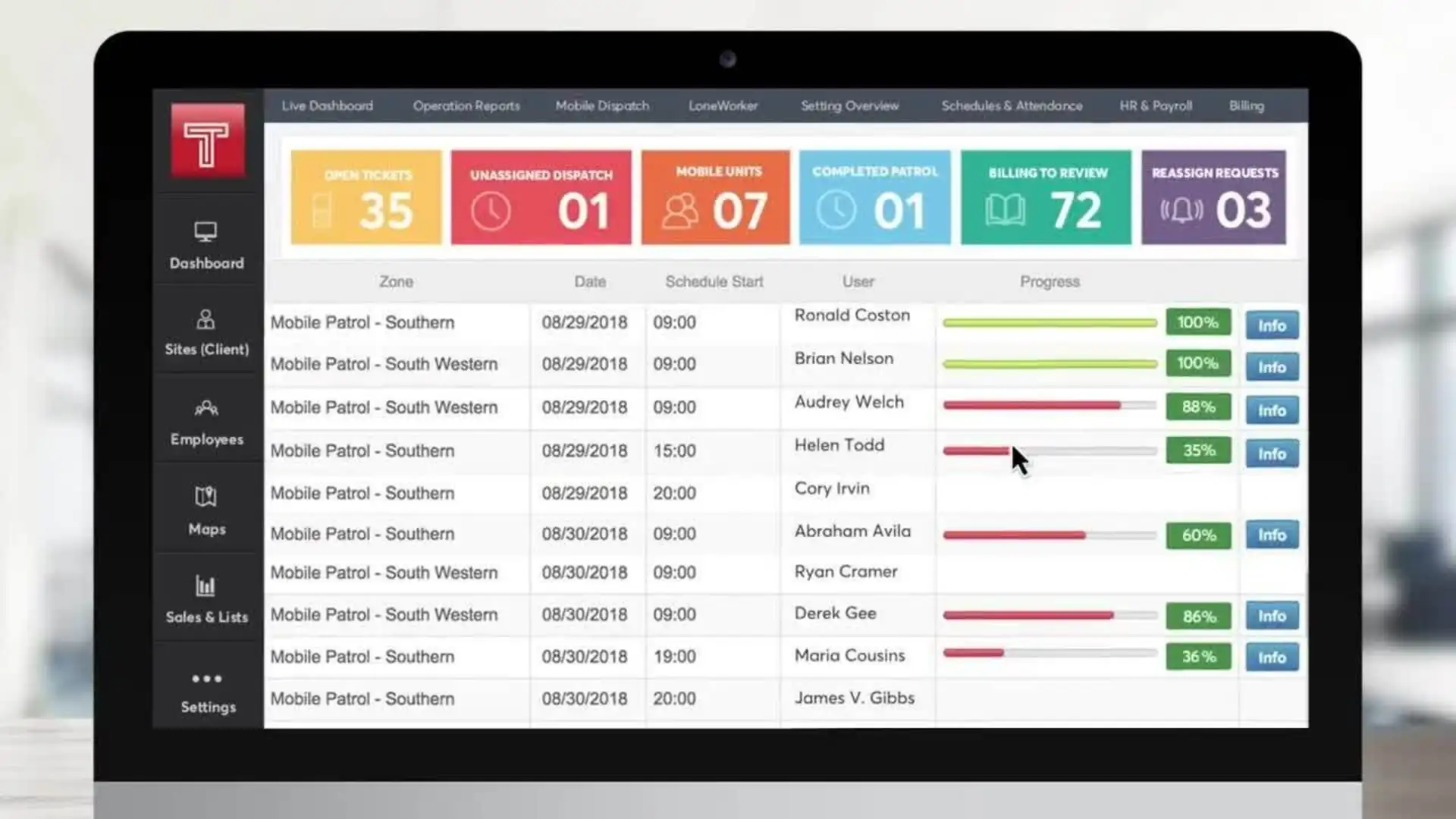
TrackTik is much broader than a standalone GPS clock. It connects GPS-verified time and attendance with security scheduling, guard tours, QR and NFC checkpoints, incidents, post orders, lone-worker protection, dispatch, command-center visibility, contracts, invoicing, payroll preparation, and business intelligence.
A guard clock-in can be GPS-verified and timestamped in the mobile app. Attendance and scheduled hours then feed operational dashboards and, with the appropriate modules, payroll-ready timesheets and contract billing. TrackTik is therefore relevant when the buyer wants one security-specific data flow from guard arrival through verified patrol work to client invoices.
Strengths for security teams
Purpose-built security workflows rather than a generic employee clock.
GPS-verified mobile attendance alongside QR, NFC, and GPS patrol verification.
Live scheduling, no-show and overtime visibility, multi-site coverage, and command-center operations.
Incidents, DARs, dispatch, lone-worker protection, offline mobile work, and client-facing proof.
Payroll preparation, contracts, billing, ERP integrations, APIs, and advanced reporting modules.
Limitations
TrackTik is not the practical choice for a small company that only wants inexpensive clock-ins. Pricing requires a quote, functionality is modular, and deployment can involve a formal implementation. Its value is the connected enterprise workflow, not a low-cost standalone clock.
Pricing: Custom quote based on the number of protected sites and the modules used. Back-office modules are priced per active guard with volume tiers.
4. Timeero — best for on-shift route and mileage visibility
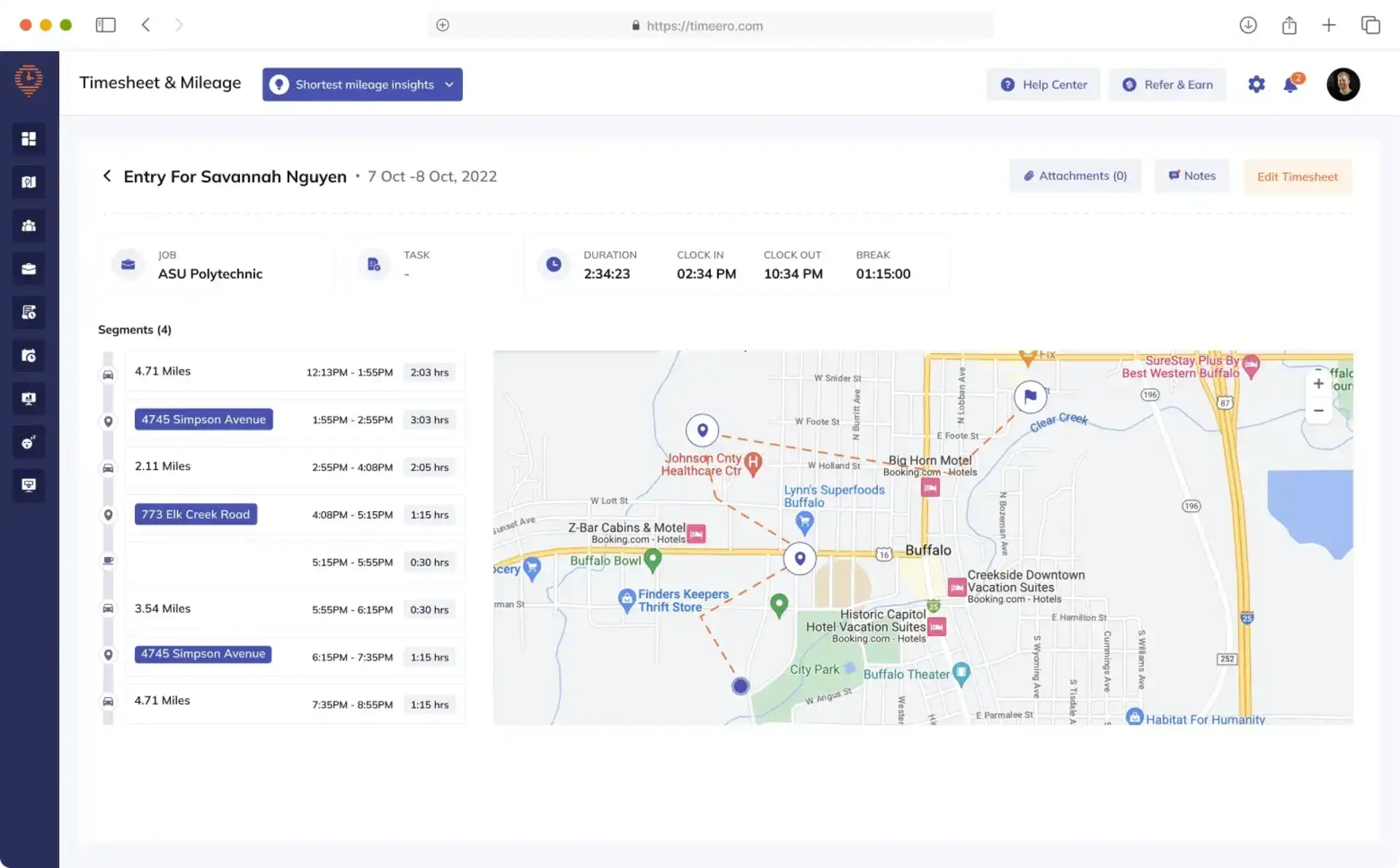
Timeero is a GPS time, location, and mileage platform for mobile workforces. It is not security-specific, but it suits mobile patrol supervisors, response teams, and guards who travel between multiple sites and need a defensible route, stop, mileage, and job-time record.
GPS tracking starts when the user clocks in and stops when the user clocks out. Timeero can show who is working, live locations, route replay, speed, distance, and time at each location. The Pro plan adds geofencing, scheduling, automatic clock-in and out, job tracking, payroll and accounting integrations, and photo attachments. GPS and time can be captured offline and uploaded after the device reconnects.
Its optional Segmented Tracking add-on breaks one workday into drives, stops, and time at locations without requiring repeated punches. That is useful for mobile supervisors or patrol vehicles, but it should not be mistaken for a security checkpoint tour with required QR or NFC scans.
Strengths for security teams
On-clock GPS routes, live location, route replay, mileage, job time, and geofence events.
Clear privacy boundary: the vendor states that it does not capture and store location after clock-out.
Offline GPS and time capture for weak-signal sites.
Auto clock-in/out, scheduling, payroll integrations, and photo attachments on Pro.
Segmented Tracking can document multi-stop mobile work with less manual interaction.
Limitations
Timeero does not provide a dedicated guard-tour, incident-management, dispatch, or client security-reporting workflow. Geofencing and integrations require Pro or higher, and Segmented Tracking is a paid add-on. Teams still need another system if a contract requires structured patrol checkpoints and incident follow-up.
Pricing: Basic is $5 per user per month annually or $6 monthly and supports up to 10 users. Pro is $7.50 per user per month annually or $9 monthly. Segmented Tracking starts at an additional $5 per user per month. A 14-day trial is available with no credit card required.
5. Buddy Punch — best straightforward GPS clock with payroll options
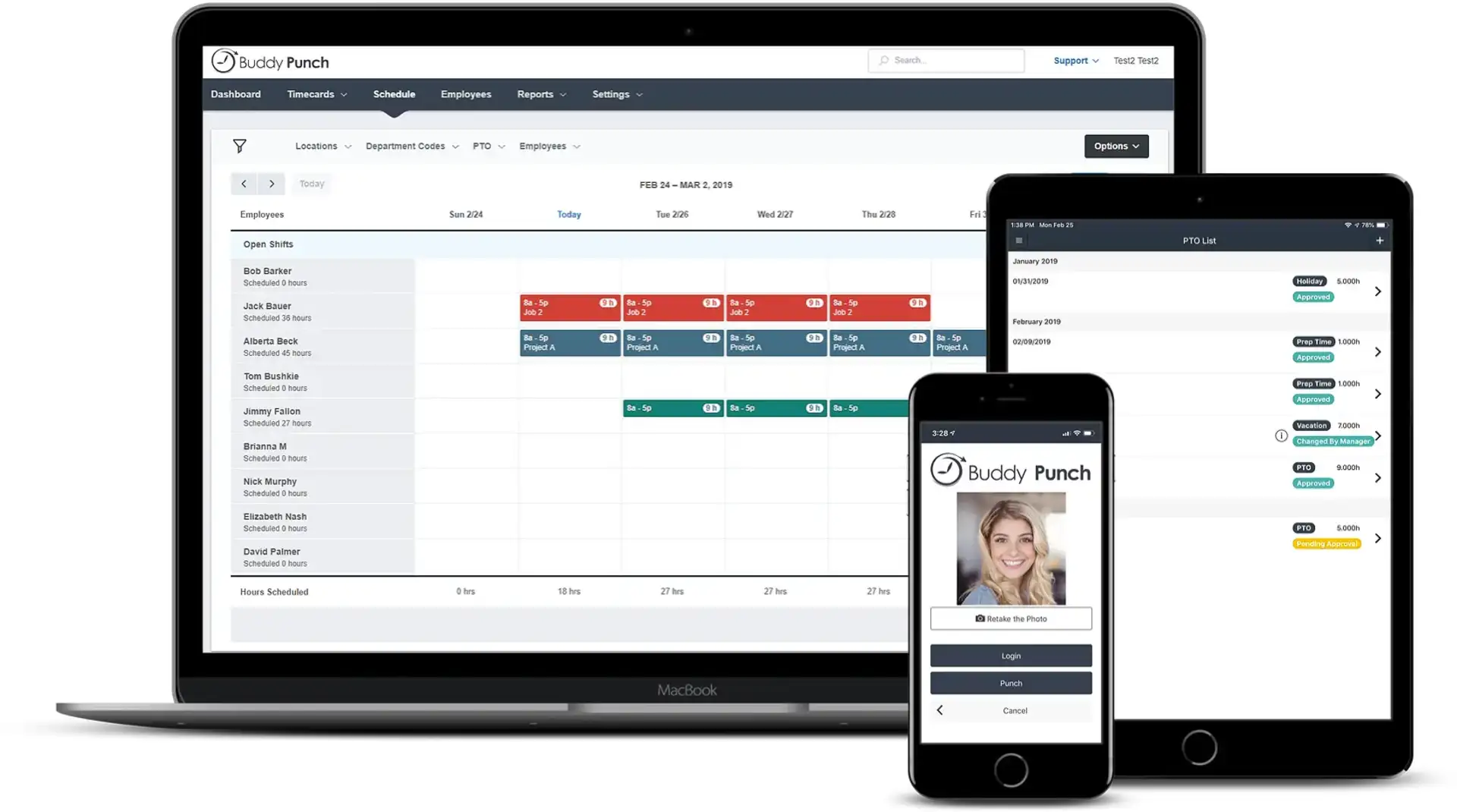
Buddy Punch is a conventional employee time clock that emphasizes punch control, timesheet approval, job and location tracking, scheduling, reports, payroll integrations, and optional payroll processing. It is a good fit when a security company needs reliable hours and location evidence but manages patrol activity in another system.
Starter captures GPS coordinates when employees punch in or out. Pro adds basic geofencing, QR clock-ins, kiosk punches, webcam photos, break compliance, API access, and scheduling. Real-Time GPS records movement while the employee is punched in; it is included in Advanced or available as a paid add-on for Starter and Pro.
Strengths for security teams
GPS on punches is included in the entry plan.
Geofences, kiosk and PIN punches, webcam verification, QR clock-ins, and device or IP restrictions cover several attendance scenarios.
Timesheet approvals, overtime calculations, job costing, reports, and payroll integrations support administrative accuracy.
Optional real-time GPS provides on-shift movement rather than only punch locations.
A 14-day trial is available without a credit card.
Limitations
Buddy Punch is not guard-management software. QR scanning is for time-clock punches rather than a full patrol route, and the platform does not replace incidents, post orders, lone-worker workflows, dispatch, or client patrol reports. The $19 monthly base fee also makes the headline per-user price less attractive for a very small team.
Pricing: When billed annually, Starter costs $4.99 per user per month plus a $19 monthly base fee; Pro costs $6.99 per user plus the base fee. Monthly rates are $5.99 and $7.99 respectively. Real-Time GPS costs $2 per user per month on Starter or Pro and is included in Advanced.
Which app should a security company choose?
Choose TARGPatrol when the business must connect attendance to patrol checkpoints, recurring tasks, checklists, incidents, photos, routes, and management reporting.
Choose Connecteam when a smaller team wants one employee app for shifts, GPS attendance, forms, communications, and payroll-ready timesheets.
Choose TrackTik when enterprise security operations need time and attendance inside a larger workflow covering tours, dispatch, incidents, contracts, billing, and payroll preparation.
Choose Timeero when route history, travel between sites, mileage, and time at stops matter more than specialist guard-tour workflows.
Choose Buddy Punch when the priority is a controlled, payroll-oriented time clock and the organization already has another system for patrols and incidents.
GPS time clock rollout checklist
Define the evidence: decide whether the contract needs an arrival punch, an allowed-site geofence, a route history, required patrol checkpoints, or all of them.
Set a clear privacy policy: explain what location is collected, when tracking starts and stops, who can view it, how long it is retained, and how employees can report errors.
Test real posts: check GPS accuracy at entrances, underground areas, high-rise buildings, parking structures, and remote sites before enforcing a radius.
Plan exceptions: document what happens when a phone is offline, its battery dies, GPS permission changes, the app is closed, or a legitimate punch falls outside the boundary.
Separate attendance from service proof: a correct clock-in does not demonstrate that every patrol, check, or incident response was performed.
Validate downstream data: compare hours, breaks, overtime, job codes, exports, payroll, invoicing, and client reports during a controlled pilot.
Use the least invasive method: collect only the location history needed for safety, accountability, contracts, and payroll, subject to local employment and privacy rules.
Frequently asked questions
Can a GPS time clock prove that a patrol was completed?
Not by itself. A punch location proves where the phone was at the start or end of a shift. Patrol proof normally requires timed QR, NFC, GPS, or other checkpoints plus route requirements, task results, photos, notes, and exception alerts. Compare dedicated options in our guide to patrol management software for security services.
What is the difference between a geofence and GPS tracking?
A geofence is a virtual boundary used to allow, block, or flag an action such as clock-in. GPS tracking records multiple coordinates over time and can show movement, routes, mileage, or stops. TARGPatrol documents its location-based checkpoint behavior in the GPS Point proximity validation guide.
Does TARGPatrol track guards continuously?
Not by default. A GPS Point validates that the user is within an allowed radius when completing that Point. Optional GPS tracking is configured separately per user and records coordinates while the mobile app is open and in use. Managers should enable it only where route context is necessary and employees have been informed.
Which option is best for payroll?
Buddy Punch is the most conventional standalone payroll-oriented clock in this comparison. Connecteam and Timeero provide payroll integrations, while TrackTik connects security attendance to payroll preparation and billing modules. TARGPatrol supplies verified operational records and exports but is not a payroll processor.
Are any GPS time clock apps free?
TARGPatrol has a free plan for up to 10 users with seven-day data retention. Connecteam offers a free Small Business Plan for teams with fewer than 10 employees and a limited free option for up to 30 users. Free plan limits can change, so verify which GPS, geofence, reporting, and retention features are included before deployment.
Final recommendation
For a security company, the best GPS time clock is the one that produces the evidence its customers and managers actually need. If the requirement ends at accurate punches and payroll, Buddy Punch, Connecteam, or Timeero may be enough. If the company needs a fully connected enterprise security operation, TrackTik is the stronger—though substantially larger—platform.
TARGPatrol is the most practical choice in this list when the objective is to verify work at the site, not merely attendance. It can combine GPS Point proximity validation, QR and NFC checkpoints, optional route context, tasks, checklists, photos, incidents, and reports in one operational workflow while leaving payroll in the system the company already uses.
Explore the broader comparison of security guard management software for 2026, review TARGPatrol tours and walkarounds, or start a free TARGPatrol trial.