
Registration and authorization
In this guide, we’ll explain the general structure of organizations and how to quickly create an account and start using TARGPatrol.
Structure of Organizations in TARGPatrol
In TARGPatrol, any organization is divided into three levels:
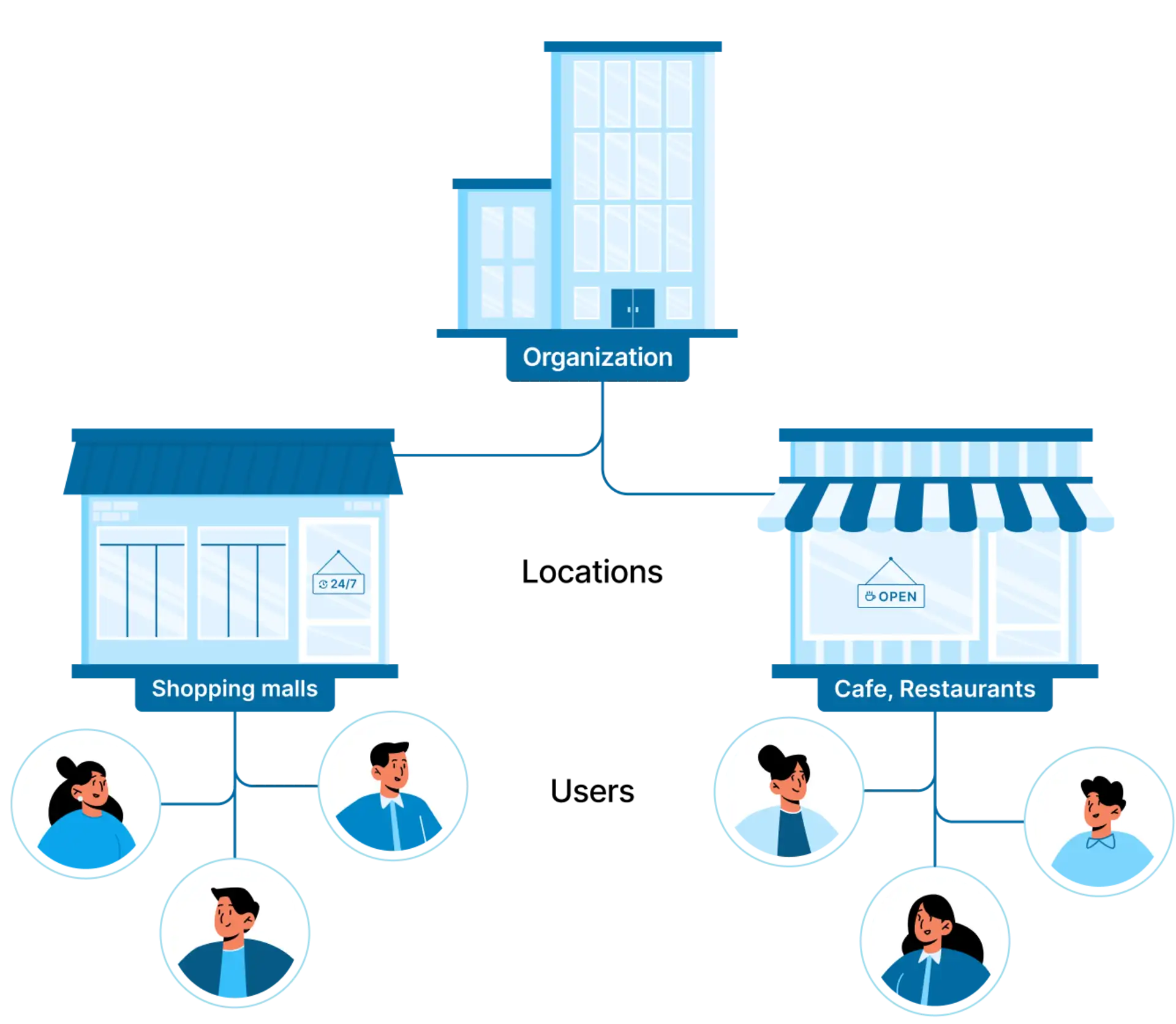
The Organization itself - an enterprise, chain establishments, or a city where tasks or inspections will be organized.
Locations - sections into which the organization is divided. For example:
a. For chain establishments, each location will serve as a separate establishment.
b. In a city, these could be districts.
c. For enterprise territories, these could be workshops.
d. For cleaning companies, these could be their clients: shopping centers, office buildings, etc.Employees - administrators, managers, employees who work at a specific location or group of locations.
Account Registration / Sign Up
This step is mandatory whether you are an administrator or an invited team member. An account is personal for each employee, except for Guards.
After creating an account, go to the specified email and confirm your registration. After confirmation, you will be automatically logged in.
Authorization / Sign In
To log in to TARGPatrol, go to https://app.targpatrol.com and sign in using your account (email or Google account).
After logging in, you will see a page with a list of organizations or an empty list.
If you are an invited team member, wait for your organization's invitation or accept an existing invitation.
If you are an administrator and want to create a new organization, refer to the instructions for creating an organization in TARGPatrol.
How to Delete Your Account
If you decide to delete your account in TARGPatrol, please ensure the following steps are completed:
Before Deleting
If you are the Owner of any organization, you must first transfer ownership before deleting your account.
Learn how to do this here Deleting an Organization and Transferring Ownership.
To Delete Your Account:
Go to your Security Settings
Click the Delete Account button
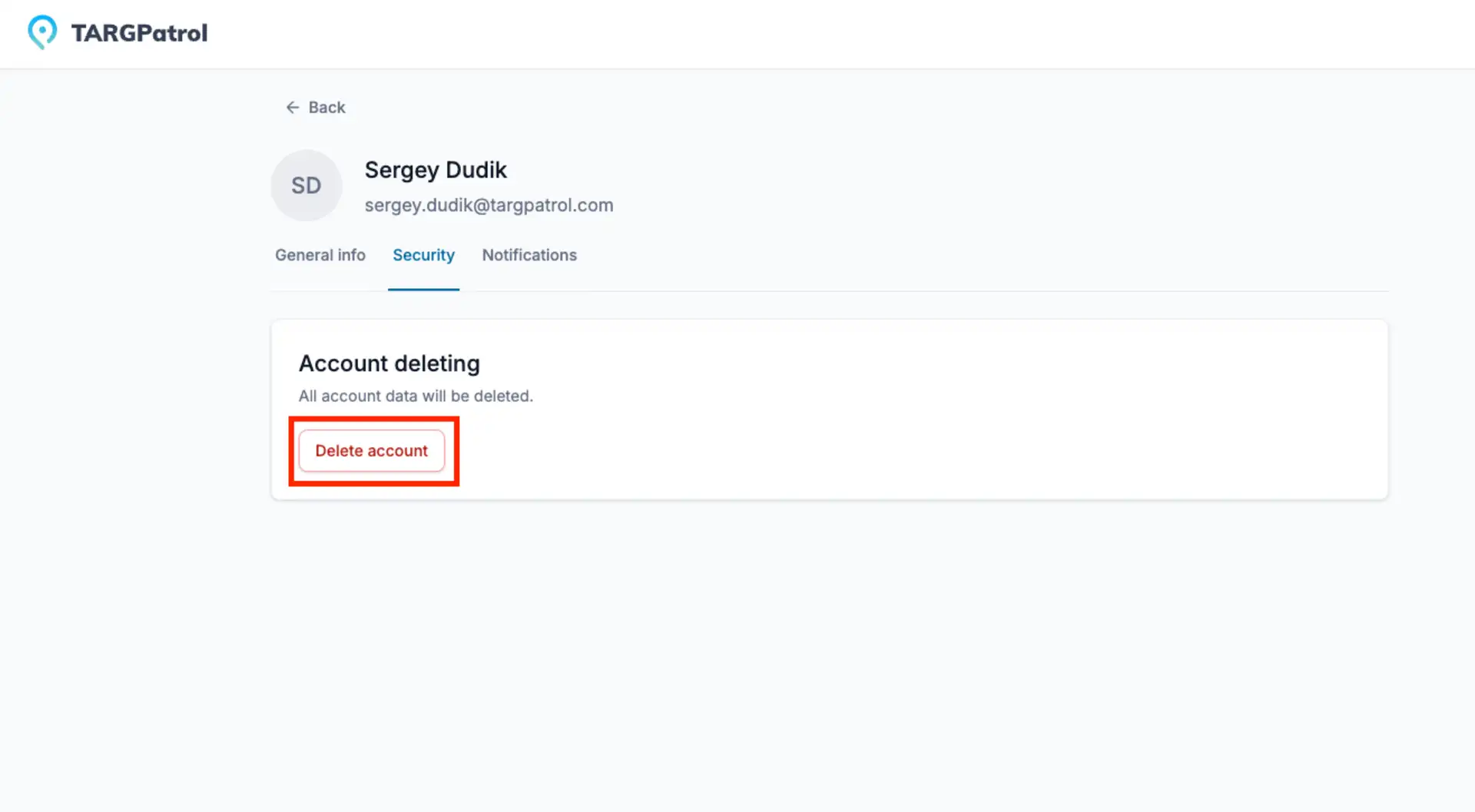
All your personal data will be permanently deleted. This action cannot be undone.
Lost Access to Your Account?
If you’ve lost access to your account, you can:
Recover via Email using the standard Login form: Forgot password
Contact Support through our Security Verification Form
Read more
For more detailed guidance on managing your organization, explore our Knowledge Base articles:
Want to understand how to manage your organization? Check out our Organization Management guide to learn how to create an organization, transfer ownership, or delete it when necessary.
Need to handle billing or change your plan? Visit our Payments and Subscription guide for instructions on setting up payment methods, updating plans, and viewing invoices.